
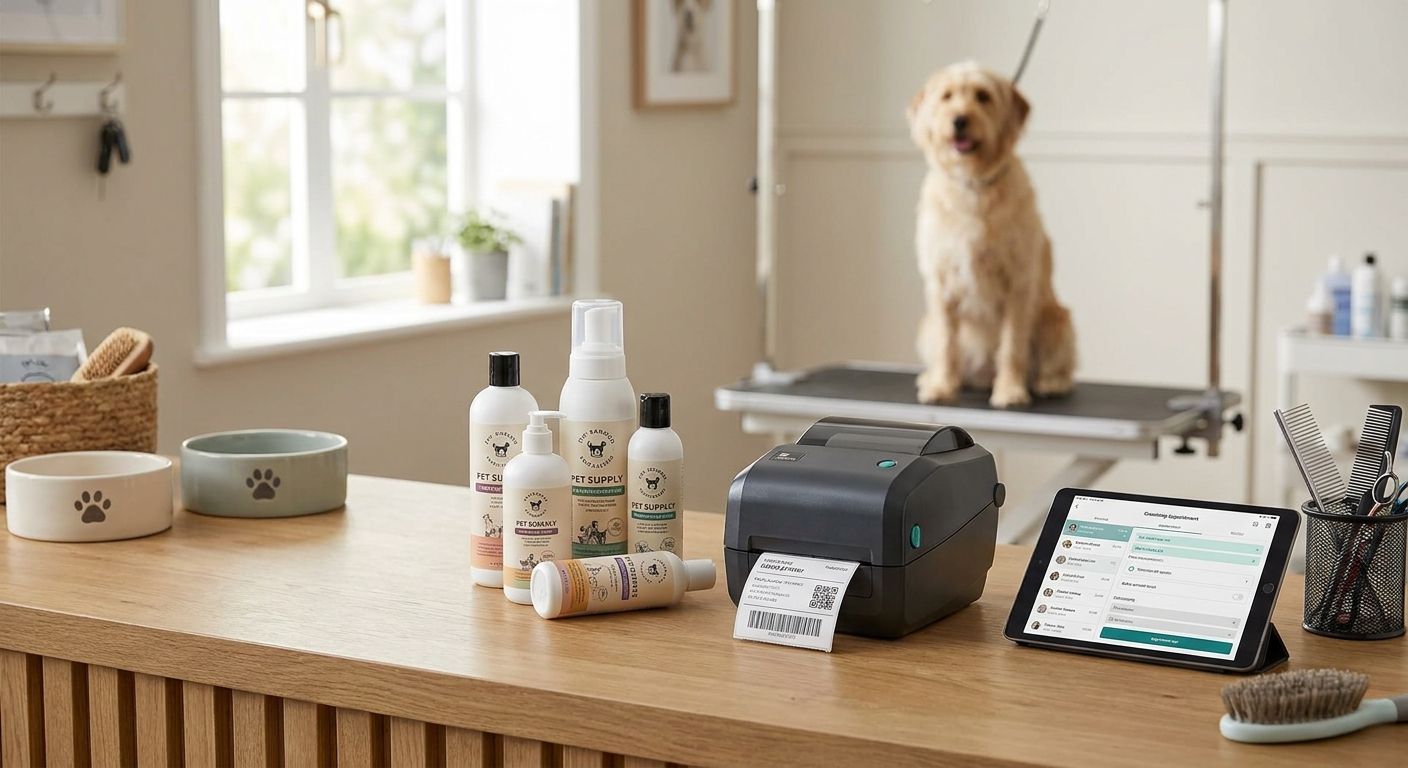
Pet grooming and boarding businesses print more labels in a day than most retail shops do in a week — cage cards, vaccine tags, retail SKUs, and appointment slips all move through the same front desk. The wrong printer chokes on that mix by mid-morning. This guide ranks the printers that hold up to fur, disinfectant, and Saturday walk-in volume in 2026.
- GoDEX RT700i+ wins the best label printer for pet grooming businesses race at $581 in 2026 — Buy.
- GoDEX RT200i covers single-chair groomers at 203 DPI for daily cage cards and receipts — Buy.
- GoDEX ZX430i+ hits 300 DPI for $945, sharp enough for QR-coded vaccine tags — Buy.
- Skip office inkjet and laser printers; thermal print survives shampoo splash and daily wipe-downs.
- 3M heavy-duty silver asset tags track grooming tools and kennel equipment through 2026 sanitation audits.
Why this matters
A grooming shop prints differently than a warehouse. You need small-format tags for cages, retail labels for shampoo and treat bags, and increasingly, QR codes linking to a pet's vaccine record or online intake form. Office printers aren't built for that mix, and they definitely aren't built for a counter that gets hosed down between appointments.
Thermal printers solve the durability problem because there's no ink cartridge to dry out or smear when a wet dog shakes off next to the front desk. A desktop model like the GoDEX RT700i+ 4-inch thermal printer handles cage cards, appointment tags, and retail SKUs from one machine, which matters when your back office is the size of a supply closet.
McAuley Labels stocks the GoDEX label printer lineup that most single-location groomers and small boarding kennels actually need — not industrial floor printers built for six-figure production runs. That distinction keeps this list short and specific instead of generic.
How we ranked
Every printer on this list is judged against four things a grooming or boarding business actually cares about: print resolution for QR codes and small text, desktop footprint for a front-desk counter, connectivity for tying into point-of-sale software, and whether the printer uses thermal transfer ribbon or plain direct thermal stock. Direct thermal is cheaper to run but fades faster under UV and heat — a real issue for boarding runs with outdoor exposure.
Pricing reflects 2026 list prices where available. Models without a published unit price on the McAuley Labels catalog are ranked on resolution and use case instead of cost, and that's noted in each entry.
The ranked list
GoDEX RT700i+ Thermal Printer — the front-desk workhorse
Four-inch print width, color display, 203 DPI, $581 in 2026. This is a dual thermal (direct thermal and thermal transfer capable) desktop printer built for daily volume — cage cards in the morning, retail labels at checkout, appointment tags in between.
A single grooming location with steady walk-ins doesn't need anything bigger than this. USB, serial, and ethernet connectivity mean it plugs into most point-of-sale setups without a workaround. Verdict: Buy.
GoDEX RT200i Thermal Printer — the single-groomer starter pick
203 DPI resolution in the same RT-series body, priced below the RT700i+ tier for shops just getting a dedicated label printer for the first time. It handles the same core jobs — cage cards, pet ID tags, basic retail labels — without the color display.
If you're running one grooming chair or one small boarding wing and printing under a few hundred labels a week, this is the right entry point. Three boarding locations sharing one print queue will outgrow it fast. Verdict: Buy for a single location, Skip for multi-site operations.
GoDEX ZX430i+ Thermal Printer — the QR-code and vaccine-tag pick
300 DPI, color display, $945 in 2026. The jump from 203 to 300 DPI matters the moment you start printing QR codes small enough to fit on a collar tag or a cage card — at 203 DPI those codes blur and scanners start rejecting them.
Boarding facilities linking a QR tag to a pet's vaccine record or digital intake form need this resolution, not the lower-DPI models. Groomers who only print names and dates don't. Verdict: Buy if QR codes are in your workflow.
GoDEX RT730i Thermal Printer — the multi-bay boarding pick
Sits a step above the RT700i+ in the same product family, aimed at boarding operations running more than one print station across several kennel rows. It's built for shops where the front desk isn't the only place labels get printed.
A single grooming chair doesn't need this much printer. A boarding facility with two intake counters does. Verdict: Consider for multi-station setups, Skip for a single desk.
GoDEX G500 Thermal Printer — the compact backup
A smaller-footprint desktop model that works as a second unit rather than a primary. Grooming vans and small satellite counters that need occasional label printing without a full-size machine taking up counter space fit this profile.
Keeping a backup on hand matters more than it sounds — a printer failure on a Saturday with a full boarding house is a real problem. Verdict: Consider as a spare, Skip as your only printer if volume is high.
GoDEX GE330 Thermal Transfer Printer — the heavy-duty ribbon pick
4-inch, 203 DPI, thermal transfer engine using ribbon rather than direct thermal stock alone. Thermal transfer prints resist fading under sunlight and heat far better than direct thermal, which matters for outdoor kennel runs and equipment tags that live outside.
If you're only tagging paper cage cards, skip the ribbon cost. If you're also labeling crates, carts, and outdoor equipment, this earns its keep. Verdict: Buy if equipment labeling is part of the job.
Comparison table
| Printer | Resolution | Best for | Verdict |
|---|---|---|---|
| GoDEX RT700i+ | 203 DPI | Front-desk daily printing | Buy |
| GoDEX RT200i | 203 DPI | Single-groomer starter | Buy |
| GoDEX ZX430i+ | 300 DPI | QR codes and vaccine tags | Buy |
| GoDEX RT730i | Desktop-class | Multi-bay boarding | Consider |
| GoDEX G500 | Desktop-class | Backup or second station | Consider |
| GoDEX GE330 | 203 DPI, thermal transfer | Equipment and asset tags | Buy |


Where to buy
- Match ribbon to engine type: thermal transfer models like the GoDEX GE330 need wax or resin ribbon, while direct thermal models print with no ribbon at all — buying the wrong consumable stalls your printer on day one.
- Size the label stock to the job. A cage card doesn't need the same label size as a retail shampoo bottle, and running one stock for both wastes material.
- If you're tagging equipment and not just paper tags, order 3M heavy-duty silver barcode asset tags separately — standard label stock isn't rated for outdoor kennel equipment or repeated disinfectant washdowns.
FAQ
What's the best label printer for pet grooming businesses in 2026?
The GoDEX RT700i+ is the best label printer for pet grooming businesses in 2026 at $581, handling cage cards, retail labels, and appointment tags from one desktop unit. Shops running QR-coded vaccine tags should size up to the 300 DPI GoDEX ZX430i+ instead.
Is 300 DPI necessary for a grooming shop label printer?
Only if you print QR codes or dense barcodes; 203 DPI is fine for names, dates, and standard cage cards. Vaccine record QR tags and digital intake links need the sharper 300 DPI output from a printer like the GoDEX ZX430i+.
Do boarding facilities need thermal transfer or direct thermal printers?
Boarding facilities with outdoor runs or equipment tags benefit from thermal transfer, which resists fading under sunlight and heat better than direct thermal. Indoor-only paper tags, like daily cage cards, print fine on a direct thermal model without the added ribbon cost.
How much does a label printer for pet grooming cost in 2026?
Entry desktop models like the GoDEX RT200i run under the RT700i+'s $581 price point, while higher-resolution models like the GoDEX ZX430i+ cost $945 in 2026. Consumables like ribbon and label stock are a separate ongoing cost on top of the printer itself.
Can one label printer handle both retail product labels and cage cards?
Yes, dual thermal desktop printers like the GoDEX RT700i+ print both from the same machine with different label stock loaded for each job. Running one printer for both keeps a small back office simpler than managing two separate units.
What's the difference between GoDEX RT700i+ and GoDEX RT200i?
The RT700i+ adds a color display and sits at a higher price point, while the RT200i is the lower-cost entry model in the same 203 DPI family. Single-chair groomers with light volume are fine on the RT200i; busier front desks get more use out of the RT700i+.
Do I need asset tags for grooming and boarding equipment?
If you're tracking crates, dryers, or grooming tools across a facility, 3M heavy-duty silver barcode asset tags hold up to washdowns and disinfectant better than standard label stock. Paper cage cards and asset tags for equipment are two different jobs that need two different materials.
How often do thermal printheads need cleaning in a grooming shop?
Clean the printhead whenever prints show white streaks or fading, which happens faster in grooming environments where pet hair and dust circulate more than in a typical office. A quick isopropyl wipe-down keeps print quality sharp between service visits.
One last thing
Pet hair in the air is harder on a printhead than most shop owners expect — dust and fur buildup inside the printer causes streaking long before the printhead itself wears out. A five-minute wipe-down with isopropyl alcohol on a slow week saves a same-day printhead swap on a fully booked Saturday.