
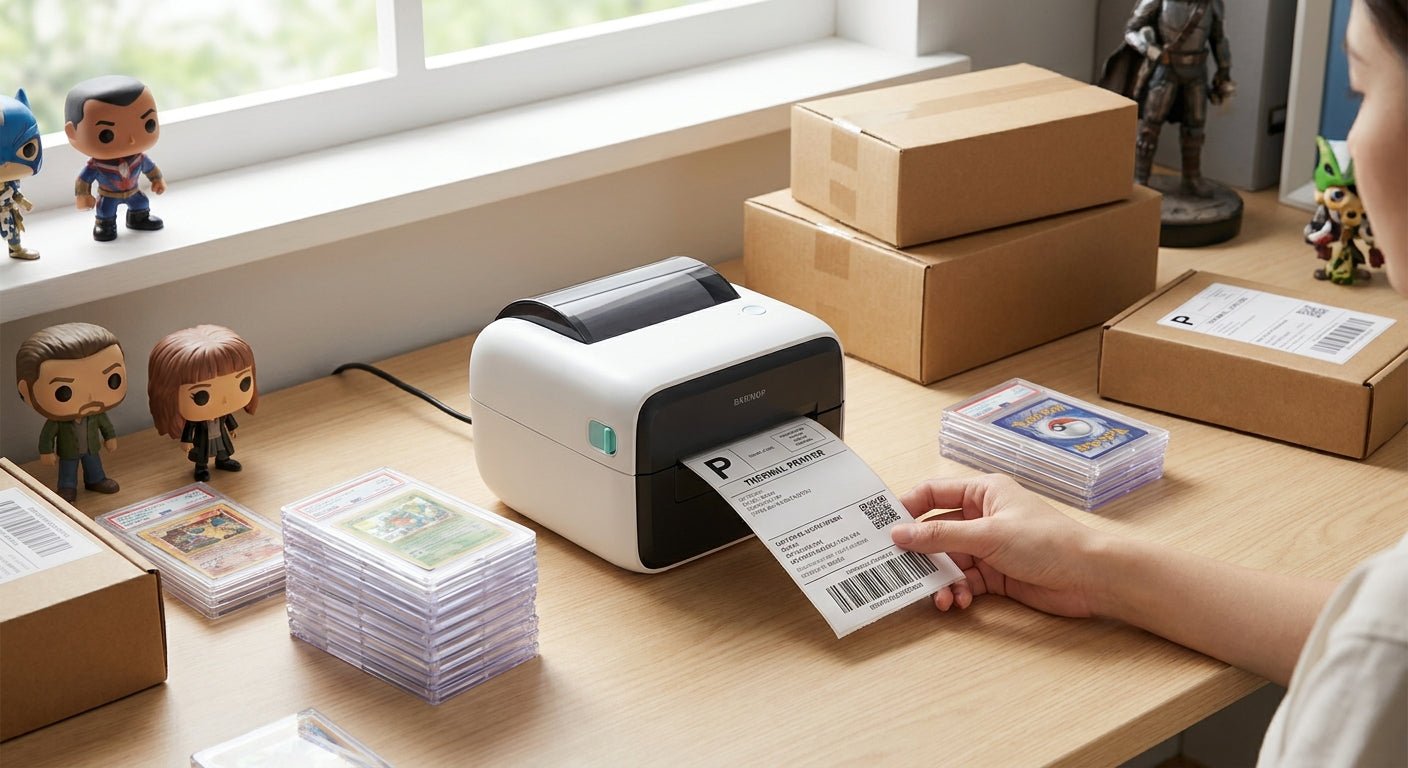
Trading card and collectibles sellers print more labels per box than almost any other reseller category: shipping labels for single-card sales, barcode labels for inventory bins, and QR labels for grading submissions, all at sizes too small for a standard office printer to handle cleanly.
- The best label printer for trading card sellers in 2026 is the GoDEX RT700i+ at $581 for 50+ daily shipments.
- GoDEX RT200i is the budget desktop pick for sellers under 20 packages a day, no color screen needed.
- 300 DPI printers render small QR grading codes sharper than 203 DPI models on card-sized labels.
- Direct thermal skips the ribbon step; thermal transfer survives years in a storage tote without fading.
Why this matters
A trading card seller running a storefront on eBay, Whatnot, and a local card shop prints three different label types in the same afternoon: 4x6 shipping labels for single cards, small barcode labels for bin inventory, and QR codes tied to grading submissions or authentication numbers. Consumer inkjet and laser printers choke on that mix — they're slow, the ink smears on plastic sleeves, and per-label cost climbs fast at volume.
Desktop thermal printers built for McAuley Labels customers solve this differently: no ink cartridges, print speeds up to 16 inches per second on some models, and label stock that survives a humid storage unit through 2026 and beyond. The real decision isn't brand, it's resolution and media width matched to what you're actually shipping.
How we ranked
Each pick below is scored against five criteria that matter specifically for card sellers: print resolution (fine barcode and QR legibility on labels under 2 inches wide), maximum media width (most card shippers need 2" to 4" labels, not 6"), direct thermal vs thermal transfer durability, throughput speed for high-volume shipping days, and desktop footprint since most of these operations run from a spare room, not a warehouse.
Pricing reflects 2026 published rates where available. Models without a listed price are scored on spec sheet data alone — never guessed.
The ranked list
GoDEX RT700i+ — the workhorse pick
4-inch print width, 203 DPI resolution, color display, and USB/serial/Ethernet connectivity out of the box. It handles mixed runs — a batch of 4x6 shipping labels followed immediately by 2x1 barcode labels — without a driver reset.
At $581, it's priced for a seller shipping 50 or more packages a day, not a hobbyist moving a few cards a week. The color display matters here: card sellers running multiple SKUs benefit from seeing job status without squinting at a monochrome screen. Buy this if daily shipping volume already justifies a dedicated desktop unit — see the GoDEX RT700i+ thermal printer spec sheet for full connectivity options.
GoDEX RT200i — the budget pick
203 DPI resolution without the color display or the price tag. It covers the same 4-inch label width as the RT700i+ but strips the extras a low-volume seller doesn't need yet.
If you're shipping fewer than 20 packages a day and printing the occasional barcode label for inventory, this is the entry point. It won't outrun a busy Whatnot break night, but for a seller still building volume in 2026 it's the sane starting printer. Buy for low-volume operations — check the GoDEX RT200i 203 DPI thermal printer page for media compatibility before ordering labels.
GoDEX DT230 — the sharp-print pick
300 DPI direct thermal resolution, no ribbon required. This is the printer to reach for when QR codes on grading submission labels or authentication stickers need to scan clean on the first try, every time.
Direct thermal at 300 DPI beats 203 DPI thermal transfer on fine barcode detail, full stop — the tradeoff is that direct thermal labels fade faster under direct sun than thermal transfer stock. For indoor storage and short shipping windows, that tradeoff doesn't matter. Consider this if grading-code legibility is your bottleneck, not shipping volume.
GoDEX G500 — the plug-and-play pick
Available in either 203 or 300 DPI configurations, giving you a resolution choice without switching printer families. It's a simpler unit than the RT-series, built for straightforward single-label-type printing rather than mixed job queues.
A card seller who only ever prints one label type — say, just shipping labels, no barcode inventory system — gets everything needed here without paying for features that go unused. Consider for single-purpose setups.
GoDEX RT730i — the mid-tier all-rounder
Sits between the RT200i and RT700i+ on features, without matching either on price-to-spec clarity in the current catalog. It's a capable thermal transfer unit, but sellers choosing between the two clearer options above rarely need this middle tier.
Hold until you've confirmed the RT200i or RT700i+ doesn't already cover your volume — most trading card operations fit cleanly into one of those two brackets.
GoDEX GE330 — the industrial overkill
4-inch, 203 DPI thermal transfer built for continuous production-line duty, not a spare-room card operation. It's the right call for a reseller running thousands of units a month through a fulfillment-style setup, and the wrong call for anyone shipping out of a home office.
Skip unless your card business has scaled into full-time fulfillment-center territory — the RT700i+ handles serious volume without the industrial footprint.
Comparison table
| Pick | Resolution | Media width | Best for | Verdict |
|---|---|---|---|---|
| GoDEX RT700i+ | 203 DPI | 4" | 50+ shipments/day | Buy |
| GoDEX RT200i | 203 DPI | 4" | Under 20 shipments/day | Buy |
| GoDEX DT230 | 300 DPI | Direct thermal | Sharp QR/grading codes | Consider |
| GoDEX G500 | 203/300 DPI | Configurable | Single label type | Consider |
| GoDEX RT730i | Mid-tier | 4" | Sellers between brackets | Hold |
| GoDEX GE330 | 203 DPI | 4" | Fulfillment-scale volume | Skip |
Where to buy
Match printer and label stock from the same catalog before you order — a 203 DPI printer paired with labels calibrated for a different resolution prints muddy barcodes, and a graded card's QR code has to scan on the first pass.
Decide direct thermal vs thermal transfer before buying ribbon. Direct thermal skips the ribbon entirely and costs less per label, but fades under UV exposure over months; thermal transfer costs more upfront per roll but holds ink for years in a closed storage tote.
Card shops running a storefront alongside online sales often need staff or membership badges too, and the buying logic doesn't change much: resolution and durability decide the winner when you're shopping ID card printers for small businesses just as they do for shipping label printers. Card sellers opening their own shop can start with the best ecommerce platform for small business and add printing once orders come in.


A seller shipping heavy Whatnot break volume needs a different throughput calculation than one filling eBay orders a few times a week — the thermal printer built for Whatnot livestream sellers breaks down exactly how print speed and label queue depth change once a break generates 40+ orders in a single hour.
FAQ
What's the best label printer for trading card sellers in 2026?
The GoDEX RT700i+ is the best label printer for trading card sellers moving 50 or more shipments a day, priced at $581 with 203 DPI resolution and a 4-inch print width. Lower-volume sellers get the same resolution for less with the GoDEX RT200i.
Is 300 DPI better than 203 DPI for trading card labels?
300 DPI renders small QR codes and fine barcode detail sharper than 203 DPI, which matters most on grading submission labels and authentication stickers. For standard shipping labels, 203 DPI is sharp enough and costs less per printer.
How much does a thermal label printer cost for a card shop?
Desktop thermal printers for card sellers run from roughly $500 to $600 for models like the GoDEX RT200i and RT700i+, before label stock and ribbon. Industrial units built for fulfillment-scale volume cost significantly more and are overkill for a solo seller.
Can one printer handle both shipping labels and barcode inventory labels?
Yes, models like the GoDEX RT700i+ switch between label sizes and job types without a hardware change, just a different roll of stock. That flexibility is why mixed-use card sellers pick a 4-inch capable unit over a single-purpose printer.
Should I use direct thermal or thermal transfer for card shipping labels?
Direct thermal works fine for shipping labels since they're used within days of printing and don't need years of fade resistance. Thermal transfer is worth the ribbon cost for inventory or asset labels that need to stay legible for months or years.
What's the fastest printer for high-volume livestream card sellers?
The GoDEX RT700i+ prints at speeds suited to same-day mixed batches, which matters for Whatnot or eBay Live sellers processing dozens of orders after a single break. Slower budget models create a bottleneck once order volume climbs past 30-40 a session.
Does GoDEX support small label sizes for card sleeves and toploaders?
Yes, GoDEX printers in the RT and G series handle label widths well under 4 inches, which covers most card sleeve and toploader label needs. Check the specific label stock width against your printer model before ordering in bulk.
One last thing
Most card sellers overbuy resolution. A 203 DPI printer handles shipping labels and standard barcodes without a legibility problem — the jump to 300 DPI only pays off on QR codes or fine text under roughly 6-point size, which is mainly a grading-submission and authentication-sticker use case, not a shipping-label one. Spend the resolution budget where it actually shows up on a scanner in 2026, not across the board.