
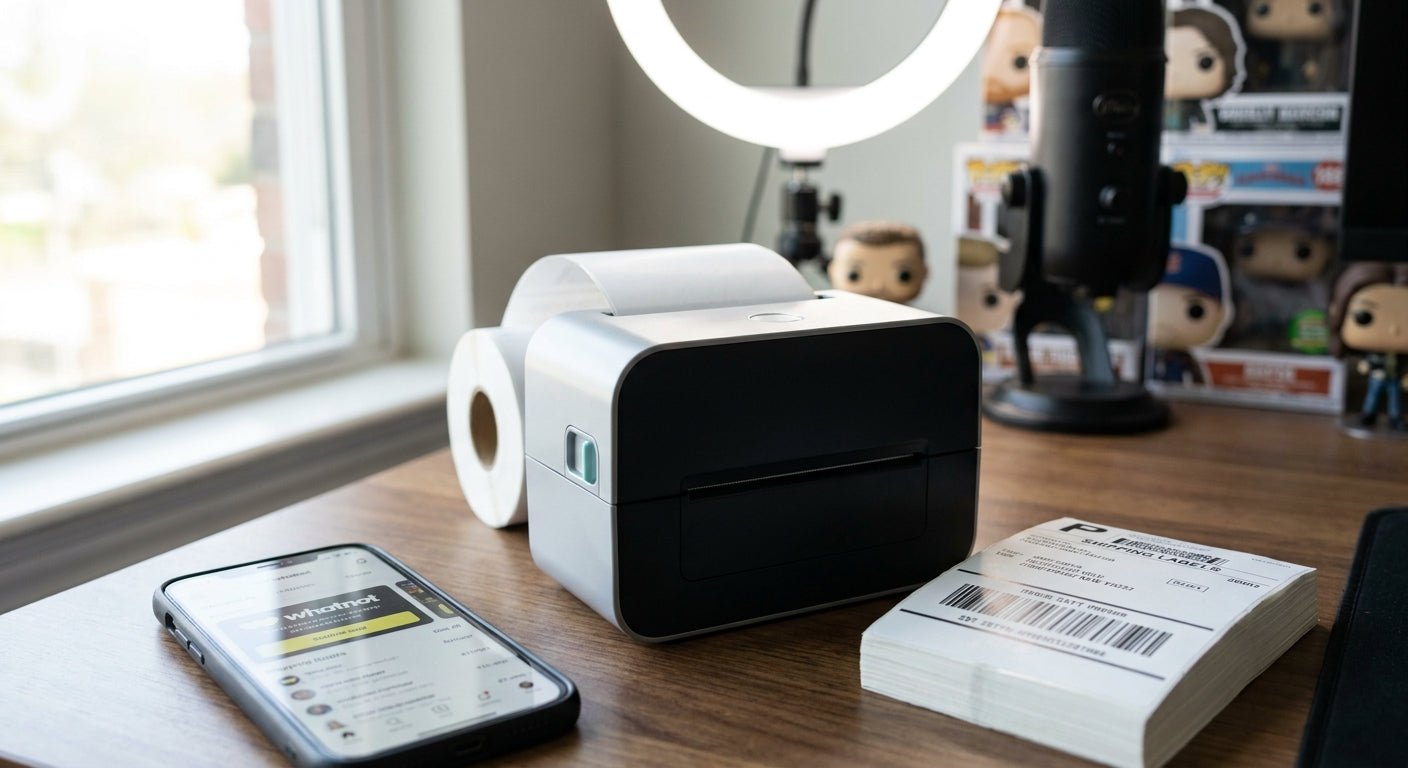
Whatnot livestream sellers move fast: a two-hour show can generate 80 to 200 orders that all need a 4x6 shipping label the same night. This guide breaks down what actually matters in a thermal printer for Whatnot sellers, not what a generic office-printer review tells you.
- GoDEX RT200i (203 DPI) is the buy for sellers shipping standard poly mailers and boxes at Whatnot volume.
- GoDEX DT230 (300 DPI) is the pick when you also print QR-coded inventory tags between shows.
- Skip 2-inch direct thermal printers for Whatnot label runs - they cannot handle a standard 4x6 shipping label in one pass.
- Thermal transfer printers add a ribbon-change step you do not want mid-batch after a live show in 2026.
Why this matters
A Whatnot show does not end when the stream stops. It ends when every buyer has a tracking number, and slow label printing is the bottleneck most sellers do not see coming until their first 150-order night. An inkjet or a laser printer built for paper documents chokes on adhesive label stock and burns through toner fast. A direct thermal printer, the kind McAuley Labels builds its lineup around, skips ink and toner entirely and prints a 4x6 label in under two seconds.
The difference between a $370 desktop unit and a printer built for a 40-order slow day shows up the first time you try to clear a 150-order backlog before the post office closes. Buyers expect fast dispatch, and Whatnot's own seller ratings track shipping speed - a printer bottleneck costs you rating points, not just time.
Who this is for
This guide is for active Whatnot sellers running weekly or multiple weekly shows - resale apparel, sneakers, trading cards, collectibles - who currently print labels through a browser PDF workflow or a shared office printer and are losing 20+ minutes per show to label handling. If you're doing fewer than 10 orders a week, a basic desktop printer covers you; past 50 orders a show, the criteria below change what you should buy.
What to look for in a thermal printer for Whatnot sellers
Direct thermal, not thermal transfer
Direct thermal printers use heat-sensitive label stock and need no ribbon, which means zero mid-batch changeovers when you're printing back-to-back after a show. Thermal transfer needs a ribbon cartridge and produces labels that survive years of storage - overkill for a shipping label that just needs to survive a week in transit. For Whatnot shipping labels specifically, direct thermal is the faster, cheaper choice.
Print resolution: 203 DPI vs 300 DPI
203 DPI is the industry standard for 4x6 shipping labels and reads cleanly on every carrier scanner - USPS, UPS, FedEx. Step up to 300 DPI only if you're also printing small QR codes or fine barcodes for inventory tracking between shows, since finer detail needs the extra dot density. Buying 300 DPI purely for shipping labels is money spent on resolution you will never use.
Batch throughput
A printer rated for occasional home office use jams or overheats once you're feeding it 100+ labels in a single run. Look for a print speed built for continuous batches, not single-page bursts - this is the spec that separates a printer that survives Whatnot volume from one that doesn't.
Connectivity that matches your workflow
Most Whatnot sellers export orders through Shopify, eBay, or a shipping app on a laptop, so USB plug-and-play matters more than Bluetooth or Wi-Fi extras you won't use at a folding table. Confirm the printer's driver supports your label software before you buy, not after.
Desk footprint
If you're shipping from a spare bedroom or a folding table setup, a compact printer that sits next to your ring light and laptop beats a wide industrial unit you have to store elsewhere between shows.
Built for daily cycles, not occasional use
Sellers running multiple shows a week put more cycles through a printer in a month than a typical home office does in a year. A unit rated for daily commercial use will outlast a consumer-grade printer bought for occasional mailing.
Top picks for Whatnot sellers
GoDEX RT200i (203 DPI) - the safe pick. Standard 203 DPI resolution reads cleanly on every major carrier's scanner, and it's the resolution level built for high-volume 4x6 shipping runs, not fine-detail printing. Buy if your labels are standard 4x6 shipping labels and nothing more. Check the GoDEX RT200i spec page before ordering.
GoDEX DT230 (300 DPI) - the pick for sellers who double as their own inventory team. The extra resolution over 203 DPI pays off if you're printing QR-coded restock tags or fine barcodes between shows, not just shipping labels. Buy if you handle both shipping and inventory labeling on one printer. See the GoDEX DT230 listing for full specs.
GoDEX RT730i - the workhorse. Built for continuous daily print cycles rather than occasional bursts, this is the option for sellers running three or more shows a week where the printer never really gets a day off. Consider if your show cadence has outgrown a desktop-only unit.
GoDEX G500 - the wildcard. It covers general-purpose label printing but doesn't specialize in high-volume shipping runs the way the RT200i does. Consider only as a secondary printer for miscellaneous labeling, not your primary Whatnot shipping station.


What to avoid
- 2-inch direct thermal printers. A 2-inch unit is built for small wristbands or receipt-width labels and physically cannot handle a standard 4x6 shipping label in one pass - a mismatch that looks like a budget win until your first shipment.
- Thermal transfer printers bought for shipping alone. The ribbon cartridge adds a changeover step and a recurring cost you don't need when direct thermal covers 4x6 shipping labels just fine.
- Low-resolution office printers repurposed for labels. Inkjet and laser printers smear on adhesive stock and can't feed label rolls, which is exactly the workflow a Whatnot seller is trying to escape.
“If you're printing more than 50 labels a night by hand-feeding an office printer, a dedicated thermal printer pays for itself within a few shows.”
Verdict comparison
| Printer | Resolution | Best for | Verdict |
|---|---|---|---|
| GoDEX RT200i | 203 DPI | Standard 4x6 shipping labels | Buy |
| GoDEX DT230 | 300 DPI | Shipping + fine-detail inventory tags | Buy |
| GoDEX RT730i | Standard | High-cadence, multi-show weeks | Consider |
| GoDEX G500 | Standard | Secondary/general labeling | Consider |
Across every criteria in this table, resolution and batch throughput are the two specs that actually change your Whatnot workflow in 2026 - everything else is preference.
FAQ
What's the best thermal printer for Whatnot sellers in 2026?
The GoDEX RT200i at 203 DPI is the best fit for most Whatnot sellers shipping standard 4x6 labels, since that resolution reads cleanly on every carrier scanner without added cost. Sellers who also print inventory tags should step up to a 300 DPI unit like the GoDEX DT230.
Is direct thermal or thermal transfer better for Whatnot shipping labels?
Direct thermal is better for Whatnot shipping labels because it needs no ribbon and prints faster in back-to-back batches after a show. Thermal transfer is built for labels that need to survive years of wear, which shipping labels don't.
How much does a thermal printer for shipping labels cost in 2026?
A dedicated 4x6 direct thermal printer runs roughly $350-$400 for a desktop unit suited to Whatnot volume, with label stock priced separately per roll. Industrial-grade units built for continuous multi-show weeks cost more.
Can I use a regular printer for Whatnot shipping labels?
No, inkjet and laser printers aren't built to feed adhesive label rolls and smear on thermal-style stock. A thermal printer is the standard tool for shipping label workflows because it skips ink entirely.
What DPI do I need for shipping labels?
203 DPI is the standard resolution for 4x6 shipping labels and reads cleanly on USPS, UPS, and FedEx scanners. Only go to 300 DPI if you're also printing fine barcodes or small QR codes for inventory.
How many labels can a thermal printer handle in one Whatnot show?
A printer built for daily commercial cycles, like the GoDEX RT730i, handles continuous batches of 100+ labels without overheating or jamming. A consumer-grade printer bought for occasional mailing struggles well before that volume.
Do I need a ribbon for a Whatnot shipping label printer?
No, direct thermal printers used for shipping labels need no ribbon at all - the heat-sensitive label stock does the work. Ribbons are only required for thermal transfer printers built for long-life industrial labels.
What size label do Whatnot sellers need?
Most Whatnot sellers print standard 4x6 shipping labels, the size accepted by USPS, UPS, and FedEx label workflows. A 2-inch printer cannot produce this size in one pass.
One last thing
Batch your label printing. Export the full order list once the show ends and print in one continuous run instead of stopping the printer between each individual sale - fewer start-stop cycles means less wear on the print head and a faster path to the post office drop-off before it closes in 2026's tighter carrier pickup windows.