
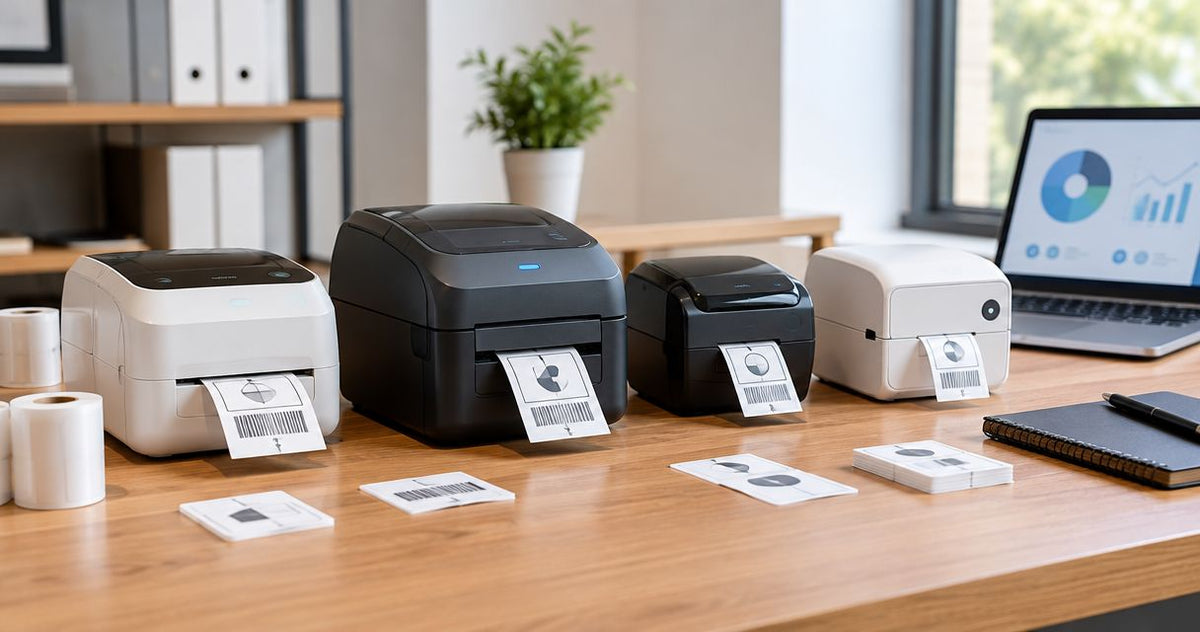
Label printer cost per label comes down to one choice most buyers skip: ribbon or no ribbon. This guide ranks five GoDEX printers plus one bundled system by what actually drives your cost per label in 2026, not the number printed on the box.
- GoDEX DT200L wins on label printer cost per label because it skips ribbon entirely with direct thermal, linerless printing.
- GoDEX RT700i+ (203 DPI) is the general-purpose pick for barcode and asset tag labeling in 2026.
- GoDEX ZX430i+ (300 DPI) costs more upfront but prints sharper small text and dense barcodes.
- Oil Change Sticker Printer System bundles printer, ribbon, and 1000 labels for shops that want one order instead of three.
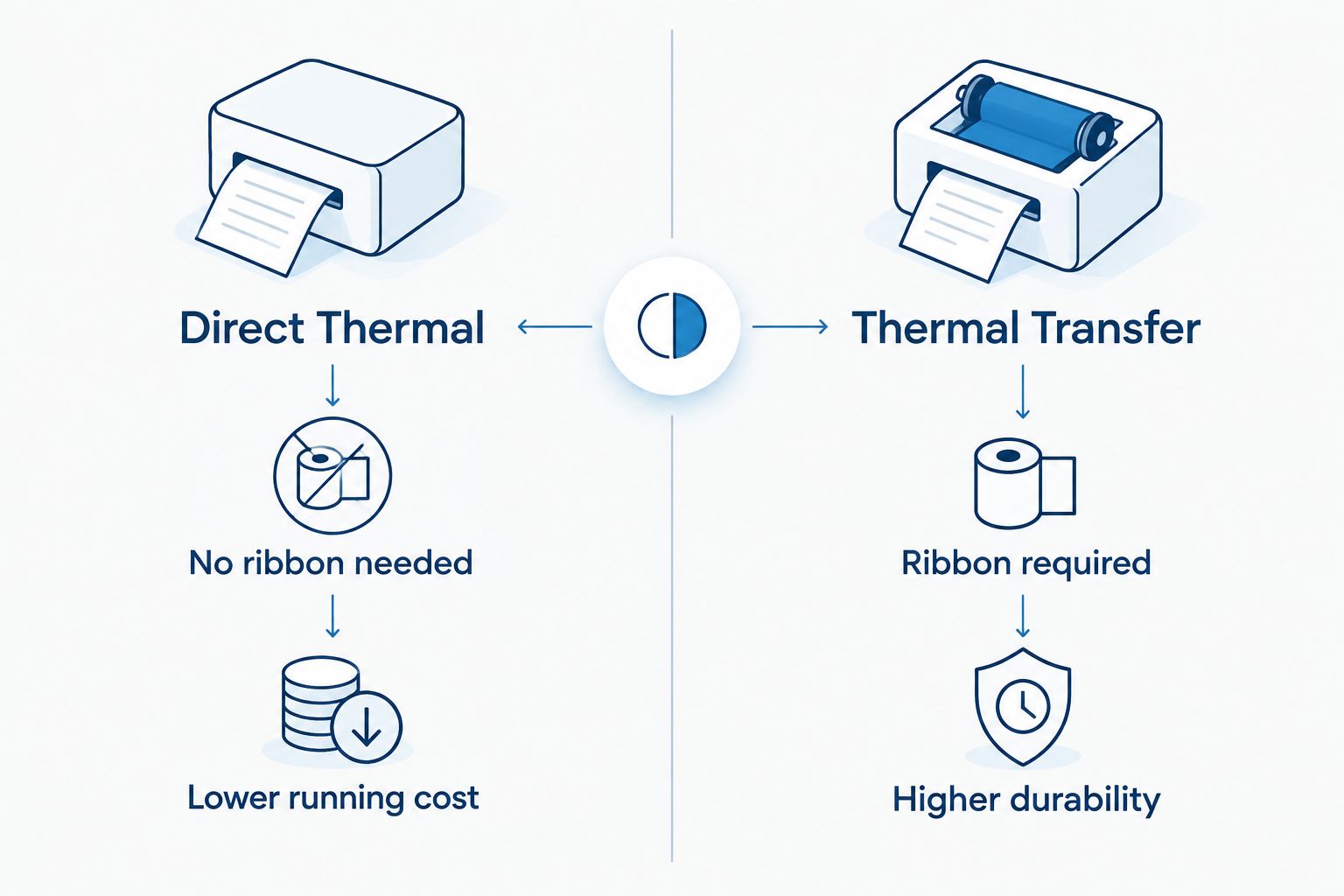
- Thermal transfer models run a higher cost per label than direct thermal because ribbon is a recurring buy, not a one-time cost.
Why this matters
The printer price tag is the smallest number in this decision. The recurring cost is the label stock, and for thermal transfer models, the ribbon that gets consumed on every roll. A budget direct thermal printer and a pricier thermal transfer model can land close to the same total spend after a couple of years, once consumables are added up. The difference shows up in your monthly reorder, not your checkout screen.
Resolution matters too, but it's a one-time decision, not a recurring one. A 203 DPI printer and a 300 DPI printer both use the same label stock; the DPI only changes how sharp your barcodes and small text come out. Buying more DPI than your labels need doesn't lower your cost per label, it just adds to the upfront number. For a deeper breakdown of where consumable spend actually comes from, see how to reduce label printing costs for a small business.
“If a label needs a ribbon, it needs a recurring line item in your budget.”
What makes the best label printer for cost per label
Cost per label isn't one number on a spec sheet. It's a combination of consumable type, print volume, and how well the printer matches the job instead of overshooting it.
- Consumable type — direct thermal needs only label stock; thermal transfer needs label stock plus ribbon on every run.
- Print resolution — 203 DPI covers standard barcodes and text; 300 DPI is for small 2D codes and fine detail.
- Duty cycle — desktop printers built for occasional runs cost more per label under daily high volume than models rated for continuous printing.
- Label durability — direct thermal prints fade with heat and sunlight over time; thermal transfer resists both, which matters for outdoor or long-life labels.
- Bundled vs standalone consumables — an all-in-one kit with labels and ribbon included simplifies ordering but locks you into one label format.
- Connectivity — USB-only printers are cheapest to buy; Ethernet and serial options add cost but matter for networked print stations.
Label printers ranked by cost per label: at a glance
| Printer | Best for | Standout feature | Key limitation |
|---|---|---|---|
| GoDEX DT200L | Lowest cost per label | Linerless, no ribbon needed | 2-inch width limits label size |
| GoDEX RT700i+ (203 DPI) | General barcode and asset labeling | Color display, USB/Serial/Ethernet | 203 DPI struggles with dense 2D codes |
| Oil Change Sticker Printer System | Auto shops wanting one bundled kit | Preloaded labels, ribbon, and standalone keyboard | Locked into the oil-change sticker format |
| GoDEX ZX430i+ (300 DPI) | Sharp barcodes and small text | 300 DPI resolution, color display | Higher upfront cost than 203 DPI models |
| GoDEX GX4200i (203 DPI) | High-volume industrial runs | 5-inch touchscreen, up to 16 IPS print speed | Overkill for low-volume shops |
1. GoDEX DT200L: best label printer for lowest cost per label
The GoDEX DT200L is a 2-inch linerless direct thermal printer built for counters that print constantly and don't want a second consumable to manage. It skips ribbon entirely, so every label draws on one supply instead of two.
GoDEX DT200L pros:
- No ribbon to buy, load, or run out of mid-shift
- Linerless design cuts backing-paper waste
- Compact footprint fits tight counter space
GoDEX DT200L cons:
- 2-inch width limits it to smaller label formats
- Direct thermal prints fade faster in heat or direct sun than thermal transfer
GoDEX DT200L best for: quick-service counters and retail stations printing standard-size labels at volume in 2026. Verdict: Buy.
2. GoDEX RT700i+: best label printer for general barcode and asset labeling
The GoDEX RT700i+ is a 4-inch dual thermal printer that runs as either direct thermal or thermal transfer, with a color display and USB, Serial, and Ethernet connectivity. It's the middle-ground pick for shops that print more than one label type.
GoDEX RT700i+ pros:
- Dual thermal mode runs either consumable type without buying a second printer
- Color display simplifies status checks on the floor
- Wide connectivity for networked print stations
GoDEX RT700i+ cons:
- 203 DPI is the resolution ceiling, not built for dense 2D barcodes
- Ribbon is required whenever it runs in thermal transfer mode
GoDEX RT700i+ best for: mixed-use shops running barcode and asset tag labels at 203 DPI. Verdict: Buy.
3. Oil Change Sticker Printer System: best label printer for auto shops
This is a bundled kit built specifically for service bays: printer, preloaded custom labels, ribbon, and a standalone keyboard in one order. It removes the guesswork of matching consumables to a printer model.
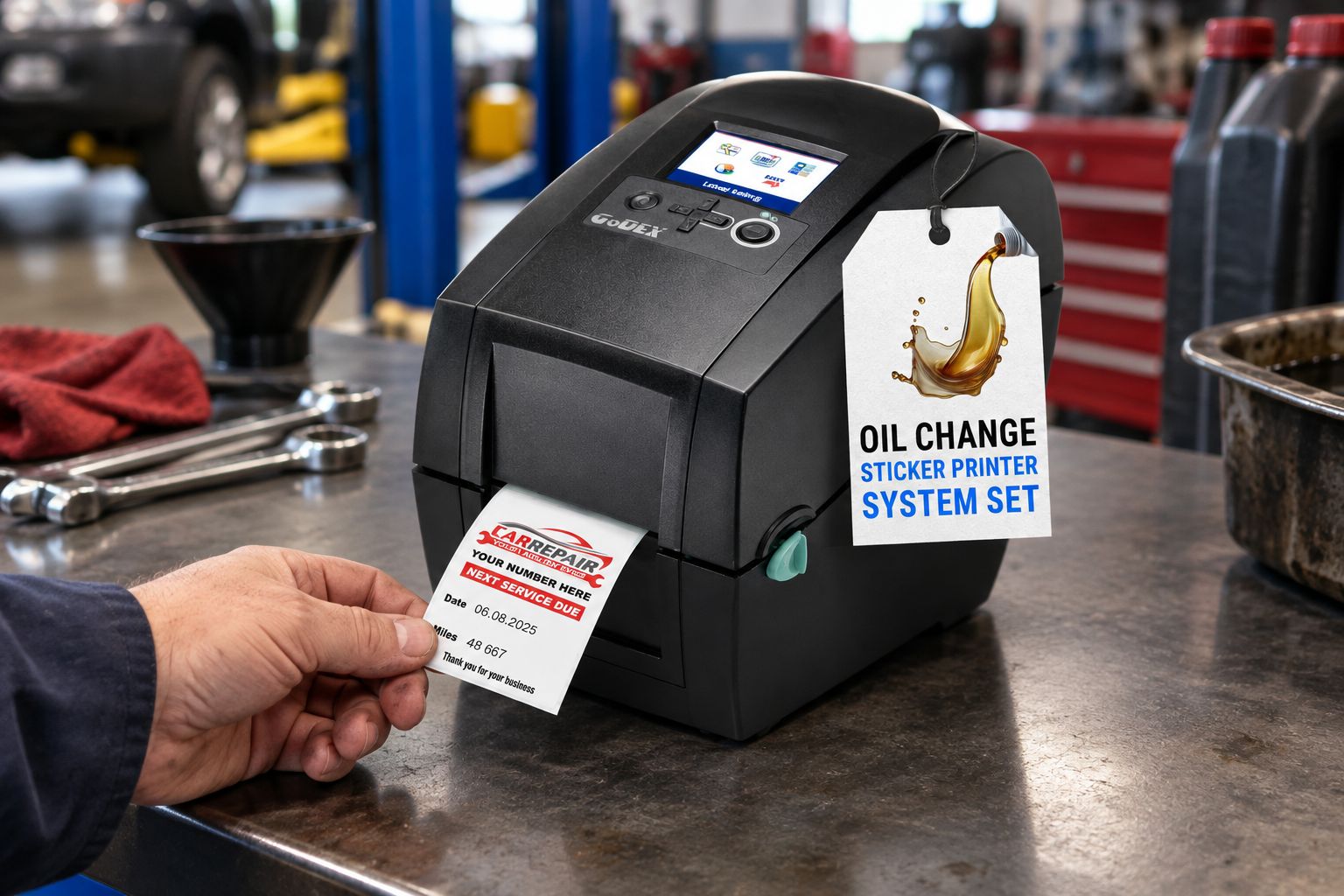
Oil Change Sticker Printer System pros:
- No separate consumable order for the first batch of labels
- Standalone keyboard means no computer hookup needed at the bay
- Labels arrive pre-sized for the oil-change sticker format
Oil Change Sticker Printer System cons:
- Locked into the oil-change sticker format, not a general-purpose printer
- Ribbon becomes a recurring buy once the bundled supply runs out
Oil Change Sticker Printer System best for: quick lube and auto service shops that only need one label type. Verdict: Buy for auto shops, Skip for general labeling.
4. GoDEX ZX430i+: best label printer for high-resolution barcodes
The GoDEX ZX430i+ is a 4-inch, 300 DPI dual thermal printer with a color display, aimed at labels that need finer detail than 203 DPI delivers.
GoDEX ZX430i+ pros:
- 300 DPI resolution handles small 2D codes and fine text
- Color display for quick status reads
- Same USB, Serial, and Ethernet connectivity as the RT700i+
GoDEX ZX430i+ cons:
- Higher upfront cost than the 203 DPI models
- Still needs ribbon in thermal transfer mode, same recurring cost as any thermal transfer printer
GoDEX ZX430i+ best for: labs, electronics, or compliance labeling where small barcodes need to scan reliably every time. Verdict: Buy for high-resolution needs, Skip if 203 DPI already reads your codes.
5. GoDEX GX4200i: best label printer for high-volume industrial runs
The GoDEX GX4200i is a 203 DPI industrial printer rated up to 16 IPS with a 5-inch touchscreen, built for continuous daily print runs rather than occasional batches.
GoDEX GX4200i pros:
- 16 IPS print speed keeps pace with high-volume runs
- 5-inch touchscreen simplifies operator use
- Industrial build rated for daily continuous printing
GoDEX GX4200i cons:
- Price bracket doesn't make sense for low-volume shops
- DPI-to-speed ratio is overkill for small batch runs
GoDEX GX4200i best for: warehouses and manufacturing lines printing hundreds of labels a shift. Verdict: Buy for high-volume, Skip for occasional printing.


How we ranked
Each printer is placed by its consumable requirement first, ribbon or no ribbon, then by resolution, duty cycle, and how well it fits one specific job instead of every job. None of these models compete for the same slot: a shop buying the DT200L isn't cross-shopping the GX4200i, and the Oil Change Sticker Printer System exists for one workflow, not general labeling.
Which label printer should you choose?
Buy the GoDEX DT200L if cost per label is the deciding factor and your labels fit a 2-inch format. Buy the GoDEX RT700i+ if you need one printer that runs both direct thermal and thermal transfer at a standard 203 DPI. Buy the Oil Change Sticker Printer System if you run an auto shop and want one bundled kit instead of assembling parts separately. Step up to the GoDEX ZX430i+ only when 203 DPI isn't sharp enough for your barcodes, and reserve the GoDEX GX4200i for volume measured in hundreds of labels a shift, not dozens. For most small and mid-size operations shopping in 2026, the DT200L or RT700i+ covers the job without paying for capacity you won't use.
FAQ
What determines label printer cost per label?
Consumable type drives most of the cost: direct thermal needs only label stock, while thermal transfer needs label stock plus ribbon on every run. Print volume and label durability requirements also factor in.
Is direct thermal cheaper than thermal transfer per label?
Yes, direct thermal is generally cheaper per label because it eliminates the ribbon consumable entirely. The tradeoff is that direct thermal prints fade faster under heat or direct sunlight than thermal transfer.
Do I need 300 DPI or is 203 DPI enough?
203 DPI covers standard barcodes and text labels for most businesses. Move up to 300 DPI only if you print small 2D codes or fine text that needs to scan reliably at a distance.
What's the difference between the GoDEX RT700i+ and ZX430i+?
The RT700i+ prints at 203 DPI and the ZX430i+ prints at 300 DPI; both are 4-inch dual thermal printers with color displays. The ZX430i+ costs more upfront for sharper resolution.
Can one printer run both direct thermal and thermal transfer?
Yes, dual thermal printers like the GoDEX RT700i+ and ZX430i+ run either mode. You still need ribbon on hand whenever you print in thermal transfer mode.
Is the Oil Change Sticker Printer System good for general labeling?
No, it's built specifically for the oil-change sticker format with preloaded labels sized for that job. For general barcode or asset labeling, a printer like the GoDEX RT700i+ fits better.
What drives the cost to run a thermal label printer?
Running cost comes from label stock, ribbon if the printer uses thermal transfer, and how often the printhead needs replacing under heavy volume. Direct thermal printers avoid the ribbon line item entirely.
What print speed do I need for high-volume label runs?
Industrial printers like the GoDEX GX4200i print up to 16 inches per second, built for continuous daily runs. Desktop printers running occasional batches don't need that speed and cost less as a result.
One last thing
The DPI number gets all the attention on spec sheets, but the ribbon-or-no-ribbon decision is what actually moves your monthly consumables bill. If you're eyeing a thermal transfer printer in 2026 because it sounds more capable, check whether your labels ever leave a climate-controlled room. If they don't, a direct thermal printer from the McAuley Labels catalog does the same job for a lower recurring spend, and you skip ribbon ordering entirely.