
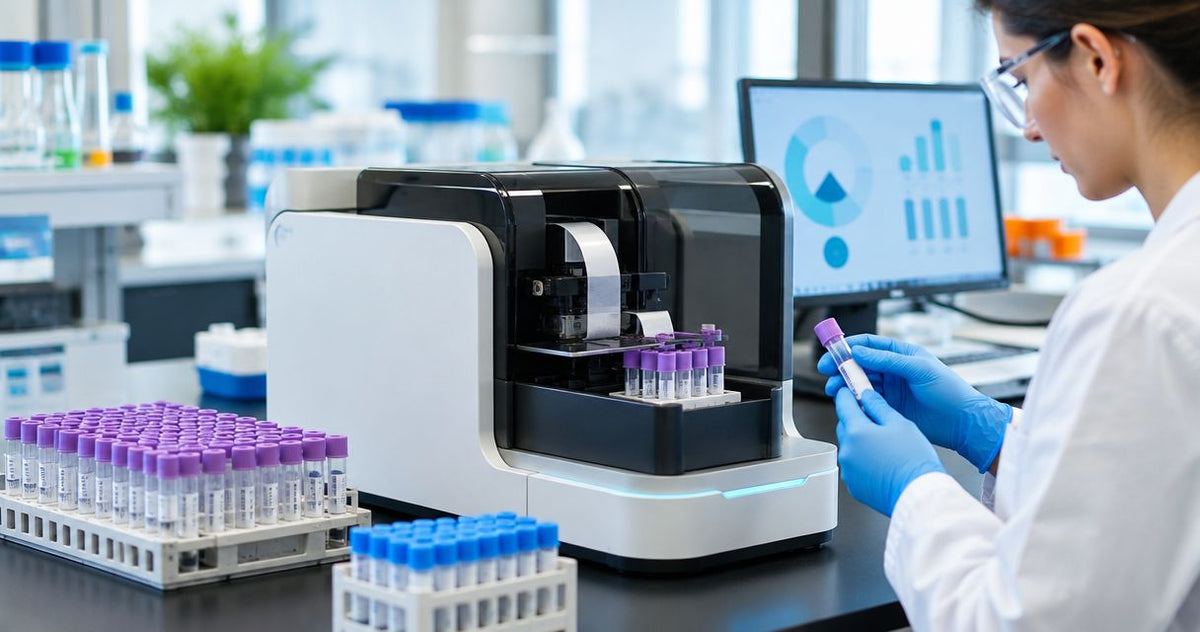
High-volume labs in 2026 need a test tube labeler print speed that keeps specimen lines moving without mislabels or reprint queues. Best overall: McAuley Labels Test Tube Labeler. Best for high-resolution industrial runs: GoDEX GX4600i (up to 8 IPS). Best mid-volume thermal workhorse: GoDEX RT730i thermal printer.
- McAuley Labels Test Tube Labeler wins for automated high-volume specimen lines in 2026.
- GoDEX GX4600i hits up to 8 IPS at 600 DPI for dense micro-text tube labels.
- Match test tube labeler print speed to daily tube count, not brochure peak claims.
- Thermal transfer holds up better than direct thermal in cold storage and cryo workflows.
- Rank by sustained throughput, wrap quality, and scan-ready barcodes—not sticker size alone.
Why this matters
A slow labeler turns a 2,000-tube day into overtime and chain-of-custody risk. Print speed is not a vanity metric in clinical, research, and diagnostic labs—it is the difference between same-shift turnaround and a backlog that blocks analyzers. In 2026, high-volume labs also face tighter specimen ID rules, smaller label real estate on micro tubes, and more barcode data per wrap. The right machine finishes the queue, sticks cleanly on curved glass or plastic, and stays readable after refrigeration or freeze-thaw cycles. Wrong gear forces hand labeling, reprint waste, and scan failures at the bench. For a deeper lab-specific buying frame, see the best label printer for laboratory test tubes guide.
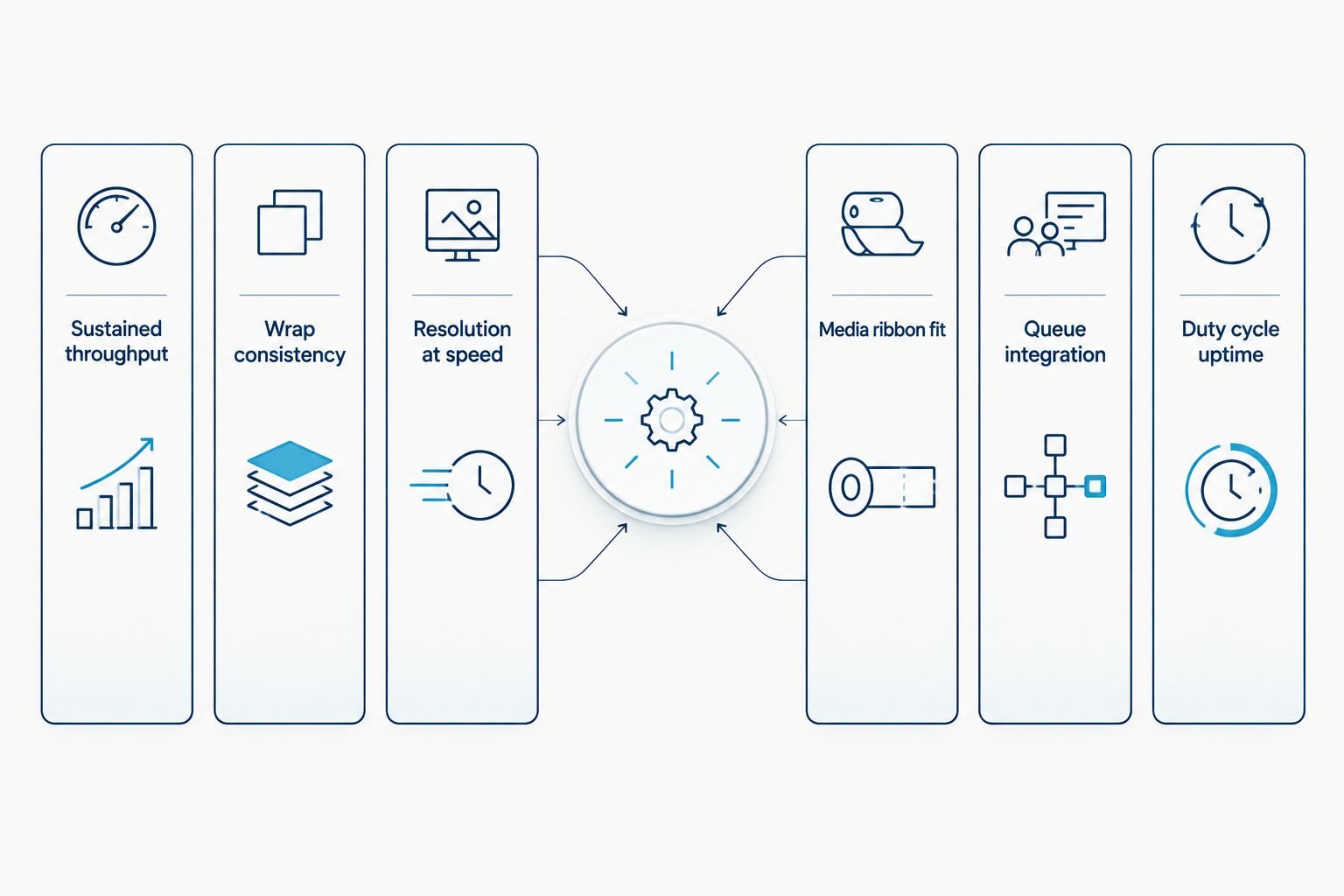
What makes the best test tube labeler for print speed
- Sustained throughput — Real labels per hour on tube-size media, not peak inches-per-second on wide shipping stock.
- Wrap consistency — Speed is useless if the label wrinkles, skews, or leaves barcode dead zones on the curve.
- Resolution at speed — Dense accession numbers, 2D codes, and micro fonts must stay sharp when the printhead is moving fast.
- Media and ribbon fit — Tube stock, cryo-rated adhesives, and thermal-transfer ribbons that survive cold storage without smearing.
- Queue and integration — Batch jobs from LIS/LIMS or shared print servers without stalling between racks.
- Duty cycle and uptime — Industrial frames, replaceable printheads, and service access for multi-shift labs.
Test tube labelers at a glance
| Item | Best for | Standout feature | Key limitation |
|---|---|---|---|
| McAuley Labels Test Tube Labeler | Automated high-volume specimen lines | Purpose-built tube wrap automation | Fixed to tube workflows, not general shipping labels |
| GoDEX GX4600i | Micro-detail labels at industrial pace | Up to 8 IPS at 600 DPI | Overkill for tiny low-volume draw stations |
| GoDEX RT730i | Mid-to-high batch thermal transfer | Industrial thermal-transfer durability | Needs correct ribbon and tube stock pairing |
| GoDEX ZX430i | Dense barcode tube labels | 300 DPI clarity on small formats | Not an automated tube applicator |
| GoDEX RT200i | Compact secondary stations | Small footprint 203 DPI desktop | Lower ceiling for multi-thousand tube shifts |
1. McAuley Labels Test Tube Labeler: best test tube labeler print speed for automated high-volume lines
The McAuley Labels Test Tube Labeler is built as an automated tube labeling machine for laboratory workflows, not a general desktop printer pressed into lab duty. It applies labels to tubes with speed and placement control aimed at medical and research specimen flow. High-volume labs use it when hand-wrapping slows accessioning or when every tube must leave the station with consistent orientation and adhesion.
McAuley Labels Test Tube Labeler pros:
- Purpose-built automation for tube geometry instead of flat-sheet habits
- Fast, precise wrap suited to continuous specimen racks
- Reduces manual handling errors on high daily tube counts
- Fits clinical and research labeling routines where throughput is the bottleneck
McAuley Labels Test Tube Labeler cons:
- Specialized for tubes—poor fit if you mainly print cartons or shelf tags
- Still depends on correct lab-grade label stock for cold or solvent exposure
- Automation footprint needs bench space and operator training
Best for: Central accessioning, high-volume clinical draws, and research cores that live on tube racks all shift. Buy if tube throughput is the primary constraint in 2026.
2. GoDEX GX4600i: best test tube labeler print speed for high-resolution industrial runs
The GoDEX GX4600i is a 4-inch industrial thermal printer rated up to 8 IPS at 600 DPI. That combination matters when tube labels carry dense accession text, tiny 2D codes, and logos that must remain scannable after cold storage. High-volume labs pair it with tube-width media when they need printer-side speed plus micro-detail that 203 DPI units blur at small point sizes.
GoDEX GX4600i pros:
- Up to 8 IPS keeps long batch queues moving
- 600 DPI supports micro fonts and tight barcodes on narrow wraps
- Industrial dual-thermal design for heavy daily duty
- Strong choice when one station prints both tube and small vial formats
GoDEX GX4600i cons:
- Higher capability than a single-draw phlebotomy desk needs
- Requires disciplined media setup so 600 DPI jobs stay aligned on curved stock
- Not a hands-free tube applicator on its own
Best for: Core labs and production specimen centers that print dense labels at industrial pace. Buy when resolution and 8 IPS speed both sit on the requirements list.


3. GoDEX RT730i: best test tube labeler print speed for mid-to-high batch thermal transfer
The GoDEX RT730i is an industrial thermal printer suited to labs that run repeated tube-label batches without jumping to full automation. Thermal transfer holds black density through cold rooms better than many direct-thermal shortcuts, which matters when labeled tubes sit in refrigerators overnight. High-volume teams use it as a reliable print engine feeding manual or semi-auto wrap stations.
GoDEX RT730i pros:
- Industrial chassis for multi-shift label volume
- Thermal-transfer path supports durable specimen identification
- Fits shared lab print queues and standard Windows driver workflows
- Practical step when automation is not yet funded
GoDEX RT730i cons:
- Operators still handle wrap placement unless paired with an applicator
- Ribbon inventory and calibration add process steps
- Not optimized solely for micro-tube diameters out of the box
Best for: Regional labs and research groups printing hundreds to low thousands of tube labels per day with durable media. Buy for durable batch speed; Hold if you already need full auto wrap.
4. GoDEX ZX430i: best test tube labeler print speed for dense barcode tube labels
The GoDEX ZX430i thermal printer 300 DPI targets labs that prioritize barcode clarity on small wraps over maximum industrial inches-per-second. 300 DPI cleans up linear and 2D codes that 203 DPI units smear when font and quiet zones shrink to tube width. High-volume scan points fail less often when the print engine resolves bars cleanly before the label ever hits the glass.
GoDEX ZX430i pros:
- 300 DPI improves small barcode and text legibility
- Solid thermal platform for repeating tube-label jobs
- Better scan rates on narrow media than entry 203 DPI desktops
- Fits labs standardizing on barcode-first specimen ID
GoDEX ZX430i cons:
- Not an automated tube labeler
- Peak industrial speed sits below dedicated high-IPS flagship units
- Still needs lab-rated adhesive stock for freezers and centrifuges
Best for: Specimens that must scan first-pass at analyzers and receiving benches. Buy when barcode density drives more failures than raw IPS.
5. GoDEX RT200i: best compact test tube labeler print speed for secondary stations
The GoDEX RT200i 203 DPI thermal printer covers satellite draw rooms, overflow benches, and backup stations where a full industrial frame is excess. High-volume main labs still benefit from a compact unit that reprints exceptions fast without pulling the primary line offline. 203 DPI is enough for larger accession fonts; dense micro layouts belong on higher-resolution models.
GoDEX RT200i pros:
- Small footprint for crowded phlebotomy counters
- Quick setup for overflow and reprint work
- Lower complexity for staff who only print occasional tube labels
- Useful redundancy when the primary industrial unit is in service
GoDEX RT200i cons:
- 203 DPI limits ultra-small text and packed 2D codes
- Not the right sole printer for multi-thousand daily tube volumes
- Direct-duty expectations must stay realistic for desktop frames
Best for: Secondary lab stations and low-to-mid exception printing. Hold as a primary high-volume engine; Buy as a compact backup in 2026.
How we ranked
Ranking followed the six criteria above with print speed framed as sustained tube-label throughput, not brochure peaks on wide labels. Automation that finishes wraps without manual bottlenecks outranks a raw IPS number that still leaves staff hand-rolling tubes. Resolution at speed, media durability in cold storage, and scan reliability after application broke ties. McAuley Labels hardware appears first where it fits the use case honestly; industrial GoDEX thermal units fill high-resolution, batch, barcode, and compact slots so each row solves a different lab constraint.
Which test tube labeler should you choose?
If your 2026 bottleneck is rack-after-rack tube application, choose the McAuley Labels Test Tube Labeler and stop forcing a flat-label printer to act like an applicator. If you already wrap tubes well but need denser print at industrial pace, the GoDEX GX4600i at up to 8 IPS and 600 DPI is the default. Mid-volume thermal-transfer batches point to the RT730i; barcode-first small wraps point to the ZX430i; overflow desks take the RT200i. Match daily tube count, cold-storage dwell time, and barcode density before you chase a single speed number. For cryo and freeze-storage media choices that keep fast prints readable, read how to print cryogenic labels for lab samples.
FAQ
What is a good test tube labeler print speed for high-volume labs in 2026?
High-volume labs should prioritize sustained tube labels per hour and wrap consistency over a single peak IPS figure. Industrial units such as the GoDEX GX4600i reach up to 8 IPS, while automated tube labelers win when application—not just printing—is the bottleneck.
Is an automated test tube labeler faster than a thermal printer alone?
Yes when the delay is hand-wrapping. A thermal printer can output labels quickly, but automation that applies wraps to tubes usually finishes full racks faster with fewer placement errors.
Do I need 600 DPI for test tube labels?
You need 600 DPI when accession text, logos, or 2D codes shrink onto narrow tube stock. Many batch jobs run fine at 300 DPI; large simple IDs can work at 203 DPI.
Is thermal transfer better than direct thermal for lab tubes?
Thermal transfer generally holds up better in refrigerators, freezers, and handling abrasion. Direct thermal can fade with heat, light, or long cold storage, which risks scan failures later.
Can one printer handle both blood tubes and cryovial labels?
Many industrial thermal printers can if you change media width and templates. Confirm adhesive ratings for each temperature range and recalibrate sensors when stock changes.
How should a lab measure real print speed?
Time a full batch: design send, print, apply, and first-pass scan rate. Peak IPS on wide labels rarely matches labels per hour on 0.5–1 inch tube wraps.
What causes slow test tube labeling even with a fast printer?
Manual wrap steps, wrong media causing reprints, network spool delays, and poor barcode design that fails scans. Fix the full path, not only the printhead speed setting.
Should satellite draw stations use the same labeler as the core lab?
Core labs often need automation or industrial speed; satellite desks can use compact units for exceptions. Standardize templates and stock so every site prints the same specimen ID format.
One last thing
Labs often buy for peak IPS, then lose an hour a day to wrinkled wraps and second-pass scans. In 2026, treat test tube labeler print speed as finished, scannable tubes per hour—if the label leaves the printer fast but fails on the curve, you did not buy speed; you bought reprints.