
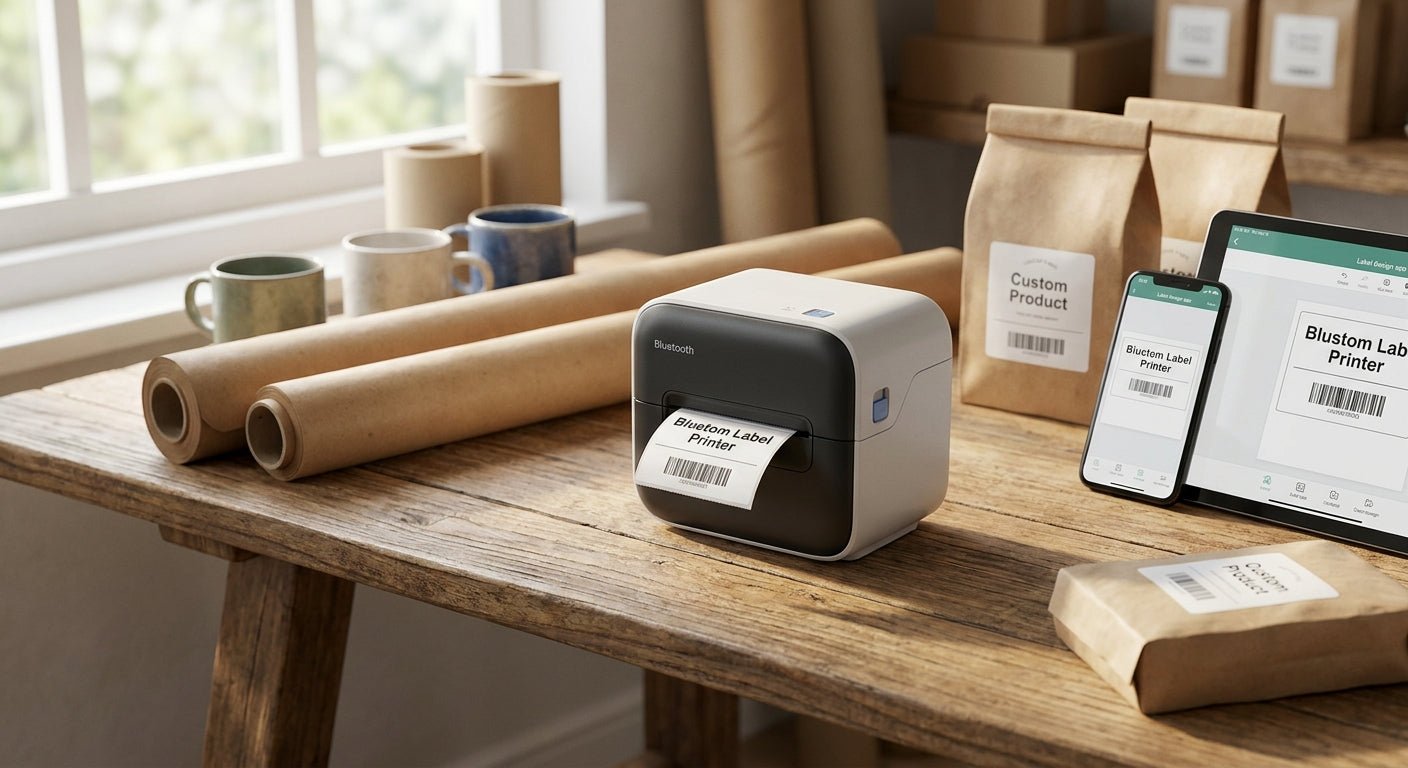
A search for a bluetooth label printer for small business usually turns up phone-paired printers built for craft sellers and mailers, not counters that print all day. This guide separates the two use cases, names the connection types that actually hold up in 2026, and points to the desktop thermal printers McAuley Labels carries for shops that print past the point where a phone-paired printer starts dropping connection.
- A bluetooth label printer for small business works for under 50 labels a day; past that, wired wins.
- GoDEX RT700i+ at $581 covers daily counter printing with USB, Serial and Ethernet - Buy.
- GoDEX DT230 runs 300 DPI direct thermal with no ribbon cost - Buy for barcode-dense labels.
- Skip any printer marketed as Bluetooth-only with no USB fallback for busy service counters.
Why this matters
Bluetooth sounds like the obvious upgrade until you're printing 200 labels during a lunch rush and the printer drops its pairing for the third time. Retail counters, auto service bays, and warehouse stations that print continuously need a connection that doesn't renegotiate every time a phone screen locks or another device joins the network.
The category confusion is real: most listings under "bluetooth label printer for small business" mix consumer thermal printers meant for shipping labels with industrial desktop units meant for barcodes and asset tags. A 2026 small business buyer needs to know which category actually matches daily print volume before picking a connection type over print reliability.
Who this is for
This guide is for the small business owner or ops manager choosing a label printer for a fixed station - a retail counter, a service desk, a warehouse pack table - who searched for Bluetooth because it sounds convenient but hasn't compared it against a wired setup. If labels get printed from a stationary computer more than they get printed from a phone, the calculus changes fast.
What to look for in a bluetooth label printer for small business
Connection type and range
Bluetooth works for occasional printing from a phone or tablet within about 30 feet, but it competes for bandwidth with every other paired device in the building. A best thermal label printer for small business built for daily volume typically runs USB, Serial, or Ethernet instead, which holds a connection regardless of what else is on the network.
Print resolution
203 DPI covers general shipping and product labels fine. 300 DPI matters once you're printing small barcodes, dense text, or QR codes that a scanner needs to read on the first pass - a real factor for inventory and service tags, less so for shipping labels.
Ribbon type
Direct thermal printers need no ribbon and no ink, which cuts a recurring cost line, but the labels fade under heat or direct sun over months. Thermal transfer printers use a ribbon and hold up far longer outdoors or under abrasion - the tradeoff is a consumable to restock.
Print speed
Speed is measured in inches per second (ips). A printer running 4-6 ips is fine for a counter that prints a handful of labels between customers. A stockroom batch-printing 500 tags before a shift needs something faster or it becomes the bottleneck.
Durability and duty cycle
A printer rated for light home office use will overheat or jam under continuous small-business printing. Desktop units built for daily commercial use list a duty cycle in the spec sheet - check it before assuming a $150 printer can run eight hours straight.
Software compatibility
A printer that only works through a proprietary phone app locks you into that app's design tools and update schedule. GoLabel and similar desktop label design software give more control over barcode formats, label templates, and batch printing - worth checking before buying anything Bluetooth-first.
Top picks for small business label printing
GoDEX RT700i+ - the reliable workhorse. This 4-inch dual thermal printer runs 203 DPI with a color display and connects over USB, Serial, or Ethernet at $581, backed by a 3-year warranty. It's built for counters that print all day without needing a phone in range. Buy.
GoDEX DT230 direct thermal printer - the ribbon-free option. Running at 300 DPI, it skips ribbon costs entirely, which matters for shops printing high volumes of shipping or receipt-style labels where longevity past a few months doesn't matter. Buy for cost-per-label savings.
GoDEX ZX430i+ - the wildcard for barcode-heavy setups. At 300 DPI with a color display and the same USB/Serial/Ethernet trio, it runs $945 - a step up in price for shops that need every barcode to scan clean on the first try. Consider if 203 DPI has been causing rescans.
GoDEX GX4200i - the high-volume pick. Rated up to 16 ips at 203 DPI with a 5-inch touchscreen, it's priced at $2,246 and built for print runs that outpace a standard desktop printer. Consider only if daily volume is already stretching a smaller unit thin - otherwise it's overbuilt for a single counter.


What to avoid
Bluetooth-only printers with no wired fallback. If pairing fails mid-shift, there's no backup connection - the counter stops. A printer that offers USB or Ethernet alongside Bluetooth gives a fallback that a Bluetooth-only unit can't.
Phone-app-locked design tools. Some consumer printers only accept labels designed in their own app, which limits barcode formats and batch printing. Desktop software like GoLabel handles more label types and doesn't depend on a phone's OS updates.
203 DPI on barcode-dense labels. A printer that's fine for shipping labels can produce barcodes too coarse for a warehouse scanner to read reliably. If labels carry small barcodes or dense text, 300 DPI avoids rescans at the register or dock.
“If the printer needs pairing before every shift, it's not a small business printer - it's a phone accessory.”
Verdict comparison
| Printer | Resolution | Connection | Price | Verdict |
|---|---|---|---|---|
| GoDEX RT700i+ | 203 DPI | USB / Serial / Ethernet | $581 | Buy |
| GoDEX DT230 | 300 DPI | USB / Serial / Ethernet | Check current pricing | Buy |
| GoDEX ZX430i+ | 300 DPI | USB / Serial / Ethernet | $945 | Consider |
| GoDEX GX4200i | 203 DPI | USB / Serial / Ethernet | $2,246 | Consider |
Across every McAuley Labels printer in this table, none rely on Bluetooth as the primary connection - and that's the point. A wired or networked label printer holds its connection through a full shift; a bluetooth label printer for small business use has to fight for range and pairing priority every time someone else's phone walks into the room.
FAQ
Is a bluetooth label printer good enough for a small business?
It works for light, occasional printing under about 50 labels a day from a phone or tablet. Past that volume, a USB or Ethernet-connected desktop printer holds its connection more reliably through a full shift.
What's the best label printer for small business use in 2026?
For daily counter or warehouse printing in 2026, a USB/Serial/Ethernet desktop printer like the GoDEX RT700i+ outperforms Bluetooth-only units on reliability. It runs 203 DPI at $581 with a 3-year warranty.
Is Bluetooth or USB better for a label printer?
USB is more reliable for stationary, high-volume printing because it doesn't compete for wireless bandwidth or drop pairing. Bluetooth is better suited to occasional, mobile printing from a phone.
How much does a small business label printer cost?
Desktop thermal printers for small business use run roughly $580 to $2,250 depending on resolution and speed, based on 2026 pricing across GoDEX models. Consumer Bluetooth printers run cheaper but handle far lower daily volume.
What's the difference between direct thermal and thermal transfer printing?
Direct thermal needs no ribbon and costs less per label but fades under heat or sun within months. Thermal transfer uses a ribbon and holds up far longer, which matters for labels that need to last outdoors or under handling.
Do I need 300 DPI or is 203 DPI enough?
203 DPI is enough for general shipping and product labels. 300 DPI is worth the upgrade for small barcodes, dense text, or QR codes that need to scan clean on the first pass.
Can a label printer run without Bluetooth at all?
Yes - most commercial desktop label printers, including the GoDEX line, connect over USB, Serial, or Ethernet as the primary connection, with no Bluetooth dependency at all.
One last thing
Every GoDEX printer in this guide carries a 3-year warranty as standard, which is longer coverage than most Bluetooth-first consumer printers offer at any price. That single detail is often the deciding factor for a small business printing labels five days a week in 2026 - not the connection type everyone searches for first.