
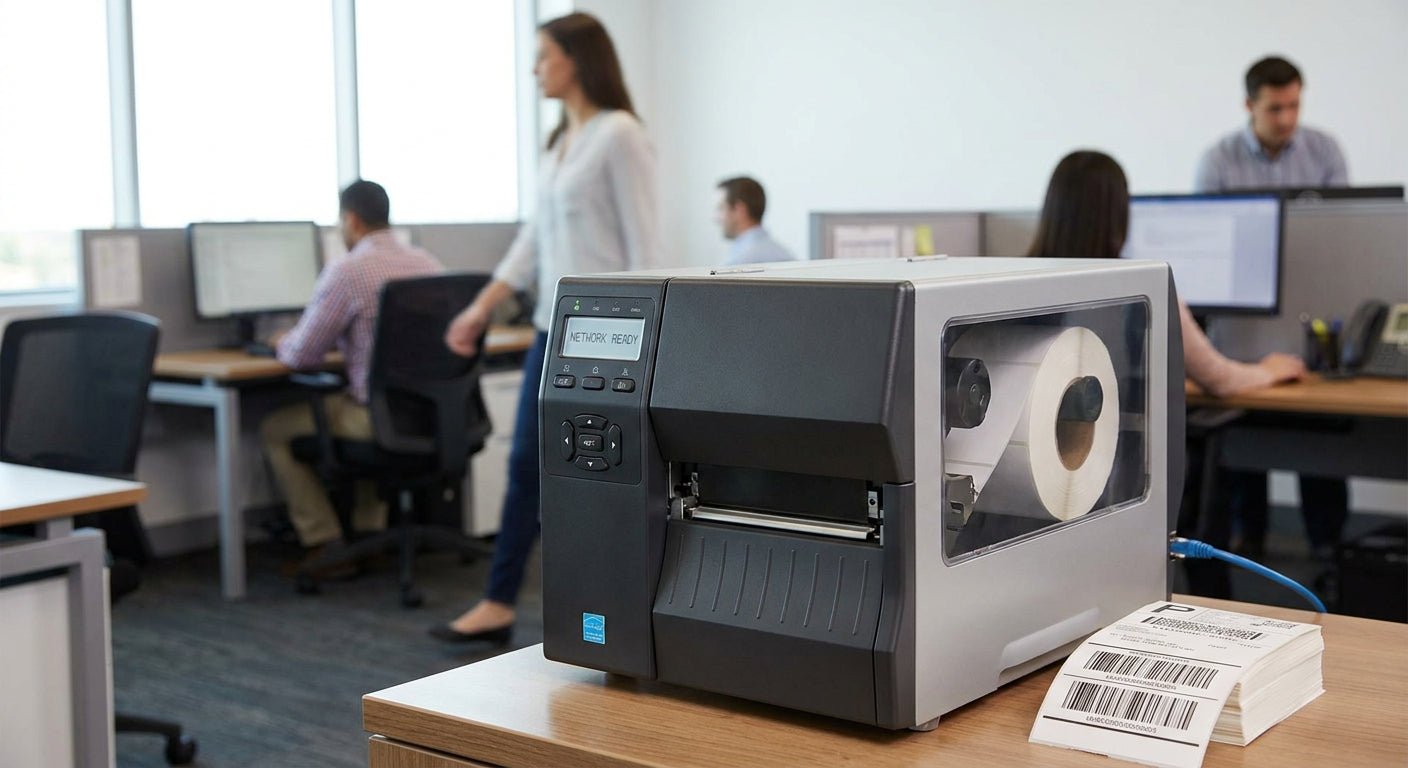
A network label printer lets every desk on the office LAN print asset tags, shipping labels, or ID badges from one shared machine instead of babysitting a USB cable at one workstation. This guide breaks down what separates a real shared-office printer from a single-user model wearing a network sticker.
- GoDEX RT700i+ wins as the affordable shared-office pick at $581 with a color display for queue status. Buy.
- GoDEX GX4300i is the network label printer for office setups over three desks at $2,425.50 with Ethernet built in. Buy.
- Skip USB-only desktop labelers for shared printing in 2026 — one PC ends up owning the queue for everyone else.
- GoDEX DT230 covers ribbon-free printing at 300 DPI but skip it if barcodes need to survive heat or sun.
Why this matters
A label printer bought for one desk becomes a bottleneck the day a second department needs it. Shared queues, mixed label stock, and IT setup time all change once three or more people print to the same device instead of one. Get the label printer for office and reception use wrong and you end up with a printer that jams the queue, drops connection over Wi-Fi, or can't switch between label widths without a driver reset.
Who this is for
This guide is for offices where more than one person — reception, shipping, IT, facilities — needs to print labels from their own computer without walking one over to a single desk. Think a small warehouse office running three stations, a clinic front desk plus a supply room, or an IT department tagging laptops across two floors. If you're the only person who will ever touch the printer, a USB desktop model is cheaper and simpler — this guide is for shared queues, not solo desks.
What to look for in a network label printer for office use
Network interface, not just a network claim
Ethernet or Wi-Fi has to be a physical port or radio on the printer, not a workaround through a shared PC. A printer with USB/Serial/Ethernet built in, like the GoDEX GX4200i or GX4300i, sits on the office LAN with its own IP address so any workstation can send a job directly. If the spec sheet only lists USB, one computer becomes the print server for everyone — and that computer's downtime becomes everyone's downtime.
Print resolution for barcode legibility
203 DPI reads fine for most shipping and asset-tag barcodes at office scan distances. 300 DPI earns its keep when labels carry small text, dense QR codes, or get scanned at an angle across a warehouse floor. Multi-user offices tend to print a mix of both, so resolution matters more here than on a single-purpose desk printer.
Media width and label-type switching
An office running asset tags, shipping labels, and ID badges off the same printer needs a model that swaps media without a full recalibration each time. A 4-inch print head, like the one on the RT700i+ or GX4300i, covers most office label widths without forcing a second printer purchase for oversized jobs.
Duty cycle for shared print volume
A printer built for occasional single-desk jobs heats up and slows down under sustained multi-user load. Print speed — the GX4200i runs up to 16 IPS — tells you how the printer holds up when three people queue jobs back to back instead of one person printing five labels a day.
Driver and software compatibility across the network
GoDEX printers run on GoLabel software, and a network deployment needs that software installed and pointed at the printer's IP address from every workstation, not just one. Confirm the printer supports standard network printer drivers before it goes on a shared server — retrofitting driver access after rollout costs more IT time than checking upfront.
Warranty coverage for shared-use wear
A printer running multiple users' jobs all day wears print heads and rollers faster than a single-desk unit. GoDEX printers carry a 3-year warranty, which matters more once print volume multiplies across a shared queue instead of staying with one occasional user.


Top picks for shared office printing
GoDEX GX4300i — the network-ready workhorse. USB/Serial/Ethernet built in, 300 DPI, $2,425.50. This is the printer that stops the queue fight in offices running four or more workstations against one shared unit. Verdict: Buy for offices over three desks.
GoDEX RT700i+ — the affordable multi-user starter. 203 DPI, color display, $581. The display lets whoever's at the printer see job status without walking back to a desk, which matters the moment two people are printing at once. Grab the RT700i+ color display printer if budget is the deciding factor. Verdict: Buy for smaller shared queues.
GoDEX GX4200i — the fast queue clearer. Up to 16 IPS, 203 DPI, 5-inch touchscreen, $2,246. Speed matters once three people stack jobs back to back instead of trickling one label at a time. Verdict: Consider for high-volume printing offices.
GoDEX RT200i — the single-desk backup. 203 DPI. This one belongs at a single station as a backup unit, not as the primary shared printer for an office network — check the RT200i 203 DPI printer page for interface options before assuming it fits a multi-user rollout. Verdict: Consider as a backup only.
GoDEX DT230 — the ribbon-free option. 300 DPI, direct thermal, no ribbon required. Good for offices printing standard paper labels that don't need to survive heat or sunlight — barcodes fade on direct thermal stock over months outdoors. See the DT230 direct thermal printer for indoor-only label runs. Verdict: Buy for indoor, low-durability label jobs; Skip if labels go outside.
“If the printer can't hold its own network address, it's not an office printer — it's one person's personal printer with extra steps.”
What to avoid
- USB-only "office" label printers. They're marketed for shared use but force one computer to stay on and act as the print server, which fails the moment that PC reboots or goes to sleep.
- Consumer Wi-Fi label makers with no queue management. Fine for one person tagging boxes at a desk; they choke or silently drop jobs when three people send print requests at once.
- Printers sized for craft or retail labeling. A model built for small-batch product labels rarely has the duty cycle for daily multi-department office volume — check print speed, not just DPI, before buying for a shared queue.
Comparison table
| Printer | Resolution | Interface | Price | Verdict |
|---|---|---|---|---|
| GoDEX GX4300i | 300 DPI | USB/Serial/Ethernet | $2,425.50 | Buy — 4+ desks |
| GoDEX RT700i+ | 203 DPI | Color display | $581 | Buy — budget shared |
| GoDEX GX4200i | 203 DPI | USB/Serial/Ethernet | $2,246 | Consider — high volume |
| GoDEX RT200i | 203 DPI | Check listing | — | Consider — backup only |
| GoDEX DT230 | 300 DPI | Direct thermal | — | Buy indoor / Skip outdoor |
FAQ
What's the best network label printer for office use in 2026?
The GoDEX GX4300i is the strongest network label printer for office setups with more than three desks in 2026, running USB/Serial/Ethernet at 300 DPI for $2,425.50. For smaller teams, the GoDEX RT700i+ covers shared printing at $581 with a color display for queue status.
Is Ethernet or Wi-Fi better for a shared office label printer?
Ethernet is more reliable for a shared office label printer because it doesn't drop under network congestion the way office Wi-Fi can during peak hours. Wi-Fi works fine for smaller offices but check that the printer holds a stable IP address rather than reconnecting per job.
How many users can realistically share one label printer?
Three to five regular users is the practical ceiling for one shared label printer before queue backups start slowing everyone down. Beyond that, a second network-ready unit or a faster model like the GoDEX GX4200i at 16 IPS keeps the line moving.
What's the difference between 203 DPI and 300 DPI for office labels?
203 DPI handles standard shipping and asset-tag barcodes fine for most office scanning distances in 2026. 300 DPI is worth the upgrade when labels carry small text, dense QR codes, or get scanned at odd angles.
Does a network label printer need a dedicated print server?
No — a printer with a built-in Ethernet or Wi-Fi interface, like the GX4200i or GX4300i, sits on the network directly and doesn't need a dedicated print server computer. A USB-only printer does need one PC to stay on and share it.
What's the difference between direct thermal and thermal transfer for office use?
Direct thermal, like the GoDEX DT230 at 300 DPI, prints without ribbon and costs less per label but fades under heat or sunlight over months. Thermal transfer uses a ribbon and holds up longer, which matters for labels that leave the building.
How much does a network-ready label printer cost in 2026?
Network-ready GoDEX printers range from around $581 for the RT700i+ to $2,425.50 for the GX4300i in 2026, depending on resolution and interface options. Price scales mostly with print speed and DPI, not brand markup.
Can a network label printer run without ribbon?
Yes — direct thermal models like the GoDEX DT230 print without ribbon, which lowers per-label cost for offices printing standard paper labels. Skip direct thermal if labels need to survive heat, sun, or long-term storage.
One last thing
The detail that trips up most office buyers isn't DPI or price — it's assuming "network-capable" means Ethernet is standard. Several models in the GoDEX lineup ship with USB as the base interface and treat Ethernet as a spec you have to confirm on the listing, not assume from the product name. Check the interface line item before you order for a shared queue, not after the printer's already sitting on someone's desk with a USB cable running to one PC.