
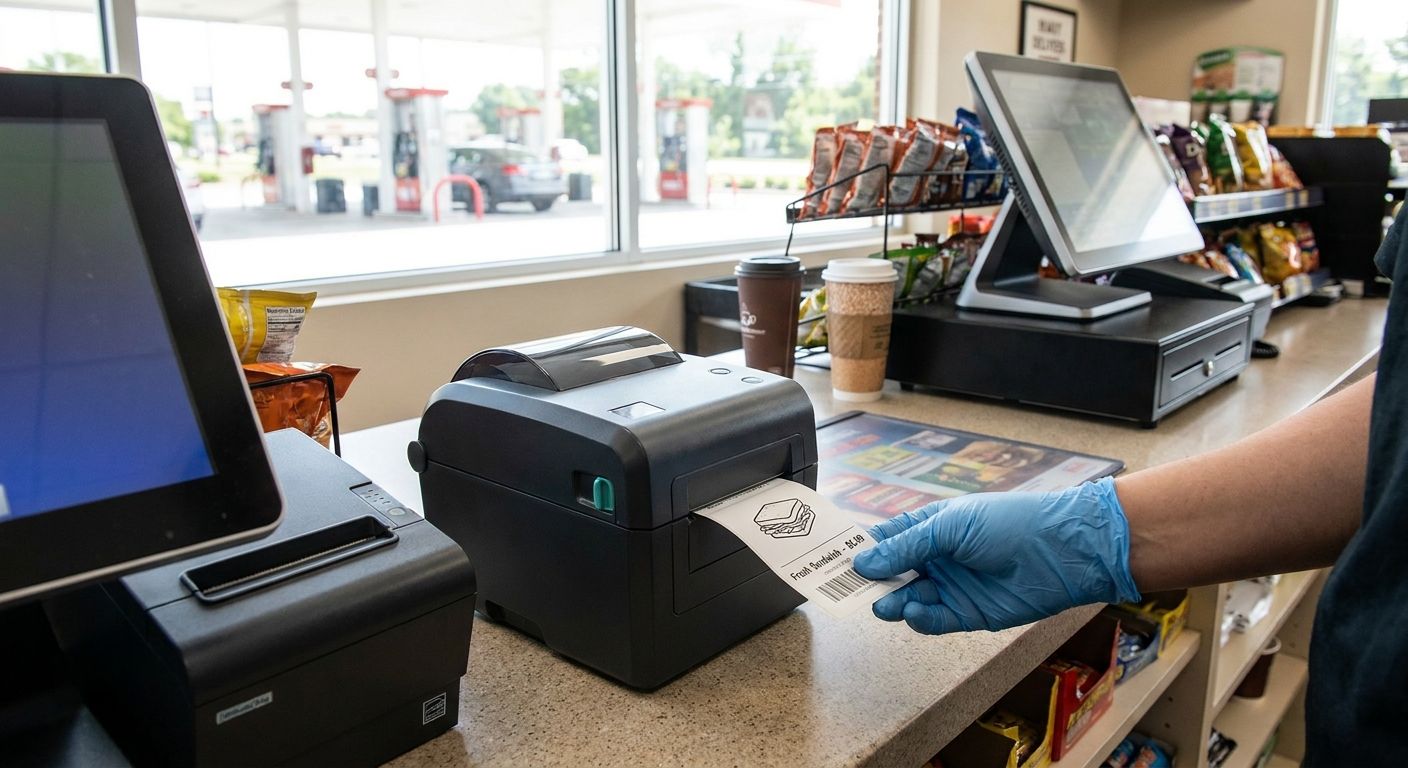
Convenience stores and gas stations print non-stop - price tags, receipt tape, lottery slips, shelf labels - and a direct thermal label printer for convenience stores has to keep up without a ribbon to reload mid-rush. Here's what separates a printer that survives a Saturday night register line from one that jams during it.
- GoDEX RT200i is the direct thermal label printer for convenience stores to buy in 2026.
- GoDEX RT730i handles high-volume gas station counters without a ribbon change.
- Skip the GoDEX RT700i's color touchscreen unless multiple staff build label templates.
- 3M heavy-duty barcode tags at $115 outlast grease and gas fumes on pump equipment.
- Direct thermal beats thermal transfer at the counter - no ribbon inventory to manage.
Why this matters
A ribbon-based printer at a 24-hour gas station means someone has to notice the print going faint, stop the line, and swap a spool - usually during the exact ten minutes when six cars are at the pump and the cooler alarm won't stop. Direct thermal skips that step entirely: heat-sensitive paper reacts to the printhead, no ribbon, no spool change, no training required for a new overnight hire.
McAuley Labels runs most convenience store counters on direct thermal labels with no ribbon needed, and the difference shows up in labor, not just hardware cost. A store printing 2,000+ receipts and shelf tags a week loses real minutes every time staff hunt for a ribbon core. In 2026, with margins thin on fuel and tobacco, that's not a rounding error.
Who this is for
This guide is for the store manager or multi-unit operator running a convenience store, gas station, or combo fuel-and-food location that prints shelf tags, receipt rolls, or compliance labels at the counter - not a warehouse running thermal transfer for outdoor asset tags. If your printer sits behind the register or next to the POS terminal and gets touched by three different shift workers a day, the picks below are built for you.
What to look for in a direct thermal label printer for convenience stores
Print speed that matches your busiest hour
A printer rated for a quiet back office chokes at 6pm on a Friday. Look at the inches-per-second (IPS) rating, not just DPI - a printer running 16 IPS clears a shelf-tag batch or lottery reconciliation printout before the next customer reaches the counter. Anything slower turns your register line into a bottleneck during peak hours.
DPI matched to what you're actually printing
203 DPI is enough for standard UPC barcodes, price tags, and receipt text - it's the resolution most convenience store direct thermal printers ship at. Bump to 300 DPI only if you're printing small QR codes for loyalty programs or dense compliance text on a narrow label; 203 DPI on a tiny QR code turns into a blur a scanner rejects.
No ribbon, no training curve
Direct thermal eliminates the ribbon entirely - the label stock itself is heat-reactive. That matters more at a convenience store than almost anywhere else because staff turnover is high and nobody's reading a manual. A printer that only needs paper loaded, no ribbon threading, is the difference between a five-minute fix and a call to corporate.
Ports that match your POS, not a workaround
Check what your POS system actually talks to before buying: USB is fine for a single standalone printer, but a multi-register store wants Ethernet so IT can manage printers off one network without running a cable to every counter. Serial still shows up in older POS integrations - confirm before you order.
Warranty and consumables you can actually reorder
A printer is only as good as the label stock and ribbon supply behind it. GoDEX printers from McAuley Labels ship with a 3-year warranty, which matters when a printer runs 16-hour shifts at a truck stop. Confirm your label supplier stocks the exact width and core size your printer takes before it becomes a 2am problem.


Top picks for convenience store and gas station counters
GoDEX RT200i - the safe pick. A 203 DPI direct thermal printer built for standard barcode and price-tag work - the resolution most convenience stores actually need for UPC and receipt printing. It's the default replacement if your current printer has been fading for six months and you don't want to relearn your label templates. Verdict: Buy.
GoDEX RT730i - the high-volume workhorse. Built for stores that print past the volume a single countertop printer handles comfortably - think combo gas station and food-service counters running receipts, shelf tags, and kitchen tickets off the same footprint. If your current printer overheats by 3pm, this is the upgrade. Verdict: Buy for multi-register or combo locations, Consider for a single quiet counter.
GoDEX RT700i - the multi-location manager's pick. The 4-color display lets a shift lead switch label templates without touching a connected PC, which matters across a franchise chain where the person at the counter isn't IT-trained. It costs more than a screen-free printer buys you at most single-location stores. Verdict: Consider for multi-store operators, Skip for a single independent location.
3M Heavy-Duty Silver Barcode Asset Tags - the equipment tag fix. At $115, this 3M heavy-duty barcode tag survives what a paper label can't: pump housings, cooler compressors, and POS terminals exposed to grease and gas fumes. It's not a printer pick - it's the tag that keeps your equipment inventory scannable after a year outdoors. Verdict: Buy if you're tracking fuel or refrigeration equipment on a barcode system.
What to avoid
Thermal transfer printers you don't need. If nothing you print needs to survive outdoor UV or years of handling, thermal transfer just adds a ribbon to manage and a recurring cost direct thermal skips entirely. Save thermal transfer for asset tags and outdoor equipment labels, not shelf tags and receipts.
300+ DPI when 203 DPI does the job. Higher DPI printers cost more and print slower on standard barcode work. Unless you're printing dense QR codes or fine-print compliance text, 203 DPI is the right spec for a convenience store counter in 2026 - not an upgrade worth chasing.
A printer with no local parts or label supply. A printer that looks identical on a spec sheet but has no US-stocked ribbon or matching label width turns a five-minute maintenance job into a week of downtime. Confirm supply before you buy, not after the printer's already running your register.
“If your printer needs a ribbon change during the Saturday lottery rush, you bought the wrong printer.”
Printer comparison for convenience stores and gas stations
| Product | Resolution | Built for | Verdict |
|---|---|---|---|
| GoDEX RT200i | 203 DPI | Single-counter convenience stores | Buy |
| GoDEX RT730i | Direct thermal | High-volume gas station and food counters | Buy |
| GoDEX RT700i | Direct thermal, color display | Multi-location franchise management | Consider |
| 3M Heavy-Duty Asset Tags | N/A - label stock | Pump and equipment tagging | Buy |
FAQ
What is the best direct thermal label printer for convenience stores in 2026?
The GoDEX RT200i is the best direct thermal label printer for convenience stores in 2026 for standard shelf tags and receipts at 203 DPI. Stores running higher volume across multiple registers get more out of the GoDEX RT730i.
Is direct thermal better than thermal transfer for a gas station?
Direct thermal is better for a gas station's counter printing - receipts, shelf tags, price labels - because there's no ribbon to manage during a rush. Thermal transfer still wins for pump equipment tags and outdoor labels that need to survive years of UV and handling.
How much does a direct thermal label printer cost for a convenience store?
Direct thermal printers built for convenience store counters range from a few hundred dollars for a basic 203 DPI model up past $2,000 for an industrial unit like the GoDEX GX4200i at 16 IPS. Most single-counter stores don't need the industrial tier.
What DPI do I need for a convenience store label printer?
203 DPI covers standard UPC barcodes, receipts, and price tags - the resolution most convenience store printers ship at. Move to 300 DPI only if you're printing small QR codes or dense compliance text that needs finer resolution to stay scannable.
Do direct thermal labels fade over time?
Direct thermal labels can fade with heat or direct sunlight exposure over months, which is why they're built for short-lived uses like receipts and shelf tags rather than long-term outdoor equipment tags. For equipment that needs to survive a year or more outdoors, 3M heavy-duty barcode tags hold up better than direct thermal paper.
Can one printer handle both receipts and shelf tags at a gas station?
Yes - a direct thermal printer like the GoDEX RT200i handles both receipt-width and shelf-tag label stock, provided the media width matches what the printer is rated for. Confirm your label supplier stocks both widths before committing to one printer.
What's the difference between the GoDEX RT200i and RT730i?
The GoDEX RT200i is built for standard single-counter print volume at 203 DPI, while the GoDEX RT730i handles higher throughput for combo gas station and food-service counters. Pick based on how many labels and receipts move through your counter in a shift, not on price alone.
Do I need Ethernet or USB for a convenience store printer?
USB works fine for a single standalone printer at one register. Multi-register stores or franchise locations should confirm Ethernet support so IT can manage printers across the network without running a cable to every counter.
One last thing
Most convenience stores don't fail their label printer because the DPI was wrong - they fail because nobody checked what label stock the printer actually takes before ordering more. A printer that's perfect on spec sits idle for a week when the reorder doesn't match the core size. Confirm width and core size before the first order, not after the printer's bolted to the counter.