
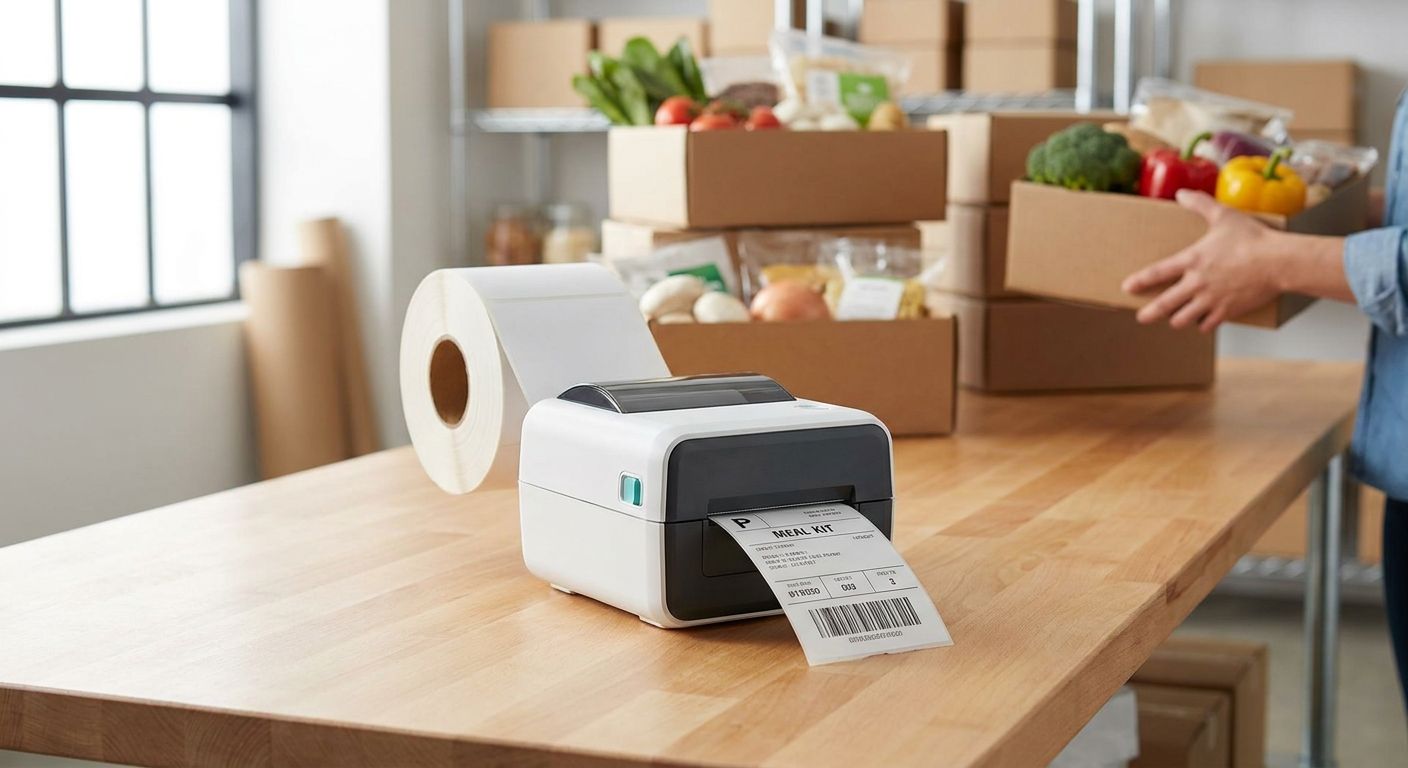
Meal kit delivery companies print more labels per week than almost any other food business — ingredient bags, allergen call-outs, recipe cards, cold-chain seals — and a direct thermal label printer for meal kit companies is built to keep up with that volume without the ribbon cost or changeover time of thermal transfer gear.
- GoDEX RT700i+ at $581 wins for daily ingredient and allergen labels — Buy.
- GoDEX ZX430i+ at $945 wins on 300 DPI clarity for recipe-card QR codes — Buy.
- Skip ribbon-based thermal transfer printers for labels that expire in days, not years.
- Cold-chain adhesive quality matters more than DPI once labels ride a refrigerated truck past 24 hours.
Why this matters
A meal kit operation running six-figure weekly boxes prints thousands of ingredient tags, portion labels, and box seals in a single packing shift, and every one of those labels lives for days, not years. That's the opposite problem asset-tag buyers solve. Direct thermal skips the ribbon entirely — no consumable to restock mid-shift, no ribbon jam stopping a packing line during a 6 a.m. cutoff.
McAuley Labels sells direct thermal labels precisely because meal kit and food delivery operations need labels that print fast, adhere through refrigerated transit, and get thrown away with the packaging — not archived for a decade. The detail most buyers miss: adhesive performance in cold, damp environments matters more than raw print resolution. A guide on labels for meal prep and food delivery containers covers the container-specific adhesion question in more depth if that's your bottleneck.
Who this is for
This buying guide is for ops managers and founders running meal kit subscription fulfillment — daily or weekly pack-and-ship operations printing ingredient bag labels, recipe cards, allergen stickers, and box date seals at a packing station or on a conveyor line. If you're printing shipping labels only, a standard 4x6 direct thermal setup covers you; if you're printing ingredient-level detail at high volume with barcodes feeding a WMS, the criteria below get more specific.
What to look for in a direct thermal label printer for meal kit companies
Direct thermal, not thermal transfer
Meal kit labels live for days inside a fridge, not years on a warehouse shelf. Thermal transfer printers need ribbon, which adds a consumable cost and a changeover step your packing line doesn't have time for. Direct thermal print heads burn the image straight into heat-sensitive label stock — no ribbon, faster changeovers, lower cost per label at the volumes meal kit operations run.
Print resolution for barcodes and QR codes
A 203 DPI printer handles bold ingredient names and portion counts fine. A 300 DPI model is the difference between a QR code that scans on the first try and one that a customer has to angle under a kitchen light three times before it resolves — and recipe-card QR codes linking to cook videos are becoming standard in 2026 subscription boxes.
Adhesive performance in cold, moist environments
Labels applied to chilled ingredient bags or ice-pack sleeves need adhesive that grips through condensation, not just at room temperature. A label that curls off a bag before the delivery truck leaves the dock cost you more in reprints than the printer did.
Throughput for packing-line speed
Meal kit fulfillment runs on a tight morning or overnight cutoff window. A printer that queues labels one at a time instead of streaming a batch slows every packer on the line. Check inches-per-second print speed against your daily label count, not just against the sticker price.
Standalone operation at the packing station
Some facilities don't want a computer tethered to every station. A printer with a built-in keyboard or standalone controller lets a packer key in a batch number and print without touching a workstation — a detail that matters more on a crowded line than it looks on a spec sheet.


Top picks for meal kit delivery companies
GoDEX RT700i+ — the safe pick. 203 DPI resolution, color display, priced at $581 in 2026. This is the printer most meal kit operations should default to for ingredient bags, allergen text, and date-coded box seals at daily volumes. Buy.
GoDEX ZX430i+ — the resolution pick. 300 DPI on a 4-inch dual thermal engine, priced at $945. If your recipe cards carry QR codes linking to cook-along video content, the extra resolution is the difference between a code that scans instantly and one that doesn't. Buy if QR codes or dense barcodes are part of your label design.
GoDEX RT200i (203 DPI) — the budget entry point. A smaller footprint and lower price point suit a single packing station running lower daily volume, without the throughput a multi-shift facility needs. Consider for a satellite kitchen or pilot location, not your primary fulfillment center.
GoDEX RT730i — the workhorse. Built for facilities running two shifts of continuous label output where a single station can't queue fast enough. Consider once your daily label count outgrows a single RT700i+ station.
“If the label curls off the bag before the truck leaves the dock, the adhesive lost to humidity, not the printer.”
What to avoid
- Ribbon-based thermal transfer printers for short-shelf labels. They're built for years-long durability on metal and plastic, not a label that gets thrown out with the ingredient bag in 72 hours. You're paying for ribbon you don't need.
- Metallized silver asset-tag stock. It's engineered to survive outdoor equipment for a decade — overkill and the wrong material for anything touching refrigerated food packaging.
- Desktop printers without a cold-rated print head. A print head that hasn't been tested against walk-in cooler humidity will fail faster than the spec sheet suggests, and reprints during a packing shift cost more than the printer saved.
Verdict comparison
| Model | Resolution | Price (2026) | Best for | Verdict |
|---|---|---|---|---|
| GoDEX RT700i+ | 203 DPI | $581 | Daily ingredient and allergen labels | Buy |
| GoDEX ZX430i+ | 300 DPI | $945 | QR-heavy recipe cards, dense barcodes | Buy |
| GoDEX RT200i | 203 DPI | Lower entry cost | Single-station, low-volume kitchens | Consider |
| GoDEX RT730i | 203 DPI | Higher-throughput class | Multi-shift, high-volume facilities | Consider |
FAQ
What's the best direct thermal label printer for meal kit companies in 2026?
The GoDEX RT700i+ at $581 is the best default for meal kit delivery companies printing daily ingredient and allergen labels in 2026. Step up to the 300 DPI GoDEX ZX430i+ at $945 if recipe cards carry QR codes or dense barcodes.
Is direct thermal better than thermal transfer for meal kit labels?
Yes, for labels that last days rather than years. Direct thermal skips the ribbon consumable entirely, cutting cost per label and changeover time on a fast-moving packing line.
How much does a direct thermal label printer cost for a meal kit business?
Entry-level 203 DPI models like the GoDEX RT700i+ run around $581 in 2026, while 300 DPI models like the GoDEX ZX430i+ run closer to $945. Higher-throughput industrial models cost more depending on speed and connectivity.
Do direct thermal labels hold up in refrigerated trucks?
Quality direct thermal label stock with the right adhesive holds through condensation and cold-chain transit. Adhesive selection matters more than print resolution for labels riding a refrigerated truck.
What DPI do I need for QR codes on meal kit labels?
300 DPI is the safer choice for QR codes and dense barcodes on recipe cards. 203 DPI handles bold text and simple barcodes fine but can blur small QR modules.
Can I print allergen labels with a direct thermal printer?
Yes. Allergen text prints clearly at 203 DPI on standard direct thermal stock, and most meal kit operations run allergen labels on the same printer as ingredient tags.
How fast can a direct thermal printer keep up with a packing line?
Throughput depends on the model's inches-per-second rating and how labels queue in batches. Match the printer's rated speed against your daily label count before committing to a single-station setup.
Do I need a standalone keyboard for label printing without a computer?
A standalone controller or keyboard lets packing staff key in batch numbers and print without a tethered workstation, which speeds up crowded packing lines where computer access is limited.
One last thing
The adhesive spec sheet matters more than the DPI number for anything touching a refrigerated ingredient bag — a 300 DPI printer running the wrong label stock still produces labels that peel off before the truck leaves the dock. Match label stock to your cold-chain conditions first, then pick resolution based on whether QR codes are part of the design.