
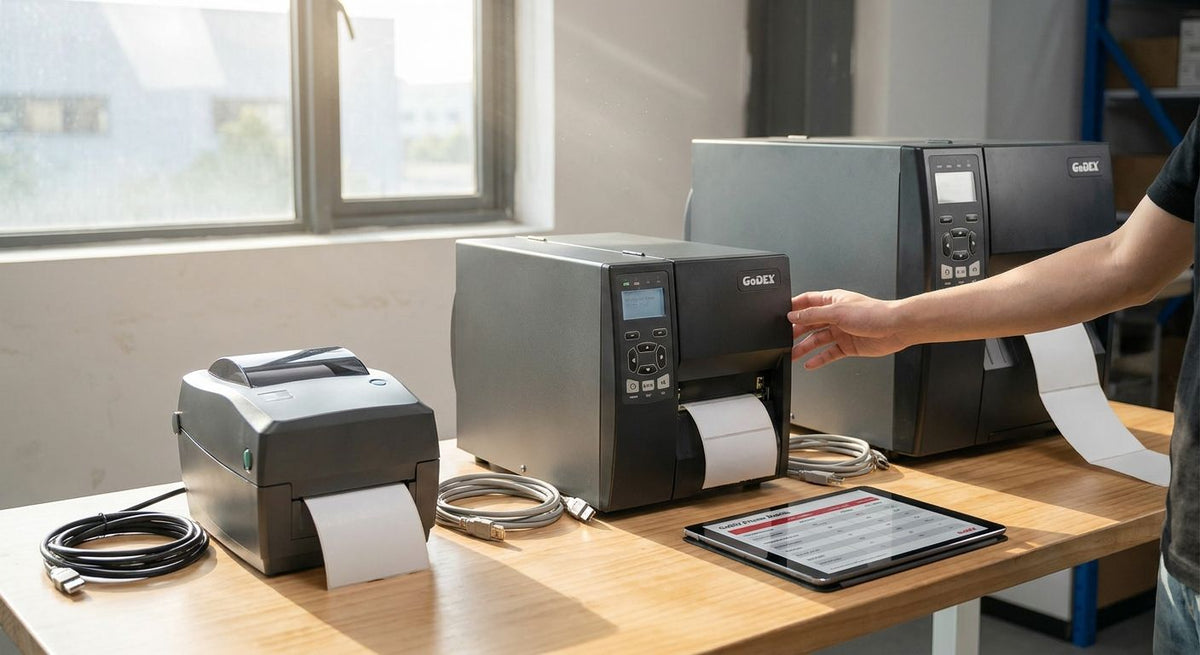
Picking the right GoDEX printer model comes down to three numbers: print resolution (203, 300, or 600 DPI), ribbon type, and how many labels you print per shift. Most businesses printing barcode and asset-tag labels land on 203 or 300 DPI thermal transfer models; label jobs with small text or fine barcodes need 300 DPI minimum, and product graphics with micro-detail justify 600 DPI. The catch: a higher-DPI printer that outpaces what your barcode scanner actually reads is money spent on detail nobody uses.
- A godex printer model comparison starts with DPI: 203 for basic barcodes, 300 for mixed text, 600 for fine detail.
- The GoDEX RT200i covers entry-level 203 DPI barcode and asset-tag runs without extra cost.
- The GoDEX ZX430i+ at 300 DPI handles daily mixed jobs and adds a color display for status checks.
- 600 DPI models like the GoDEX GX4600i only pay off when codes or graphics need micro-detail resolution.
- Thermal transfer ribbon outlasts direct thermal on labels exposed to heat, oil, or sunlight.
Why this matters
Buying past your resolution requirement wastes ribbon and slows print speed; buying under it produces barcodes your scanner rejects at the register or the dock door. Both mistakes cost more in reprints than the price gap between models. Most businesses evaluating a GoDEX ZX430i+ end up there by default because 300 DPI covers barcode and small text without forcing a jump to industrial-class hardware.
The decision gets easier once you separate three questions: what resolution does your label content actually need, what ribbon type survives your environment, and how many labels does one shift produce. Answer those and the model choice narrows fast, even inside a catalog that spans desktop units to 600 DPI industrial printers in 2026.
Which GoDEX printer model fits your business
| Model | Resolution | Ribbon type | Best for | Verdict |
|---|---|---|---|---|
| GoDEX RT200i | 203 DPI | Direct thermal or thermal transfer | Basic barcode and asset-tag runs | Buy for entry-level volume |
| GoDEX ZX430i+ | 300 DPI | Thermal transfer, color display | Mixed barcode and small-text labels | Buy for daily general-purpose printing |
| GoDEX GX4600i | 600 DPI | Thermal transfer | Fine-detail graphics and micro-text codes | Buy only if your codes need 600 DPI |
The table above covers the three resolution tiers that matter for a 2026 buying decision. Everything else — connectivity, display, ribbon width — is a secondary filter once resolution is settled.
203 DPI: GoDEX RT200i for basic barcode and asset-tag labels
The GoDEX RT200i prints at 203 DPI, the standard resolution for 1D and most 2D barcodes at normal viewing distance. It's the model to buy when labels carry a barcode, a short line of text, and nothing finer — inventory tags, shipping labels, basic asset tags. Skip this tier if your labels carry small serial numbers under 6-point type; 203 DPI starts to blur text that small.
This is also the tier where cost-per-label matters most, since 203 DPI print heads and ribbon run cheaper than higher-resolution equivalents. If your printing is high-volume and low-detail — a warehouse floor tagging pallets all day — this tier wins on throughput and running cost, not resolution.
300 DPI: GoDEX ZX430i+ for mixed barcode and text jobs
The GoDEX ZX430i+ prints at 300 DPI and includes a color display, which matters on a floor where more than one operator loads labels and needs status feedback without a laptop nearby. 300 DPI is the resolution most businesses actually need: it renders small text cleanly and holds up on 2D barcodes that pack more data into a smaller square.
This is the default recommendation for shops running asset tags, product labels, and general barcode work side by side, because it removes the guesswork of matching resolution to job type. Buy this tier if you print more than one label category from the same printer.
600 DPI: GoDEX GX4600i for fine-detail label printing
The GoDEX GX4600i prints at 600 DPI, four times the pixel density of a 203 DPI printer. That resolution exists for jewelry tags, micro-barcodes, and label graphics where fine lines and small type need to stay crisp at close range.
Most general barcode and asset-tag work never needs this tier — 300 DPI already exceeds what a standard barcode scanner requires. Buy 600 DPI only when a specific label — fine print, dense 2D codes, detailed graphics — demands it; otherwise it's an unnecessary cost jump.


Why GoDEX printer resolution needs vary
- Barcode density — 2D codes packing more data into a small square need higher DPI than a simple 1D barcode.
- Text size on the label — anything under 6-point type starts to blur at 203 DPI.
- Viewing or scan distance — close-range scanning tolerates lower resolution than long-range warehouse scanning.
- Ribbon vs direct thermal — thermal transfer ribbon holds up against oil, heat, and sunlight; direct thermal fades faster in those conditions.
- Print speed requirements — higher DPI print heads generally run slower per label at maximum detail settings.
- Label material — polyester and silver metalized stock read differently under high resolution than plain paper stock.
If you're also weighing GoDEX against other manufacturers before locking in a resolution tier, see how GoDEX compares to Zebra on cost and print-head durability before deciding.
Related questions
Is a 300 DPI GoDEX printer worth it over 203 DPI for barcode labels?
300 DPI is worth the upgrade whenever a label mixes small text with a barcode, since 203 DPI starts to blur type under 6-point size. For pure barcode-and-pallet-tag work with no fine text, 203 DPI on a model like the GoDEX RT200i is sufficient and cheaper to run.
Do GoDEX printers need thermal transfer ribbon or direct thermal labels?
Thermal transfer ribbon is the right call for any label exposed to heat, oil, sunlight, or repeated handling, since direct thermal prints fade under those conditions over time. Direct thermal works fine for short-life labels like shipping labels or receipts that get scanned once and discarded.
Can one GoDEX printer handle both asset tags and oil change stickers?
A single 300 DPI GoDEX printer, run with the correct label stock swapped between jobs, can print both asset tags and oil change stickers, but each application usually runs better on a dedicated unit. McAuley Labels sells a purpose-built oil change sticker printer system preloaded for that single workflow, which avoids reconfiguring settings between label types every shift.
FAQ
What DPI do I need for a GoDEX barcode printer?
203 DPI covers standard barcode and asset-tag labels; 300 DPI is needed once labels mix in small text or dense 2D codes. Reserve 600 DPI for fine-detail graphics or micro-text that 300 DPI can't render cleanly.
Is the GoDEX ZX430i+ better than the GoDEX RT200i?
The GoDEX ZX430i+ prints at 300 DPI with a color display, making it the better pick for mixed barcode-and-text jobs, while the GoDEX RT200i's 203 DPI is enough and cheaper for pure barcode work. Neither is universally better; the right choice depends on label content, not brand preference.
How much does a GoDEX printer model comparison change if I need thermal transfer ribbon?
Thermal transfer ribbon adds a running cost per label but extends label life significantly on labels exposed to oil, heat, or UV, which direct thermal can't match. Most industrial and outdoor labeling in 2026 defaults to thermal transfer for that reason.
Do all GoDEX printers come with the same warranty?
GoDEX printers sold through McAuley Labels carry a standard 3-year warranty across the lineup as of 2026. Coverage terms are consistent regardless of resolution tier or model.
What's the difference between GoDEX G500 and G530 desktop printers?
Both are compact desktop models in the GoDEX lineup built for lower-volume label runs rather than industrial floor use. Confirm current configuration details on each product page before ordering, since desktop-tier specs can vary by unit.
Can a 600 DPI GoDEX printer replace a 203 DPI model for everyday barcode work?
Yes, a 600 DPI printer like the GoDEX GX4600i can print any barcode a 203 DPI model handles, but it costs more upfront with no scanning benefit for standard codes. It only makes sense when at least some of your labels genuinely require micro-detail resolution.
Which GoDEX printer is best for asset tags specifically?
A 203 or 300 DPI thermal transfer model is best for asset tags, since durability against handling and cleaning chemicals matters more than resolution for a barcode and short ID string. The GoDEX RT200i covers that need at the lower cost tier.
One last thing
The resolution decision gets made once, at purchase, but the ribbon decision gets made every reorder — and that's where most businesses actually overspend or underspend in 2026. A shop running thermal transfer ribbon on labels that never leave a climate-controlled office is paying for durability it doesn't use; a shop running direct thermal labels in a bay full of oil and heat is reprinting faded tags every few months. Match ribbon to environment first, resolution second, and the model choice among the GoDEX lineup mostly picks itself.