
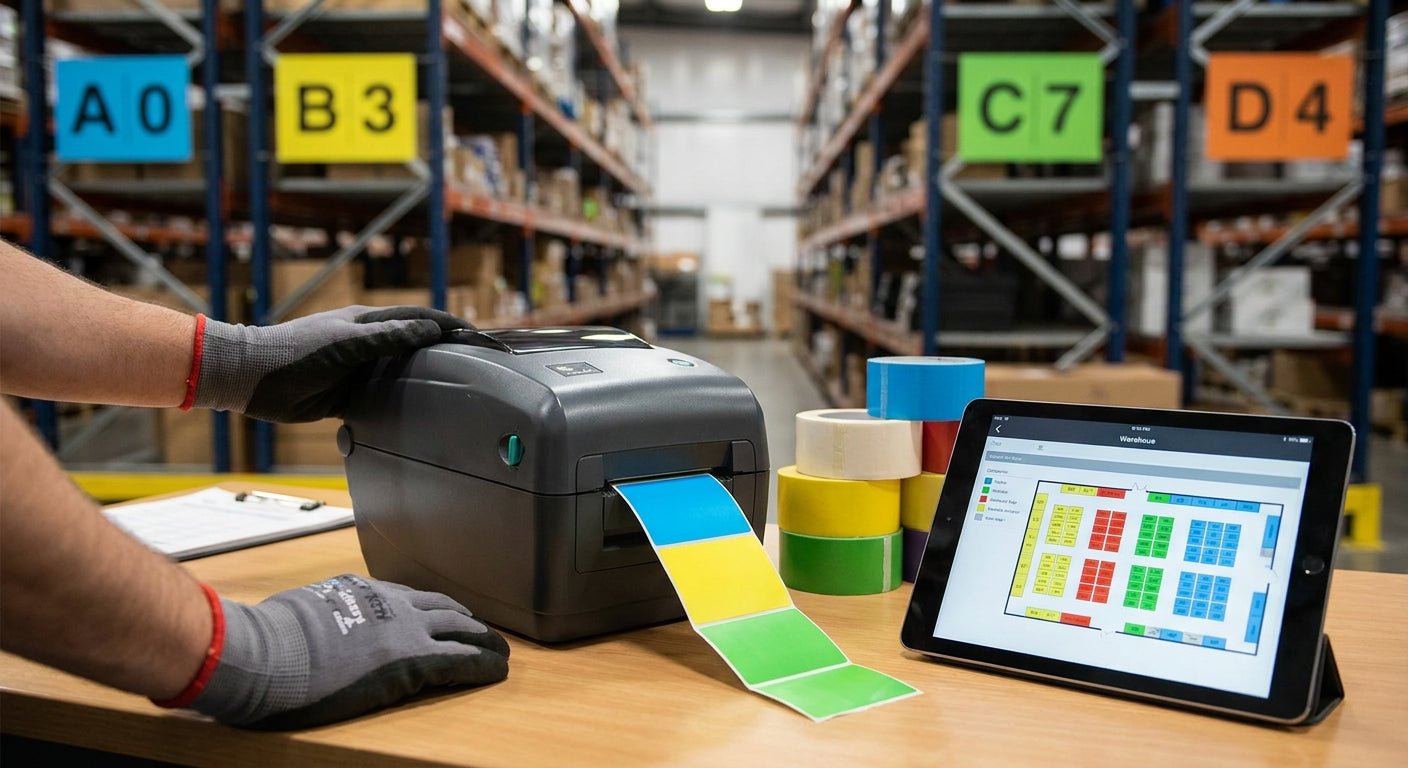
Color-coded labels for warehouse zones turn a floor plan into something a forklift driver or new hire reads in three seconds flat, and printing them in-house cuts a custom label order from a two-week vendor wait to a same-day job.
- GoDEX RT700i+ prints 203 DPI zone labels fast enough for daily relabeling in facilities under 50,000 sq ft — Buy.
- 3M heavy-duty stock survives forklift traffic and dock-door temperature swings where semi-gloss white and metalized silver won't hold up.
- Swapping colored ribbon, not colored label stock, is the fastest way to run color coded labels for warehouse zones off one printer.
- Five zones or fewer per building — past that, pickers start missing the color code entirely.
Why this matters
A warehouse with unmarked zones runs on tribal knowledge — the picker who's been there three years knows aisle 12 is hazmat, the new hire doesn't. Color coded labels for warehouse zones remove that dependency: red means restricted, yellow means staging, green means cleared stock, and nobody has to ask.
The cost of skipping this is measured in misplaced pallets and OSHA walkthroughs that flag unmarked hazardous storage. Printing the labels in-house on a GoDEX printer instead of ordering pre-printed rolls means you can update a zone scheme in an afternoon instead of waiting on a reprint order.
What you'll need
- A thermal label printer capable of 203 DPI or higher — the GoDEX RT700i+ prints at 203 DPI with a color display that makes zone-by-zone batch switching faster than a monochrome unit
- Label stock rated for your environment — custom barcode inventory labels in 3M heavy-duty stock for dock doors and outdoor racking, semi-gloss white or metalized silver for indoor shelving
- A colored thermal transfer ribbon set (black, red, blue at minimum) if you're coding by ribbon color instead of stock color
- GoLabel or equivalent label design software to set up the zone template
- A tape measure and your current warehouse map with zone boundaries already drawn
- 30-60 minutes for initial setup, then 5-10 minutes per zone reprint after that
The steps
1. Define your zone-color scheme before you open the software
Write down every physical zone — receiving, staging, hazmat, cold storage, returns — and assign each one exactly one color. Four to five colors is the ceiling; add a sixth and pickers start confusing shades under warehouse lighting. Document the scheme on a single sheet posted at the supervisor desk, not buried in a shared drive nobody opens.
Common mistake: assigning colors by department instead of by physical zone. A department can span three zones; a color code that follows org charts instead of the floor plan defeats the point.
2. Pick your color method: stock color or ribbon color
You have two ways to get color onto a thermal label — order pre-colored stock in each zone color, or print black-and-white barcodes on white stock and swap in a colored thermal transfer ribbon for each print run. Ribbon swapping is cheaper for warehouses running under 500 labels a week per zone since you're not holding five colors of stock in inventory.
For high-volume operations printing thousands of labels a month, pre-colored stock saves the ribbon-change downtime. Verdict: ribbon color for low-volume, multi-zone operations. Stock color for single-zone, high-volume runs.
3. Match label material to the zone environment
Indoor shelving in a climate-controlled aisle can run on semi-gloss white or metalized silver stock and hold up fine for 12-18 months. Dock doors, outdoor racking, and any zone that sees forklift contact or temperature swings needs 3M heavy-duty adhesive — standard adhesive starts lifting at the corners within weeks in those conditions.
Metalized silver reads better under low warehouse lighting than plain white paper stock, which matters for zones read from a moving forklift.
4. Set up the printer template and calibrate
Load the label stock and set the printer to the correct label width and gap sensor mode in GoLabel — most zone tag jobs run on 2" or 4" stock. Set print speed to 4 inches per second for barcode-heavy labels; pushing past that on a 203 DPI printer starts blurring fine barcode lines.
Expected outcome: a test print that scans clean on the first pass with a handheld scanner. If it doesn't scan, drop the speed before you touch anything else.
5. Print a test batch of five per zone
Don't run a full production batch until you've printed and scanned five labels per zone color. Check barcode scan rate, color visibility from 15 feet under actual warehouse lighting, and adhesion on the actual surface material — steel racking, painted concrete, plastic bins each behave differently.
Common mistake: testing on a clean desk instead of the actual racking surface. Dust and oil residue on real warehouse steel change how adhesive grabs.
6. Apply labels at a consistent height and position
Mount zone labels at eye level for a person standing, roughly 60-66 inches, and at a consistent corner position on every rack end. Consistency matters more than the exact height — a picker scanning left-to-right down an aisle needs to know where to look without hunting.
7. Document the scheme and retrain on changes
Any time a zone gets reassigned a new color, update the posted scheme sheet the same day and flag it in the next shift huddle. A color scheme that changes without notice is worse than no scheme at all — workers start ignoring the labels entirely.
Troubleshooting
- Barcode won't scan through the colored background. Dark ribbon colors (deep red, navy) can drop contrast against dark stock. Stick to black print on colored stock, or white/light stock with colored ribbon accents around the barcode only.
- Labels peel at cold storage entrances. Standard adhesive stock loses grip below 40°F. Switch that zone to 3M heavy-duty stock rated for cold environments.
- Colors look washed out under warehouse sodium lighting. Sodium and older fluorescent fixtures shift color perception. Test the actual label under the actual fixture before finalizing a zone color — red and orange can look nearly identical under some lighting.
- Print comes out blurry on barcode edges. Print speed too high for the DPI. Drop from 6 ips to 4 ips on a 203 DPI printer, or move up to a 300 DPI unit if you're printing small barcodes regularly.
- Ribbon smears when switching colors mid-run. Let the printhead fully cool for two minutes between ribbon swaps — printing immediately after a color swap on a warm head can smear the first few labels.
- Rewinder jams on long runs. High-volume zone relabeling jobs benefit from a dedicated rewinder unit rather than manual take-up, especially past 200 labels in one run.


“If a picker needs more than three seconds to match a color to a zone, the code has too many colors.”
Tools and resources
- A 203 DPI or 300 DPI thermal printer with GoLabel software for template design
- Label stock rated to the zone's environment — 3M heavy-duty for outdoor and dock-door zones, semi-gloss white or metalized silver for indoor aisles
- Colored thermal transfer ribbon if running the ribbon-swap method
- A handheld barcode scanner for test-batch verification
- Background reading on scannable zone tracking: QR code inventory labels for warehouses covers how QR codes layer onto a color scheme for pick-path accuracy
What to do next
Once the zone scheme is printed and posted, the next problem most warehouses hit is asset-level tracking inside each zone — tagging the racks, bins, and equipment themselves rather than just the zone boundary.
FAQ
What's the best printer for color coded labels for warehouse zones?
A 203 DPI thermal printer like the GoDEX RT700i+ handles zone labeling for most warehouses under 50,000 square feet. Facilities printing small barcodes at high density should step up to a 300 DPI unit.
Is colored label stock better than colored ribbon for zone coding?
Colored ribbon is cheaper for warehouses running under 500 labels a week per zone since you avoid holding multiple stock colors in inventory. Colored stock wins for high-volume single-zone runs where ribbon swapping slows the print job.
How many colors should a warehouse zone system use?
Four to five colors is the practical ceiling. Past that, pickers under warehouse lighting start confusing similar shades and the system loses its speed advantage.
How much does it cost to print zone labels in-house?
Cost depends on stock choice — semi-gloss white and metalized silver run cheaper per roll than 3M heavy-duty, and per-label cost drops fast once you own the printer versus ordering pre-printed runs from a vendor.
Do color coded warehouse labels need to be waterproof?
Only zones exposed to moisture, cold storage, or outdoor racking need waterproof-rated adhesive. Indoor dry-storage zones do fine on standard semi-gloss stock.
Can one printer handle multiple zone colors?
Yes — a single thermal printer switches between zone colors by swapping ribbon cartridges or loading different pre-colored stock rolls, no second printer required.
What's the difference between color coded labels and barcode asset tags?
Color coded zone labels mark a physical area for wayfinding; barcode asset tags identify an individual item or piece of equipment inside that zone. Most warehouses run both systems together.
How often do warehouse zone labels need replacing?
Semi-gloss and metalized silver stock typically hold up 12-18 months indoors before fading affects readability. 3M heavy-duty stock in high-traffic or outdoor zones lasts longer under the same conditions.
One last thing
The zone that gets mislabeled most often isn't hazmat or cold storage — it's the returns area, because it's the one zone that changes shape every quarter as return volume shifts. Print returns-zone labels on a shorter reorder cycle than the rest of the building, and check the color scheme against the posted sheet every time the layout moves.