
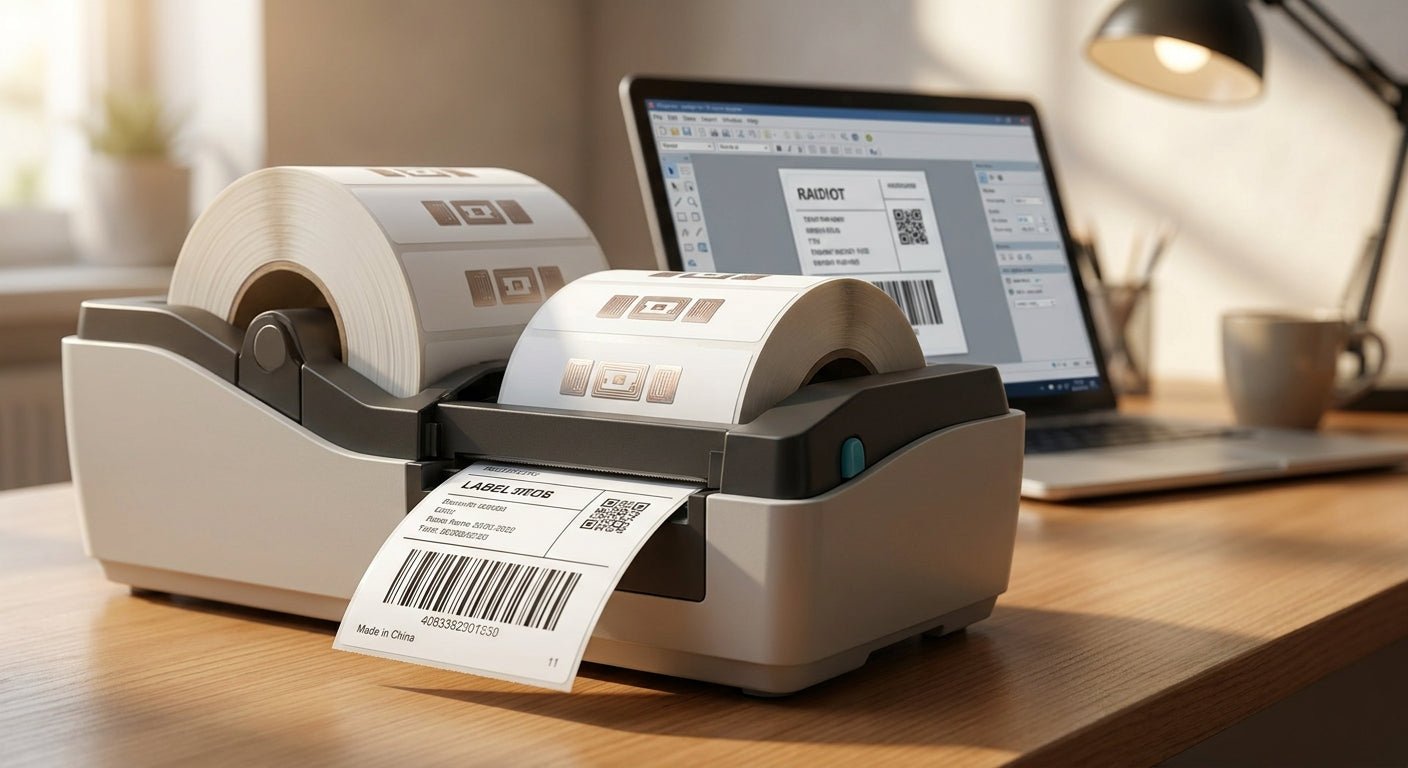
Printing RFID-compatible labels on a thermal printer means matching label stock, ribbon, and printer settings to the embedded chip inside the label — get any one of those wrong and the tag prints a clean barcode that still won't scan.
- RFID compatible labels thermal printer setups need thermal transfer, not direct thermal for durability: GoDEX RT863i at 600 DPI, Buy.
- Standard flat labels jam on the chip bump inside RFID inlays; gap-sensor calibration fixes the skip, Do this first.
- Direct thermal RFID labels fade within 6-12 months outdoors on metal assets, Skip for anything exposed to weather.
- Thermal transfer ribbon rated for the label facestock prevents ghosting on RFID overprint, Buy the matched ribbon.
Why this matters
An RFID label is really two products stacked together: a passive RFID inlay (chip plus antenna) laminated between the facestock and the adhesive, and a printed layer on top for barcodes, asset numbers, or logos. The GoDEX RT863i 600 DPI thermal printer handles the printed layer fine out of the box — the failure point is almost always the mechanical gap left by the chip.
That gap, sometimes called the chip bump, throws off gap sensors calibrated for flat label stock. Printers that aren't re-calibrated for RFID inlays will skip labels, print off-register, or stall mid-batch in 2026 just as often as they did five years ago. This is a settings and stock problem, not a printer-quality problem.
What you'll need
- A thermal transfer or 600 DPI direct thermal printer with an adjustable gap or black-mark sensor
- RFID inlay label stock rated for your chip's read range and the surface you're tagging (metal, plastic, glass)
- Thermal transfer ribbon matched to the facestock — wax for paper labels, resin for polyester and metalized stock
- A test scanner or handheld RFID reader to verify read range before running a full batch
- 15-20 minutes for calibration before your first production run
The steps
1. Confirm thermal transfer vs. direct thermal
RFID labels used for asset tags, equipment tracking, or outdoor inventory need print that survives handling and UV exposure. Direct thermal print fades from heat and sunlight within 6 to 12 months — fine for short-life shipping labels, wrong for anything you're tracking long-term. Read the direct thermal vs thermal transfer breakdown before you commit to stock. Common mistake: ordering direct thermal RFID inlays because they're cheaper, then reprinting the whole batch six months later.
2. Match ribbon to facestock
Resin ribbon bonds to polyester and metalized silver facestock; wax ribbon smears on those same surfaces. If your RFID labels are going on metal shelving, machinery, or anything outdoors, resin-grade thermal transfer ribbon is the only option that won't wipe off with a thumb. Common mistake: using leftover wax ribbon from a paper-label job on polyester RFID stock — the print rubs off within days.
3. Calibrate the gap sensor for the chip bump
Load a short strip of your actual RFID stock — not blank paper — and run the printer's auto-calibration or gap-sensor test print. The chip creates a thickness variation the sensor has to learn; skipping this step is the single most common reason RFID label runs fail mid-batch. Run at least 10 labels through calibration before trusting the settings for a full roll. Common mistake: calibrating once on a new printer and never re-running it when switching to a different RFID inlay batch.
4. Set heat and speed for the printhead
RFID inlays are thicker than standard label stock, so print speed that worked on flat labels can cause pressure inconsistency across the chip. Drop print speed by one notch from your standard setting and increase darkness slightly to compensate — most 300 DPI and 600 DPI printers hold barcode readability at these adjusted settings without extra passes. Common mistake: leaving factory default speed settings unchanged and getting inconsistent barcode density across the chip bump.
5. Print a test batch and scan every label
Run 20-25 labels at your finalized settings and scan each one with a handheld RFID reader before committing a full roll. A batch with even 2-3 failed reads out of 25 points to a calibration or ribbon-tension issue, not a bad printer. Common mistake: scanning only the first and last label in a test run and missing failures in the middle of the roll.
6. Verify or encode the chip if required
Most RFID label stock ships pre-encoded from the supplier with a unique ID already written to the chip. If your workflow requires custom encoding at the point of print, that requires an RFID-capable printer engine with a built-in encoder — confirm this before ordering stock, since standard thermal printers overprint the label but don't write to the chip. Request a custom quote if your project needs encoding built into the print run.
7. Apply and test read range at the install point
Read range changes depending on what surface the label sits on — metal shortens range, plastic and cardboard barely affect it. Test the final applied label against your actual reader hardware at the actual mounting location before rolling out a full batch across a facility.
Troubleshooting
- Labels skip or print blank mid-roll — re-run gap-sensor calibration with the actual RFID stock loaded, not blank paper.
- Barcode prints but chip won't scan — check whether the stock was pre-encoded; a printed label with a dead or unencoded chip looks identical to a working one.
- Print smears or rubs off — ribbon type doesn't match facestock; switch to resin ribbon for polyester or metalized surfaces.
- Read range shorter than expected — metal surfaces detune RFID antennas; confirm the inlay is rated for metal-mount use before ordering in bulk.
- Inconsistent barcode density across labels — printhead pressure varies over the chip bump; drop print speed one notch and retest.
- Printer stalls only on RFID stock, not flat labels — sensor sensitivity is set for flat stock; increase gap-sensor tolerance in the printer driver settings.
Tools and resources
- Handheld RFID reader for batch verification before full production runs
- Resin thermal transfer ribbon rated for your facestock type
- A printer with adjustable gap-sensor tolerance — most 300 DPI and 600 DPI models support this
- A GoDEX vs Zebra comparison if you're still deciding on hardware before ordering RFID stock
What to do next
Once your RFID label print settings are dialed in, the same calibration and ribbon-matching logic applies to any specialty label stock with an embedded layer — metalized asset tags, tamper-evident films, and heavy-duty polyester all behave the same way under a gap sensor. Confirm facestock and ribbon compatibility before ordering a full production run in 2026, not after.
FAQ
Can any thermal printer print RFID compatible labels?
Most thermal transfer printers can overprint RFID label stock, but the gap sensor needs recalibration for the chip bump first. Standard printer settings tuned for flat labels will skip or misprint on RFID inlays without this step.
Do RFID labels need thermal transfer or is direct thermal fine?
Thermal transfer holds up for asset tags and equipment tracking meant to last years; direct thermal fades within 6 to 12 months under sunlight or heat. Use direct thermal only for short-life RFID applications like single-use shipping tags.
How much does RFID label printing cost compared to standard labels?
RFID inlay stock costs more per label than standard barcode stock because of the embedded chip and antenna. Exact pricing depends on chip type, read range rating, and order volume, so request a quote based on your specific inlay spec.
Why does my printer skip labels on RFID stock but not regular labels?
The embedded chip creates a thickness variation the gap sensor isn't calibrated for out of the box. Running a calibration pass with actual RFID stock loaded, not blank paper, fixes the skip in most cases.
Is the RFID chip already encoded when I buy label stock?
Most RFID label stock ships pre-encoded with a unique ID from the supplier. Custom on-demand encoding at print time requires an RFID-capable printer engine with a built-in encoder, which is a different setup than standard label printing.
What resolution printer do I need for RFID label barcodes?
300 DPI handles most barcode and text needs on RFID labels; 600 DPI is worth it for small barcodes, dense text, or fine logo detail. 203 DPI works for large-format tags with simple text.
Does metal affect RFID label read range?
Yes, mounting an RFID label directly on metal shortens read range unless the inlay is specifically rated for metal-mount use. Test read range at the actual install surface before ordering a full batch.
What ribbon works best for RFID labels on polyester stock?
Resin thermal transfer ribbon bonds to polyester and metalized facestock without smearing. Wax ribbon, built for paper labels, rubs off polyester surfaces within days.
One last thing
The part most buyers skip is testing read range at the actual mounting surface before ordering a full run — a label that scans perfectly on a table can lose range once it's stuck to a metal shelf or machine housing. Run a 20-label test batch on the real surface first; it costs an afternoon and saves a reprint of the whole order.