
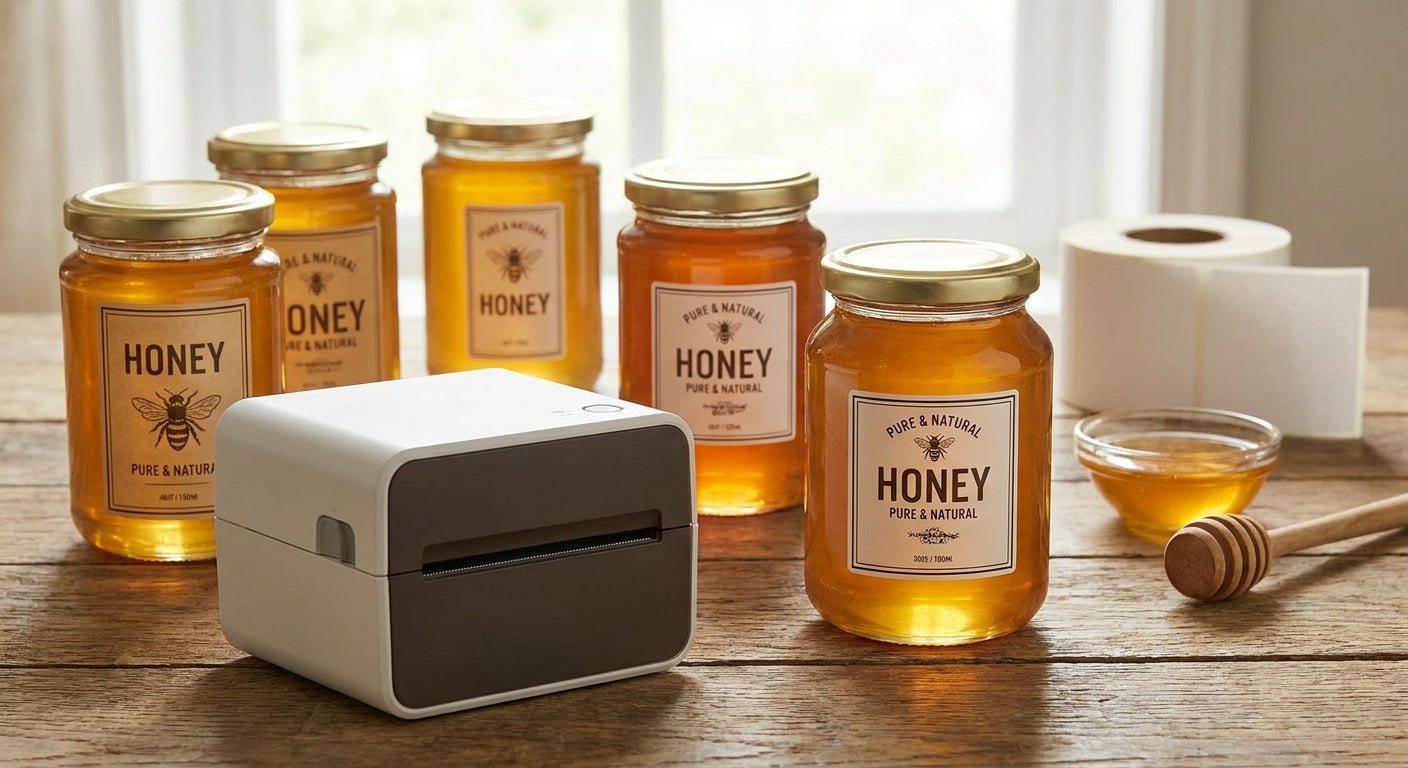
Picking a label printer for honey jar packaging comes down to one number: how fine the print head resolution is when your net weight, ingredient list, and QR code all have to fit on a 2-inch circle. This guide ranks the GoDEX printers that actually hold up on honey jar runs in 2026, with verdicts you can act on today.
TL;DR
The best label printer for honey jars in 2026 is the GoDEX GE300 direct thermal printer (203 dpi) for small-batch beekeepers running under 500 jars a month — it's a Buy. If your labels carry small nutrition-facts text or a barcode, step up to the GoDEX RT230i (300 dpi), also a Buy. For jars that go in coolers or get wiped down with a damp cloth, the GoDEX GE330 thermal transfer printer is the only option that won't smear — Buy if you're using polyester or vinyl stock. Skip 203 dpi printers entirely if your label includes fine barcodes; they blur at small module widths.
Why this matters
Honey jar labels get handled more than almost any other food packaging — picked up, twisted open, wiped, refrigerated, and left on a counter next to a stove. A label printed at low resolution on the wrong stock fades or peels within weeks, and that's a returned product, not just a bad review. Resolution and ribbon choice matter more here than on shipping labels because honey jars are inspected up close by the buyer, not scanned at a distance.
Most home-based and small-batch honey producers default to whatever printer they already own for shipping labels, then wonder why the ingredient panel looks fuzzy on a 1.5-inch label. That's a resolution mismatch, not a printer failure. Getting this right the first time saves reprint costs and keeps labels legible through a jar's full shelf life, which for raw honey can run 12 months or longer.
How this list was ranked
Each printer below is scored against four honey-jar-specific criteria: minimum practical resolution for small text and barcodes, compatibility with thermal transfer ribbon for water and grease resistance, print speed at typical small-batch volumes (50-500 labels per run), and desktop footprint since most honey producers print from a kitchen counter or garage workbench, not a warehouse floor. Specs are pulled from current 2026 product listings; verdicts reflect what holds up for food packaging specifically, not general-purpose labeling.
The ranked list
1. GoDEX GE300 (203 dpi direct thermal) — the safe pick
The GE300 prints at 203 dpi and handles direct thermal labels without a ribbon, which keeps per-label cost lowest for basic honey jar text: brand name, net weight, and a best-by date. It's a 4-inch desktop unit, easy to set up with GoLabel software in under 15 minutes.
Direct thermal has one hard limit for honey specifically: labels exposed to warmth (near a stove, in direct sun on a shelf) can fade over 6-12 months. Fine for jars sold and consumed within a few months. Verdict: Buy if your honey moves fast and your label design is simple text and a logo.
Check the current GoDEX GE300 direct thermal printer listing for stock and pricing.
2. GoDEX RT230i (300 dpi) — the resolution upgrade
Step up to 300 dpi when your label includes a UPC barcode, a QR code linking to your farm's story, or nutrition-facts-style small print. At 203 dpi, barcode bars under 10 mil can blur enough to fail a scanner; 300 dpi resolves that cleanly.
The RT230i supports both direct thermal and thermal transfer, so you're not locked into one ribbon strategy as your label design changes. Verdict: Buy for any honey producer selling through retail with scannable barcodes.
See specs on the GoDEX RT230i 300 dpi printer page.
3. GoDEX GE330 (thermal transfer, 4-inch, 203 dpi) — the wildcard for cold storage
Here's the detail most honey label guides skip: raw honey doesn't need refrigeration, but comb honey, infused honey, and honey-based sauces often do — and condensation on a chilled jar destroys a direct thermal label in days. The GE330 runs thermal transfer ribbon over polyester or vinyl stock, which resists water, oil, and abrasion.
It's the same 203 dpi resolution as the GE300, so pair it with a simpler label design or step to a 300 dpi model if you also need fine barcode detail. Verdict: Buy if any of your jars go into a cooler or fridge case at point of sale.
Details on the GoDEX GE330 thermal transfer printer are on the product page.
4. GoDEX DT230 (300 dpi direct thermal) — for high-volume batches
The DT230 matches the RT230i's 300 dpi resolution but is built for higher print speeds when you're running 1,000+ labels in a sitting — think seasonal farmers-market prep or a wholesale order. If your volume stays under a few hundred labels a month, this is more printer than you need. Verdict: Consider only if you're scaling past small-batch output in 2026.
5. GoDEX RT863i (600 dpi) — the premium overkill
600 dpi resolves detail no honey jar label actually requires — it's built for jewelry tags and fine-print pharma labels. Unless your jar art includes a detailed illustration or micro-text you're determined to keep sharp at 400% zoom, this is budget spent on resolution you won't use. Verdict: Skip for standard honey jar packaging.
6. Basic 203 dpi entry printers without thermal transfer support
Any direct-thermal-only printer that can't accept ribbon locks you out of waterproof labeling entirely. If a printer's spec sheet doesn't mention thermal transfer compatibility, it can't produce a label that survives a damp cooler or a kitchen sink splash. Verdict: Skip for anything beyond dry-shelf honey jars.
Comparison table
| Printer | Resolution | Ribbon support | Best for | Verdict |
|---|---|---|---|---|
| GoDEX GE300 | 203 dpi | Direct thermal only | Simple text labels, fast turnover | Buy |
| GoDEX RT230i | 300 dpi | Direct + thermal transfer | Barcodes, small print | Buy |
| GoDEX GE330 | 203 dpi | Thermal transfer | Cold storage, waterproof stock | Buy |
| GoDEX DT230 | 300 dpi | Direct thermal | High-volume batch runs | Consider |
| GoDEX RT863i | 600 dpi | Thermal transfer | Fine-detail art, not typical jars | Skip |
Where to buy
- Buy direct from a manufacturer or authorized reseller that lists the exact DPI and ribbon compatibility on the product page — vague listings that just say "thermal printer" without specs are a red flag for honey jar work in 2026.
- Confirm the printer ships with a starter ribbon or ribbon compatibility chart if you're going the thermal transfer route; mismatched ribbon width wastes stock fast.
- For custom label stock sized to your jar (2-inch round, 3x2 rectangle, or a wraparound design), request a custom quote rather than guessing at a generic template size.
FAQ
What's the best label printer for honey jars in 2026? The GoDEX GE300 is the best entry-level pick for simple text labels, and the GoDEX RT230i is the best all-around choice once barcodes or small nutrition text enter the design.
Is 203 dpi good enough for honey jar labels? Yes, for basic text and logos, but barcodes under 10 mil and fine print benefit from 300 dpi resolution instead.
Do honey jar labels need to be waterproof? Only if the jar sees refrigeration, condensation, or a wet kitchen environment — dry-shelf raw honey in direct thermal labels holds up fine for 6-12 months.
Direct thermal or thermal transfer for honey jars? Direct thermal works for short shelf life and dry storage; thermal transfer with polyester stock is the move for cold-chain or long-term shelf labels.
How much does a honey jar label printer cost to run? Direct thermal has no ribbon cost, only label stock, which keeps per-label cost lowest for high-turnover small batches.
Can one printer handle both honey jars and shipping labels? Yes — the GoDEX RT230i's dual thermal support (direct and transfer) covers both jar labels and 4x6 shipping labels without swapping hardware.
What resolution do I need for a barcode on a honey jar? 300 dpi is the practical minimum for standard UPC barcodes at small jar-label sizes; 203 dpi can cause scan failures at tight module widths.
Is 600 dpi worth it for honey jar labels? No, for the vast majority of honey packaging — 600 dpi is built for fine-detail work like jewelry tags, not standard jar text and barcodes.
One last thing
The detail most honey sellers miss isn't the printer — it's the adhesive. A jar that goes from a warm kitchen to a cold fridge and back needs a permanent adhesive rated for temperature cycling, not a standard paper label adhesive that was never tested past room temperature. Match your printer choice to your ribbon and adhesive plan before you order 500 jars of stock, not after.
For more on getting labels to stick through moisture and handling, the guide on printing labels for mason jars and food packaging covers the stock and adhesive side in more detail.