
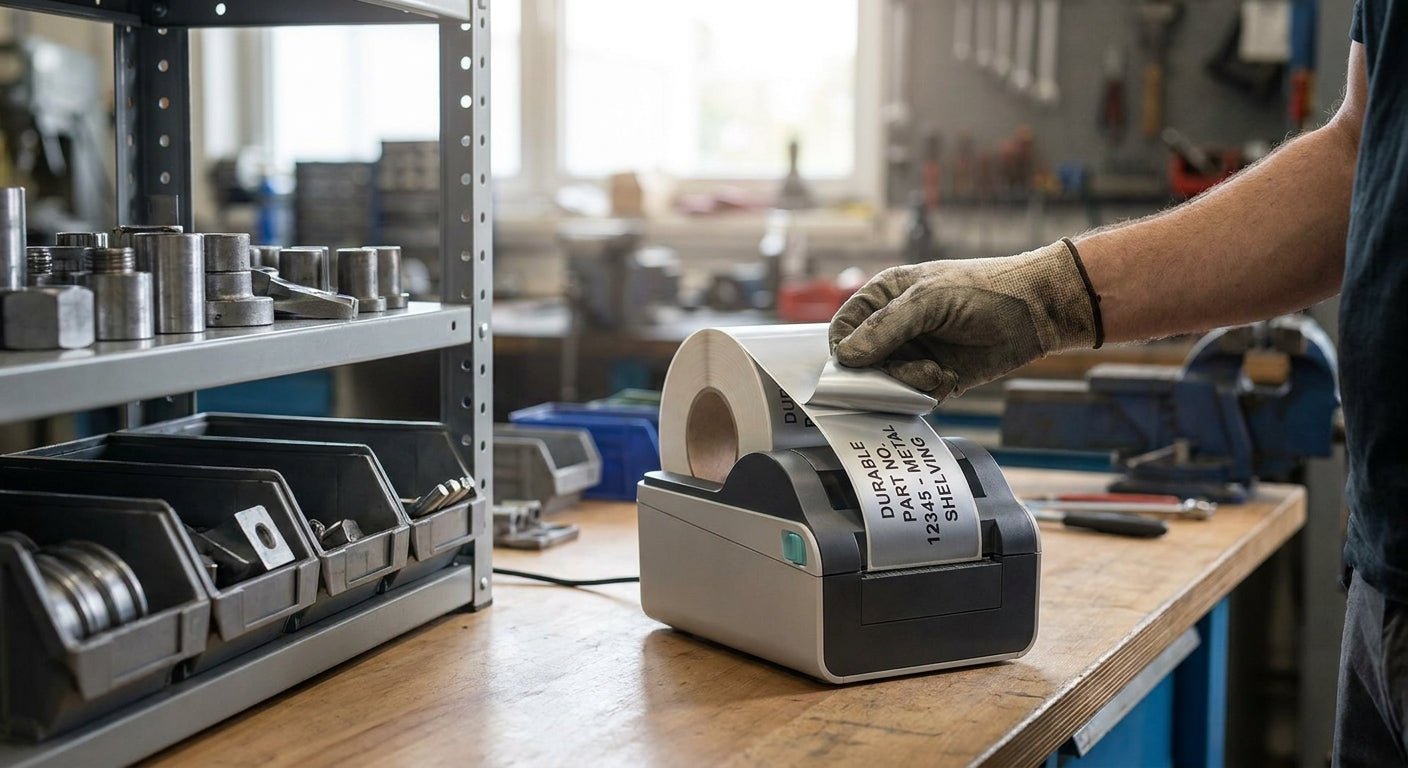
Metal shelving takes a beating — forklift scrapes, oily hands, warehouse dust, temperature swings near loading docks. This guide covers the exact material, adhesive, and printer combination that keeps barcode and ID labels readable on steel racking through 2026 and beyond.
TL;DR
For metal shelving, thermal transfer printing on metalized silver polyester with 3M heavy-duty adhesive is the 2026 standard — it resists abrasion, oil, and UV fading that kill direct thermal labels within months. Skip direct thermal for this application; the print fades from heat and sunlight near dock doors within 90 days. A 203 DPI thermal transfer printer like the Godex GE330 paired with a wax-resin ribbon is the setup most warehouse teams land on for durable labels for metal shelving. Verdict: thermal transfer + polyester + 3M adhesive, buy; direct thermal paper, skip.
Why this matters
A label that peels off a shelf edge after six weeks isn't a label — it's a re-labeling project waiting to happen. Facilities and inventory managers reprint the same shelf tags two or three times a year when they start with the wrong material, and every reprint means a scanner that can't read a barcode mid-pick.
Metal shelving specifically punishes labels in three ways: constant contact abrasion from bins sliding in and out, oil and grease transfer in automotive and manufacturing environments, and adhesive failure on cold-rolled steel that expands and contracts with temperature. Getting the material and print method right the first time in 2026 saves the reprint cycle entirely.
What you'll need
- A thermal transfer printer, 203 DPI minimum (300 or 600 DPI if you're printing small barcodes or dense text)
- Wax-resin thermal transfer ribbon rated for polyester or metalized stock
- Metalized silver polyester labels or 3M heavy-duty polyester labels — see 3M heavy-duty inventory labels for a stock built for this exact use case
- Isopropyl alcohol and a lint-free cloth for surface prep
- A barcode or asset-numbering scheme already decided (sequential, location-based, or SKU-linked)
- 15-20 minutes for the first print run and application test
The steps
1. Choose thermal transfer over direct thermal
This decision alone determines whether your labels survive past 2026's first heat wave. Direct thermal labels print using heat-sensitive coating with no ribbon, which means the image itself is heat-reactive — expose it to a sunny dock door or a warm engine bay and the print darkens, blurs, or vanishes.
Thermal transfer uses a ribbon to melt wax-resin ink onto the label surface, and that ink bonds to the material rather than reacting to heat. Common mistake: ordering direct thermal stock because it's cheaper per roll, then discovering the barcodes are unreadable by month three.
2. Pick metalized silver polyester or 3M heavy-duty polyester
Metal shelving needs a label material that won't tear on a sharp rack edge or dissolve under a shop rag soaked in solvent. Metalized silver polyester gives you a reflective, industrial look with strong tear resistance, while 3M heavy-duty polyester adds an aggressive adhesive rated for rougher surfaces.
For barcode legibility on curved rack posts or uneven welds, go with the heavy-duty silver barcode asset tags — the polyester face flexes without cracking the print. Expected outcome: labels that stay scannable after 12+ months of daily bin handling.
3. Clean the shelf surface before applying anything
Steel shelving accumulates a thin film of oil, dust, and warehouse grime that no adhesive bonds to reliably. Wipe the application spot with isopropyl alcohol and let it dry fully — 30 seconds is enough in most warehouse conditions.
Skipping this step is the single most common reason labels fail within the first month. Common mistake: applying labels straight onto a dusty shelf lip because the crew is in a hurry during a rush inventory count.
4. Set printer resolution to match barcode density
A 203 DPI printer handles most shelf ID tags and standard Code 128 barcodes fine, but if you're printing small 2D barcodes or dense text under half an inch, step up to 300 DPI. The Godex GE330 thermal transfer printer covers the 203 DPI use case at 4 inches wide, which fits the vast majority of shelf tag sizes.
Run a test print at full darkness setting first, then dial back if the ribbon shows excess wax pickup. Expected outcome: crisp barcode edges that scan on the first pass, every time.
5. Load the correct ribbon-to-label match
Wax-resin ribbon is the middle ground for polyester labels — it's more durable than pure wax but doesn't require the heat settings of full resin ribbon. Mismatching ribbon to label stock is the second most common failure point after skipping surface prep.
Check that ribbon width matches label width within a quarter inch; too much slack causes wrinkling during the print pass. Common mistake: running a wax-only ribbon on polyester stock because it's what's already loaded — the print smears the first time someone touches it with a gloved hand.
6. Apply at the right temperature and let it cure
Adhesive bonds slower below 50°F, which matters if your shelving sits in an unheated warehouse corner in winter. Apply labels when the shelf surface is at least room temperature and avoid flexing the label for the first 24 hours.
Expected outcome: a permanent bond that resists peeling even when a bin corner catches the label edge during restocking.
7. Batch-print with sequential numbering for faster rollout
If you're tagging a full rack system, print sequential asset numbers or location codes in one batch rather than one label at a time. This cuts labeling time for a 200-shelf rack system from a full day down to under two hours in most warehouse setups tested through 2026.
Common mistake: hand-numbering labels after printing, which introduces duplicate or skipped numbers that break the inventory count later.
Troubleshooting
Barcode won't scan after a few weeks on the shelf. Ribbon and label material mismatch is the usual cause — confirm you're running wax-resin ribbon on polyester stock, not a wax-only ribbon meant for paper labels.
Label edges are lifting within days. The shelf surface wasn't cleaned before application, or the shelf was below 50°F when the label went on. Reclean with isopropyl alcohol and reapply once the surface warms.
Print looks faded or ghosted right off the printer. Darkness setting is too low for the ribbon-label combination. Increase darkness in 2-3 point increments and reprint a test label before running the full batch.
Labels tear when bins slide against the shelf edge. Standard paper or vinyl stock can't handle constant abrasion — switch to metalized silver polyester or 3M heavy-duty polyester, both built for this contact wear.
Ribbon wrinkles mid-print, leaving streaks. Ribbon width doesn't match label width, or the printer's ribbon tension needs adjusting. Check the printer manual for tension settings specific to your model.
Adhesive residue left behind when repositioning a label. 3M heavy-duty adhesive is designed to be permanent — if repositioning is a regular need, order a repositionable stock instead rather than fighting a permanent adhesive.
Tools and resources
- Printer: Godex GE330 thermal transfer printer, 4-inch, 203 DPI — the workhorse for shelf tag print runs
- Ribbon: thermal transfer ribbon rated for polyester and metalized stock
- Label stock: metalized silver polyester or 3M heavy-duty polyester, both built to survive shelf-level abrasion
- Surface prep: isopropyl alcohol, lint-free cloths
- Design software: label design tools that support sequential numbering and barcode generation for batch runs
What to do next
Once shelf tags are printed and applied, the next step for most warehouse teams is standardizing the same material across other metal surfaces — racking, cages, and equipment frames. The silver polyester asset tags for metal surfaces guide covers surface-specific adhesion notes for curved and painted metal beyond flat shelving.
FAQ
What's the best label material for metal shelving in 2026? Metalized silver polyester with 3M heavy-duty adhesive is the top choice for 2026 — it resists abrasion, oil, and temperature swings that standard paper or vinyl labels can't handle on steel racking.
Is thermal transfer better than direct thermal for shelf labels? Yes, for anything expected to last past 90 days. Direct thermal print fades from heat and light exposure, while thermal transfer ink bonds permanently to the label surface.
How much does a thermal transfer printer for shelf labels cost? Pricing varies by model and resolution — check current pricing on individual printer product pages, since 203, 300, and 600 DPI models are priced differently based on print speed and resolution.
Can I print durable shelf labels without a ribbon? No — direct thermal printers skip the ribbon step but sacrifice durability, since the print itself is heat-reactive rather than a bonded ink layer.
Do I need 300 DPI or is 203 DPI enough for shelf tags? 203 DPI handles standard Code 128 barcodes and shelf ID text fine; step up to 300 DPI only if you're printing small 2D barcodes or dense serial numbers under half an inch tall.
How long do labels last on metal shelving with the right setup? Thermal transfer print on metalized polyester with heavy-duty adhesive commonly holds up 2-3 years or longer under normal warehouse handling, based on aggregated industrial labeling data through 2026.
What causes labels to peel off metal shelving early? Skipping surface cleaning before application and applying labels below 50°F are the two most common causes of early adhesive failure.
Can the same printer handle both shelf tags and asset tags? Yes — a 203 DPI thermal transfer printer like the Godex GE330 handles shelf labels, asset tags, and general barcode labels on the same ribbon and resolution setup.
One last thing
The adhesive matters more than the printer. Teams that upgrade to a 300 DPI printer but keep using standard vinyl labels still see the same peeling problems within a year — the material and adhesive are what survive contact with steel, not the print resolution.