
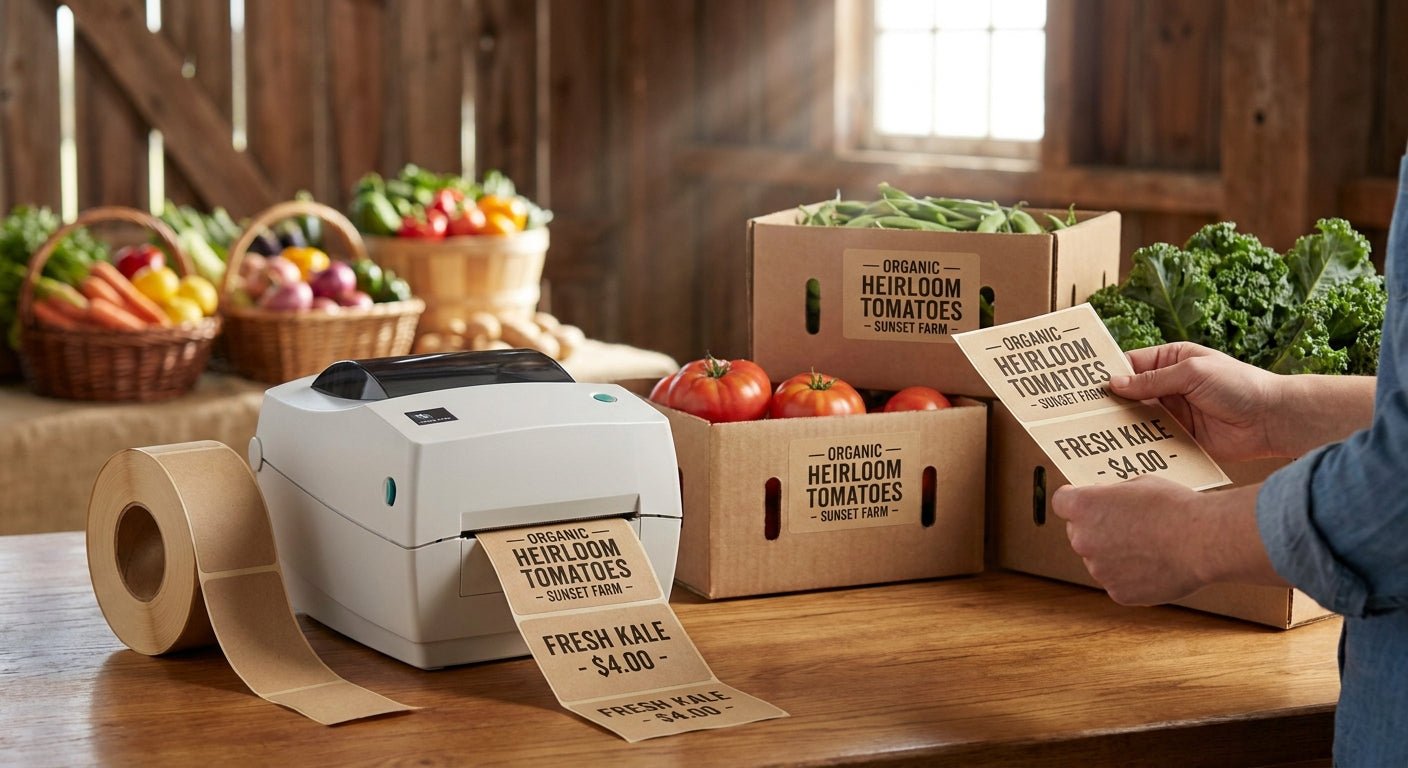
Farmers market produce boxes take a beating: dew at 7am, ice at noon, wet hands all day. Getting labels for farmers market produce right in 2026 comes down to three decisions — the label stock, the printer resolution, and a template that handles changing weights and prices without a reprint every hour.
- Labels for farmers market produce hold up best on white polyester stock — buy it over paper for wet boxes.
- The GoDEX DT230 prints at 300 DPI, sharp enough for small weight and price text on a 2x1 label.
- Direct thermal skips ribbon cost but fades within 90 days in direct sun — fine for same-day produce, not for storage.
- Custom logo stickers run $24 a roll in 2026 — cheap enough to brand every box without raising prices.
Why this matters
Most small growers start with a home inkjet printer or handwritten cardstock tags, and both fail the same way: ink runs the second a wet hand touches the label. A produce box sits outside for six to eight hours, gets iced for greens, and gets picked up by dozens of customers before it's empty.
Some states also require basic disclosure on farm-sold produce — grower name, weight, sometimes a lot or pack date — which means the label has to survive long enough to actually be read at checkout. A $10 roll of the wrong paper stock costs more in reprints than a $45 roll of the right one.
The choice between direct thermal and thermal transfer printing decides most of this before you even pick a label size.
What you'll need
- A thermal label printer rated at 300 DPI or higher for small weight/price text — the GoDEX DT230 300 DPI printer covers this without a ribbon
- Direct thermal label stock for same-day sale, or thermal transfer stock plus ribbon if boxes sit for more than a few days
- Label design software (GoLabel or similar) to set fixed fields — farm name, logo — and variable fields — weight, price, harvest date
- A digital scale if you're pricing produce by weight instead of flat per-box pricing
- Waterproof or polyester stock for anything iced, misted, or handled wet — paper stock alone won't survive a market day in 2026 humidity
The steps
1. Pick your label material for market conditions
This decides whether your labels survive the day or turn into mush by 10am. Direct thermal paper works fine for boxes that sell same-morning and never touch ice. White polyester thermal transfer stock costs about $45 a roll versus roughly $10 for standard paper, but it shrugs off dew, ice melt, and wet produce like lettuce or herbs. Common mistake: buying glossy paper because it looks cleaner on the shelf — gloss coatings smear faster under wet fingers than matte stock.
2. Match printer resolution to your smallest text
A 2x1 inch label with farm name, weight, price, and a QR code needs real resolution, not just print speed. 300 DPI resolves small numerals and thin barcode bars cleanly; 203 DPI blurs anything under 8-point type. Set your printer driver to the label's actual DPI rating before your first test print. Common mistake: running a 203 DPI printer at a 300 DPI label template — the mismatch stretches barcodes just enough to fail a scanner.
3. Build the label template with fixed and variable fields
Fixed fields (farm name, logo, address) stay the same across every roll; variable fields (weight, price, pack date) change per batch or per box. Build the template once with placeholders for the variable data, then feed a spreadsheet or scale output into the print job instead of retyping each label. Common mistake: hardcoding a single day's price into hundreds of labels, then reprinting the whole batch when tomatoes go up 50 cents.
4. Print and check a 20-label test batch
Run a small batch before committing a full roll — check contrast, adhesion on a damp surface, and barcode scan rate with a phone scanner app. If more than 1 in 20 labels smears or misreads, the stock or resolution is wrong, not the printer. Common mistake: skipping the test and discovering the problem at 6am on market day.
5. Batch print by product and box size
Group labels by produce type and box size so application is fast at 5am — 50 tomato labels, 30 zucchini labels, and so on, pre-cut and staged in order. This cuts application time from a slow, one-at-a-time process to a few minutes per crate. Common mistake: printing one giant undifferentiated stack that forces sorting under time pressure.
6. Apply labels before boxes get wet
Stick labels on dry boxes before produce goes on ice or gets misted — adhesive bonds far better to a dry surface than a wet one, even with waterproof stock. Press firmly for two to three seconds along the full label edge, not just the center. Common mistake: labeling after icing, which cuts adhesion strength by roughly half on porous cardboard.
7. Track usage and reorder stock
Count rolls used per market day and reorder before you're down to your last one — a Saturday morning stockout means handwritten tags and slower checkout lines. Common mistake: ordering label stock reactively instead of on a fixed weekly or biweekly schedule.
“If a label smears when you wipe morning dew off a box, it's the wrong stock, not bad luck.”


Troubleshooting
- Print fades within days: direct thermal labels degrade under UV and heat — switch to thermal transfer with ribbon for anything displayed longer than a day.
- Labels peel off wet boxes within hours: the adhesive isn't rated for moisture — move to polyester stock instead of standard paper.
- QR or barcode won't scan at checkout: print resolution is below 300 DPI or the printer driver is set to the wrong DPI — check both before blaming the scanner.
- Ribbon wrinkles on thermal transfer prints: ribbon width doesn't match label width, or print speed is set too high for the ribbon coating.
- Prices change daily but labels are pre-printed: print smaller daily batches instead of a week's worth at once — a 50-label run takes minutes on a 300 DPI printer.
- Text looks fine on screen but blurry printed: the template font size is under 6-point at 203 DPI — bump resolution or font size, not both at once.
Tools and resources
- GoDEX DT230 300 DPI direct thermal printer for sharp small-text produce labels
- White polyester thermal transfer stock for boxes exposed to ice or dew
- Custom logo stickers for branding every box without a per-label design fee
- GoLabel or equivalent label design software for building fixed/variable templates
- Waterproof labels for outdoor use for a deeper breakdown of stock ratings by weather condition
What to do next
Once the printer and stock are locked in, the next problem is usually pricing per pound versus flat pricing, and whether your state requires a harvest or pack date on the label. If you're also jarring preserves, honey, or sauces from the same produce, the labeling rules change — check the guide on cottage food business labeling before you print those separately.
FAQ
What labels work best for farmers market produce boxes?
White polyester thermal transfer labels work best for farmers market produce boxes because they resist dew, ice, and wet hands. Direct thermal paper is a cheaper option for produce that sells the same morning it's labeled.
Is direct thermal or thermal transfer better for produce labels?
Direct thermal is better for same-day produce since it needs no ribbon and prints faster. Thermal transfer is better for anything displayed multiple days or exposed to sun, since direct thermal print fades within about 90 days in heat.
How much do custom produce box labels cost in 2026?
Custom logo stickers run about $24 a roll in 2026, while white polyester thermal transfer rolls run around $45. Standard paper direct thermal stock costs less, around $6 to $10 a roll, but doesn't hold up to moisture.
Do farmers market labels need to be waterproof?
Waterproof labels are strongly recommended for any produce that gets iced or misted, like leafy greens or herbs. Standard paper adhesive loses roughly half its bond strength once the box surface is wet.
What size should produce box labels be?
A 2x1 inch label fits farm name, weight, price, and a small QR code without crowding. Anything smaller than 2x1 forces font sizes under 6-point, which blurs on printers below 300 DPI.
What DPI printer do I need for small produce text?
A 300 DPI printer, like the GoDEX DT230, resolves small weight and price text and thin barcode bars cleanly. A 203 DPI printer blurs text under 8-point type, which causes scan failures at checkout.
How long do direct thermal labels last before fading?
Direct thermal labels typically start fading within 90 days when exposed to direct sun or heat. For same-day farmers market sales this isn't an issue, but labels meant to last through storage need thermal transfer printing instead.
Can I print variable-weight labels for produce sold by the pound?
Yes, by feeding a scale reading or spreadsheet into a label template with a variable weight field instead of retyping each label. This keeps fixed elements like the farm logo consistent while weight and price update per box.
One last thing
The stock choice matters more than the printer brand: a $6 roll of the wrong paper on the right printer still smears in dew, while a $45 polyester roll on a basic 300 DPI printer holds up through a full market day in 2026 heat. Buy the stock for the conditions first, then match the printer to it.