
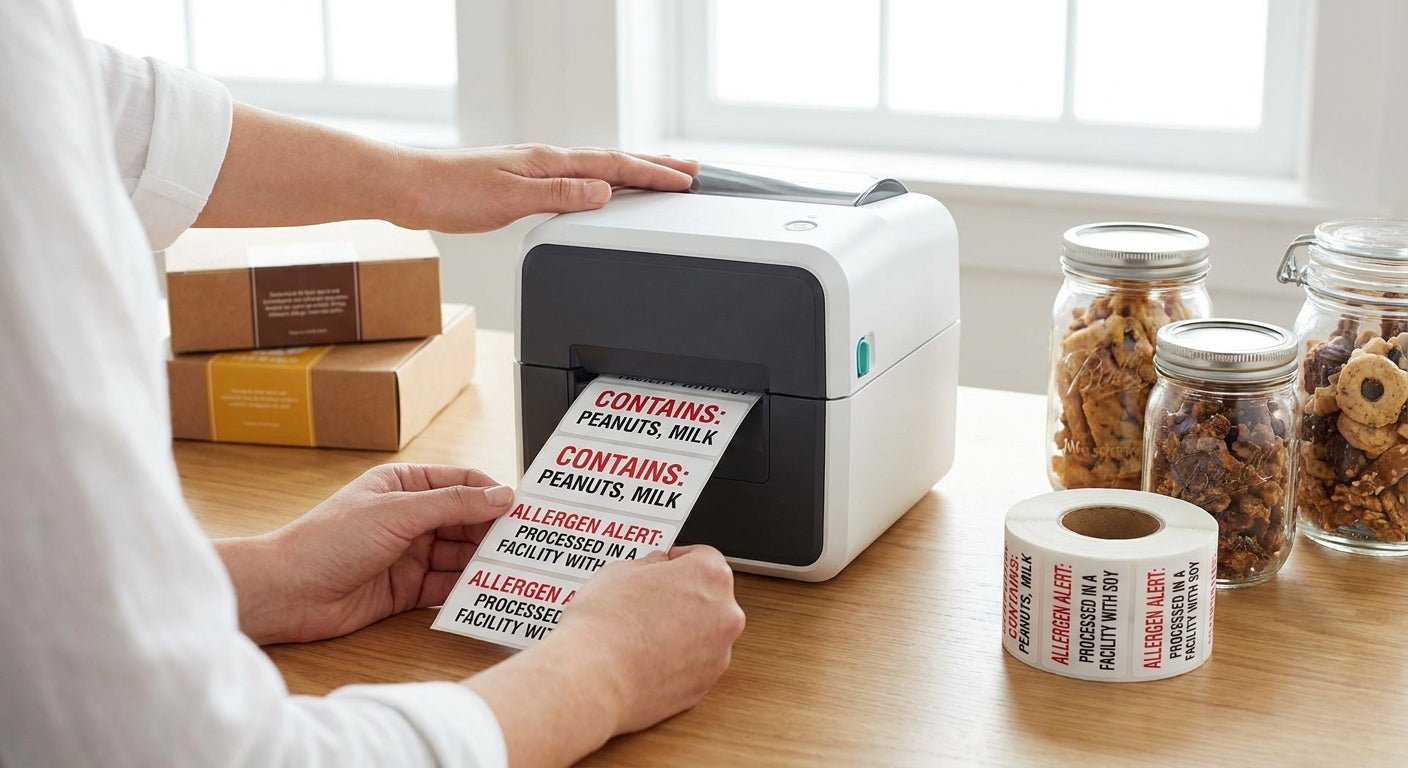
Printing allergen warning labels for food packaging means choosing the right printer resolution, label stock, and ribbon so the FDA's 9 major allergens print sharp, stay legible through cold storage, and survive handling from packing line to shelf.
- Allergen warning labels need at least 300 DPI print resolution to keep small allergen text legible on jars and pouches.
- Thermal transfer with resin ribbon beats direct thermal for labels exposed to grease, moisture, or freezer storage.
- Sesame became the 9th major allergen under the FASTER Act in 2023 — update any label template still listing only 8.
- McAuley Labels' polyester and paper thermal transfer stock both handle allergen text; polyester wins for freezer and cooler packaging.
- Buy verdict for 2026: a 300 DPI thermal transfer setup with resin ribbon is the safe baseline for most food packaging runs.
Why this matters
An allergen label that fades, smudges, or prints too small isn't a design problem — it's a recall risk. The FDA requires the 9 major allergens (milk, eggs, fish, crustacean shellfish, tree nuts, peanuts, wheat, soybeans, and sesame) to appear in plain language on packaged food, and sesame only joined that list in 2023. A lot of small food brands are still printing from templates built before that update.
Getting the print side right — resolution, ribbon, label material — is the part McAuley Labels deals with daily, and it's the part most guides skip in favor of design advice. This one covers the printing side specifically: what equipment and settings actually produce a label that holds up.
What you'll need
- A thermal printer rated at 300 DPI or higher for small allergen text — 203 DPI works for larger case labels but blurs at 6-8pt font
- Label stock rated for the packaging environment: paper for dry ambient storage, polyester for refrigerated or frozen product
- Resin or wax-resin ribbon if you're running thermal transfer — required for grease and moisture resistance
- Label design software (GoLabel or similar) with a saved allergen statement template
- The current ingredient list from every supplier, since a single sourcing change can add or remove an allergen
- A test batch of packaging (jars, pouches, or cartons) to run print tests on before a full production run
The steps
1. Confirm which allergens actually apply
Pull the ingredient list for every SKU and cross-check it against the FDA's 9 major allergens. This step accomplishes the actual compliance work — the printer just executes it. Miss an allergen here and no amount of print quality fixes it. Common mistake: assuming a supplier hasn't changed formulation since the last print run.
2. Pick printer resolution and label material
Decide between 203 DPI, 300 DPI, and 600 DPI based on your smallest allergen text size. Under 8pt font at 203 DPI, letters like "e" and "a" start to fill in and become unreadable on a jar label. For food packaging exposed to condensation or freezer temps, pair the printer with polyester label stock rather than paper — paper wicks moisture and the ink can lift. This guide on choosing between direct thermal and thermal transfer breaks down which method holds up longer for food applications specifically.
3. Design the label layout
Set the allergen statement in a dedicated block, not buried in the ingredient paragraph — FDA guidance calls for it to be conspicuous. Use bold or a contrasting type weight and keep the statement at minimum 6pt, ideally 8pt or larger if your label size allows it. Expected outcome: a block that reads clearly at arm's length under store lighting, not just on a monitor.
4. Load the ribbon and calibrate
For thermal transfer runs, load resin ribbon matched to your label stock width — a mismatch causes wrinkling and gaps in the print. Run the printer's calibration cycle so the label sensor tracks gap or black-mark spacing correctly before your first real label prints. Common mistake: skipping calibration after a label size change, which produces labels that print half on one label and half on the next.
5. Print a test batch and stress it
Print 20-30 labels and apply them to the actual packaging you'll ship — not a flat test sheet. Put a few in the freezer overnight, rub a few with a greasy fingertip, and leave one in direct sunlight for a few hours. If the text smudges, fades, or the adhesive lifts at any of those points, go back to step 2 and upgrade the label material or ribbon before running production volume.
6. Apply and inventory the labels
Apply labels flat and centered so the allergen block isn't cut off at a seam or curve on the packaging. Store unused label rolls in a cool, dry spot — heat exposure can pre-activate direct thermal stock and cause it to darken before it's even printed.
Troubleshooting
- Text fades in the freezer: switch from direct thermal to thermal transfer with resin ribbon — direct thermal coating degrades under sustained cold and light exposure.
- Ribbon wrinkles mid-print: ribbon width doesn't match label width, or print head pressure is set too high — check both before reprinting a batch.
- Small allergen text looks blurry: you're likely printing 8pt text on a 203 DPI printer — move to 300 DPI or increase the font size.
- Adhesive lifts on cold packaging: standard permanent adhesive doesn't always hold below freezing — confirm the label spec is rated for cold-chain use.
- Contrast is weak on clear or foil pouches: switch to a white or semi-gloss white label stock instead of clear, since allergen text needs a solid background to stay legible.
- Labels print correctly but scan wrong on a barcode reader: recalibrate the printer's sensor and re-run a print quality test strip.
Tools and resources
- Thermal transfer or direct thermal printer set to 300 DPI or higher for food packaging runs
- Thermal transfer ribbon matched to label width and material for grease and moisture resistance
- Polyester label stock for cold-chain or high-moisture packaging, paper stock for dry ambient goods
- Label design software with a locked allergen statement template, updated for the 2023 sesame requirement
- Current supplier ingredient documentation, checked before every new print run


What to do next
Once the allergen block is printing clean, the next compliance layer is lot and batch coding on the same label run. This guide on printing lot number labels for FDA compliance covers how to add traceability codes without redesigning the whole label from scratch.
FAQ
What's the best printer resolution for allergen warning labels?
300 DPI is the safe minimum for allergen warning labels in 2026, since 8pt or smaller text blurs at 203 DPI. 600 DPI is worth it only if you're printing very small text on a compact jar label.
Is direct thermal or thermal transfer better for food packaging labels?
Thermal transfer with resin ribbon holds up better against grease, moisture, and cold storage than direct thermal. Direct thermal works fine for short-shelf-life, room-temperature packaging where the label won't sit for months.
How much does it cost to print allergen labels in-house?
Costs depend on printer, ribbon, and label stock choice rather than a flat per-label fee. Thermal transfer paper labels and ribbon typically run cheaper per label than polyester, but polyester survives cold storage that paper won't.
Do allergen warning labels need to list sesame?
Yes. Sesame became the 9th major allergen under the FASTER Act in 2023, joining milk, eggs, fish, crustacean shellfish, tree nuts, peanuts, wheat, and soybeans. Any label template built before 2023 needs an update.
Can I use the same label stock for allergen labels and shipping labels?
Not usually. Shipping labels prioritize scan durability and don't need food-contact-safe adhesive, while allergen labels on packaging often need moisture resistance and legibility under refrigeration.
What font size is required for allergen statements?
The FDA doesn't set an exact point size but requires the statement be conspicuous and legible. In practice, most compliant labels use 6-8pt minimum, printed at 300 DPI or higher to avoid blurring.
Why does my allergen text fade after a few weeks in the freezer?
Direct thermal labels degrade under sustained cold and light exposure because the coating that darkens under heat also breaks down over time in storage. Switching to thermal transfer with resin ribbon solves this.
Do I need special software to design allergen warning labels?
Standard label design software like GoLabel handles allergen statement blocks without extra plugins. The key is locking a compliant template so every SKU pulls the same format instead of reformatting by hand each time.
One last thing
Most allergen label failures aren't a compliance mistake — they're a print quality mistake that happens to sit next to compliance text. A 203 DPI printer running 7pt allergen text on clear pouch film will pass a supplier's proof review and still be unreadable on the shelf. Test the actual packaging, not a flat sheet, before running a full batch in 2026.