
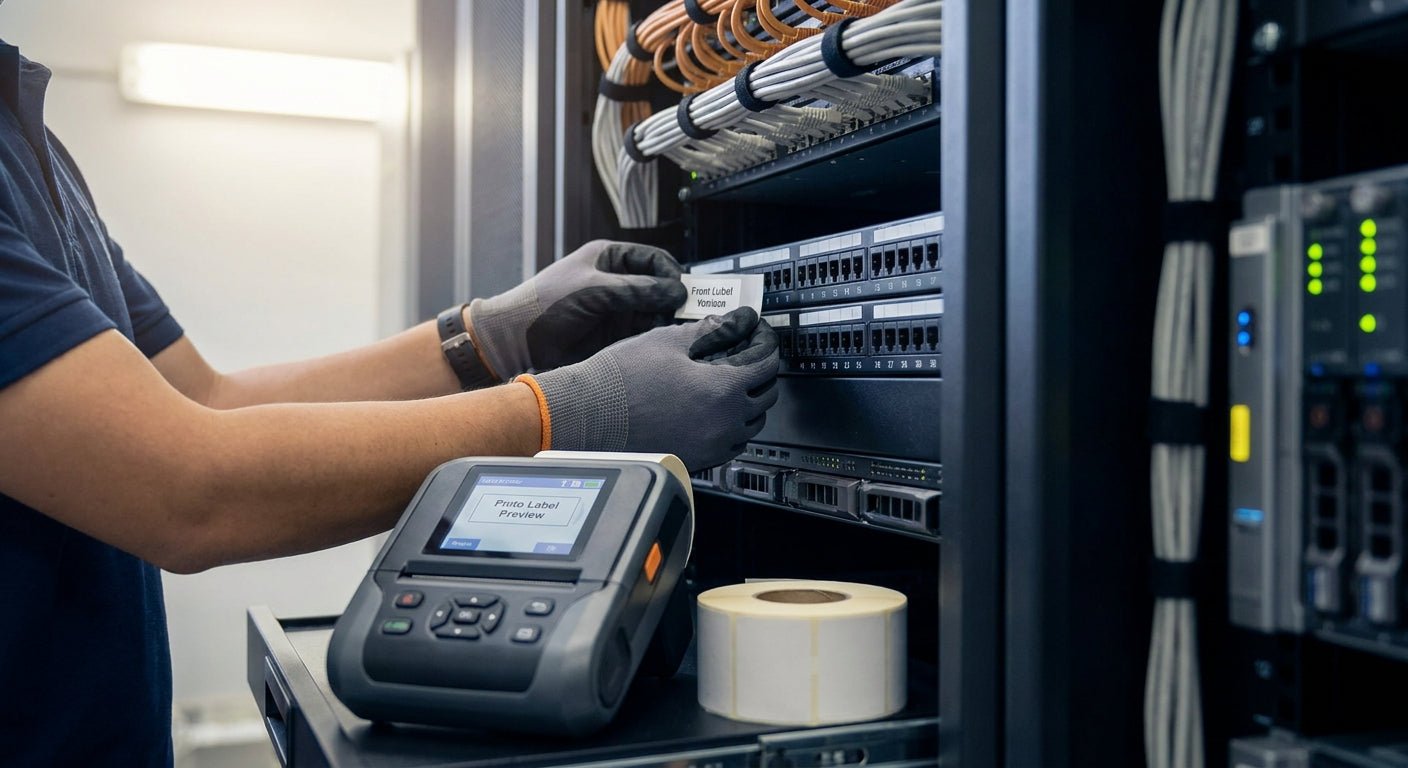
Printing rack unit labels for data center cabling in-house means every U position, port, and cable run gets marked to your own numbering scheme instead of waiting on a vendor's pre-printed sheet that never quite matches your rack layout.
- Print rack unit labels for data center cabinets with a 300 DPI thermal transfer printer like the GoDEX GE330 — buy it.
- 3M heavy-duty polyester labels survive 2026 data center heat and static; standard paper stock does not.
- Metalized silver barcode asset tags hold up on metal rack rails for years; direct thermal paper fades within months.
- Budget 20-30 minutes to build a printer template before running your first rack unit label batch in 2026.
Why this matters
A mislabeled rack unit costs a tech 20 minutes tracing a cable back through a cabinet during an outage, and that math doesn't improve when the rack is in a colocation facility three states away. Data centers running structured cabling depend on consistent U-position labels and asset barcodes that scan on the first try, not labels that peel off after six months of HVAC cycling.
Most facilities that outsource rack labels end up reprinting within a year because the stock wasn't rated for the environment or the barcode density was too fine for a 203 DPI printer. Bringing label printing in-house with the right printer and stock fixes both problems at once, and it's covered in more depth in this guide to permanent asset tags for data center equipment.
What you'll need
- A thermal transfer printer capable of 300 DPI or higher for dense barcodes
- Wax/resin ribbon rated for polyester or metalized stock
- 3M heavy-duty or metalized silver label stock rated for indoor industrial use
- Label design software (GoLabel or a similar template editor)
- A spreadsheet mapping cabinet ID, rack unit number, and port count
- 20-30 minutes per cabinet to design, print, and apply the first batch
The steps
1. Map your numbering scheme before you print anything
Decide how cabinets, rack units, and ports get identified — most data centers use a cabinet-row-U format like R12-U18. Skipping this step is the single biggest cause of relabeling projects a year later, because techs default to random numbering and then can't standardize once 40 cabinets are already tagged. Write the scheme down in a spreadsheet with one row per label before you open your label software.
2. Choose thermal transfer over direct thermal
Direct thermal labels fade from heat exposure — and a data center runs at 68-75 degrees Fahrenheit constantly with fans blowing warm exhaust across cable trays, which accelerates the fade. Thermal transfer printing uses a ribbon to bond ink into the label surface, so barcodes stay scannable for years instead of months. The GoDEX GE330 thermal transfer printer prints at 203 DPI and handles 4-inch wide stock, which covers most rack unit and asset tag formats: GoDEX GE330 thermal transfer printer.
3. Pick label stock rated for the rack environment
Metal rack rails, static discharge, and occasional coolant exposure rule out standard paper labels. 3M heavy-duty barcode inventory labels hold adhesive on brushed metal and painted steel rails without lifting, and the polyester face resists abrasion from cable ties: 3M heavy-duty barcode inventory labels. Metalized silver stock is the other common choice when the label needs to blend with rack hardware rather than stand out.
4. Set resolution and calibrate before the first run
Rack unit labels typically run 1 to 2 inches wide with a barcode plus small text, which means low-resolution printing turns barcodes into unreadable smudges. Run the printer's built-in calibration routine against your actual label stock, not a factory default, since roll width and gap sensing vary by supplier. A five-minute calibration pass now saves an entire misprinted roll later.
5. Build the label template with barcode and human-readable text
Every rack unit label needs three elements: a scannable barcode or QR code, the human-readable ID (R12-U18), and enough font size to read from arm's length. Set the barcode to at least 40 mils per module width at 203 DPI, or the scanner will misread digits under fluorescent lighting. Save the template as a reusable file so every subsequent cabinet uses identical formatting.
6. Print a 10-label test batch and inspect it
Before committing a full roll, print ten labels and check three things: barcode scan rate with a handheld scanner, text sharpness under normal lighting, and adhesive tack on a scrap piece of the actual rail material. A batch that fails any of these checks needs a ribbon speed or darkness adjustment, not a full reprint of the run.
7. Apply labels to front and rear rail consistently
Apply the same U-position label to both the front and rear rail so techs working from either side of the cabinet see matching numbers. Clean the rail surface with isopropyl alcohol first — dust and oil residue cut adhesive life by months in a data center environment. Press each label for 10 seconds along its full length instead of just tapping the corner down.
8. Log every printed label into your asset tracking sheet
As each cabinet gets labeled, log the cabinet ID, rack unit range, and barcode value into your tracking system immediately, not at the end of the project. Techs who wait to batch-log labels lose track of which cabinets are done, and duplicate barcodes slip through when numbering isn't logged in real time.


Troubleshooting
- Barcode won't scan at arm's length. Usually a resolution or module-width problem — bump to 300 DPI stock and widen the barcode module rather than shrinking font size to compensate.
- Labels lift at the corners within weeks. The rail wasn't cleaned before application, or the stock isn't rated for metal — switch to 3M heavy-duty adhesive and wipe the rail with isopropyl alcohol first.
- Ribbon wrinkles mid-print, leaving voids in the barcode. Print speed is too high for the ribbon-to-label combination — drop print speed one notch and increase darkness slightly to compensate.
- Text prints sharp but barcodes print faded. Darkness setting is calibrated for text, not for solid barcode bars — run a separate darkness test using only barcode fill.
- Front and rear labels don't match. The template pulled from two different spreadsheet columns — audit the merge file before the next batch instead of relabeling after the fact.
- New labels don't match old cabinet numbering. No documented scheme existed before this project — standardize on one format and note the transition date so techs aren't guessing which system a given rack uses.
Tools and resources
- A calibrated thermal transfer printer running at 300 DPI or higher for dense barcodes
- 3M heavy-duty or metalized silver label stock matched to the rack surface
- A wax/resin ribbon rated for the label face material
- A handheld barcode scanner for test-batch verification before full runs
- A spreadsheet-based numbering scheme documented before printing starts
What to do next
Once rack unit labels are printed and applied, the next problem is usually asset tracking at scale across multiple cabinets and sites — that's covered in the guide on asset tags for IT equipment tracking.
FAQ
What's the best printer for rack unit labels for data centers?
A thermal transfer printer running at 300 DPI or higher, such as the GoDEX GE330, is the best fit for rack unit labels in 2026 because it holds fine barcode detail on polyester and metalized stock. Direct thermal printers work for short-term labels but fade under sustained heat exposure.
Is direct thermal or thermal transfer better for data center labels?
Thermal transfer is better for data center rack labels because it bonds ink into the label surface instead of relying on heat-reactive coating that fades over time. Direct thermal is fine for temporary tags but not for permanent rack unit identification.
How much does it cost to print rack unit labels in-house?
Costs run per roll of stock plus ribbon, with heavy-duty 3M or metalized silver rolls typically priced higher than standard paper stock due to the adhesive and polyester face. Printing in-house still runs cheaper per label than ordering pre-printed sheets once cabinet counts climb past a few dozen.
What DPI do I need to print small barcodes on rack unit labels?
300 DPI is the practical minimum for barcodes under 1.5 inches wide on rack unit labels, since lower resolution blurs narrow bars into unreadable smudges. Text-only labels can run at 203 DPI without issue.
Can rack unit labels handle data center heat and static?
Yes, when the stock is rated for it — 3M heavy-duty and metalized silver polyester labels are built for continuous indoor industrial exposure including static discharge near metal racks. Standard paper labels are not rated for that environment and degrade within months.
How do I number rack units correctly on a label?
Use a consistent cabinet-row-U format like R12-U18 documented in a spreadsheet before printing, applied identically to front and rear rails. Inconsistent numbering across cabinets is the top reason data centers relabel entire rows within a year.
Do rack unit labels need to be scannable by barcode readers?
Most data centers scan rack and asset labels during audits, so barcode density and print resolution need to support a first-pass scan rate near 100 percent. A 300 DPI thermal transfer print with proper module width meets that standard.
How long do thermal transfer rack labels last?
Thermal transfer labels on 3M heavy-duty or metalized silver stock typically last several years in a climate-controlled data center without fading or lifting. Direct thermal paper labels in the same environment often need replacement within a year.
One last thing
Most relabeling projects in 2026 don't start because a label failed — they start because nobody documented the numbering scheme before the first batch went out, and by cabinet 30 three different technicians were using three different formats. Spend the ten minutes on a spreadsheet before you touch the printer.