
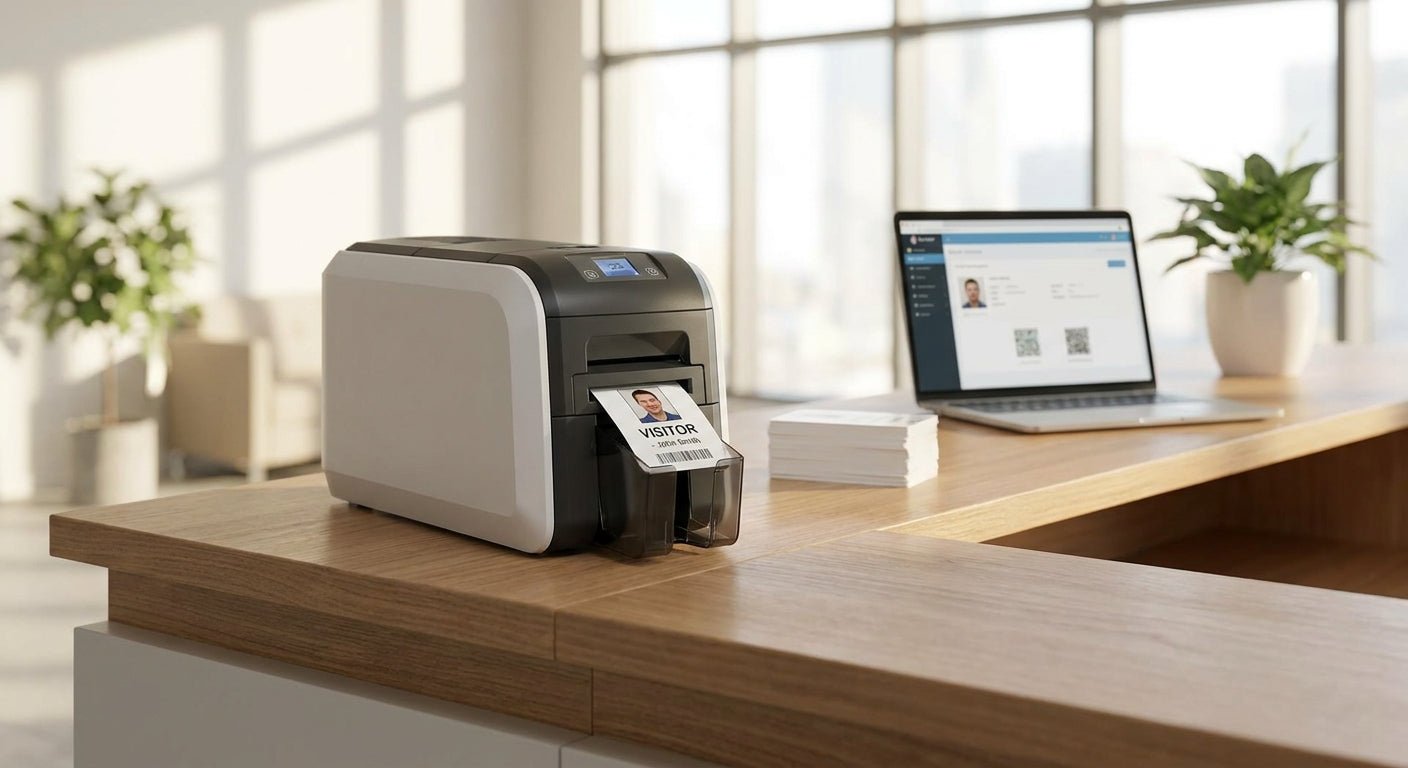
An id badge printer for visitor management prints daily-use badges for guests, contractors, and temp staff at a front desk — this guide names the specific GoDEX models that hold up to that job in 2026 and the ones that don't.
- GoDEX G530 is the best id badge printer for visitor management with QR check-in codes — Buy at $554.
- GoDEX G500 covers standard text badges for single-desk offices at $464 — Buy.
- GoDEX RT200i suits low-volume lobbies under 20 badges a day — Consider.
- Skip 4x6 shipping printers for badges — wrong width, wrong duty cycle for reception use.
- 300 DPI keeps QR visitor-check-in codes scannable at the door; 203 DPI struggles at small sizes.
Why This Matters
A front desk that badges visitors by hand — sticky labels, a Sharpie, a clipboard — creates a security gap and a bad first impression at the same time. Visitor management software solves the check-in workflow, but it still needs a printer that produces a badge fast enough that nobody stands around waiting.
Most offices default to whatever laser printer sits in the copy room, then wonder why badges smear, jam, or take 45 seconds each. A dedicated desktop label printer built for office and reception use changes that math — it prints on demand, holds a roll of pre-cut badge stock, and doesn't choke on repeat print jobs all day.
The spec sheet differences between models look small on paper. In a lobby handling 30, 60, or 150 visitors a day, they're the difference between a badge printer that disappears into the workflow and one that becomes the thing everyone complains about.
Who This Is For
This guide is for office managers, facilities leads, and IT admins setting up or replacing a visitor badge station — single-location offices with one reception desk, multi-tenant buildings with a shared lobby, and corporate campuses running badge printing at more than one entry point. It assumes you already have or are adding visitor management software and need the hardware that prints the badge itself, not the check-in kiosk.
What to Look For in an ID Badge Printer for Visitor Management
Print resolution: 203 DPI vs 300 DPI
Badge text and photos print fine at 203 DPI. QR codes and small barcodes at badge size — often under 2 inches — need more density to stay scannable on the first pass. If your visitor system generates a QR check-in code on the badge, 300 DPI is the safer spec for 2026 deployments; 203 DPI models still work for name-and-date badges with no code.
Print speed
A lobby handling a morning rush of 10 visitors in 15 minutes can't afford a printer rated at one badge every 8 seconds. Look at inches-per-second (IPS) rating relative to your badge length — a 3-inch badge on a printer rated for higher IPS clears a queue faster than the same badge on a slower unit.
Connectivity for shared desks
A single reception desk works fine on USB. A multi-tenant lobby or a building with two check-in points needs Ethernet so the printer sits on the network and any workstation can send a badge job to it — this matters more as offices add a second front desk or a satellite office in 2026.
Label stock and adhesive hold
Badges get clipped, worn, and occasionally reused for return visitors over several weeks. Thermal transfer printing with a ribbon holds ink longer under handling than direct thermal alone, which can fade if a badge sits under fluorescent light or in a shirt pocket for a full shift.
Software and template setup
GoLabel software ships with GoDEX printers and handles the badge template — name field, date, photo placeholder, QR code — without a design background. Front desk staff need to swap a template in under a minute between a full-time contractor badge and a same-day guest badge.
Duty cycle for daily reception use
A printer sized for occasional home-office shipping labels wears out fast when it's running all day, every business day. GoDEX printers built for office and reception use are rated for that kind of continuous desk duty, which is a different spec than a printer meant to sit idle most of the week.


Top Picks for Office Visitor Management
The budget-safe pick: GoDEX RT200i. This is a 203 DPI unit — enough resolution for name, company, and date fields on a standard badge with no QR code. It fits a single reception desk printing under 20 badges a day. Read the full spec sheet on the GoDEX RT200i 203 DPI printer page. Verdict: Consider for low-volume lobbies, Skip if your visitor system prints QR codes.
The workhorse pick: GoDEX G500. At $464 with a 3-year warranty, this 4-inch dual thermal printer at 203 DPI is built for continuous desk duty, not occasional printing. It's the printer that quietly runs all day at a single front desk without needing daily attention. Details on the GoDEX G500 thermal printer page. Verdict: Buy for standard-volume single-desk offices in 2026.
The upgrade pick: GoDEX G530. Priced at $554 with the same 3-year warranty, this model steps up to 300 DPI — the resolution that keeps a QR check-in code sharp enough to scan on the first try, and keeps small badge text legible even on compact 2-inch layouts. See the GoDEX G530 thermal printer page for full specs. Verdict: Buy if your visitor management software prints QR codes on the badge.
The multi-desk pick: GoDEX RT700i+. A color display makes template switching faster when the same printer handles guest badges, contractor badges, and temp-staff badges across a shift at $581. It's built for the office and reception desk category rather than industrial floor use. Verdict: Buy for buildings running more than one badge type through the same station.
What to Avoid
- 4x6 shipping label printers. They're built for parcel labels, not badge-sized stock, and their duty cycle assumptions don't match a reception desk running short jobs all day.
- Direct-thermal-only printers for badges kept as records. Direct thermal print fades under sustained light exposure over weeks — fine for a same-day guest badge, risky for a contractor badge worn for months.
- Industrial 6-inch printers sized for warehouse labeling. They're overbuilt and oversized for a front desk footprint, and the extra width goes unused on a 2-to-4-inch badge.
Verdict Comparison
| Printer | Resolution | Price | Best for | Verdict |
|---|---|---|---|---|
| GoDEX RT200i | 203 DPI | Check current pricing | Low-volume, text-only badges | Consider |
| GoDEX G500 | 203 DPI | $464 | Standard single-desk offices | Buy |
| GoDEX G530 | 300 DPI | $554 | QR-code visitor badges | Buy |
| GoDEX RT700i+ | 203 DPI | $581 | Multi-badge-type front desks | Buy |
For setup once the printer arrives, the desktop label printer for office and reception use guide walks through driver installation and first-badge printing on these exact GoDEX models.
FAQ
What is the best id badge printer for visitor management in 2026?
The GoDEX G530 is the best id badge printer for visitor management in 2026 for offices printing QR check-in codes, at $554 with 300 DPI resolution. For text-only badges without a code, the GoDEX G500 at $464 covers standard front-desk volume.
Do I need 300 DPI or is 203 DPI enough for visitor badges?
203 DPI is enough for name, company, and date text on a badge. 300 DPI is worth the upgrade if your visitor management software prints a QR code on the badge, since small codes lose scan reliability at lower resolution.
How much does a badge printer for office visitor management cost?
Desktop thermal badge printers built for reception use run from around $464 for a 203 DPI model like the GoDEX G500 to $855 for an industrial-grade unit with a color display like the GoDEX ZX420i+.
Can I use a regular laser printer instead of a thermal badge printer?
A laser printer can produce a badge, but it's slower per job and not built for the continuous single-badge print runs a busy front desk generates all day. A dedicated desktop thermal printer clears a visitor queue faster.
Is direct thermal or thermal transfer better for visitor badges?
Thermal transfer with a ribbon holds print quality longer for badges worn over multiple days or weeks. Direct thermal works fine for same-day guest badges that get returned at checkout.
Does the printer need to connect to a network for a shared lobby?
Yes, if more than one workstation or check-in point needs to send badge jobs to the same printer. Ethernet connectivity lets the printer sit on the office network instead of being tied to one USB-connected desk.
What warranty comes with GoDEX badge printers?
GoDEX printers, including the models used for visitor badge printing, come with a 3-year warranty as of 2026.
How fast should a visitor badge printer be for a busy lobby?
Match the printer's inches-per-second rating to your badge length and expected morning check-in volume. A lobby handling 10 visitors in 15 minutes needs a faster-rated model than a single-visitor-a-day office.
One Last Thing
The printer spec that gets overlooked most often isn't resolution or speed — it's whether the badge template can be swapped in under a minute. A front desk juggling guest badges, contractor badges, and temp-staff badges through one machine loses more time hunting through software menus than it ever loses to a slow print job, which is why the color-display models earn their higher price for multi-badge-type lobbies in 2026.