
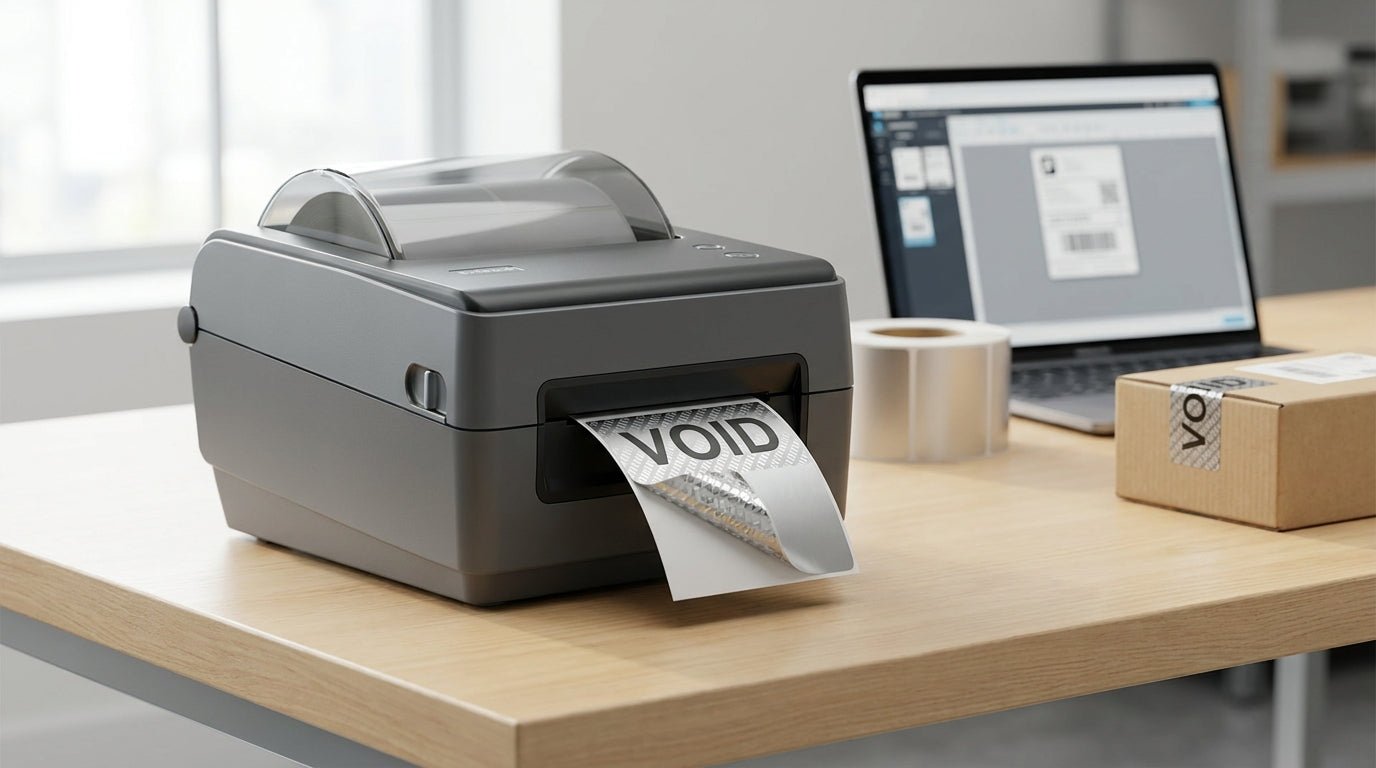
Tamper-evident labels only work if the void pattern actually shows up when someone tries to peel the label off — and that depends on printing the right material at the right settings, not just buying "security stock" and hoping for the best. This guide walks through the setup, from material choice to printer calibration, so the label fails visibly the moment it's tampered with.
TL;DR
Tamper-evident labels need a destructible or void-pattern face stock (usually polyester or vinyl with a frangible adhesive) printed on a thermal transfer printer, not a direct thermal unit, because the resin ribbon bonds better to security films. A 203 DPI printer like the GoDEX GE330 handles most tamper-evident asset tag runs in 2026 without issue, and heavy-duty silver barcode stock is the standard pick for IT and equipment tracking. Verdict: thermal transfer, not direct thermal, is the right call for tamper-evident work — direct thermal labels don't hold up to the adhesive stress that triggers the void pattern.
Why this matters
A tamper-evident label is a compliance and loss-prevention tool, not a decoration. If an auditor lifts an IT asset tag and sees a clean removal instead of a "VOID" pattern or torn substrate, the label did nothing. Companies tracking laptops, servers, or leased equipment in 2026 are increasingly required to show proof of tamper detection for insurance and warranty claims, and a mislabeled asset is functionally an untracked asset.
The printer matters as much as the label stock. Thermal transfer printing melts resin ribbon into the label face, which bonds tightly to the destructible film used in tamper-evident stock. Direct thermal printing relies on heat-sensitive coating baked into the paper itself — fine for shipping labels, wrong for security labels that need to survive years on equipment. Get this wrong and the label either won't print sharp barcodes or won't tamper-trigger at all.
What you'll need
- A thermal transfer printer (not direct thermal) — 203 DPI is sufficient for most barcode and text tamper labels
- Tamper-evident label stock: destructible vinyl or polyester with a void-pattern adhesive layer
- A wax-resin or full-resin ribbon matched to the label material
- Label design software (GoLabel or equivalent) for barcode and serial number layout
- A flat, clean, dust-free surface for calibration and test prints
- Isopropyl alcohol and a lint-free cloth for cleaning the printhead
For IT asset tracking specifically, the tamper-evident asset tags for IT assets guide covers which stock survives laptop lids and server racks versus which one is overkill.
The steps
1. Choose thermal transfer over direct thermal
This decision happens before you touch the printer. Direct thermal labels fade under UV and heat over 12-18 months and won't reliably bond to void-pattern adhesive layers. A thermal transfer printer paired with a resin ribbon gives you a print that survives 3-5 years outdoors and locks into the destructible face stock the way it's designed to.
Common mistake: buying a direct thermal printer because it's cheaper upfront, then discovering the labels smear or fade within a year. Check the printer spec sheet for "thermal transfer" or "dual-mode" before ordering ribbon.
2. Select the right label stock for the surface
Metal equipment, plastic housings, and painted surfaces each need different adhesive chemistry to trigger the void pattern correctly. Heavy-duty silver barcode stock is built for metal and hard plastic; it's the default for server racks, machine tools, and vehicle equipment.
Check the heavy-duty silver barcode asset tags if you're tagging equipment that lives outdoors or in a shop environment — the adhesive is formulated to grip and then fracture on removal, not just peel clean.
Common mistake: using standard semi-gloss white stock on curved or textured metal. The adhesive doesn't seat evenly, so the void pattern only partially triggers and leaves gaps a determined person can work around.
3. Load the resin ribbon correctly
Tamper-evident stock needs a wax-resin or full-resin ribbon, not the wax-only ribbon used for basic paper labels. Full resin bonds to polyester and vinyl films at a molecular level, which is what makes the print itself hard to remove or alter without visibly damaging the label.
Run the ribbon dull-side-out toward the label, matched roll-for-roll with your label media so tension stays even across the print head. Mismatched ribbon width is the single biggest cause of wrinkled or skipped print in 2026 tamper-label runs.
4. Calibrate the printer for the specific label size
Every new label size and stock combination needs a fresh calibration pass — sensor position, gap detection, and darkness setting all shift with material thickness. Skipping calibration on a new roll is the fastest way to get labels that print off-center or trigger false gap errors mid-run.
Run the auto-calibration sequence, then print a test sheet of 5-10 labels before committing to a full batch. Check that the barcode scans clean and the text sits fully inside the label border, not bleeding off one edge.
Common mistake: reusing calibration settings from a different label size. Gap sensors read differently on 2x1-inch tags versus 3x2-inch tags, and a stale setting produces skipped or double-fed labels.
5. Set print darkness for the material, not the default
Destructible vinyl and polyester films typically need a darkness setting 2-4 points higher than standard paper labels because the resin has to fully melt into a denser surface. Too light and the barcode won't scan reliably after a few months of handling; too dark and the ribbon can stick and tear on unwind, damaging the print head over time.
Print a barcode verification test — most warehouse scanners will flag a grade below C, which usually means darkness needs another notch up.
6. Print a destruction test before the full batch
Before committing to 500 or 1,000 tags, print five and try to remove one from the actual surface it's headed for — metal panel, equipment housing, whatever the real application is. The void pattern or "OPENED" text should appear clearly and the label should tear or shred, not lift clean.
If it peels intact, the issue is almost always adhesive-to-surface mismatch, not the printer. Match the stock to the surface material and re-test before running the full order.
7. Apply and log serial numbers
Most tamper-evident asset tags carry a sequential serial number alongside the barcode, which becomes your audit trail. Print and log serials in the same batch run so there's no gap between what's printed and what's assigned to equipment.
Keep a simple spreadsheet mapping serial number to asset and application date — this is what makes a tamper-evident program actually enforceable instead of just a sticker on a laptop.
Troubleshooting
- Void pattern doesn't show on removal — wrong adhesive-to-surface match; switch to heavy-duty stock rated for the specific material.
- Barcode won't scan after a few weeks — darkness setting too low for the resin ribbon; increase by 2-3 points and reprint a test batch.
- Ribbon wrinkles mid-print — ribbon width doesn't match label width, or tension is uneven; confirm ribbon and label rolls are the same width.
- Label peels intact instead of triggering void pattern — surface wasn't clean or dry before application; wipe with isopropyl alcohol and let it fully evaporate before applying.
- Print skips or offsets on the label — printer needs recalibration for this specific label size; run the gap-sensor calibration again rather than reusing old settings.
- Labels curl at the edges after application — stock wasn't rated for the surface temperature range; check the spec sheet for temperature tolerance before ordering a large run.
Tools and resources
- Heavy-duty silver barcode asset tags for metal and outdoor equipment
- GoDEX GE330 thermal transfer printer, 203 DPI, built for resin ribbon runs
- Thermal transfer ribbon matched to your label stock width
- GoLabel or equivalent design software for serial number and barcode layout
- A barcode verification scanner to grade print quality before full production runs
What to do next
Once the tamper-evident labels are printing clean and passing the destruction test, the next step is building the tracking system around them — mapping serial numbers to a barcode asset database rather than a spreadsheet. The how to prevent asset label tampering guide covers the layer above the label itself: placement strategy, re-application policy, and what to do when a tag does get triggered.
FAQ
What's the best printer for tamper-evident labels? A thermal transfer printer at 203 DPI, such as the GoDEX GE330, is the standard choice because it bonds resin ribbon to destructible label film. Direct thermal printers can't produce a durable enough print for tamper-evident stock.
Is direct thermal printing suitable for tamper-evident labels? No — direct thermal print fades and doesn't bond well to destructible adhesive layers, so the void pattern and barcode both degrade faster than a thermal transfer print. Stick with thermal transfer and a resin ribbon for any tamper-evident run in 2026.
How much does a tamper-evident label setup cost? Costs vary by printer model, label stock, and ribbon, so check current pricing directly on the product pages for the specific combination you need. Volume also affects per-label cost significantly on larger runs.
Do tamper-evident labels work on curved surfaces? They can, but adhesive performance drops on tight curves or textured metal, so test the void-pattern trigger on the actual surface before a full production run. Heavy-duty stock formulated for equipment tends to perform better on uneven surfaces than standard barcode stock.
Can I reuse tamper-evident label serial numbers? No — serial numbers should be unique and logged once, since the entire point of the system is a one-to-one match between a physical tag and an audit record. Reusing numbers defeats the tracking purpose.
What resolution do I need for tamper-evident barcodes? 203 DPI handles standard Code 128 and QR barcodes on tamper-evident tags without issue for most asset tracking use cases. Higher resolution only matters if you're printing very small barcodes or dense data matrices.
How long do tamper-evident labels last outdoors? Heavy-duty stock rated for outdoor use typically holds up for 3-5 years depending on UV exposure and temperature swings, though exact ratings depend on the specific material chosen. Check the product spec sheet for the temperature and UV tolerance before deploying outdoors.
Why did my tamper-evident label peel off clean instead of showing the void pattern? This almost always means the adhesive wasn't matched to the surface, or the surface wasn't clean and dry at application. Re-test with isopropyl alcohol prep and confirm the stock is rated for that specific material.
One last thing
Most tamper-evident label failures trace back to skipping the destruction test on the actual application surface — not the printer settings. A label that scans perfectly and looks sharp coming off the roll can still peel clean off a painted metal panel if the adhesive wasn't matched to that surface, so the five-label test in step six is the cheapest insurance in this entire process.