
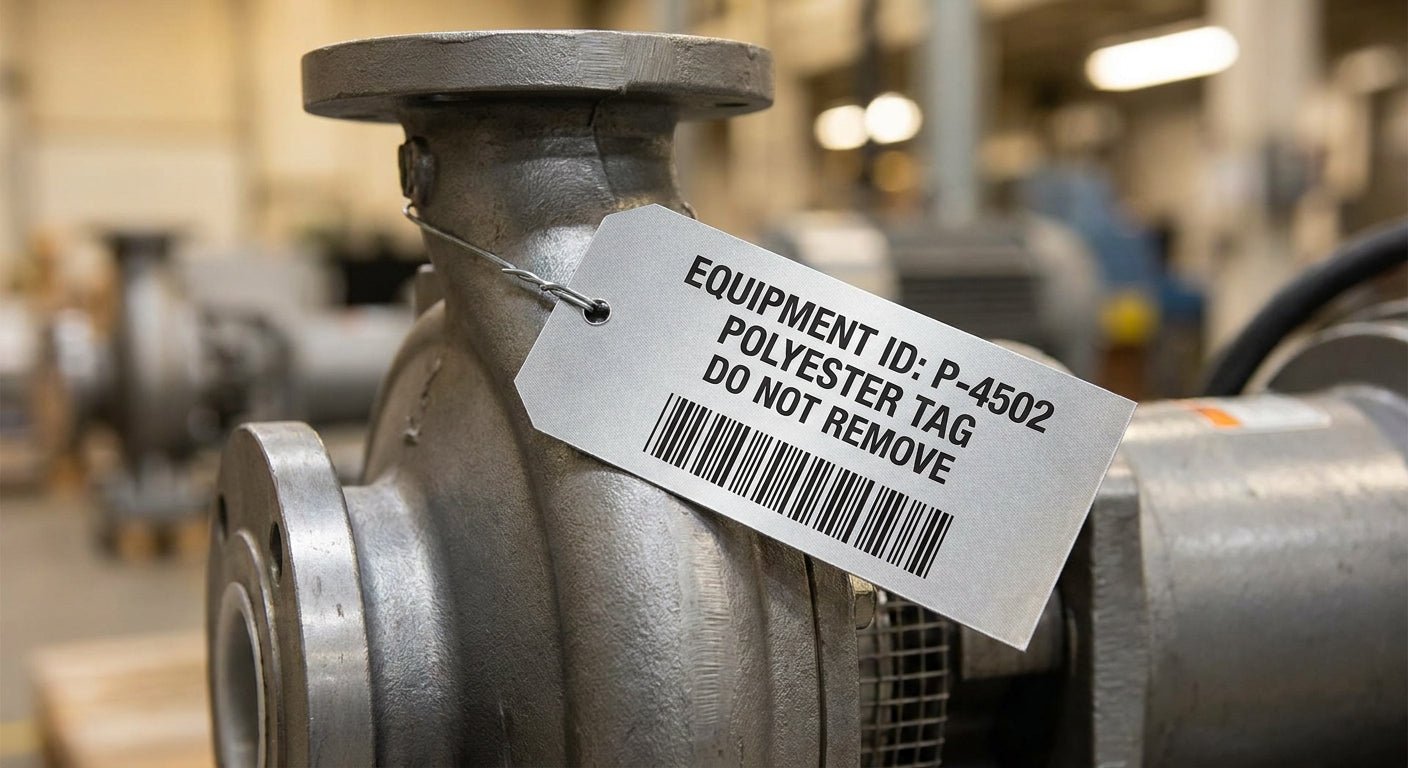
Polyester labels hold up on equipment that paper labels can't touch — abrasion, oil, UV, and repeated wipe-downs are what these tags are built for, and getting the material, adhesive, and printer settings right the first time saves you a re-tagging project six months from now.
TL;DR
Polyester labels for industrial equipment tags need three things right: a metalized silver or semi-gloss white polyester face stock, a 3M-grade permanent adhesive, and a thermal transfer printer running resin ribbon at 300 DPI or higher. McAuley Labels' metalized silver barcode asset tags are the standard pick for metal surfaces and outdoor gear in 2026 because they resist scratching and won't peel after a pressure wash — Buy if your equipment lives outside or gets handled daily. Skip direct thermal polyester entirely; it fades under UV within a year.
Why this matters
A paper label on a forklift, compressor, or HVAC unit lasts maybe 90 days before the barcode is unreadable. Polyester doesn't degrade the same way — it's chemically resistant, tear-resistant, and holds print quality through oil exposure, solvent contact, and outdoor UV in a way that paper and vinyl can't match at the same thickness. If you're tagging equipment for warehouse tracking, maintenance schedules, or asset audits, the label is the weakest link in the system unless you spec it correctly.
The difference between a tag that lasts 5 years and one that fails in 6 months usually comes down to two decisions: which polyester face stock you chose, and whether you printed it with resin ribbon or tried to run it through a direct thermal printer. Get those two calls right and everything downstream — scanning, audits, warranty tracking — gets easier.
What you'll need
- Polyester label stock — metalized silver barcode asset tags for metal equipment, or semi-gloss white polyester for painted surfaces where contrast matters more than shine
- A thermal transfer printer capable of 203 DPI minimum, 300 DPI preferred for small barcodes or QR codes
- Resin thermal transfer ribbon — wax-resin will smear under solvents; full resin is the only ribbon rated for polyester in harsh environments
- Isopropyl alcohol wipes (91% or higher) for surface prep
- A heat gun or hair dryer, if the equipment surface runs below 50°F at time of application
- Barcode or asset tracking software, if you're generating sequential IDs or QR codes
- 10-15 minutes per tag for prep and application, longer for curved or textured surfaces
The steps
1. Choose the right polyester finish for the surface
Metalized silver polyester is the default for bare metal, painted steel, and aluminum housings because it matches the substrate's reflectivity and resists fingerprint smudging on shiny equipment. Semi-gloss white polyester works better on darker or textured surfaces where you need barcode contrast, not surface matching. Getting this wrong shows up immediately as a barcode scanner that struggles to read against a mismatched background.
Common mistake: picking silver polyester for a matte black enclosure — the barcode reads fine up close but scanner guns at distance miss it because of low contrast.
2. Clean the application surface completely
Wipe the tag location with isopropyl alcohol and let it flash-dry for 30 seconds before touching it. Oil, grease, and dust residue are the number one reason asset tags fail adhesion within the first 30 days on equipment surfaces. Don't use soap and water — it leaves a film that alcohol won't, and adhesives bond weaker to it.
Common mistake: applying a tag over visible grime because the surface "looks clean enough." It isn't — wipe it twice.
3. Set your printer to resin ribbon and match DPI to barcode density
Direct thermal print on polyester fades under UV and heat within months — polyester requires thermal transfer with resin ribbon, full stop. If your barcodes or QR codes are small (under 1 inch), run 300 DPI; simple ID numbers and larger tags print fine at 203 DPI. A thermal transfer printer set up correctly the first time avoids a batch of unreadable codes on 200 tags.
Common mistake: running resin ribbon on a printer still configured for direct thermal media — the print head temperature settings differ and you'll get smeared or faint output.
4. Print a test batch of 5-10 before committing to the full run
Scan every test tag with the same barcode reader your team uses in the field, not a phone camera app. Phone scanners are more forgiving than warehouse-grade CCD or laser scanners and will pass tags that fail in real use. This step catches ribbon tension issues, print darkness problems, and barcode sizing errors before you've burned through a full roll.
Common mistake: skipping the test batch because the printer "worked fine last time" — ribbon lots and roll tension drift over time.
5. Apply at the right temperature and pressure
Acrylic and 3M-grade adhesives bond best between 50°F and 100°F ambient temperature. Below 50°F, the adhesive is stiffer and won't wet out fully against the surface — warm the tag or the equipment with a heat gun first. Press firmly from the center outward for 10-15 seconds; this pushes out air bubbles and forces full adhesive contact, which is what actually determines whether the tag survives a pressure wash.
Common mistake: slapping the tag on and walking away — full adhesive strength takes 24-72 hours to cure, and tags applied without firm pressure peel at the corners first.
6. Log the tag ID before you move to the next unit
Scan and record every tag into your asset tracking system immediately, on-site, rather than batching the data entry for later. Tags get applied faster than paperwork gets filled out, and a gap between application and logging is how equipment ends up with an unreadable tag and no record of what it should say.
Common mistake: applying 50 tags in a shift and doing the data entry the next day from memory — mismatches are almost guaranteed.
Troubleshooting
- Barcode won't scan after 3 months outdoors — you likely used direct thermal print instead of resin ribbon thermal transfer; the print has faded under UV. Reprint with resin ribbon.
- Tag peels at the edges within a week — adhesive wasn't cured or surface wasn't cleaned; re-apply with alcohol prep and firm 15-second pressure.
- Print looks smeared or blotchy — wax-resin ribbon on a polyester face stock rated for full resin, or print darkness set too low. Switch ribbon type and raise darkness by 2-4 points.
- Tag looks fine but scanner misses it from 3+ feet — contrast mismatch between silver stock and a dark surface. Switch to semi-gloss white for that application.
- Ribbon wrinkles during print — ribbon tension is off or the printer needs calibration; check the ribbon take-up spindle before reprinting the batch.
- Tag ID overlaps with an existing asset number — sequential numbering wasn't synced with your tracking software before the print run; always export current asset IDs before generating new tag ranges.
Tools and resources
- Metalized silver barcode asset tags for metal and painted equipment surfaces
- Thermal transfer ribbon — full resin grade required for polyester durability
- A thermal transfer printer rated 203 DPI or 300 DPI depending on your barcode density
- Isopropyl alcohol wipes and a lint-free cloth for surface prep
- Barcode scanner matching your warehouse or field team's existing hardware
What to do next
Once your tags are printed and applied, the next question is usually how to scale the process across a whole facility without re-learning the printer setup every time. That's covered in more depth in the guide on silver polyester labels for industrial equipment, which walks through surface-by-surface material selection for larger tagging projects.
FAQ
What's the best polyester label for outdoor equipment? Metalized silver polyester with a 3M-grade permanent adhesive is the standard for outdoor equipment in 2026 because it resists UV fading and holds up through pressure washing and temperature swings.
Is polyester better than vinyl for asset tags? Polyester outperforms vinyl on chemical and abrasion resistance, which matters more on industrial equipment than vinyl's flexibility advantage on curved consumer products.
Can you print polyester labels on a direct thermal printer? No — direct thermal print on polyester fades within months under normal handling and UV exposure; polyester requires thermal transfer printing with resin ribbon.
How much does a polyester asset tag cost? Costs vary by size, adhesive grade, and order volume; check current pricing directly on the product page before ordering in bulk.
What DPI do I need for small barcodes on equipment tags? 300 DPI is the safer choice for barcodes or QR codes under 1 inch; 203 DPI works fine for larger ID numbers and simple codes.
Do polyester labels work on curved surfaces like pipes or cylinders? Yes, but application requires firmer pressure and sometimes a heat gun to help the adhesive conform — flat application technique alone often leaves lifted edges on curves.
How long do polyester asset tags last on industrial equipment? Properly applied polyester tags with resin thermal transfer print commonly last 5 years or more outdoors, compared to under a year for paper labels in the same conditions.
What's the difference between metalized silver and semi-gloss white polyester? Metalized silver matches metal equipment surfaces and resists smudging; semi-gloss white gives higher barcode contrast on dark or textured surfaces.
One last thing
Most tag failures reported in 2026 field audits trace back to one root cause, not a bad batch of labels: the printer was still set to direct thermal defaults after a ribbon-media switch. Check that setting first before assuming the label stock is the problem — it's the cheapest fix in this whole guide.