
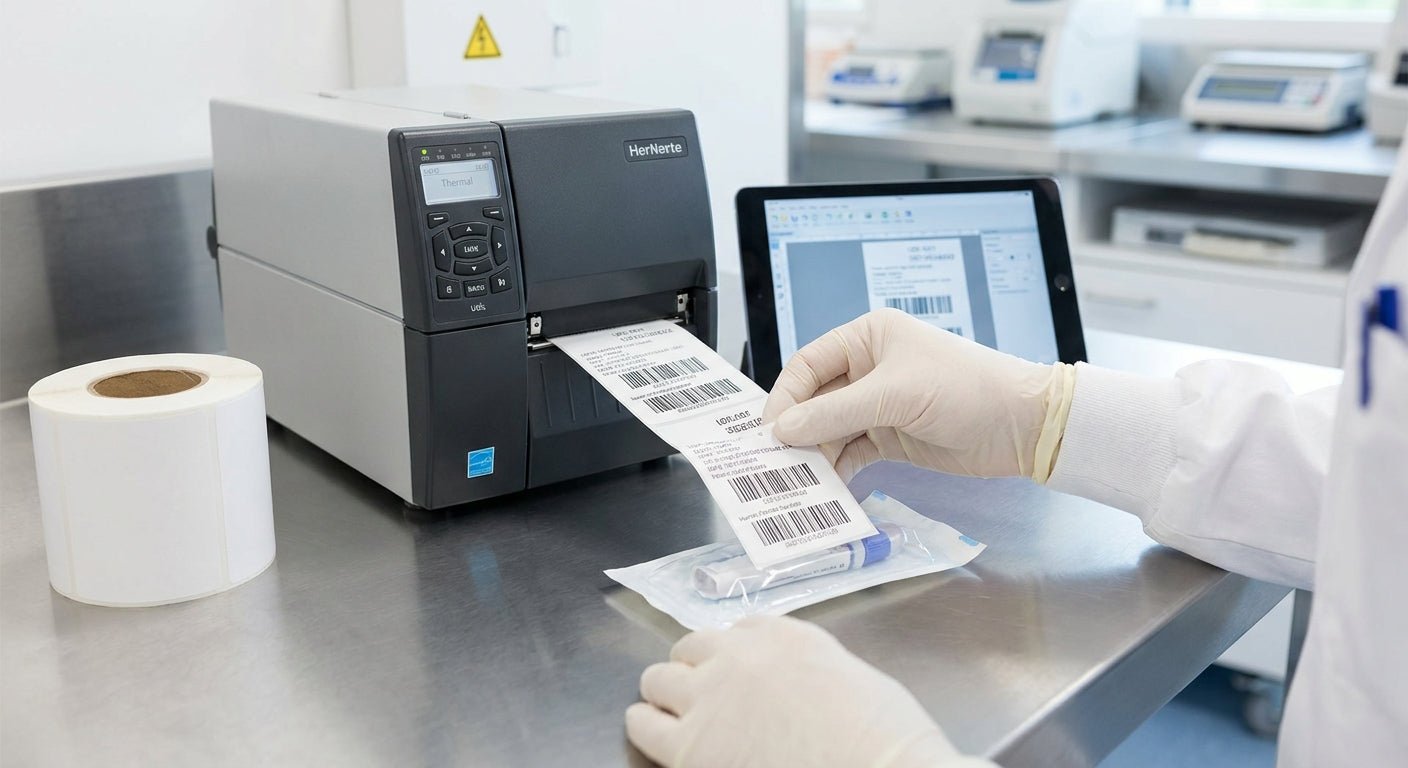
UDI compliant labels for medical devices need three things to pass an FDA audit or a hospital receiving dock: the right barcode symbology, print resolution that stays legible at small sizes, and a label material that survives whatever the device goes through before it's used. Get any one wrong and the label fails a scan, not just a spot check.
- GS1 DataMatrix is the barcode format that makes labels udi compliant for medical devices in 2026 — Code 128 alone won't cut it for small parts.
- 300 DPI is the floor for legible small-module barcodes; 600 DPI is the safer call for devices under 2 inches.
- 3M heavy-duty and polyester stock survive autoclave cycles and chemical wipe-downs that paper labels fail within weeks.
- The GoDEX ZX430i at 300 DPI prints GS1 DataMatrix templates out of the box — Buy for device labeling runs under 5,000 units a month.
- Verify every barcode with a grader before it ships — a failed scan at a hospital dock triggers a recall conversation, not a support ticket.
Why UDI compliance changes how you print labels
FDA's UDI rule, in force since 2013 under 21 CFR Part 801, requires most medical devices sold in the US to carry a Unique Device Identifier that's both human-readable and machine-readable. That's two label requirements stacked on one adhesive substrate, and by 2026 the rule covers nearly every device class still selling into US hospitals and clinics.
A UDI has two parts: the Device Identifier (DI), which is fixed per model, and the Production Identifier (PI), which carries lot number, serial number, or expiration date and changes per batch. Both have to encode into a barcode and print in plain text on the same label, and both have to feed into the FDA's Global UDI Database (GUDID) before the device ships.
This is a barcode printing problem before it's a compliance problem. If your thermal printer can't hit the resolution GS1 DataMatrix needs at small sizes, the compliance paperwork doesn't matter — the label won't scan at receiving.
What you'll need
- A Device Identifier assigned through GS1, HIBCC, or ICCBBA (whichever issuing agency your device category uses)
- A thermal transfer printer rated for at least 300 DPI — 600 DPI if the device footprint is under 2 inches
- Label stock rated for your sterilization or chemical exposure method — polyester or 3M heavy-duty, not standard paper
- A resin or wax/resin ribbon matched to that stock
- Label design software that supports GS1 DataMatrix templates (GoLabel works for GoDEX printers)
- A barcode verifier to grade output against ISO/IEC 15415 before the first shipment goes out
The steps to print UDI compliant labels
1. Get your Device Identifier assigned
The DI is the fixed part of the UDI, tied to a specific model and version. It comes from an FDA-accredited issuing agency — GS1, HIBCC, or ICCBBA — and it doesn't change between production runs. Skip this step or reuse a DI across a modified device, and the whole label run gets rejected downstream, not just flagged.
2. Build the Production Identifier elements
The PI carries the variable data: lot number, serial number, manufacture date, expiration date, or a combination depending on device class. This is what changes label to label, run to run — get your print template wrong here and every unit in a batch ships with the wrong lot data encoded.
3. Choose GS1 DataMatrix as the barcode symbology
DataMatrix packs DI and PI into a single 2D code that stays scannable at sizes linear barcodes can't touch — critical for small devices and instrument tags. A printer that reads GS1 barcodes correctly needs firmware that supports the symbology natively, not a workaround template.
4. Match label stock to the device's environment
Paper labels fade or peel under autoclave heat, alcohol wipes, or extended shelf storage — none of which are rare for medical device packaging. Polyester and 3M heavy-duty stock hold adhesion and print contrast through repeated sterilization cycles, which is the actual test a UDI label has to pass, not just a visual check at print time.
5. Set printer resolution before the first run
300 DPI is the minimum for legible small-module DataMatrix codes; 600 DPI gives more margin on devices under 2 inches where module size shrinks fast. The GoDEX ZX430i 300 DPI printer handles DataMatrix templates at production speed without dropping module density on runs under 5,000 units a month.
6. Load the right ribbon for thermal transfer
Direct thermal print fades under heat and light — a problem for labels that sit on shelf stock for months before use. Thermal transfer ribbon paired with polyester stock gives you a print that doesn't degrade before the device ships, which matters more for UDI labels than almost any other label type in 2026.
7. Verify the barcode grade before shipping
Run every label through a verifier and grade it against ISO/IEC 15415 before the batch leaves the building. A barcode that looks fine to the eye can still fail a scanner at a hospital dock if module contrast or quiet zone is off — and that failure shows up as a recall conversation, not a returned shipment.


Troubleshooting UDI label problems
- Barcode won't scan at all. Usually a resolution problem — check that the printer is set to 300 DPI or higher and that the DataMatrix module size wasn't scaled down in the design software.
- Label peels after autoclave. Paper or standard adhesive stock, not rated for heat — switch to polyester or 3M heavy-duty before the next run.
- Ribbon smudges across the print. Wrong ribbon-to-stock pairing; resin ribbon on polyester holds up where wax ribbon on paper won't.
- Human-readable text doesn't match the barcode data. This is a template error, not a typo, and it's the fastest way to fail an FDA spot check.
- Printer rejects the DataMatrix template. Firmware doesn't support GS1 formatting — confirm the printer model before building the label file, not after.
“If the human-readable text doesn't match the encoded barcode string, that's a nonconformance, not a typo.”
Tools and resources
- GoDEX ZX430i 300 DPI thermal printer for DataMatrix production runs
- Thermal transfer ribbon matched to polyester or 3M heavy-duty stock
- A barcode verifier rated for ISO/IEC 15415 grading
- GoLabel or equivalent design software with GS1 template support
- Guide: lot number labels for FDA compliance for PI-heavy labeling runs
What to do next
Once the barcode and material are locked, the next problem is usually print consistency across a production run — resolution and ribbon settings that worked on a test batch of 50 don't always hold at 5,000. Check the FDA lot number compliance guide above before scaling a run past a single shift, and confirm the DI is registered in GUDID before the first shipment leaves the dock.
FAQ
What barcode symbology do UDI compliant labels for medical devices use?
GS1 DataMatrix is the standard symbology for UDI compliant labels for medical devices in 2026. It packs both the Device Identifier and Production Identifier into a single 2D code that stays legible at sizes linear barcodes can't match.
What DPI do I need to print UDI barcodes?
300 DPI is the minimum for legible small-module DataMatrix codes. Devices under 2 inches or with dense PI data print more reliably at 600 DPI.
Is direct thermal or thermal transfer better for UDI labels?
Thermal transfer wins for UDI labels because direct thermal print fades under heat, light, and long shelf storage. Resin ribbon on polyester stock holds contrast through sterilization cycles that direct thermal can't survive.
Do I need a GS1 membership to print UDI labels?
You need a Device Identifier from an accredited issuing agency — GS1, HIBCC, or ICCBBA — before you can build a compliant label. Most device manufacturers use GS1 since it's the most widely adopted in US healthcare supply chains.
What's the difference between DI and PI on a UDI label?
The Device Identifier (DI) is fixed per model and version and never changes between runs. The Production Identifier (PI) carries variable data like lot number, serial number, or expiration date and changes with every batch.
What label material survives sterilization for UDI labels?
Polyester and 3M heavy-duty stock hold adhesion and print contrast through autoclave heat and chemical wipe-downs. Standard paper labels fade or peel within weeks under the same conditions.
Do UDI labels need to be submitted to a database?
Yes — device data has to be submitted to the FDA's Global UDI Database (GUDID) before the device ships. The label's DI links directly to that database record.
How do I verify a UDI barcode before shipping?
Run the printed label through a barcode verifier graded against ISO/IEC 15415. A code that looks fine visually can still fail contrast or quiet-zone checks that cause scan failures at a hospital dock.
One last thing
Most UDI label rejections in 2026 trace back to a printer running at default settings, not a design flaw — the DataMatrix template was correct, but the printer never got reconfigured from whatever resolution it shipped at. Check the DPI setting before the first production run, not after the first customer complaint.