
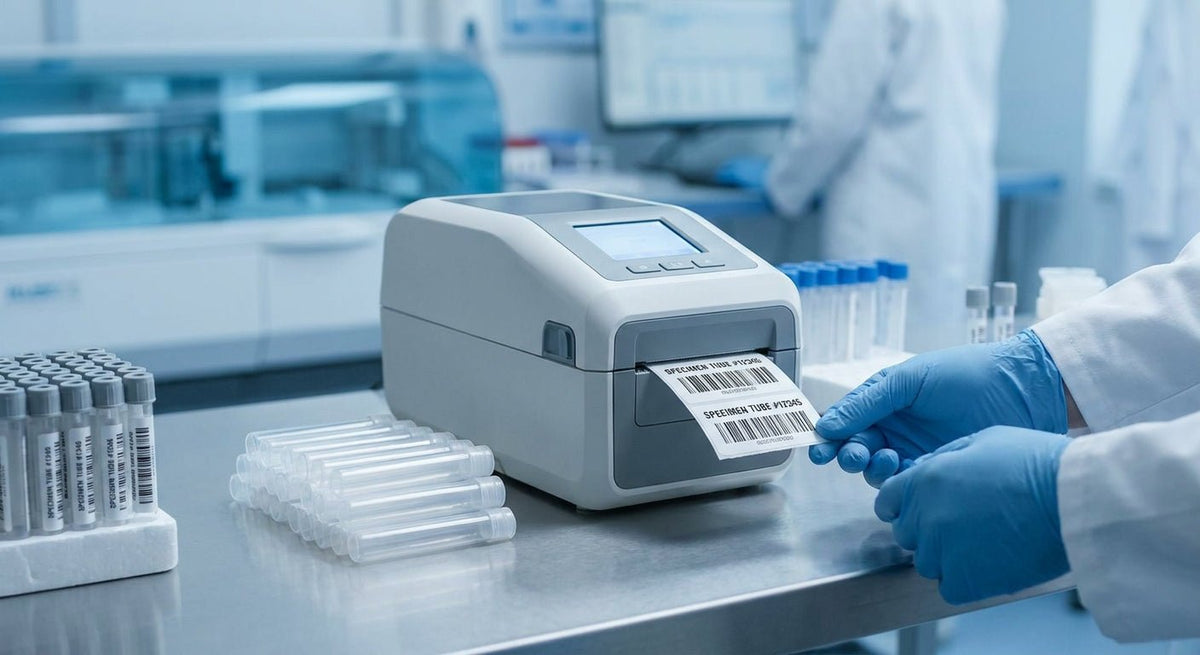
Choosing the right label printer for hospital specimen tubes is a patient-safety decision as much as a purchasing one. A smeared barcode or a label that peels mid-centrifuge can delay test results, trigger a recollection, or—worst case—cause a mismatch. This guide covers what actually matters for clinical specimen labeling in 2026, with specific printer specs and clear verdicts.
TL;DR: The best label printer for hospital specimen tubes in 2026 prints at 300 DPI minimum, handles label widths as narrow as 0.5 inches, resists moisture and centrifuge forces, and connects to your LIS without a custom driver fight. Direct thermal is the default choice for most phlebotomy stations; thermal transfer wins when labels must survive long-term frozen storage. McAuley Labels' Godex printer lineup covers both categories with units starting at 203 DPI for basic tube flagging up to 600 DPI for small-font patient ID text.
Why This Matters in 2026
The College of American Pathologists (CAP) and CLSI standard GP02-A6 both require specimen labels to carry at minimum: patient name, date of birth, collection date and time, and collector ID. Fitting that data onto a 1" × 0.25" tube label at a scannable resolution is not a job for a generic office label printer. Hospitals that get this wrong face CAP deficiency citations — and recollection rates that run 1–3% of total draws, each costing staff time and patient discomfort.
Who This Guide Is For
This guide is written for laboratory managers, phlebotomy supervisors, and hospital procurement teams who need to spec or replace a label printer for blood draw stations, specimen processing areas, or point-of-care collection sites. If you're running 50 draws a day at a single outpatient lab, your needs differ from a 500-bed hospital printing 3,000 tube labels per shift — both scenarios are covered below.
What to Look for in a Label Printer for Hospital Specimen Tubes
Print Resolution: 300 DPI Minimum
Specimen tube labels are small — typically 1" × 0.375" to 1" × 1" — and they carry dense data: barcodes, alphanumeric patient IDs, collection timestamps. At 203 DPI, small fonts and narrow barcodes lose edge definition and scan failure rates climb. 300 DPI is the practical floor for clinical tube labels in 2026; 600 DPI is the correct choice when you're printing 2D DataMatrix codes or small-font text below 6pt.
The Godex RT230i at 300 DPI and the Godex RT863i at 600 DPI represent the two tiers most hospital labs actually need. Neither requires consumable ribbons for direct thermal mode, which keeps the supply chain simple at a busy draw station.
Label Width Range and Minimum Width Support
Test tubes and blood collection tubes run narrow. A standard Vacutainer label is roughly 1" wide and 1.375" long; micro-sample tubes go narrower. Your printer must accept media as narrow as 0.5" without feeding errors or label skew. Many general-purpose label printers bottom out at 1" minimum width — that is too wide for pediatric or micro-collection labels.
Before purchasing, check the printer's minimum media width in the spec sheet. A unit that cannot handle sub-1" media will force you into workarounds like printing on wider stock and manually trimming, which introduces both error and infection-control issues.
Adhesive and Material Compatibility
Hospital specimen labels face three physical threats that office labels never encounter: centrifugation (up to 3,000 RPM), cryogenic freezing (–80°C for long-term biobanking), and exposure to alcohol-based antiseptics during labeling at the draw site. A standard semi-gloss paper label fails all three tests.
For routine tube labeling processed within 24 hours, a coated direct thermal label with a permanent acrylic adhesive survives centrifuge and brief alcohol contact. For frozen specimens or biobank samples, you need a thermal transfer label on polyester or polypropylene stock with a cryo-rated adhesive — direct thermal coatings lose contrast below –20°C.
LIS Integration and Driver Support
Every hospital lab runs a Laboratory Information System (LIS) — Epic Beaker, Sunquest, Cerner Millennium, or a standalone middleware. Your printer must print from that system without a custom driver build. Look for printers that support ZPL (Zebra Programming Language) emulation or EPL, since most LIS vendors have tested against those protocols. Godex printers support both EZPL (native) and ZPL emulation, which covers the majority of hospital LIS deployments without IT intervention.
Verify with your LIS vendor before purchasing. A printer that requires a custom SDK integration will cost 3–6 weeks of IT time on top of the hardware price.
Print Speed at Clinical Volume
A 500-bed hospital's central lab can process 2,000–4,000 labeled specimens per shift. At a phlebotomy station, speed matters less — you're printing 1–3 labels per patient — but in batch-processing areas, a printer rated at 4 inches per second (ips) versus 8 ips is a real throughput difference. The Godex G500 and G530 series run at up to 5 ips at 300 DPI, which handles mid-volume clinical environments without queuing delays.
Durability and Cleanability
Lab environments require equipment that survives regular surface disinfection with quaternary ammonium compounds or hydrogen peroxide wipes. Printer housings with exposed vents or unsealed paper paths accumulate contamination quickly. Look for enclosed designs with smooth, wipe-able surfaces and a clamshell top cover that lets you clean the printhead area without disassembly. IP-rated printers are not required in most indoor clinical settings, but a sealed media compartment is a practical minimum.
Top Picks
The Reliable Mid-Volume Choice — Godex RT230i (300 DPI)
The safe pick for outpatient labs and draw stations. The Godex RT230i thermal printer at 300 DPI prints at 4 ips, supports media widths from 1" to 4.3", and runs ZPL emulation for direct LIS connectivity. At 300 DPI, patient ID barcodes and small-font collection timestamps are crisp enough to scan reliably off curved tube surfaces. It handles direct thermal media for same-day processing and thermal transfer for frozen specimens with a ribbon swap.
Verdict: Buy — the right spec for most outpatient and mid-volume inpatient draw stations in 2026.
The High-Resolution Option — Godex RT863i (600 DPI)
The pick for small-label, dense-data applications. The Godex RT863i at 600 DPI produces the sharpest output in the Godex lineup, making it the correct choice when your tube labels carry 2D DataMatrix codes alongside human-readable text at 5–6pt. At 600 DPI, even a 0.5" × 1" label holds a scannable code and a full patient identifier. Print speed is 3 ips at full resolution — acceptable for station-side printing, slower for batch mode.
Verdict: Buy if your LIS outputs 2D barcodes or your tube labels run smaller than 1" × 0.5". Consider the RT230i if 2D codes are not required.
The Entry-Level Option — Godex RT200 (203 DPI)
The wildcard for low-volume or backup-station use. The Godex RT200 thermal printer at 203 DPI prints at 5 ips and handles 1" minimum media width. 203 DPI is sufficient for standard 1D Code 128 barcodes on larger tube labels (1" × 1.5" or bigger), but it is not the right resolution for micro labels or dense 2D codes. Use it as a backup draw-station printer or for macro-sample tubes only.
Verdict: Consider for backup or low-volume roles. Do not spec it as the primary printer for a high-draw environment.
What to Avoid
-
Desktop inkjet or laser printers repurposed for tube labels. Inkjet prints smear on contact with blood, antiseptic, or condensation. Laser toner on paper stock cracks when a tube is handled repeatedly. Neither survives centrifugation. This is the most common mistake in under-resourced outpatient clinics.
-
Printers with 1" minimum media width when your tube labels are narrower. A printer that can't feed 0.5" or 0.75" stock forces you onto wider labels, which wrap improperly on narrow tubes and obscure volume graduation markings — a patient-safety issue.
-
Printers without ZPL emulation when your LIS is Epic, Cerner, or Sunquest. A native-only printer requires a middleware driver that IT must build and maintain. That adds cost, a single point of failure, and a delay every time the LIS updates. ZPL emulation eliminates that dependency.
Comparison Table
| Printer | Resolution | Min. Media Width | Print Speed | ZPL Emulation | Best For |
|---|---|---|---|---|---|
| Godex RT863i | 600 DPI | 1" | 3 ips | Yes | Small/dense tube labels, 2D codes |
| Godex RT230i | 300 DPI | 1" | 4 ips | Yes | Standard draw stations, mid-volume |
| Godex RT200 | 203 DPI | 1" | 5 ips | Yes | Backup stations, large-format tubes only |
FAQ
What is the best label printer for hospital specimen tubes in 2026? The Godex RT230i at 300 DPI is the best all-around choice for most hospital draw stations in 2026 — it handles standard tube label sizes, supports ZPL emulation for LIS integration, and runs direct thermal or thermal transfer depending on your specimen storage requirements.
Do hospital specimen tube labels need to be waterproof? Yes. Specimen tubes encounter blood, saline, antiseptics, and condensation during transport. Labels must use a moisture-resistant coating or polyester stock. Standard paper direct thermal labels are adequate for same-day processing; cryo-rated polyester labels are required for frozen storage below –20°C.
Is 203 DPI good enough for lab specimen labels? 203 DPI is sufficient for large 1D barcodes on labels 1" × 1.5" or bigger. For micro-collection tubes, small-font patient ID text, or 2D DataMatrix codes, 203 DPI produces scan failures at a clinically unacceptable rate. Use 300 DPI as the minimum for any tube label smaller than 1" × 1".
Can a thermal label printer connect to Epic Beaker or Cerner Millennium? Yes, if the printer supports ZPL or EPL emulation. Both Epic Beaker and Cerner Millennium have pre-built print drivers for ZPL-compatible printers. Verify your LIS version supports the specific emulation before purchasing.
What label material survives centrifugation on blood collection tubes? Coated direct thermal labels with permanent acrylic adhesive survive standard centrifuge cycles (up to 3,000 RPM for 10 minutes). For cryogenic specimens, use thermal transfer labels on polypropylene or polyester stock with cryo-rated adhesive — these remain bonded at –80°C.
How narrow can specimen tube labels be? Common Vacutainer labels run 1" × 0.375" to 1" × 1.375". Pediatric and micro-collection tube labels can go as narrow as 0.5" wide. Confirm your printer's minimum media width spec before ordering label stock.
Should I use direct thermal or thermal transfer for specimen labeling? Direct thermal is the standard for routine in-hospital specimen processing where tubes are analyzed within 24 hours. Thermal transfer is required for labels that must survive –20°C to –80°C frozen storage. McAuley Labels' Godex RT230i supports both modes — swap in a ribbon for thermal transfer use when needed.
What print speed do I need for a hospital lab environment? For a phlebotomy draw station printing 1–3 labels per patient, 3–4 ips is sufficient. For a central processing lab batch-printing 500+ labels per hour, target 5 ips or above and consider a printer with an on-board label buffer to avoid LIS connection latency.
One Last Thing
The most common spec error in hospital label printer procurement is not resolution or speed — it is media compatibility. Procurement teams order a printer, then discover the label stock required for cryo storage or a particular tube diameter is not supported by that printer's platen gap or media sensor type. Before finalizing any purchase, confirm the printer's reflective and transmissive gap sensor settings match your label stock's gap type (die-cut gap, black mark, or continuous). McAuley Labels can advise on stock-to-printer compatibility before you order.