
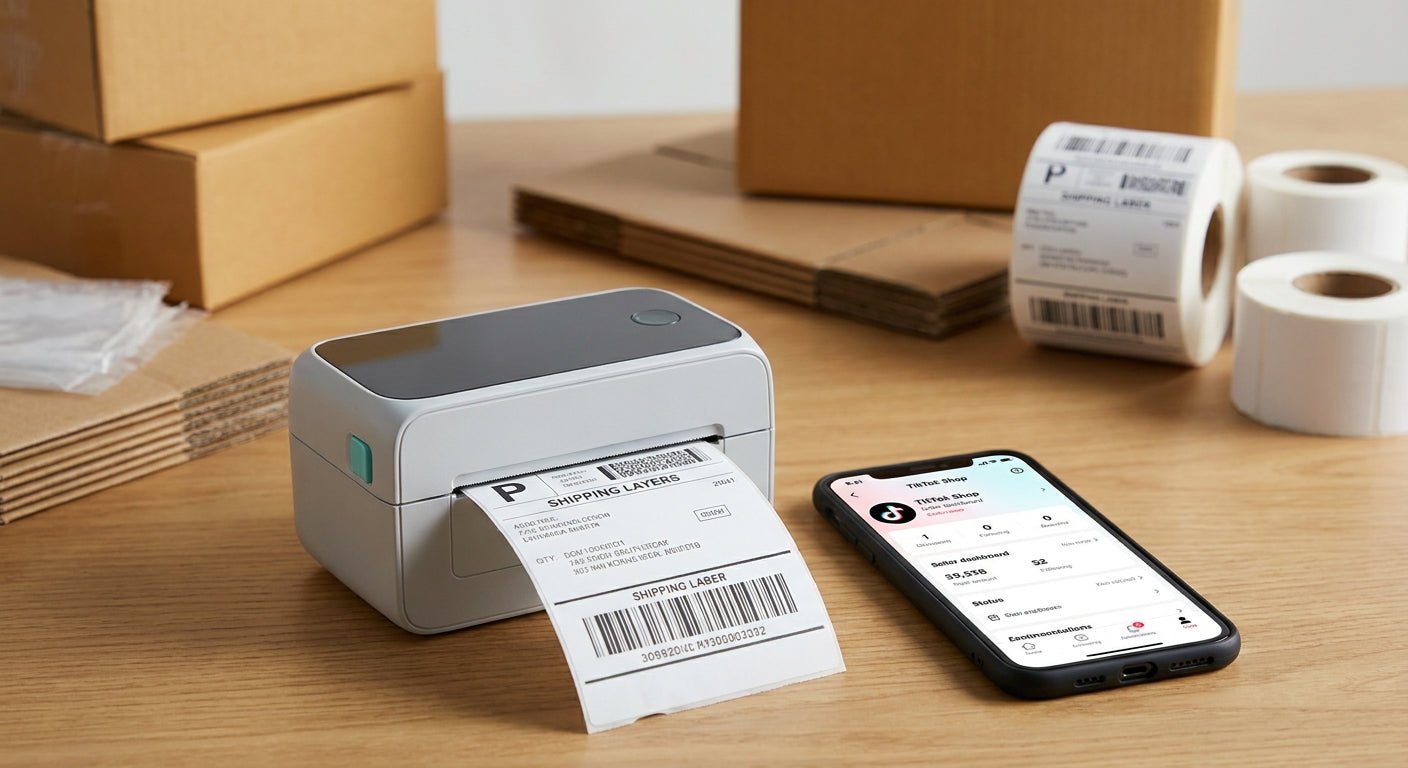
TikTok Shop sellers print shipping labels and barcode labels faster than almost any other ecommerce channel, and a desktop inkjet cannot keep up with a live-sale order spike. This guide breaks down what a label printer for TikTok Shop actually needs to survive daily fulfillment in 2026, and which thermal models from McAuley Labels hold up under that pace.
- GoDEX RT700i+ at $581 is the label printer for TikTok Shop sellers running under 300 orders a week — Buy.
- GoDEX G530 hits 300 DPI for barcode-heavy product labels; upgrade here once scan rejections start costing refunds — Buy.
- Skip inkjet label makers for 4x6 shipping labels — no thermal transfer ribbon option means fading within weeks.
- Custom logo stickers add branding to poly bags without slowing down a live-sale shipping run in 2026.
Why this matters
TikTok Shop's Seller Center generates a 4x6 shipping label for every order, and during a live sale that number can jump from 20 orders a day to 200 in an hour. A laser printer chews through toner at that pace and an inkjet label maker smears on contact with a warehouse glove. A thermal printer for shipping labels prints with heat, not ink, which means the cost per label stays flat whether you ship 50 orders or 500 in a week.
The second problem sellers hit is barcode rejection. TikTok Shop's fulfillment partners and carriers scan every label, and a blurry or low-resolution barcode gets flagged, delayed, or returned to sender. That single scan failure costs more in refunds and rebooking than the price difference between a 203 DPI printer and a 300 DPI one.
Who this is for
This guide is built for TikTok Shop sellers shipping their own orders in-house — solo operators packing from a spare room, small teams running two or three SKUs through live sales, and growing shops that just crossed 100 orders a week and outgrew their inkjet. If a 3PL already handles your fulfillment, you don't need this. If you're printing your own 4x6 shipping labels and product barcodes every day, keep reading.
What to look for in a label printer for TikTok Shop
Print speed during order spikes
A live sale can generate a week's worth of orders in an afternoon, and your printer has to keep pace without jamming. Look for a rated speed of at least 4 inches per second — anything slower turns a 50-label batch into a coffee break.
DPI resolution for barcode clarity
203 DPI handles basic shipping labels fine, but product barcodes and small QR codes need 300 DPI to scan cleanly on the first pass. If your labels are smaller than 2x1 inches, 203 DPI text starts to blur at the edges.
Direct thermal vs. thermal transfer
Direct thermal printers need no ink or ribbon and are cheapest to run for shipping labels that get handled once and thrown away. Thermal transfer printers use a ribbon and cost more per label, but the print won't fade if a label sits in a hot delivery van for a week — worth it for product labels that need to survive the shelf.
4x6 compatibility out of the box
TikTok Shop, Shopify, and most carrier portals default to a 4x6 label size. Confirm the printer's maximum print width covers 4 inches without a firmware workaround — some 2-inch and 3-inch desktop models can't.
Cost per label at volume
Margins on TikTok Shop are thin, and label cost adds up fast at 300+ shipments a month. Direct thermal roll pricing beats laser toner and ink cartridges by a wide margin once you're past a few hundred labels a month.
Daily desktop durability
A printer running six days a week needs a metal frame, not a plastic shell built for occasional home use. Check the duty cycle rating before buying — a printer rated for light home use will jam or overheat under daily TikTok Shop volume.
Top picks for TikTok Shop sellers
GoDEX RT700i+ — the safe pick. This 203 DPI thermal transfer printer runs a 4-inch color display and handles standard 4x6 shipping labels without complaint at $581. It's the right entry point for a seller under 300 orders a week who wants reliable print quality without paying for resolution they don't need yet. Buy if you're shipping shipping labels only, not fine-detail barcodes.
GoDEX G530 — the barcode upgrade. Once product labels or small QR codes start getting rejected on scan, this 300 DPI model is the fix. Sharper resolution means smaller text and denser barcodes read clean on the first pass instead of the third. Buy if you're printing product labels alongside shipping labels and scan errors are costing you refunds.
GoDEX RT730i — the wildcard. A step up in build for sellers running two shifts of packing a day, it's worth a look once you're consistently clearing 500+ labels a week and need a printer that won't slow down mid-run. Consider it once volume outpaces the RT700i+, not before.
Custom logo stickers — the branding add-on. For sellers who want their poly bags or boxes to look intentional rather than generic, custom logo stickers apply in seconds and don't require touching your label printer's settings at all. Buy if unboxing experience matters for repeat TikTok Shop buyers.


What to avoid
- Inkjet label makers. They look cheap upfront but ribbon-free thermal printers cost less per label over a month of TikTok Shop volume, and inkjet smudges under a warehouse glove.
- Sub-200 DPI printers for barcodes. Fine for plain text shipping labels, but small product barcodes blur and get rejected on scan — the refund from one bad batch costs more than the printer upgrade.
- Printers rated for occasional home use. A duty cycle built for holiday cards, not daily 100+ label runs, will overheat or jam mid-live-sale.
Verdict comparison
| Printer | Resolution | Best for | Verdict |
|---|---|---|---|
| GoDEX RT700i+ | 203 DPI | Standard 4x6 shipping labels, under 300/week | Buy |
| GoDEX G530 | 300 DPI | Barcode-heavy product labels | Buy |
| GoDEX RT730i | 203 DPI, heavier duty | High-volume sellers, 500+/week | Consider |
| Inkjet label maker | Varies, no thermal option | Nothing at TikTok Shop volume | Skip |
FAQ
What's the best label printer for TikTok Shop sellers in 2026?
The GoDEX RT700i+ at $581 is the best label printer for TikTok Shop sellers shipping under 300 orders a week in 2026. Sellers printing barcode-heavy product labels should step up to a 300 DPI model like the GoDEX G530.
Is a thermal printer better than an inkjet for TikTok Shop shipping labels?
Yes, thermal printers cost less per label at volume and don't smudge on contact, unlike inkjet. Direct thermal models need no ink or ribbon at all, which keeps cost per label flat during high-volume weeks.
How much does a label printer for TikTok Shop cost?
Entry thermal printers for TikTok Shop shipping labels start around $581 for a 203 DPI model in 2026. Higher-resolution 300 DPI printers for barcode-heavy product labels run higher, and pricing varies by model.
Do I need 300 DPI or 203 DPI for TikTok Shop labels?
203 DPI is fine for standard 4x6 shipping labels with large text. Switch to 300 DPI once you're printing product barcodes or QR codes smaller than 2x1 inches to avoid scan rejections.
Can I print TikTok Shop 4x6 shipping labels on any thermal printer?
Only if the printer's maximum print width covers 4 inches without a firmware workaround. Confirm this before buying — some smaller desktop thermal printers cap out at 2 or 3 inches.
What's the difference between direct thermal and thermal transfer for shipping labels?
Direct thermal needs no ink or ribbon and is cheapest for labels used once, like shipping labels. Thermal transfer uses a ribbon and resists fading longer, which matters more for product labels that sit on a shelf.
How many labels can a desktop thermal printer handle per week?
A printer rated for daily commercial use handles several thousand labels a week without issue, while a home-use-rated model will jam or overheat well before that volume in a busy TikTok Shop live-sale week.
One last thing
The scan rejection problem is the one sellers underestimate until it costs them a refund. A 203 DPI printer prints a barcode that looks fine to the human eye but fails a carrier scanner's read threshold on small codes — and that single failure triggers a delay, a reprint, and sometimes a lost sale during a live event. If your product labels are smaller than 2x1 inches, budget for 300 DPI from the start instead of upgrading after the first batch of rejected scans.