
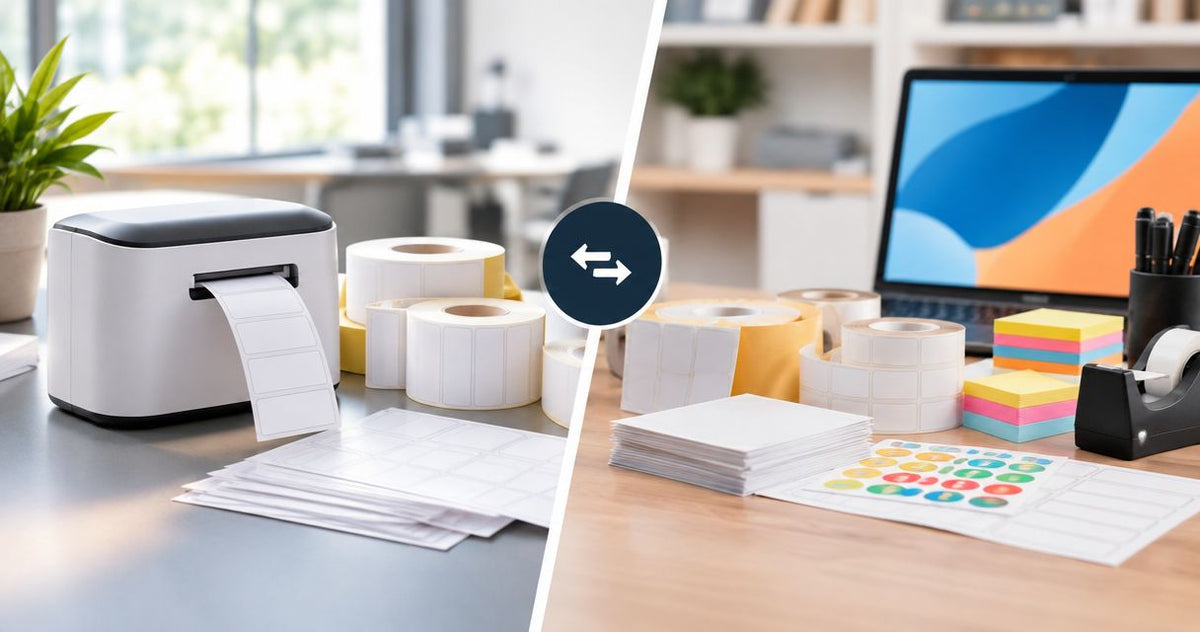
Choose McAuley Labels if you need specialized label printers, oil change stickers, or asset identification; choose Office Depot if your priority is routine office supplies and labels for an existing office printer. This 2026 comparison separates application-specific label purchasing from general office purchasing so you can choose the right supplier for the job.
- McAuley Labels vs Office Depot: choose the specialist for oil change stickers and asset tags.
- Office Depot is the better fit for general office purchasing and routine document labels.
- Match label material, printing method, and resolution before comparing individual products.
- For asset tracking, evaluate the identifier and its database record together—not just the sticker.
Why this matters
A label purchase starts with the surface and the information that must remain readable. A mailing label, equipment identifier, and windshield service reminder have different requirements, even when all three carry printed text.
Buying a dedicated printer adds equipment and setup work. Buying labels for an existing printer avoids that change, but the printer and label material still need to match. Choose the workflow first, then the supplier.
For a 2026 purchasing decision, define what you are actually replacing: an office supply order, a manual service-reminder process, or an equipment identification process. That distinction determines which comparison matters.
At a glance: the 2026 comparison
| Dimension | McAuley Labels | Office Depot |
|---|---|---|
| Best for | Specialized business labeling, service reminders, and asset identification | General office purchasing and routine office labeling |
| Purchasing breadth | Application-focused label printers, labels, asset tags, and related supplies | Broader office-supply retail purchasing |
| Standout feature: oil change workflow | Oil Change Sticker Printer System with custom labels, ribbon, and standalone keyboard | General retail route; assess any proposed product against the service-reminder task |
| Asset identification | Custom barcode, QR code, and ID labels in several named materials | Evaluate individual labels against the required identifier and surface |
| Existing office setup | Dedicated label equipment when the application requires it | Better starting point for labels used with an existing office printer |
| Printing method | Direct thermal and thermal-transfer label options | Match the selected label product to the existing or proposed printer |
| Print resolution | Catalog paths identify 203 DPI and 300 DPI printer options | Compare the resolution of the specific printer, not the retailer |
| Pricing model | Product purchases; a system purchase combines named components | Retail product purchases; the basket depends on the selected equipment and supplies |
The specialist wins on focused labeling; office retail wins on breadth
McAuley Labels is the better fit for businesses buying specialized label systems rather than general office supplies. Its stated product focus includes direct thermal printers, asset tag printers, test tube labelers, and oil change sticker printers.
Office Depot is an office-supply retailer. That makes it the more natural starting point when your purchasing list includes routine office goods and the label requirement is only part of that list.
The tradeoff is scope. A specialist purchase keeps attention on the label application, but it does not replace a general office purchasing channel. A broad retail purchase accommodates more categories, but each label product still needs a separate technical check.
Use this distinction to avoid an unnecessary equipment project. If your existing printer produces suitable office labels, buying a specialized label printer needs a functional reason—not simply a preference for a different supplier.
Office Depot wins when the order is mostly office supplies
Office Depot is the better fit for an office manager placing a mixed office-supply order. The benefit is the purchasing scope, not an assumed advantage in label durability or printing quality.
For routine filing, return addresses, and document organization, start with the equipment already in use. Check whether it takes label sheets, rolls, or a proprietary format before choosing the labels themselves.
A dedicated label supplier is more relevant when that routine setup stops meeting the job. Examples include printing individual service reminders at a workbench or assigning scannable identifiers to equipment.
Do not convert a straightforward supply purchase into a printer replacement without a requirement that justifies it. Conversely, do not let a familiar purchasing channel decide a technical application by default.
The practical question is simple: are you replenishing office consumables, or designing a repeatable labeling process? Office Depot wins the first scenario on purchasing fit; the specialized catalog deserves closer attention in the second.
The oil change system wins for a defined service-reminder workflow
The listed Oil Change Sticker Printer System includes 1,000 custom labels, a ribbon, and a standalone keyboard. Those named components make it a specific option for an automotive service-reminder workflow rather than a generic printer purchase.
Best for: a service manager who needs to print oil change reminders as part of vehicle service. The system's advantage is its application-specific composition. The buying decision includes the printing equipment and the named consumables together.
The limitation is specialization. That system is not automatically the right purchase for mailing labels, laboratory identification, or every other label job in the business. Confirm those requirements separately rather than extending the oil change use case to unrelated work.
Before choosing the system, define the information each reminder must carry:
- Shop identification and any approved artwork.
- Service date and the next service information your process uses.
- The fields staff must change for each vehicle.
- The label surface and removal requirements.
- The process for replenishing labels and ribbon.
An Office Depot product belongs in this comparison only after it meets that same brief. A product described simply as a label printer does not establish a complete service-reminder workflow.
The asset-label catalog wins for explicit material and identifier choices
The specialist catalog names barcode, QR code, and ID label options. It also identifies semi-gloss white, metalized silver, silver polyester, and heavy-duty variants, giving equipment buyers concrete categories to evaluate.
For example, metalized silver barcode asset tags are an explicit asset-identification option. That product category is more directly aligned with equipment tagging than choosing an unspecified office label and treating it as an asset tag.
Best for: an IT or facilities buyer selecting identifiers for equipment records. The advantage is the named combination of application, identifier, and material. The limitation is that a material name alone does not prove suitability for every temperature, cleaner, curved surface, or outdoor exposure.
Use the equipment itself to define the selection:
- Surface: metal, plastic, glass, or another substrate.
- Identifier: readable ID, barcode, QR code, or a combination.
- Exposure: handling, cleaning, moisture, heat, or sunlight.
- Record: the database entry or destination associated with the code.
Office Depot remains a valid purchasing route when an individual product satisfies those requirements. Neither the word asset nor the word heavy-duty substitutes for checking the actual material specification.
Office Depot wins when you want to keep a suitable office printer
Office Depot is the better starting point for buyers who need routine labels without changing an already suitable office printing setup. Keeping that setup preserves the process your team already uses.
This is a workflow advantage, not a claim that every retail label fits every printer. Laser, inkjet, direct thermal, and thermal-transfer media have different requirements. Match the label's stated printing method to the machine.
The specialist route becomes more relevant when individual labels, roll-fed printing, or an application-specific process is the requirement. That change also introduces setup decisions: label dimensions, feed detection, print settings, and the source of variable data.
Best for: an office administrator replenishing labels for an established, working process. The downside is that preserving existing equipment does not solve a material or format mismatch.
For your 2026 replacement plan, identify the actual failure first. If the label is unsuitable for the surface, replacing the printer alone does not fix the adhesive. If staff need a different label format, buying more of the familiar sheets does not fix the workflow.
Print method is a tie when the hardware and media match
Neither supplier wins printing method by name alone. The relevant distinction is between direct thermal printing and thermal-transfer printing, and the selected hardware must support the method you intend to use.
Direct thermal printing creates an image on heat-sensitive media without a ribbon. Thermal-transfer printing uses a ribbon to transfer the printed image onto compatible label material. These are printing mechanisms, not retailer-specific features.
The specialist catalog includes direct thermal labels described as requiring no ribbon and thermal-transfer white polyester labels. That gives you separate categories to inspect; it does not make their consumables interchangeable.
Use these checks in order:
- Print method: identify what the printer supports.
- Label material: select media suitable for the application and method.
- Ribbon match: for thermal transfer, match the ribbon to the media.
- Scan test: verify the actual printed identifier with your reader.
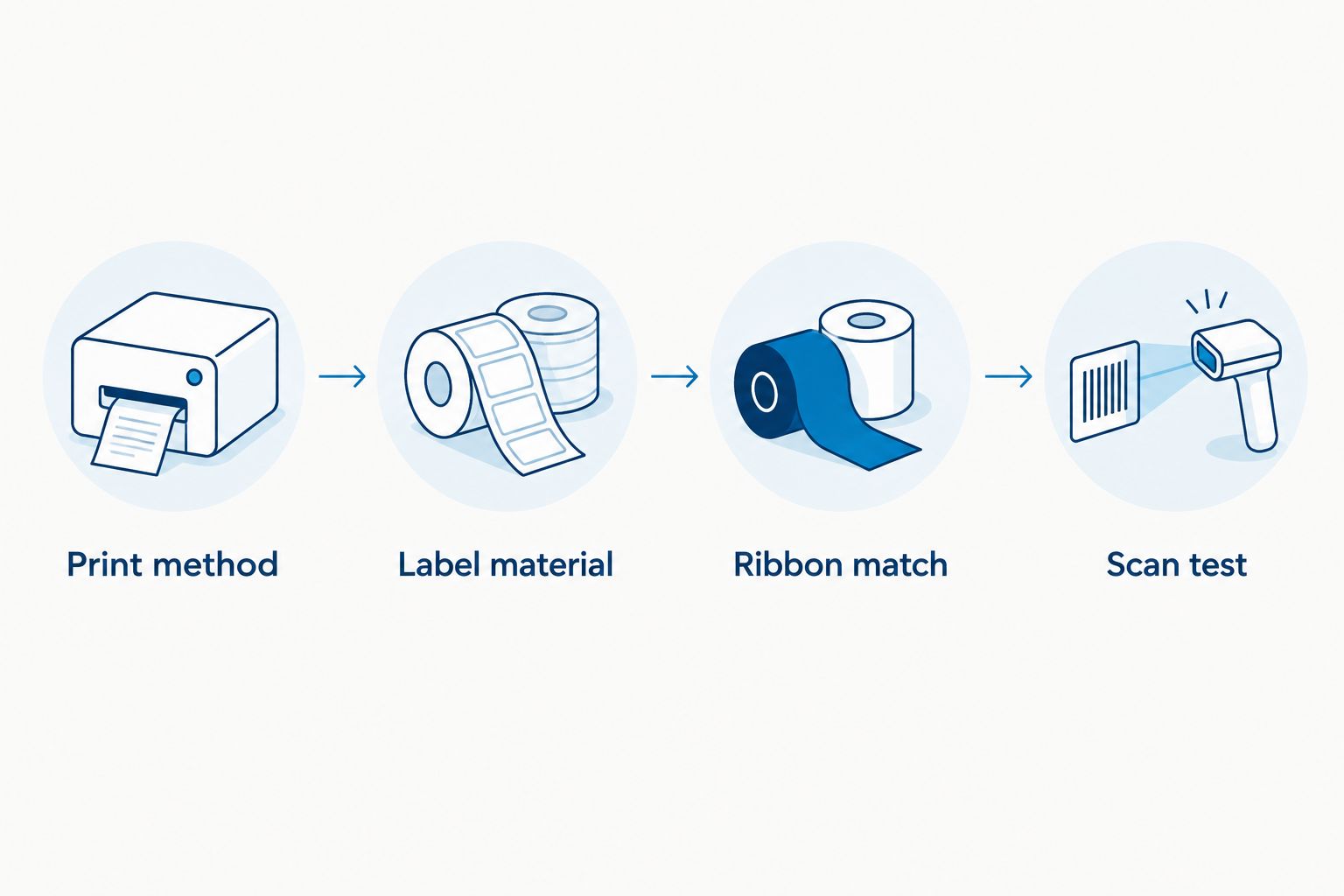
The verdict is a tie on the selection rule: compatible equipment and media matter more than the supplier name. A correctly matched retail purchase beats a mismatched specialist purchase, and the reverse is equally true.
Resolution is a tie at the same stated DPI
Resolution is a printer specification, not a supplier benefit. Compare the exact model and your actual label layout before declaring a winner.
The specialist catalog identifies a GoDEX RT200i option at 203 DPI and a GoDEX ZX430i option at 300 DPI. Its related resolution guidance also addresses 600 DPI. These figures mean dots per inch; they describe addressable print density rather than a guarantee of barcode readability.
Higher resolution provides more addressable dots within the same physical space. That matters when you evaluate small text and compact codes, but material, artwork, print settings, and the reader also affect the result.
Best for either purchasing route: a buyer comparing exact printer specifications against a finished label design. Do not infer resolution from a product photograph or from the term professional.
Test the label at its intended physical size. Check the smallest text, the barcode or QR code, and the blank space around the code. Increasing resolution does not repair incorrect data or a code cropped by the layout.
The honest verdict is a specification tie when the models state the same DPI—not a claim that their total performance is identical.
Pricing: compare the complete purchase, not just the printer
For a 2026 budget, compare what each purchase includes and what you will replenish. The useful distinction is between a defined system purchase and separately selected equipment and consumables.
The oil change system names labels, ribbon, and a standalone keyboard as included components. Buying that configuration defines the initial package. You still need to plan subsequent consumable purchases and confirm their compatibility.
Office Depot's retail route lets you build a purchase around individual products and equipment you already own. That supports a narrower purchase when all you need is suitable labels. It also leaves you responsible for ensuring that separately selected items work together.
Use the same purchasing worksheet for both:
- Equipment required for the task.
- Labels with the correct material and format.
- Ribbon or other consumables required by the print method.
- Setup work and the staff time it requires.
- Reordering specifications for replacement supplies.
Neither purchasing model establishes a cost winner on its own. A system purchase makes the named starting configuration clear; separate purchases give you more control over which components you replace. Compare the same application and scope before choosing.
Final verdict: choose by the buyer's job
Choose McAuley Labels if you own a specialized labeling process
Best for: an automotive service manager or facilities buyer defining an oil change sticker or asset-tag workflow. Choose the application-focused route when the required material, identifier, printing method, and equipment need to be considered together.
The advantage is the catalog's explicit service-reminder systems and asset-label categories. The tradeoff is that dedicated equipment and specialized materials require their own selection and setup work.
Choose Office Depot if you manage routine office purchasing
Best for: an office administrator replenishing routine labels and other office supplies. Choose the retail route when your existing printer meets the requirement and the labels are part of a broader office order.
The advantage is purchasing fit. The tradeoff is that a general retail channel still requires product-level checks for specialized surfaces, scannable identifiers, and non-office applications.
One-glance scorecard
| Dimension | Winner |
|---|---|
| Best for | Specialist for defined labeling workflows; Office Depot for general office purchasing |
| Purchasing breadth | Office Depot |
| Oil change workflow | Specialized oil change system |
| Explicit asset-label categories | Specialist catalog |
| Keeping a suitable office setup | Office Depot |
| Printing method | Tie when hardware and media match |
| Resolution | Tie at the same stated DPI |
| Pricing model | Match the purchase scope; no automatic winner |
FAQ
Is McAuley Labels better than Office Depot for business labels?
McAuley Labels is the better fit for specialized label systems, oil change stickers, and asset identification. Office Depot is the better starting point for routine office purchasing and labels used with a suitable existing office printer.
Which should an auto repair shop choose for oil change stickers?
An auto repair shop should evaluate the specialized Oil Change Sticker Printer System for its service-reminder workflow. The listed system includes 1,000 custom labels, a ribbon, and a standalone keyboard; confirm the required layout and replenishment supplies before ordering.
Is Office Depot a good choice for ordinary office labels?
Office Depot is a suitable starting point for routine office labels and broader office-supply purchases. Match the selected labels to your printer's printing method and accepted format.
Do I need a new printer to make asset tags?
A new printer is not automatically necessary to implement asset tags. Evaluate preprinted custom identifiers and in-house printing against the material, data, and equipment requirements of your tracking process.
What's the difference between direct thermal and thermal transfer?
Direct thermal printing uses heat-sensitive labels without a ribbon; thermal-transfer printing uses a ribbon and compatible label media. Select the method before buying consumables.
Is a 300 DPI label printer always better than 203 DPI?
A 300 DPI printer provides more addressable dots per inch than a 203 DPI printer, but that does not automatically make it the better purchase. Evaluate the actual text and code layout at its intended size and test the printed result.
How should I compare the cost of these purchasing options?
Compare the complete equipment and consumable purchase for the same labeling task. Include labels, any required ribbon, setup work, and replacement supplies rather than comparing the printer alone.
One last thing
A readable QR code is not proof of a working tracking process. The scan must open the correct record or destination, and the printed identifier must match the item carrying it.
Before approving your 2026 purchase, run a finished label through the complete process: print or apply it, scan it with the intended reader, and check the resulting record. Approve the workflow, not just the appearance of the label.