
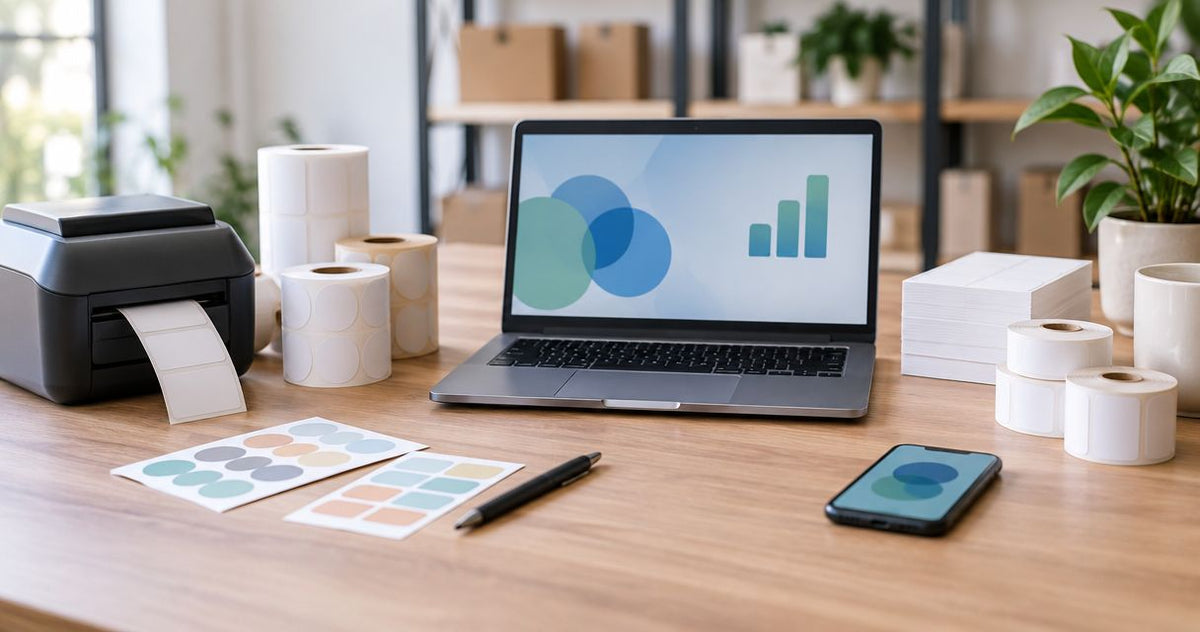
Choose McAuley Labels if you need specialized label printers for oil change stickers, asset identification, or laboratory labeling; choose OnlineLabels if you want blank labels for an existing printer or custom-printed labels without buying dedicated equipment. This 2026 comparison separates the printer-system decision from the label-supply decision.
- McAuley Labels vs OnlineLabels comes down to specialized label printers versus blank-label and custom-printing workflows.
- OnlineLabels is the better starting point for inkjet or laser sheet labels using equipment you already own.
- Dedicated label printers fit changing service dates, asset identifiers, and other information printed at the point of use.
- Neither supplier name replaces material testing, printer compatibility checks, or barcode verification.
Why this matters
You are choosing how labels enter your business, not just who supplies them. A service technician printing the next maintenance date needs a different workflow from a packaging buyer ordering a finished logo label.
McAuley Labels is the better fit for businesses choosing specialized label printers rather than general-purpose sheet-label supplies. OnlineLabels is the better starting point when the printer is already chosen and the remaining job is finding compatible label stock or ordering finished artwork.
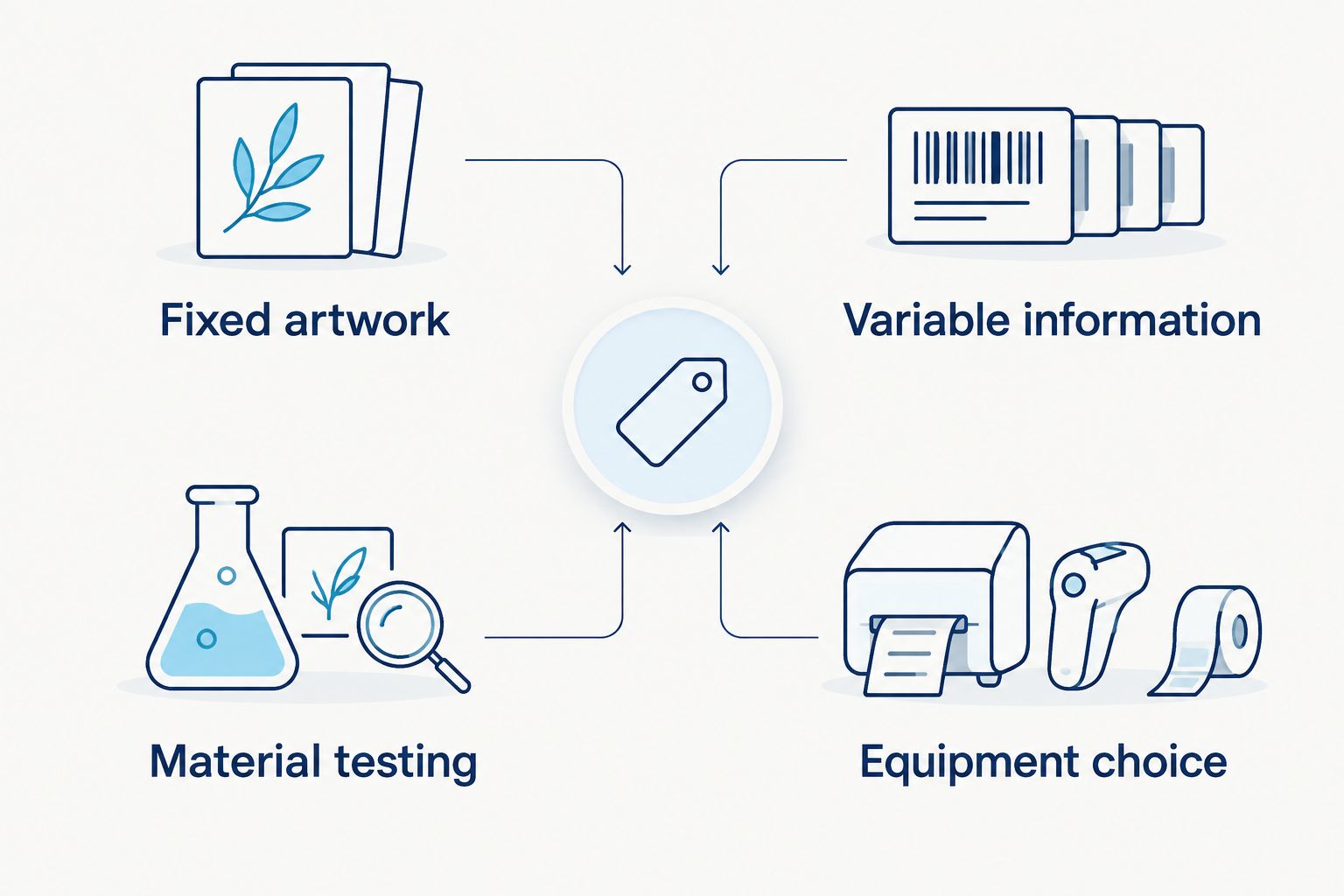
For your 2026 purchase, separate fixed content from changing content. A logo stays the same; a service date, equipment identifier, or sample reference changes. That distinction determines whether you need finished labels, printable blanks, or a dedicated printing system.
At a glance
| Dimension | McAuley Labels | OnlineLabels |
|---|---|---|
| Best for | Specialized business labeling with dedicated printers | Blank-label purchasing and custom-printed labels |
| Standout feature | Oil Change Sticker Printer System with custom labels, ribbon, and standalone keyboard | Blank sheet and roll labels, custom printing, and Maestro Label Designer |
| Existing printer | Best evaluated when selecting a specialized label printer or thermal supplies | Better starting point for inkjet or laser sheet-label workflows |
| Changing information | Dedicated printing at the point of use | Self-printing on compatible blank labels |
| Asset identification | Barcode, QR code, and numbered inventory-label options | Blank-label route for printing your own identifiers |
| Material validation | Match the specific stock and adhesive to the application | Match the specific stock and adhesive to the application |
| Setup responsibility | Printer, media, template, and operating procedure | Sheet or roll compatibility and template alignment; artwork approval for custom printing |
| Purchasing model | Equipment and consumables, or separately purchased custom labels | Blank-label purchases or custom-print orders |
Dedicated printers win for specialized operating tasks
Best for: service shops, equipment teams, and laboratories selecting a labeling workflow. A specialized printer belongs in the comparison when the label is part of a recurring operating task, not just a packaging accessory.
The supplied catalog includes oil change sticker printing, asset-label products, direct thermal supplies, and thermal-transfer supplies. The business description also identifies laboratory test tube labeling as a specialized application. Those categories make the dedicated-printer route relevant when you need to produce labels where the work happens.
The oil change system illustrates the distinction. Its listed configuration includes 1,000 custom labels, ribbon, and a standalone keyboard. That gives an automotive buyer a specific system to evaluate rather than a blank-label format alone.
The tradeoff is ownership. You must select compatible media, establish a template, train operators, and maintain the printing process. A dedicated printer is unnecessary equipment if your only requirement is a finished label with unchanged artwork.
OnlineLabels wins when you already have a sheet-label workflow
Best for: buyers printing labels with an existing inkjet or laser printer. OnlineLabels offers blank sheet labels, roll labels, custom printing, and Maestro Label Designer. Its sheet-label route fits businesses that already know how they will print.
Start with your printer type, then the label shape and material. A sheet designed for inkjet printing is not automatically suitable for laser printing, and thermal roll stock is not a substitute for either. Compatibility comes before appearance.
The practical advantage is keeping an established process. If your staff already prints packaging labels from an office printer, changing suppliers does not have to mean changing equipment.
The limitation is that the existing printer still controls the workflow. Sheet alignment, print settings, and the handling of partly used sheets remain your responsibility. For an oil change reminder produced during a service appointment, compare that process with dedicated on-demand printing before deciding.
OnlineLabels wins for general label design and ordering
Best for: buyers whose main task is preparing artwork and choosing a label format. Maestro Label Designer gives OnlineLabels a clear role in a design-led workflow. Blank-label purchasing and custom printing also let you separate artwork preparation from equipment selection.
That matters when a label carries fixed branding, product information, or another design that repeats across a batch. You can work from the finished artwork backward to the required stock and printing method.
Do not mistake a design tool for an operating system. A template can arrange text and images, but your business still needs a source for accurate product information, identifiers, or service details.
The specialized catalog also includes custom business-logo stickers. The distinction is therefore not that one side handles branding and the other cannot. OnlineLabels is the clearer starting point for a general label-design task; dedicated printer selection is the clearer starting point for a specialized printing task.
On-demand printing wins when information changes during the job
Best for: teams producing service dates, equipment identifiers, or sample references as work happens. A dedicated printer lets the printing step sit beside the operating task. You enter or supply the changing information, print the label, and apply it to the correct item.
Blank labels from OnlineLabels also support self-printing. The difference is the process you build around them: an existing office printer, a compatible roll printer, or another supported device.
For 2026, evaluate the actual handoff rather than assuming that all self-printing works alike. Who enters the information? Where does the label print? Who checks it before application? Those questions expose whether a workflow fits the job.
- Fixed artwork: order finished labels or print a prepared design.
- Variable information: print the changing fields when they are known.
- Equipment choice: match the printer and stock to the required output.
- Material testing: verify the applied label under its actual conditions.
A standalone keyboard is a stated component of the oil change system, not a feature to assume across every printer. Check each configuration against your operating procedure before treating it as equivalent.
Specialized inventory labels win for defined asset-identification needs
Best for: equipment teams that already know the identifier and label material they need. The catalog includes serialized barcode inventory labels, numbered QR code labels, and human-readable ID labels. Listed material categories include semi-gloss white, metalized silver polyester, and 3M heavy-duty options.
The Custom QR Code Inventory Labels provide a stated metalized silver polyester option for asset and stock tracking. Select that product because its identifier format and material fit your requirement, not because a silver finish automatically proves suitability.
OnlineLabels is the better starting point when you want blank stock and intend to generate the identifiers yourself. That route gives you control over printing, but it also leaves numbering, data preparation, and verification with your team.
Neither route creates asset-management software. A barcode or QR code carries information; your records determine which asset that information identifies. Define the identifier scheme and check for duplicates before printing or ordering a batch.
The specialized route reduces the need to start from a general blank-label category. Its limitation is equally clear: ordering the wrong sequence or encoding the wrong destination produces an incorrect label, regardless of the material.
Neither supplier wins durability without an application test
Best for: buyers comparing labels for heat, cleaning, moisture, or repeated handling. Durability is a property of the complete label construction and its environment, not the supplier name alone.
A material description tells you what to investigate. It does not establish an unlisted temperature limit, chemical resistance, or service life. Likewise, a heavy-duty designation does not replace checking the adhesive against the actual surface.
Use the same acceptance criteria for both suppliers:
- Surface: identify the substrate, finish, texture, and curvature.
- Exposure: list the cleaning agents, moisture, heat, and handling involved.
- Print method: match the material to the printer and, where required, ribbon.
- Readability: check text and machine-readable codes after exposure.
- Removal: decide whether the label must stay permanent or remove cleanly.
Direct thermal printing uses heat-sensitive media without a ribbon. Thermal-transfer printing uses a ribbon to place the image on compatible stock. Neither method guarantees that every label made with it meets your application.
Call this dimension a tie until the specific constructions pass the same test. That is especially important for laboratory labeling: a test tube application does not, by itself, establish suitability for refrigeration, solvents, or cryogenic storage.
Both workflows need setup; existing equipment changes the burden
Best for: buyers deciding who will own the printing process. Dedicated thermal printing requires media loading, label-size settings, calibration, and a usable template. Sheet-label printing requires compatible stock, template alignment, and appropriate printer settings.
Custom-printed labels move the printing step outside your business. You still own artwork accuracy, identifier accuracy, and approval of the finished specification.
Printer resolution is another selection criterion, not a supplier-wide verdict. The catalog names a GoDEX RT200i at 203 DPI and a GoDEX ZX430i at 300 DPI. 600 DPI is also a recognized thermal-label resolution to consider when fine detail is part of the requirement; do not infer it for a model whose specification does not state it.
Higher resolution provides more addressable dots per inch. It does not repair poor source artwork, an unsuitable barcode layout, or incompatible media.
For a 2026 equipment decision, request a print of your actual label layout. Check the smallest text, scan the code with the device your team uses, and confirm that the chosen stock feeds correctly. OnlineLabels wins on equipment continuity for an established sheet-printing process; neither side eliminates setup responsibility.
Purchasing models: equipment ownership versus label purchasing
Compare the purchasing model against the task, not against a headline amount. The specialized route combines printer selection with recurring consumables when you choose in-house thermal printing. Separately purchased custom labels are also part of the catalog.
OnlineLabels offers blank-label purchasing and custom-print ordering. Blank stock keeps printing in your business; finished labels move production to the supplier and make artwork approval the main pre-order task.
For your 2026 budget, separate the categories:
- Equipment: the printer and any required operating accessories.
- Consumables: label stock and ribbon where the process requires it.
- Internal work: template preparation, printing, checking, and application.
- Repeat orders: the specification and artwork needed to reproduce the label.
Equipment ownership trades a separate setup commitment for control over when labels are printed. Finished-label ordering avoids operating a printer for that job but requires you to define the content before production.
Predictability comes from a stable specification. Flexibility comes from retaining the ability to change information and print it yourself. Neither purchasing model is the automatic winner for every label task.
Final verdict
Choose McAuley Labels if you manage specialized label printing
Named profile: the automotive service manager or equipment-identification lead. Choose the specialized label-printer route when your requirement includes oil change reminders, asset identification, or another defined business-labeling task.
Your next move is to specify the changing fields, label material, printing method, and operator workflow. Select the system only after those requirements match its stated configuration.
Choose OnlineLabels if you manage general label design or purchasing
Named profile: the packaging buyer using an existing printer or ordering finished artwork. Choose OnlineLabels when you need compatible blank labels, a general design workflow, or custom-printed labels rather than a specialized printer system.
Your next move is to define the printer type or finished-print specification, then choose the label format and material. Keep equipment you already use successfully unless the operating task requires a different process.
| Dimension | Winner |
|---|---|
| Specialized operating tasks | Dedicated printer route |
| Existing inkjet or laser sheet workflow | OnlineLabels |
| General label design and ordering | OnlineLabels |
| Changing information at the point of use | Dedicated printer route |
| Defined asset-identification products | Specialized inventory-label route |
| Material validation | Tie: application testing decides |
| Setup responsibility | Tie: both require an accurate specification |
| Purchasing model | In-house control versus finished-label ordering |
FAQ
Is McAuley Labels better than OnlineLabels?
McAuley Labels is the better fit for specialized label-printer selection; OnlineLabels is the better starting point for general blank-label purchasing and custom printing. Choose by workflow rather than treating every label application as the same purchase.
Which supplier should I choose for oil change stickers?
Choose the specialized oil change printer route when you need to print changing reminder information during service. The listed system includes custom labels, ribbon, and a standalone keyboard; confirm that configuration against your shop's procedure.
Is OnlineLabels a good option if I already have a laser printer?
OnlineLabels is a suitable starting point for laser-compatible sheet labels. Match the exact stock to your printer and verify template alignment before producing a batch.
Do I need a dedicated printer for asset tags?
You do not need a dedicated printer when you order finished asset labels. You need a compatible printing workflow when you choose blank stock and intend to generate identifiers yourself.
Are direct thermal labels the same as thermal-transfer labels?
Direct thermal labels and thermal-transfer labels use different printing methods. Direct thermal media forms an image through heat, while thermal-transfer printing uses a ribbon with compatible stock.
Does a higher-DPI printer guarantee readable QR codes?
Higher DPI does not guarantee readable QR codes. Code size, layout, print quality, media, and the scanning device also affect the result; verify the actual printed label.
Which supplier has more durable labels?
The specific label construction and application test determine durability, not the supplier name. Compare adhesion and readability under the same surface, cleaning, heat, and handling conditions.
How should I compare label-printing budgets in 2026?
Compare equipment, consumables, internal printing work, and repeat-order requirements separately. In-house printing gives you control over changing information; finished-label ordering removes the printing task from your operation.
One last thing
A scannable label can still identify the wrong item. Test both the printed code and the record it opens before approving a production batch.
For your 2026 rollout, write the acceptance rule before ordering: the label must attach correctly, remain readable under the stated conditions, and return the intended identifier or destination. That rule makes either supplier easier to evaluate.