
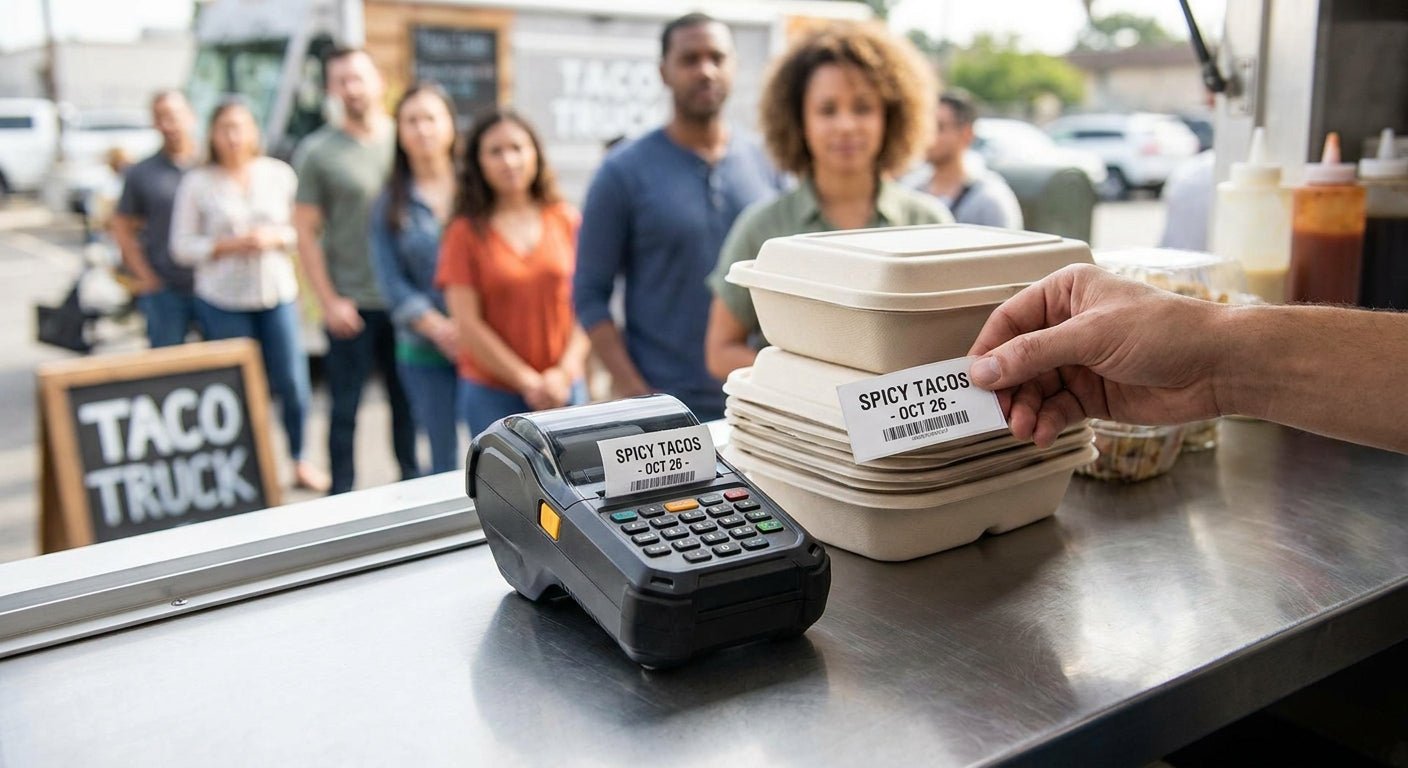
Food trucks and mobile vendors need a label printer that survives a moving kitchen, prints fast during a lunch rush, and doesn't require a ribbon change mid-shift. This guide ranks the GoDEX lineup at McAuley Labels against those exact conditions.
- GoDEX DT230 is the best label printer for food trucks in 2026 at 300 DPI direct thermal — Buy.
- GoDEX RT700i+ at $581 covers commissary-side allergen and prep labels with a color display — Buy.
- Skip thermal transfer models like the GoDEX GE330 on a moving truck; ribbon jams under vibration.
- McAuley Labels sells direct thermal stock with zero ribbon inventory to carry on board.
Why this matters
A food truck runs on generator or inverter power, moves between locations, and gets grease in every seam. A label printer built for a stationary retail counter doesn't hold up to that. Ribbon-fed thermal transfer printers need a spool change every few thousand labels — fine in a back office, a problem when you're three orders deep during a rush.
Direct thermal printers skip the ribbon entirely, which is why most food truck operators land on a model like the GoDEX DT230 rather than a full thermal transfer unit. In 2026, the difference between the two categories matters more for mobile vendors than it does for a fixed retail counter, because you can't stop the line to swap consumables.
How this list was ranked
Each printer here gets scored against four conditions specific to mobile food service: ribbon dependency, print resolution for QR-code menus and allergen tags, footprint on a truck counter, and connectivity options for POS integration. Every GoDEX unit in this lineup carries a 3-year warranty, so warranty length isn't a differentiator — throughput and ribbon requirements are.
Models that need a ribbon change more than once a shift get marked down hard. Models built for 203 DPI barcode work but not fine QR detail get a Consider instead of a Buy. Nothing here is theoretical — these are the same GoDEX printers stocked for retail counters, adapted to the constraints of a truck.
The ranked list
1. GoDEX DT230 (300 DPI direct thermal) — the no-ribbon workhorse
The DT230 prints at 300 DPI without a ribbon, which means one consumable to restock instead of two. That resolution is sharp enough for dense QR codes linking to allergen info or online menus, something 203 DPI printers struggle with at small label sizes.
No ribbon path also means fewer jam points on a truck that's bouncing over potholes between locations. Buy — this is the default pick for a single-truck operation printing order tickets and ingredient labels.
2. GoDEX RT700i+ (203 DPI, color display) — the commissary all-rounder
At $581, the RT700i+ runs a 4-inch dual thermal engine with a color display for quick label profile switching between menu tags, prep labels, and inventory tags back at the commissary. The color display cuts down on operator error when staff are rotating between print jobs fast.
203 DPI is plenty for standard barcode and text labels, just short of ideal for tight QR codes. Buy — pair it with the DT230 if you run both truck-side and commissary-side printing.
3. GoDEX G500 — the budget desktop option
The G500 runs on the same GoLabel software as every other GoDEX unit, so switching between it and a DT230 doesn't require retraining staff. It's a fine desktop printer for a commissary back office that doesn't move.
It's not built with the ruggedization a moving truck counter benefits from. Consider — good for stationary prep-label duty, not for mounting on the truck itself.
4. GoDEX RT200i (203 DPI) — fine for slow lines
The RT200i covers basic 203 DPI barcode and text printing at a lower price point than the RT700i+. It handles low-volume ticket printing without complaint.
Once line speed picks up during peak hours, throughput becomes the bottleneck. Hold — acceptable for a slow-service truck, not for a high-volume lunch rush.
5. GoDEX GE330 (thermal transfer, 4", 203 DPI) — skip it on the truck
The GE330 is a thermal transfer printer, which means it needs a ribbon spool loaded alongside the label roll. That's an extra consumable and an extra failure point in a space where every square foot matters.
Thermal transfer makes sense for permanent asset tags that need to survive years outdoors, not for daily food service labels. Skip for truck duty — better suited to equipment tagging back at a warehouse.
6. GoDEX RT730i — wait on this one
The RT730i is built for higher-volume, multi-line printing environments. A single food truck rarely generates the label volume that justifies the step up.
If you're running a commissary supporting three or more trucks, this earns another look. Wait — revisit once you've scaled past one vehicle.


Comparison table
| Printer | DPI | Ribbon Needed | Best For | Verdict |
|---|---|---|---|---|
| GoDEX DT230 | 300 | No | Order tickets, QR menus | Buy |
| GoDEX RT700i+ | 203 | No | Commissary prep labels | Buy |
| GoDEX G500 | Standard | No | Stationary back office | Consider |
| GoDEX RT200i | 203 | No | Slow-service lines | Hold |
| GoDEX GE330 | 203 | Yes | Equipment tags, not food | Skip |
| GoDEX RT730i | Higher volume | No | Multi-truck commissaries | Wait |
Where to buy
- Buy direct thermal label stock in bulk rolls, not single packs — a food truck burns through order tickets faster than a retail counter.
- Confirm your generator or inverter setup can run the printer continuously through a full shift before committing to a model.
- Match connectivity to your POS: USB and Ethernet cover most mobile setups, serial is mostly legacy.
McAuley Labels ships GoDEX printers and matching direct thermal stock together, so a truck operator isn't hunting for compatible ribbon or label sizes across vendors in 2026.
FAQ
What is the best label printer for food trucks in 2026?
The GoDEX DT230 is the best label printer for food trucks in 2026 because it prints at 300 DPI without a ribbon, cutting down on jam points in a moving kitchen. It handles order tickets, ingredient labels, and QR-code menu tags at a resolution sharp enough for small barcodes.
Do food trucks need a direct thermal or thermal transfer printer?
Food trucks should use direct thermal printers, not thermal transfer models. Direct thermal skips the ribbon entirely, which removes a consumable and a failure point that matters more on a vibrating, grease-exposed counter.
How much does a label printer for a food truck cost?
A direct thermal printer suited to food truck use runs from roughly $374 for a compact 2-inch linerless model up to $581 for a 4-inch unit with a color display. Larger industrial models used in multi-truck commissaries cost more.
Can a label printer run off a food truck's generator or inverter?
Most direct thermal desktop printers run fine on a standard inverter setup used in mobile food service. Confirm continuous power draw against your generator's rated output before mounting the unit permanently.
Is 203 DPI enough for food truck labels?
203 DPI is enough for standard barcode and text labels but gets fuzzy on small QR codes. Choose 300 DPI, like the GoDEX DT230, if your labels carry a QR code smaller than an inch.
What labels do food trucks need to print?
Food trucks commonly print order tickets, ingredient and allergen labels, prep-date labels, and QR-code menu tags. Direct thermal label stock covers all four without needing separate ribbon-fed labels.
How often do direct thermal labels need replacing versus thermal transfer?
Direct thermal setups only require restocking the label roll itself. Thermal transfer setups require restocking both the label roll and a separate ribbon spool, roughly doubling the consumable changes during a shift.
Is the GoDEX RT700i+ good for a food truck?
The GoDEX RT700i+ works well for commissary-side printing of prep and allergen labels at $581, with a color display that speeds up switching between label types. It's better suited to a back-office setup than mounting directly on the truck counter.
One last thing
The detail most food truck owners miss: a thermal transfer printer's ribbon width has to match the printhead exactly, or print quality drops within the first few hundred labels. Direct thermal models like the DT230 skip that calibration step entirely — one less thing to get wrong during a morning setup before service.