
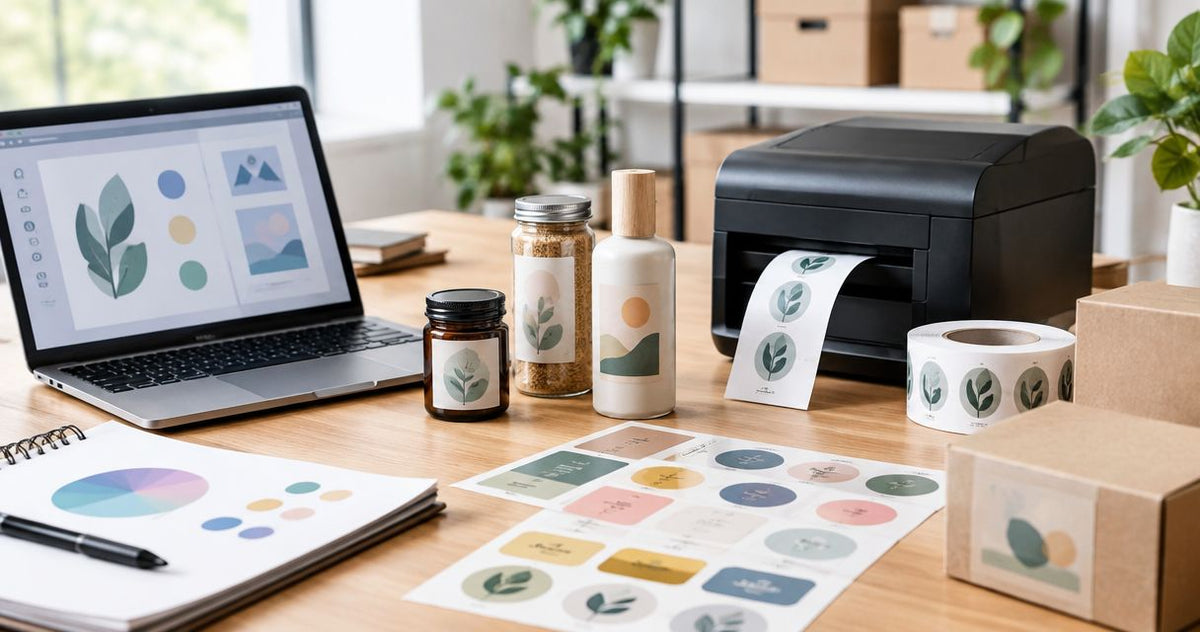
OnlineLabels is a practical choice for custom labels when you want to design artwork and order printed labels or work with blank label stock. That approach stops being the best fit when the label is part of an equipment-tracking, lab or service-bay printing workflow. The best OnlineLabels alternative in 2026 is McAuley Labels if you need a business label printer for those workflows; Avery is the better fit if you mainly want printable label sheets.
- For onlinelabels alternatives in 2026, choose McAuley Labels for specialized business printing and Avery for printable sheets.
- Stay with OnlineLabels if its custom-label ordering or blank-stock workflow already meets your needs.
- Match printer method, label material and print resolution to the job before choosing a supplier.
Why this matters
A custom label can be a finished piece of packaging, a blank sheet you print at a desk, or an identifier produced at the point of work. Those are different purchases. If you compare suppliers without deciding which one you need, an attractive design workflow can distract from the stock, printer and output your staff will actually use.
For a 2026 shortlist, write down where the label goes, what must appear on it and whether its information changes between applications. A product logo that stays the same is a different job from an asset ID, specimen identifier or next-service date that changes each time you print. The sections below compare OnlineLabels alternatives by that operational difference, not by an unsupported claim that one supplier does every label job better.
OnlineLabels alternatives at a glance
| Option | Best for | Standout offering | How it differs from OnlineLabels |
|---|---|---|---|
| OnlineLabels | Custom-printed labels and blank stock | Label design and ordering options | The benchmark for design-and-order or print-on-stock workflows |
| McAuley Labels | Business printing for asset tags, lab labels and service stickers | Specialized printers and related label products | Start with the application and printing setup |
| Avery | Printable label sheets | Sheets and design templates | Start with a sheet-label format |
| Brother P-touch | Short identification labels | Dedicated label-maker format | Print short labels from a label maker rather than order custom-printed stock |
The dividing question is where printing happens. If you need finished custom labels, assess the ordering workflow. If your team prints changing information as work happens, assess the printer and label material together. Neither question can be settled by looking at a design template alone.
1. McAuley Labels: best for specialized business label printing
McAuley Labels manufactures specialized label printers for businesses, including direct thermal printers, asset tag printers, lab test tube labelers and oil change sticker printers. Its stated product categories also include custom labels, asset tags and oil change stickers. That makes it the strongest fit here when you are choosing a printing setup for a defined task rather than shopping primarily for general-purpose sheets.
An auto shop, for example, can evaluate the oil change sticker printer system against its service-desk process. An equipment team has a different decision: whether to order completed asset tags or print changing identifiers itself. Choose McAuley Labels when the application determines the printer and stock; do not choose a printer before defining the label.
Where McAuley Labels shines
- Application-led selection: The stated range addresses asset tracking, lab test tubes and automotive service reminders, so you can begin with the label's job.
- Print-on-demand options: A business that needs changing label information can assess a dedicated printer instead of treating every label as a fixed artwork order.
- Stock choices to examine: The listed products include metalized silver, semi-gloss white and heavy-duty asset-tag options, alongside direct thermal labels and thermal-transfer ribbon.
Where McAuley Labels falls short
- Not the default choice for a sheet-only task: If you already own a suitable office printer and need a small set of standard printable sheets, a specialized business printer adds a decision you do not need.
- More setup decisions: For in-house printing, you must match the printer method, label stock and intended use. Ordering finished labels avoids that printer-selection step.
- No universal recommendation: Its oil change sticker workflow does not automatically answer a lab-label or warehouse-tag requirement. Select by application, not by brand alone.
Best for: Businesses that need a defined printer-and-label workflow for asset identification, lab labeling or service reminders. Verdict: Buy for a specified business printing task; hold if your requirement is only printable sheets.
| Decision | McAuley Labels | OnlineLabels |
|---|---|---|
| Starting point | Identify the business application and printing setup | Design or select labels and stock |
| Relevant use cases here | Asset tags, test tube labels and oil change stickers | Custom labels and blank-label workflows |
| Changing information | Assess a printer for the label you need to produce | Assess whether your chosen stock and printer meet the job |
| Main buying check | Printer method, stock and application | Format, artwork and intended printing method |
A model name alone does not establish that a printer will accept your label size or connect to your existing system. Before committing to any in-house setup in 2026, confirm those requirements against the specific printer and stock you intend to use.
2. Avery: best for printable label sheets
Avery is a useful OnlineLabels alternative when the format is already decided: you want label sheets to print with an office printer. Its sheet-label and template approach keeps the buying decision close to the page layout. For occasional address, filing or packaging labels, that can be simpler than selecting a dedicated thermal printer.
Where Avery shines
- Familiar format: Sheet labels fit a workflow built around office printing and page-based layouts.
- Template-led preparation: A template gives you a starting layout when your text and artwork are ready.
- Clear decision boundary: If the requirement is sheets, you can judge sheet size and layout before investigating dedicated printing equipment.
Where Avery falls short
- Sheet format is the constraint: A sheet-label purchase is not, by itself, a complete answer to a point-of-work thermal printing requirement.
- Material still needs checking: A template does not establish that a chosen label will suit the surface or conditions where you apply it.
- Not a substitute for an application-specific system: An oil change sticker station and a sheet of printable labels solve different operational problems.
Best for: Teams that have an office-printer workflow and want printable sheets. Verdict: Buy for a sheet-label task; skip it as a shortcut to choosing a specialized printer.
| Decision | Avery | OnlineLabels |
|---|---|---|
| Core fit | Printable label sheets | Custom labels and blank stock |
| Design approach | Select a sheet format and use a matching layout | Select the label and design or order it |
| Main check | Sheet format and office-printer suitability | Label format and intended production method |
Neither Avery nor OnlineLabels removes the need to check the actual material. If a label will face handling, heat or cleaning, specify those conditions before selecting a sheet or roll. A neat design is not evidence that its adhesive and surface stock match the job.
3. Brother P-touch: best for short identification labels
Brother P-touch is a different kind of alternative: a dedicated label maker for short identification tasks. It belongs on the shortlist if your immediate need is to mark folders, bins or work areas, not to develop custom product artwork. Keep that narrow purpose in view when comparing it with a supplier of printed custom labels.
Where Brother P-touch shines
- Direct identification: The label-maker format suits brief text produced near the item being identified.
- Distinct workflow: It gives you a way to judge whether a small identification label, rather than a custom print order, is the real requirement.
Where Brother P-touch falls short
- Limited fit for a design-led order: It is not the natural starting point for finished custom product labels with planned artwork.
- Application must come first: Do not assume a short identification label meets an asset-tag, specimen-label or windshield-sticker specification.
Best for: Short, practical identification labels. Verdict: Buy for that narrow task; skip it when you need custom printed artwork or a specified industrial label.
| Decision | Brother P-touch | OnlineLabels |
|---|---|---|
| Starting point | Make a short identification label | Design or source custom labels |
| Typical decision | Label-maker format and intended surface | Stock format and artwork |
| Poor fit to avoid | Treating brief ID labels as specified asset tags | Treating a design choice as printer validation |
How to choose by the label you actually need
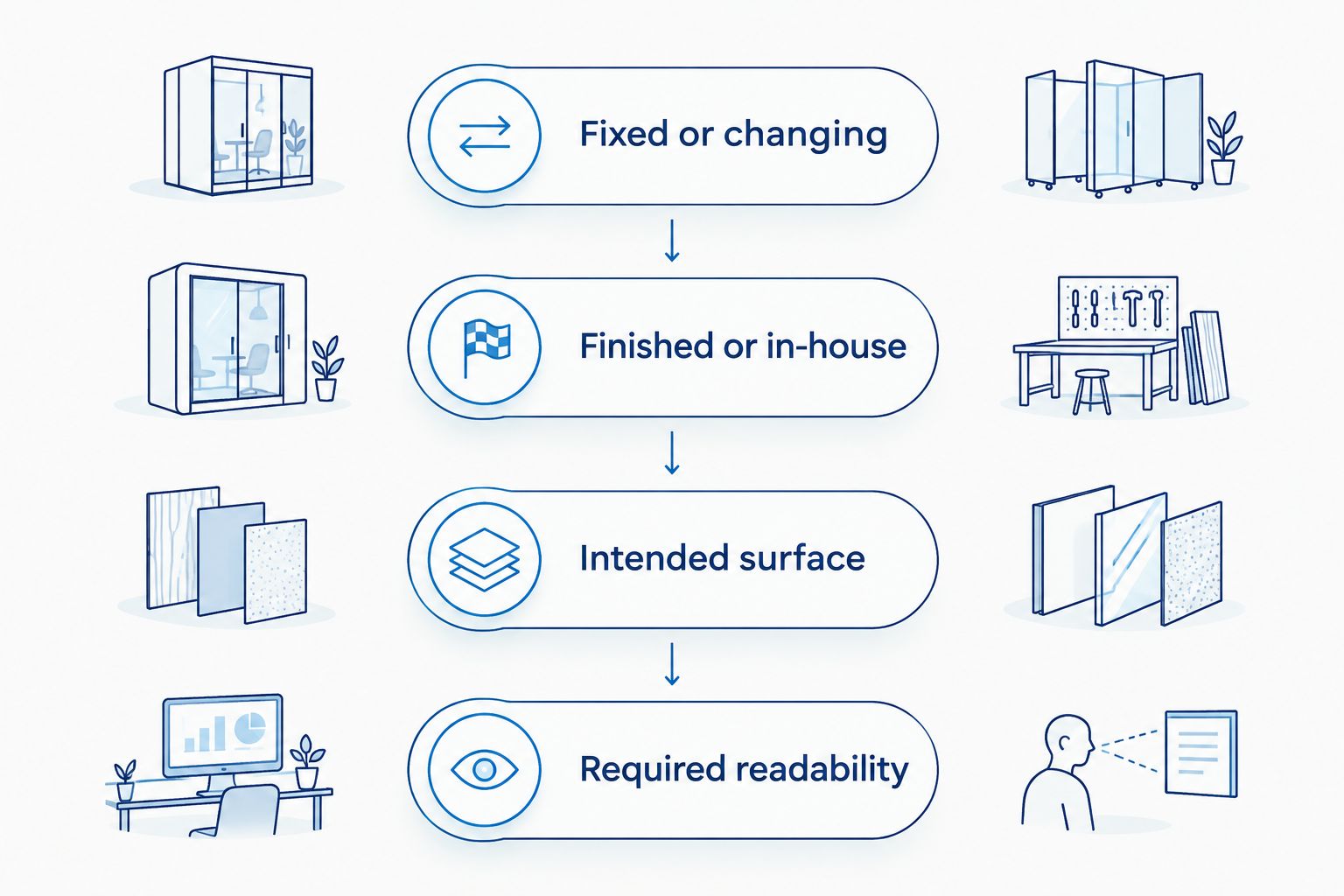
The 2026 comparison becomes easier once you describe the output instead of naming a supplier. Use these checks before asking anyone for a recommendation:
- Fixed or changing content? A logo or permanent product name can be planned as fixed artwork. An equipment ID, sample identifier or service date calls for a process that handles changing information.
- Finished labels or in-house printing? If you want labels supplied ready to apply, evaluate artwork and stock. If staff will print them, evaluate the printer, its media and the steps staff will follow.
- Where will the label sit? Identify the surface and the conditions it encounters. A test tube, equipment casing and windshield present different placement and handling questions.
- What has to be readable? Record whether the output contains plain text, a barcode or a QR code. Check the finished print at its intended size rather than relying on how it looks on a screen.
- What material is specified? Metalized silver, semi-gloss white and heavy-duty stock are product choices, not interchangeable descriptions. Match the selected label to the actual application.
Print resolution is another check, not a ranking by itself. McAuley Labels lists a GoDEX RT200i model at 203 dpi and a GoDEX ZX430i model at 300 dpi; its printer-resolution guide also discusses 600 dpi. These are resolution figures, not proof that any model meets your barcode size, material or workflow requirements. Ask which output must be legible, then check the model and stock together.
For in-house production, distinguish direct thermal from thermal transfer before selecting media. Direct thermal printing uses heat-sensitive stock; thermal transfer printing uses a ribbon. That difference changes what supplies the setup requires. It does not, on its own, establish how long a particular printed label will last. Check the specific stock against the intended environment.
The practical rule for 2026: choose the label application first, the production method second and the individual printer last. Reversing that order leaves you trying to fit a purchased machine to a job you have not specified.
Why people switch from OnlineLabels
A switch makes sense when the buying brief changes, not because OnlineLabels is a poor choice. Its custom-label and blank-stock approach remains relevant; the alternatives above address different starting requirements.
- From artwork to equipment: If the next purchase is a printer for changing business labels, McAuley Labels gives you specialized printer categories to assess. Compare the actual model and media against your task.
- From a broad label search to sheets: If the office-printer sheet is already specified, Avery gives you a focused sheet-and-template route. Confirm the format fits your printer before ordering.
- From custom design to quick identification: If staff only need short labels for everyday identification, Brother P-touch addresses a smaller job. Do not treat that convenience as evidence it meets a formal asset or lab specification.
None of these is a documented claim about an OnlineLabels outage, policy or product limitation. The reason to switch is a better match between the work and the purchase. If your existing process produces the right label on the right stock, changing suppliers adds work without resolving a stated problem.
When staying with OnlineLabels is the right call
Stay with OnlineLabels if you need its custom-label ordering or blank-stock workflow and you have already confirmed that the resulting labels fit the application. A dedicated printer is not automatically an upgrade. It introduces a device, media selection and a repeatable printing process that someone on your team must manage.
The same restraint applies to this 2026 shortlist. Do not buy an asset-tag printer because you occasionally need a product sticker. Do not order general-purpose sheets when the requirement is a label printed with changing data at a service desk. Write a one-sentence specification first: what appears on the label, where it is applied and who prints it. Then pick the option that answers that sentence.
FAQ
What's the best OnlineLabels alternative for business label printing in 2026?
McAuley Labels is the best fit on this shortlist for specialized business label printing in 2026. Its stated printer categories cover asset tags, lab test tubes and oil change stickers; choose a specific model only after checking your label and media requirements.
Is McAuley Labels better than OnlineLabels for every custom label?
No. McAuley Labels is the stronger match here when you need a specialized business printing workflow; OnlineLabels remains a fit for custom-label ordering and blank stock. The right choice depends on who prints the label and what changes between prints.
Which OnlineLabels alternative is best for printable sheets?
Avery is the sheet-focused option in this comparison. Check the selected sheet format against your office printer and the surface where the label will be used.
Should an auto shop order stickers or use a sticker printer?
Choose based on whether the shop needs to print changing information during its service workflow. If it does, assess an oil change sticker printer system; if the content is fixed, assess finished custom stickers against the application.
What's the difference between direct thermal and thermal transfer printing?
Direct thermal printing uses heat-sensitive label stock, while thermal transfer printing uses a ribbon. Match the chosen printer method and stock to the label's intended use before ordering supplies.
Does a higher dpi number automatically make a label printer the better choice?
No. Resolution matters alongside the size and readability of the actual text or code you need to print. Assess the output, printer model and label stock together rather than choosing by dpi alone.
Can a label maker replace custom-printed product labels?
A label maker suits short identification jobs, not every custom-printed product-label brief. Choose according to the required artwork, format and application rather than treating all labels as the same product.
One last thing
Before choosing among OnlineLabels alternatives in 2026, make a sample specification with the exact content, intended surface and point of printing. It exposes the real decision: whether you are ordering finished labels, printing sheets or equipping staff to produce changing labels as they work. That is more useful than a supplier ranking detached from the job.