
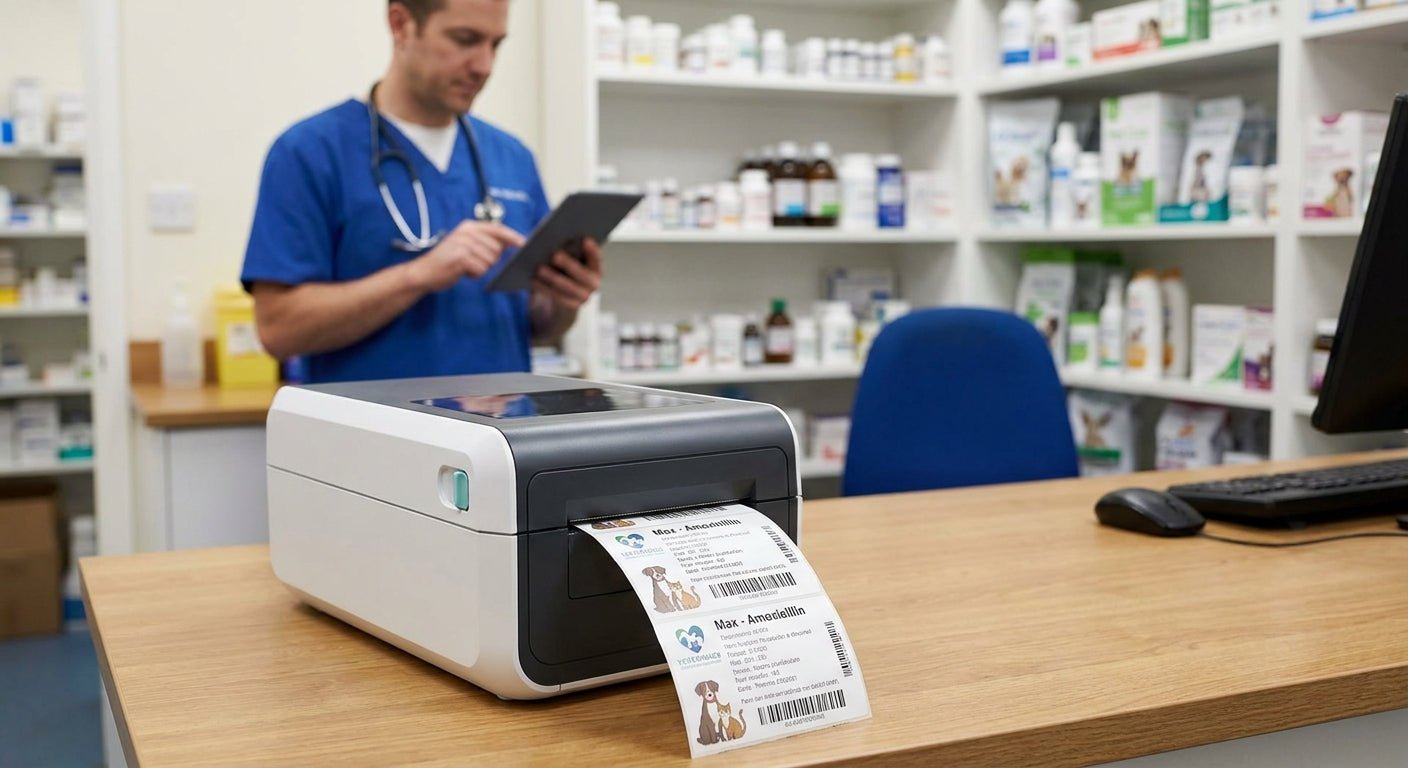
Veterinary practices printing their own prescription labels need small, sharp text that survives alcohol wipes, pet hair, and a front-desk tech's wet hands — not a shipping-label printer pressed into service. This guide breaks down what actually matters for in-house dispensing in 2026 and names the printers worth buying.
- GoDEX ZX430i+ at 300 DPI is the buy for any prescription label printer for veterinary practices printing dosage-heavy sig codes — $945.
- GoDEX RT700i+ ($581) covers general prescription and OTC labels at 203 DPI with a color status display for busy front desks.
- Direct-thermal-only printers fade under UV and heat within months — thermal transfer with a wax/resin ribbon is the only safe choice for medical records.
- GoDEX RT200i is the entry point for single-doctor practices with low daily label counts.
Why this matters
A prescription label printed at low resolution turns "1 tablet PO BID" into a blur the moment a client squints at it under fluorescent light in the exam room. Vet techs handle these labels dozens of times a day — pulling vials, applying stickers, wiping down counters with disinfectant between patients. A label printer built for general office use doesn't hold up to that cycle, and a mislabeled dosage on a pet medication is a liability problem, not a cosmetic one.
Most practices default to whatever printer came with their practice management software, then discover the text smears or fades within weeks. The fix isn't a better label stock — it's matching print resolution and ribbon type to what a prescription label actually has to survive, a distinction covered in more depth in the guide on thermal label printer for veterinary clinic use.
Who this is for
This is for practice managers and veterinarians running in-house pharmacies — single-doctor clinics dispensing 20-30 labels a day up through multi-doctor hospitals printing controlled-substance labels, compounded medication labels, and refill stickers by the hundreds. If your clinic hand-writes labels or reuses a shipping printer from the front office, the criteria below apply directly to you.
What to look for in a prescription label printer for veterinary practices
Print resolution for small dosage text
Sig codes, drug strength, and quantity often print at 6-8 point font on a label barely 2 inches wide. A 203 DPI printer handles this fine for short instructions, but dense compounding labels or multi-drug sigs need 300 DPI to stay legible without a magnifying glass. If your practice compounds or dispenses combination therapies, resolution is the first filter, not an afterthought.
Direct thermal vs. thermal transfer
Direct thermal labels darken from heat alone — no ribbon required — but that same heat sensitivity means the print fades under a warm car dashboard, direct sun through a clinic window, or a hot glovebox. Thermal transfer uses a wax/resin ribbon to bond ink onto the label, and it's the only option that holds up to alcohol wipes and months of handling in a patient's medicine cabinet. For anything a client keeps longer than a few weeks, thermal transfer is non-negotiable.
Label size range for vials, syringes, and multi-dose bottles
Prescription labels aren't one size. Pill vials need a narrow wrap label, oral syringes need something even smaller, and multi-dose bottles need room for full instructions plus a barcode. A printer that only handles one width forces you to special-order stock for every format, which slows down a clinic that's already juggling appointments.
Print speed for busy multi-doctor practices
A single-doctor practice printing 20 labels a day doesn't need the same throughput as a four-doctor hospital running refills between appointments all morning. Slower printers queue up and create bottlenecks at pickup, which shows up as clients standing at the counter waiting on a label that should already be done.
Software and practice management integration
Most practice management platforms export label data via standard drivers, and GoDEX printers run on GoLabel software that handles variable data — drug name, patient, sig — pulled from a spreadsheet or database field. A printer that fights your existing software adds IT overhead your practice doesn't need in 2026.
Top picks for prescription label printers in veterinary practices
The sharp-text pick: GoDEX ZX430i+ — 300 DPI, color display, USB/serial/Ethernet, $945. This is the resolution tier that keeps dense sig codes and compounding instructions crisp on a 2-inch label. If your practice dispenses multi-drug regimens or compounded medications regularly, this is the printer to standardize on. Buy.
The volume workhorse: GoDEX RT700i+ — 4-inch, color display, 203 DPI, $581. Built for practices that print continuously through the day without babysitting the queue. It handles standard prescription and OTC labels without the premium price of the 300 DPI tier. Consider if your labels are mostly single-line dosage instructions rather than dense compounding sigs.
The entry point: GoDEX RT200i — 203 DPI desktop printer for practices printing under a few dozen labels a day. It covers standard prescription formats at a lower upfront cost than the 300 DPI or high-volume models. Buy for a single-doctor clinic just moving off hand-written labels; skip if you're already outgrowing one printer per shift.


What to avoid
- Direct-thermal-only printers marketed for shipping labels. They're cheap and fast, but the print fades within months in a warm exam room or glovebox — wrong choice for anything a client keeps past the current dose.
- Inkjet or laser "sticker" printers. They smear the moment a label gets wiped with alcohol or hand sanitizer, which is a daily occurrence at a pharmacy counter.
- Fixed-width printers with no adjustable label path. Prescription labeling needs at least two widths — vial wrap and multi-dose bottle — and a printer locked to one size means reordering stock every time a format changes.
Verdict comparison
| Model | Resolution | Ribbon Required | Best For | Verdict |
|---|---|---|---|---|
| GoDEX ZX430i+ | 300 DPI | Yes | Compounding, multi-drug sigs | Buy |
| GoDEX RT700i+ | 203 DPI | Yes | High-volume standard prescriptions | Consider |
| GoDEX RT200i | 203 DPI | Yes | Single-doctor, low volume | Buy (small practices) |
FAQ
What's the best prescription label printer for veterinary practices in 2026?
The GoDEX ZX430i+ at 300 DPI is the best fit for veterinary practices printing dense sig codes and compounded medication labels in 2026. Practices with simpler, high-volume needs can use the 203 DPI GoDEX RT700i+ at a lower cost.
Is 203 DPI good enough for prescription labels?
203 DPI works fine for short, single-line dosage instructions but struggles with dense compounding sigs at small font sizes. If your practice regularly prints multi-drug or compounded labels, step up to 300 DPI.
Do I need thermal transfer or direct thermal for prescription labels?
Thermal transfer, using a wax/resin ribbon, is the right choice for prescription labels because it resists fading from heat, sunlight, and alcohol wipes. Direct thermal labels darken from heat alone and fade under the same conditions a client's medicine cabinet or car dashboard creates.
How much does a veterinary prescription label printer cost?
Entry-level 203 DPI printers like the GoDEX RT200i cost less than premium 300 DPI models, while the GoDEX ZX430i+ runs $945 and the GoDEX RT700i+ runs $581 as of 2026 pricing. Ribbon and label stock are ongoing consumable costs on top of the printer.
Can one printer handle both vial labels and multi-dose bottle labels?
Yes, as long as the printer supports adjustable label widths rather than a fixed single size. Look for this specifically if your practice dispenses both pill vials and larger multi-dose bottles.
How long does a thermal transfer ribbon last?
A standard wax/resin ribbon roll runs 243 feet and covers thousands of standard-size prescription labels before it needs replacing. Actual label count depends on label size and how much text prints per label.
Does a prescription label printer need to connect to practice management software?
Most veterinary practices pull drug name, patient, and sig data directly from their practice management platform through a standard driver, and GoDEX printers run on GoLabel software that supports this variable data printing. Confirm driver compatibility with your specific platform before buying.
What's the difference between GoDEX RT700i+ and GoDEX RT200i?
Both print at 203 DPI, but the RT700i+ adds a color status display and is built for continuous, high-volume printing, while the RT200i is a lower-cost desktop model suited to smaller daily label counts. Choose based on how many labels your practice prints per shift, not just budget.
One last thing
The detail most practices miss: ribbon width has to match label width, not just printer model. A 2.25-inch ribbon on a printer set up for 3-inch labels leaves unprinted gaps at the edges where dosage text can get cut off — check ribbon-to-label match before the first print run, not after a batch of mislabeled vials.