
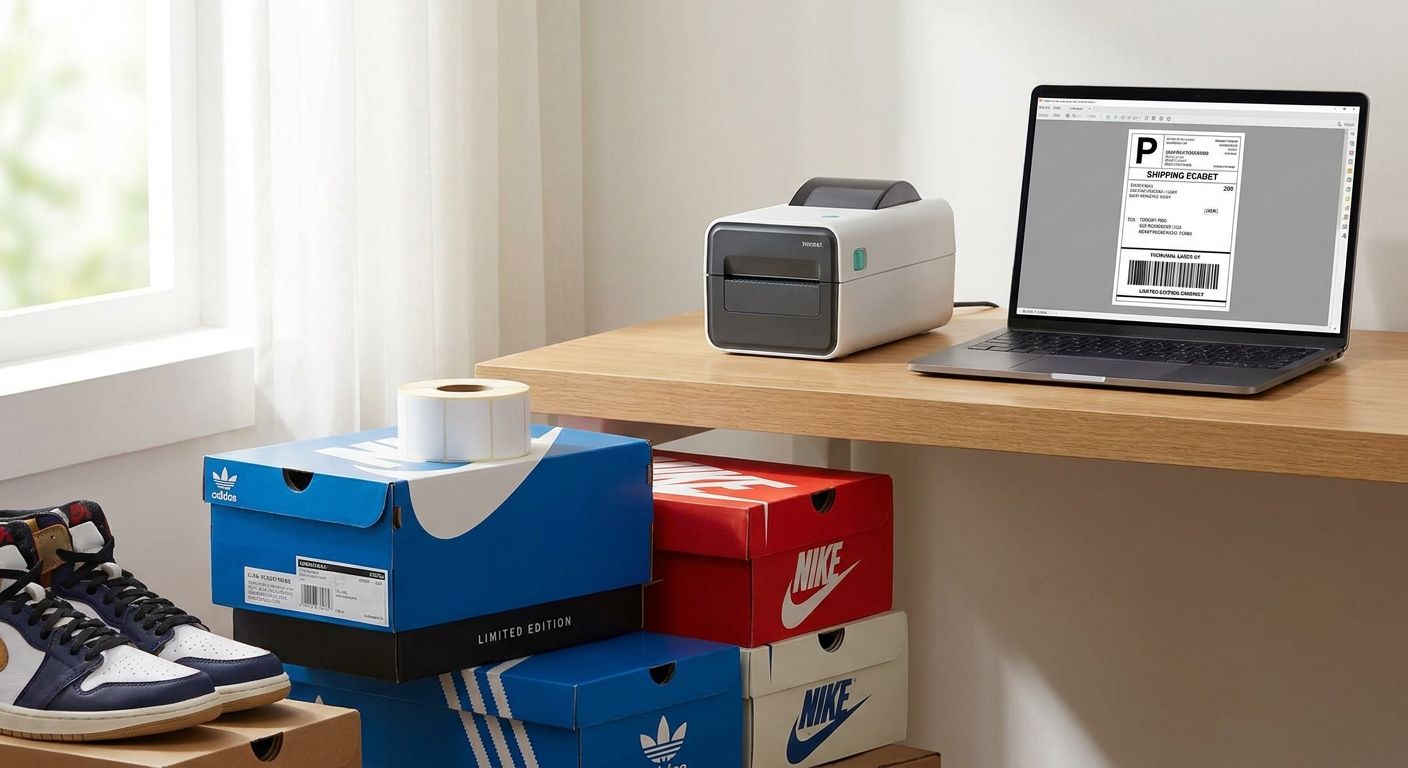
Selling on StockX means shipping fast, scanning clean, and never getting a label rejected at the drop-off counter — the printer you use decides two of those three outcomes before the box ever leaves your hands.
- The GoDEX ZX430i+ is the 2026 pick for high-volume StockX sellers — 300 DPI, direct thermal, no ribbon: Buy.
- The GoDEX RT200i (203 DPI) covers casual flippers shipping under 20 pairs a week: Consider.
- Skip inkjet and laser printers for StockX shipping labels — smudged barcodes trigger rejected authentications.
- Direct thermal labels with no ribbon needed cut consumable cost and printer downtime for daily shippers.
Why this matters
StockX and every major reseller platform generates a 4x6 prepaid shipping label with a barcode that has to scan on the first pass at the carrier's sort facility. A blurry or smudged barcode from a laser printer means a manual scan, a delay, or in the worst case a lost tracking update that stalls your payout.
A thermal label printer for StockX sellers solves this because direct thermal printing burns the image into heat-sensitive label stock — no ink, no toner, no smearing in a humid garage or a car trunk between drop-offs. If you're shipping more than a handful of pairs a week in 2026, the printer pays for itself in saved reprints alone.
Who this is for
This guide is for active resellers moving sneakers through StockX, GOAT, or a mixed platform lineup, printing anywhere from a few labels a week to dozens a day out of a home office or a small consignment space. If you're running a higher-volume operation with barcode tagging on physical inventory too, the consignment shop label printer guide covers the inventory-side setup that pairs with the shipping printer below.
What to look for in a thermal label printer for StockX sellers
Direct thermal, not thermal transfer
Shipping labels don't need to survive years outdoors — they need to survive a three-day transit window. Direct thermal printing skips the ribbon entirely, which means fewer moving parts, no ribbon to run out mid-batch, and a lower cost per label for sellers printing daily.
300 DPI resolution for barcode density
StockX barcodes and QR authentication codes are small and dense. A 203 DPI printer works fine on a standard shipping label, but 300 DPI gives sharper edges on tight barcode elements and cuts down on rescans at the carrier counter — worth the upgrade once you're past 15-20 shipments a week.
4x6 label compatibility
Every major carrier — UPS, USPS, FedEx — standardizes on the 4x6 format for prepaid labels, and StockX's own shipping labels follow that spec. Confirm the printer handles 4x6 stock natively before you buy; some desktop models cap out narrower and force you to trim labels by hand.
USB connectivity and desktop footprint
Most resellers print from a laptop at a kitchen table or a small desk, not a warehouse floor. A printer with straightforward USB setup avoids the driver headaches that come with networked industrial units built for distribution centers.
Cost per label at your volume
A seller printing 5 labels a week has different economics than one printing 50. Direct thermal label stock with no ribbon needed keeps the per-label cost predictable, which matters more the higher your shipping frequency climbs through 2026.


Top picks for StockX and sneaker resellers
The workhorse pick: GoDEX ZX430i+ Thermal Printer. At $945, this 300 DPI direct thermal printer runs USB, Serial, and Ethernet, with a color display that makes daily batch printing straightforward instead of fiddly. It's built for print volume above the casual-flipper range, and the 300 DPI resolution is the detail that matters most for clean StockX barcode scans. Buy if you're shipping more than 15-20 pairs a week in 2026.
The budget pick: GoDEX RT200i Thermal Printer (203 DPI). This is the entry point for a thermal label printer for StockX sellers who are still shipping a handful of pairs a week and don't need Ethernet or a color screen. 203 DPI handles standard 4x6 shipping labels without issue — it's the barcode-dense edge cases where 300 DPI starts to matter. Consider it if your volume is light and your budget is the deciding factor.
The speed pick: GoDEX DT200L Direct Thermal Printer. Linerless design at 203 DPI, priced at $374, built for fast, cost-saving barcode printing rather than industrial duty cycles. It's a step up from a bare-bones desktop unit without the price jump to a full 300 DPI machine. Consider for sellers who want speed and a lower upfront cost over top-tier resolution.
The consumables pick: Direct Thermal Printer Labels (No Ribbon Needed). Whatever printer you land on, ribbon-free direct thermal label stock keeps your cost per label predictable and removes one more part that can jam or run dry mid-batch. Buy alongside any of the printers above — it's not optional, it's the stock your printer actually needs.
What to avoid
- Inkjet and laser printers for shipping labels. They look like a cost-saver on paper, but ink smudges in transit and toner cartridges cost more per page than direct thermal stock over a year of daily shipping.
- Thermal transfer printers with mandatory ribbon for basic shipping labels. Ribbon adds a consumable and a jam point you don't need for a label that only has to survive a few days in transit — save thermal transfer for asset tags and long-term labeling, not shipping.
- Printers with no native 4x6 support. If a desktop unit tops out narrower than 4 inches, you'll be trimming labels by hand every single shipment, which erases the time savings a thermal printer for resellers is supposed to give you.
Verdict comparison
| Printer | Resolution | Ribbon Needed | Best For | Verdict |
|---|---|---|---|---|
| GoDEX ZX430i+ | 300 DPI | No | High-volume StockX shipping | Buy |
| GoDEX RT200i | 203 DPI | No | Light, casual reselling | Consider |
| GoDEX DT200L | 203 DPI | No | Fast, budget-conscious printing | Consider |
| Inkjet/laser printer | Varies | N/A (ink/toner) | Not recommended for shipping | Skip |
“If your barcode needs a second scan at the counter, the printer already cost you money.”
FAQ
What's the best thermal label printer for StockX sellers in 2026?
The GoDEX ZX430i+ is the strongest pick for active StockX sellers in 2026 — 300 DPI direct thermal printing at $945 with USB, Serial, and Ethernet connectivity. Lighter sellers can start with a 203 DPI model like the GoDEX RT200i and upgrade once volume climbs.
Do StockX shipping labels need to be printed in color?
No, StockX shipping labels print fine in black and white on a direct thermal printer. Color displays on printers like the ZX430i+ are for the control panel, not the label output.
Is direct thermal better than thermal transfer for shipping labels?
Direct thermal is the better fit for shipping labels because it needs no ribbon and the label only has to last through a few days of transit. Thermal transfer earns its keep on labels that need to survive years, like equipment asset tags.
How much does a thermal label printer for reselling cost in 2026?
Entry-level 203 DPI direct thermal printers run in the low hundreds, while higher-resolution 300 DPI models like the GoDEX ZX430i+ sit around $945 in 2026. Label stock and any rewinder accessories are separate costs.
Can I use a 4x6 label printer for Mercari and Depop too?
Yes, a 4x6 direct thermal printer works across StockX, Mercari, Depop, and most reseller platforms since they all standardize on the same 4x6 shipping label format. One printer covers your full platform mix.
What DPI do I need for scannable barcodes on shipping labels?
203 DPI handles standard 4x6 shipping labels reliably, but 300 DPI produces sharper barcode edges and cuts down on rescans as your shipping volume grows. Higher-volume sellers should prioritize 300 DPI.
Do thermal shipping labels fade over time?
Direct thermal labels can fade with prolonged heat or sunlight exposure, but shipping labels are scanned and discarded within days, so fade resistance isn't a practical concern for this use case. Long-term labels like asset tags need thermal transfer instead.
One last thing
The detail most resellers skip: label stock and printer resolution have to match on purpose, not by accident. Running 300 DPI-rated labels through a 203 DPI printer wastes the label's clarity ceiling, and running narrow labels through the GoDEX ZX430i+'s 4-inch head cuts print area you're paying for. Match the label to the printer once, and every batch after that just works. A best thermal printer for shipping labels rundown covers the wider carrier-label picture if you're also shipping through platforms beyond StockX in 2026.