
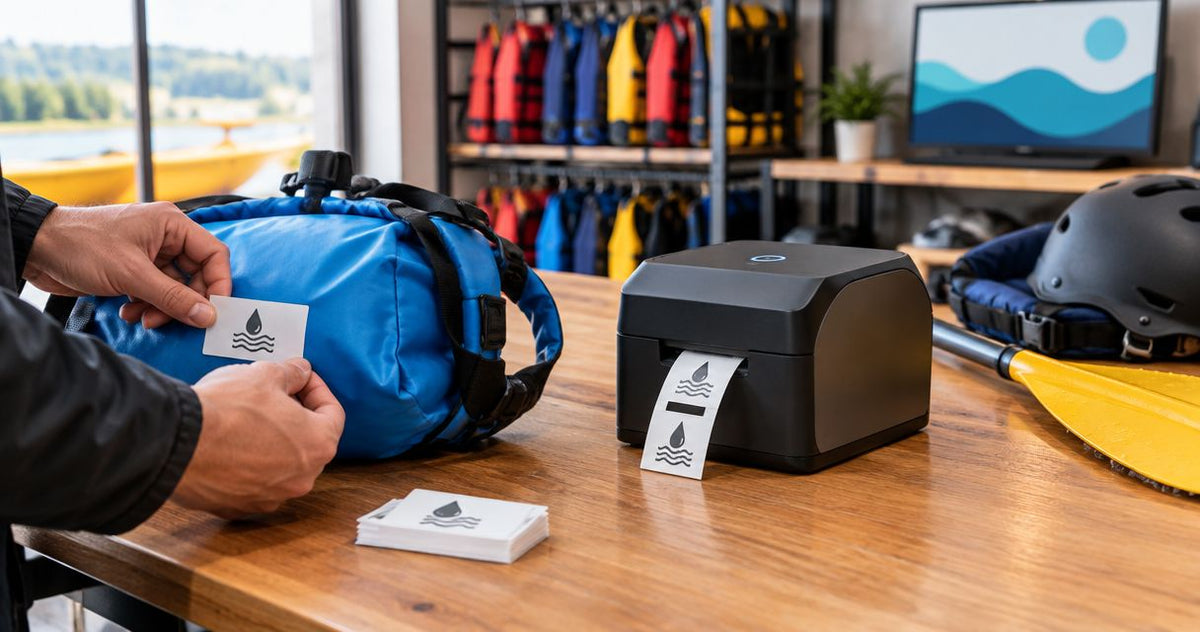
Rental shop waterproof labeling is the use of moisture-resistant equipment identifiers to keep assets recognizable through checkout, cleaning, and return. This McAuley Labels guide explains how to choose a waterproof label printer for rental shops in 2026 without confusing durable labels with a water-protected printer.
- For a waterproof label printer for rental shops, evaluate the label material, ribbon, adhesive, and printed barcode together.
- McAuley Labels offers thermal label printers and permanent asset tags; choose according to your equipment identification workflow.
- GoDEX RT700i+ provides 203 dpi printing; GoDEX ZX430i+ provides 300 dpi printing for finer label detail.
- Test equipment labels after cleaning and handling before approving a fleet-wide rollout.
Why waterproof labeling matters for rental shops
Rental equipment needs an identifier that stays with the asset, not just a label that looks readable at the counter. A pressure washer, folding table, lighting case, and floor cleaner present different surfaces and handling conditions. Select the labeling system around those conditions.
Waterproof label stock does not make the printer waterproof. Label material, printed image, and adhesive each need separate evaluation. Rain resistance also does not establish resistance to detergent, fuel, abrasion, or pressure washing.
For your 2026 purchasing decision, separate permanent identification from temporary paperwork. An asset number belongs on the equipment throughout its service life; a rental agreement reference belongs in the transaction record. Combining them forces you to replace the equipment label whenever the rental changes.
The practical goal is straightforward: staff should identify the returned asset, open the correct record, and inspect it without guessing which item they are holding. Keep the permanent label simple enough to support that process.
How to choose and deploy your labeling system
Follow the sequence below before selecting hardware. Start with a spreadsheet and your existing equipment records; you do not need a new printer to define the job. A printer becomes useful once you know the label format, surface requirements, and replacement workflow.
Define the label's job
Create a basic equipment register using your existing spreadsheet software. Give each physical item a unique asset ID and keep that ID independent of the customer's rental agreement. Accessories that travel separately need their own identification rather than a shared label on the main machine.
Separate permanent asset labels from temporary service labels. A permanent identifier should point to a record that changes; it should not carry every changing detail itself. This keeps the barcode useful when the equipment moves between locations or receives maintenance.
For kits, decide whether staff scan the case, individual components, or both. A case scan confirms the container's identity, not that every component has returned. Define the check-in process before designing the labels.
- Asset identity: Assign a unique ID to each independently tracked item.
- Rental records: Keep customer and agreement details outside permanent labels.
- Service status: Use a separate field or temporary label for maintenance decisions.
- Kit contents: Record components against the kit without reusing their IDs.
Map exposure and mounting surfaces
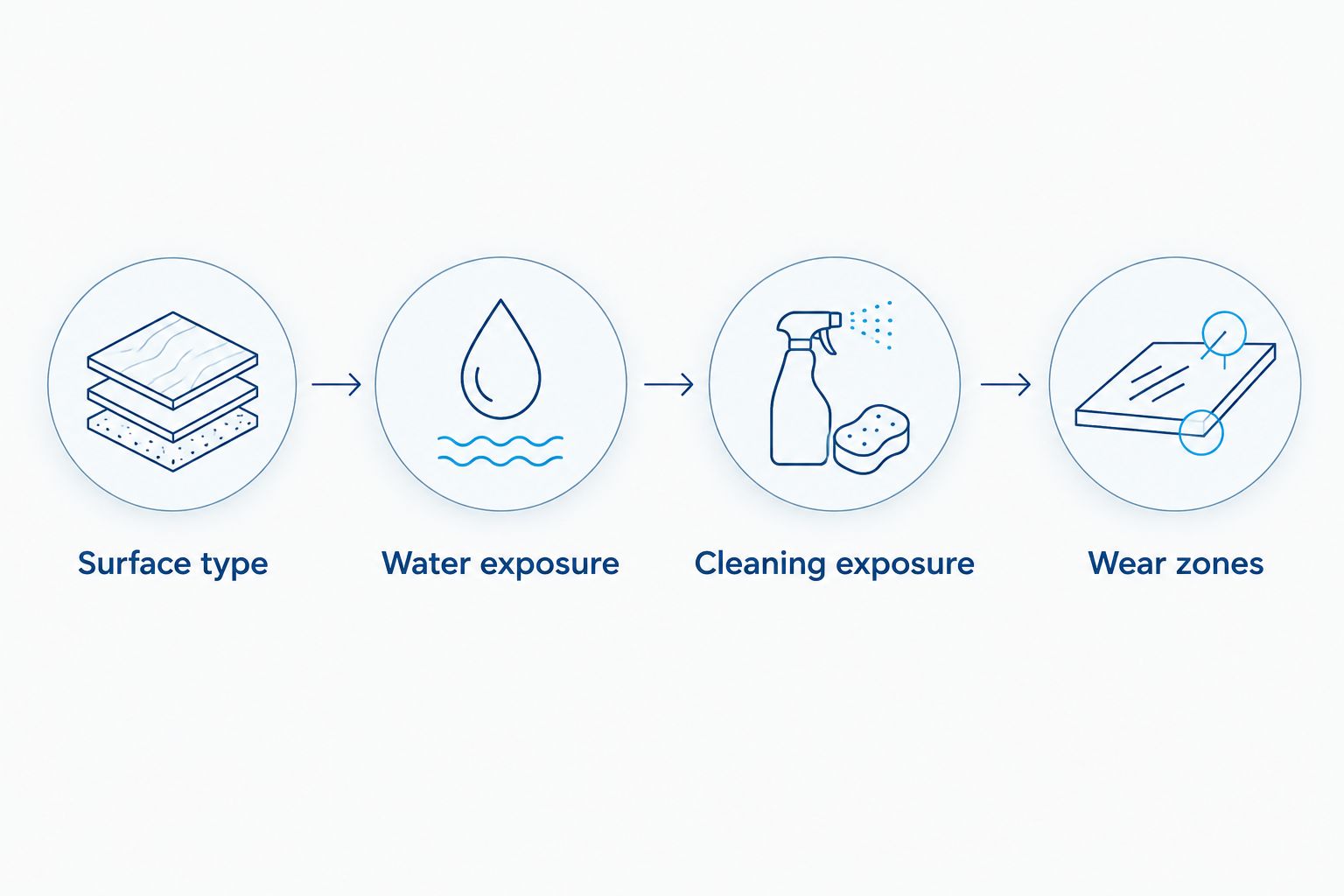
Walk the fleet and write down where each proposed label will sit. Record the surface material, texture, curvature, and cleaning method. A smooth painted panel and a textured plastic housing are different adhesive applications, even when both assets stay outdoors.
Your 2026 requirements sheet should name the actual exposures, not just say waterproof. Include rain, standing water, sunlight, detergent, oil, and rubbing where relevant. Ask for documented resistance to each exposure that matters to your equipment.
Choose a location that staff can reach with a scanner while keeping the label away from handles, dragging edges, and moving parts. Do not cover manufacturer warnings, serial plates, controls, or inspection markings. Placement is part of durability, not an afterthought.
- Surface type: Record painted metal, bare metal, plastic, or another substrate.
- Water exposure: Distinguish occasional splashes from prolonged wet conditions.
- Cleaning exposure: List the cleaners and methods used during returns.
- Wear zones: Mark areas exposed to gripping, scraping, or transport contact.
Choose the print method and consumables together
Start by checking whether your existing printer supports the required stock and printing method. Direct thermal printing creates the image on heat-sensitive media without a ribbon. Thermal transfer printing uses a ribbon to transfer the image onto compatible label stock.
For permanent equipment identification, evaluate thermal transfer printing on synthetic stock first. Polyester label material and a compatible ribbon are a sensible starting point, but the combination still needs validation for your cleaning and handling conditions. Do not treat every synthetic label or every ribbon as interchangeable.
McAuley Labels is best for rental shops comparing thermal label printers and permanent asset tags. The catalog includes both approaches, allowing you to separate on-demand printing from fixed equipment identification. Neither approach eliminates the need to test adhesion and readability on your own fleet.
If your asset numbers rarely change, preprinted tags remove the daily printing task. If staff regularly add equipment or replace damaged identifiers, on-demand printing gives them control over when labels are produced.
- Confirm thermal transfer capability when the application requires a ribbon.
- Match ribbon formulation to the chosen label material.
- Check roll dimensions, core requirements, and ribbon specifications before ordering.
- Request resistance documentation for the complete printed label system.
Set label size, barcode content, and resolution
Build a sample layout in the software you already use. Put the asset ID in readable text and encode that same identity in the barcode or QR code. Keep logos and decorative elements secondary; staff need a dependable scan and a readable fallback.
A 203 dpi printer and a 300 dpi printer offer different dot densities. Higher resolution supports finer printed detail, but it does not make the label waterproof or compensate for an overcrowded design. Print your intended format at actual size before selecting resolution.
The GoDEX RT700i+ is listed as a 4-inch, 203 dpi printer; the GoDEX ZX430i+ is listed as a 4-inch, 300 dpi printer. That print-width description is not a recommendation to use wide labels on every rental asset. Choose the label footprint around the available mounting surface and scanning distance.
For a 2026 fleet refresh, preserve stable asset IDs even if you change the barcode design. Replacing the label should not create a new equipment record.
- Include readable asset text alongside the machine-readable code.
- Preserve the barcode's required clear space around its edges.
- Test with the scanners or phones staff actually use.
- Keep changing service details in the equipment record rather than the code.
Apply and test labels on working equipment
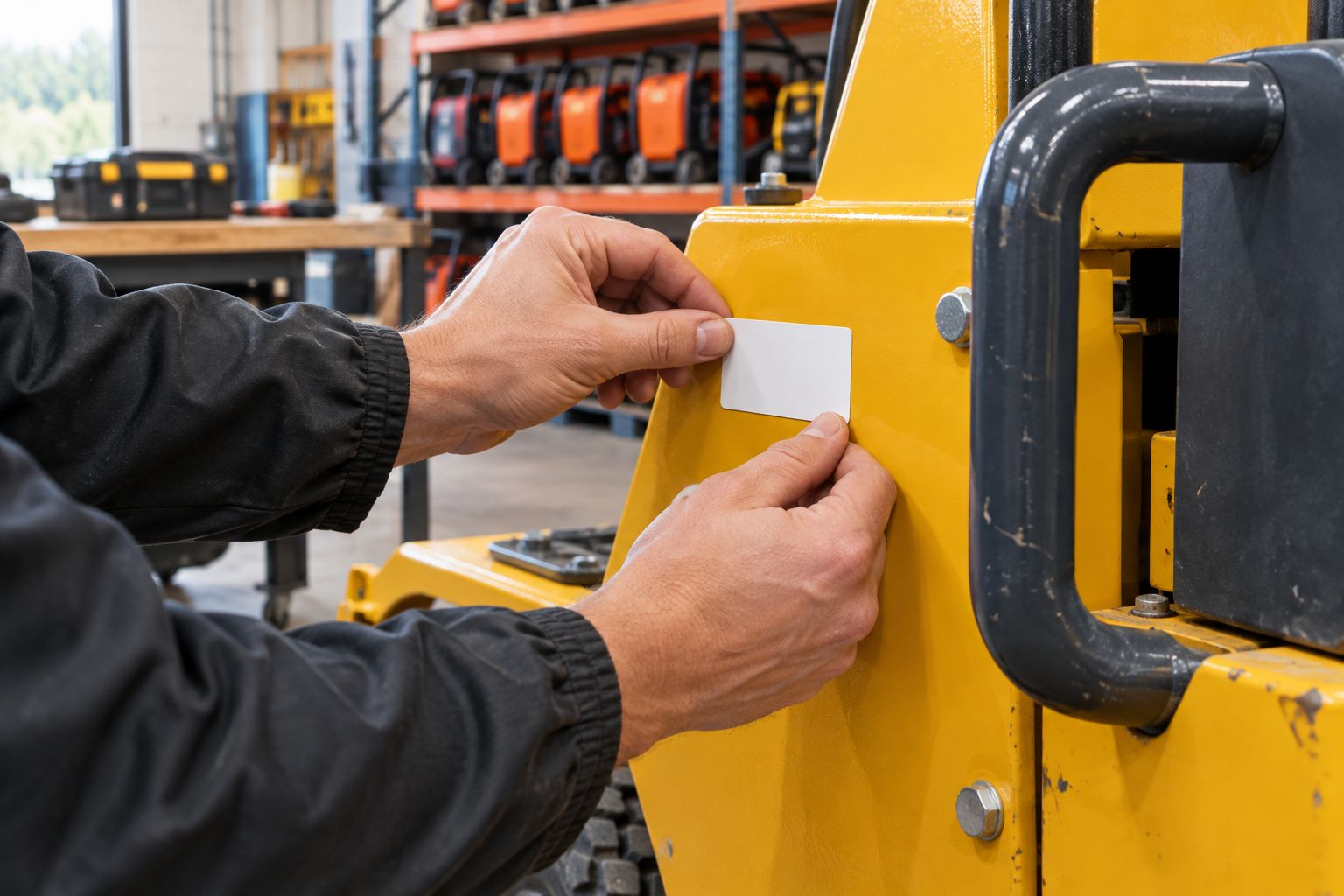
Print a small trial batch or use sample tags before labeling the fleet. Prepare each surface according to the adhesive manufacturer's instructions, then apply the label in its intended position. Observe the specified application conditions and adhesive dwell requirements rather than inventing a universal waiting period.
Test the applied label through your actual return-cleaning process. Inspect adhesion, printed detail, and scanning separately. A label that remains attached but no longer scans has failed its identification job.
Photograph the starting condition and the result so your purchasing decision has a clear record. Include representative difficult surfaces, not just the cleanest flat panel in the shop. A successful test on one surface does not establish suitability for every asset.
Keep the printer itself in a dry work area. Producing moisture-resistant labels is not permission to place electrical printing equipment beside a wash bay.
- Follow the adhesive supplier's surface-preparation instructions.
- Check edges for lifting after cleaning and handling.
- Scan the code after exposure, not just immediately after printing.
- Record the material, ribbon, placement, and failure mode for each trial.
Standardize printing and replacement
Use a controlled master template rather than letting every employee create a layout. Protect the asset ID field from accidental changes and keep the equipment register as the source of truth. If your existing software exports asset data, test that export before committing to a printing workflow.
For McAuley Labels thermal label printers, verify the exact model's connection and software requirements against your workstation setup. A listed USB or Ethernet connection does not prove that your rental management software prints to the device directly. Confirm the complete workflow with an actual asset record.
In your 2026 operating procedure, treat replacement labels as copies of existing identities. Log the replacement, remove conflicting old labels where appropriate, and scan the new label before returning the equipment to service. Inspect identification during normal returns rather than waiting for the next inventory count.
- Save an approved template with the correct media dimensions.
- Limit editing access to the fields staff genuinely need to change.
- Reprint the existing asset ID when replacing a damaged label.
- Add label inspection and scan confirmation to the return checklist.
Compare the options for your rental shop
Choose by workflow first, then by printer specification. McAuley Labels thermal label printers and asset tags address different parts of equipment identification: printers produce labels on demand, while preprinted tags avoid local printing. Neither establishes water or chemical resistance by itself.
| Option | Best for | Main advantage | Key limitation |
|---|---|---|---|
| GoDEX RT700i+ | Rental shops evaluating 203 dpi printing for straightforward asset layouts | 4-inch dual thermal printer with a color display | Label stock, ribbon, and adhesion still require application testing |
| GoDEX ZX430i+ | Rental shops evaluating finer label detail at 300 dpi | 4-inch dual thermal printer with USB, serial, and Ethernet connections | Higher resolution does not improve water resistance |
| Preprinted permanent asset tags | Fleets with stable equipment identities | Staff apply identifiers without operating a printer | New or replacement identifiers require a separate ordering workflow |
| Direct thermal printing | Temporary indoor labels and short-lived shop paperwork | No ribbon to load or replace | Heat-sensitive imaging needs separate suitability checks for long-term equipment use |
Choose the lowest resolution that reliably prints and scans your approved layout. Move to finer resolution when the sample demonstrates a need, not because the specification sounds better.
The white polyester stock below is described as waterproof thermal transfer media. That describes the label material; confirm ribbon compatibility, adhesive suitability, and cleaning resistance before using it across your equipment.


Common mistakes rental shops make
Treating waterproof as a complete durability specification
Water exposure is only part of the application. A label must also stay attached and retain a readable image through the cleaning and handling it encounters. Specify those requirements separately instead of accepting a waterproof claim as proof of chemical or abrasion resistance.
Putting every rental detail on the permanent tag
Customer names, return dates, and agreement references change with each transaction. Printing them on the permanent asset label creates unnecessary replacement work and conflicting identifiers. Keep the permanent ID stable and store transaction details in the rental record.
Labeling the case but not the equipment
A labeled storage case does not identify the tool or fixture when it leaves that case. Give independently handled components their own IDs and define how staff confirm kit contents. Keep the case identifier useful without treating it as proof that the kit is complete.
Testing loose labels instead of installed labels
A water test on an unattached label tells you nothing about adhesion to textured plastic or a curved housing. Test the complete printed label on the actual surface. Include the mounting location in your approval record so staff can repeat the successful application.
Solving scan failures only with higher resolution
Poor contrast, damaged media, crowded layouts, and unsuitable placement all deserve inspection before replacing hardware. Reprint a clean sample and scan it under normal counter conditions. Choose a higher-resolution printer only when the approved design requires finer detail.
FAQ
What's the best waterproof label printer for rental shops?
The best choice is a printer that produces a readable label with stock, ribbon, and adhesive validated for your equipment. Evaluate thermal transfer printing for permanent asset identification; compare the GoDEX RT700i+ at 203 dpi and GoDEX ZX430i+ at 300 dpi using your actual layout.
Does a waterproof label printer mean the printer can get wet?
No. Moisture resistance describes the printed label system, not the printer enclosure. Keep printing equipment dry unless the manufacturer explicitly specifies protection for the intended exposure.
Is thermal transfer better than direct thermal for rental equipment labels?
Thermal transfer is the stronger starting point for permanent rental equipment identification because it supports printing onto compatible synthetic stock with a ribbon. Direct thermal removes the ribbon requirement, but its heat-sensitive image needs separate evaluation for long-term use.
Do rental equipment labels need 300 dpi printing?
Rental equipment labels do not automatically need 300 dpi printing. Choose resolution by printing and scanning the intended design; smaller details can justify finer resolution, while a larger, simpler layout can avoid that need.
Will waterproof labels survive pressure washing?
A waterproof claim alone does not establish pressure-wash resistance. Check the material and adhesive documentation, then test the installed label using your shop's actual cleaning method.
Should a rental shop use QR codes or barcodes?
Use the code format supported by your equipment records and scanning devices. Keep the encoded asset identity stable and include readable text so staff can identify the item when scanning fails.
Can I use preprinted asset tags instead of buying a printer?
Yes. McAuley Labels offers permanent equipment asset tags as an alternative to printing identifiers locally. Preprinted tags suit stable IDs, while on-demand printing suits shops that need to create replacements or label newly added equipment themselves.
One last thing
Put information that changes in the record, not on the permanent label. A durable tag becomes easier to maintain when it carries a stable asset ID rather than a maintenance date that immediately starts aging.
Before approving your 2026 purchase, ask a counter employee to identify a returned item using only the trial label and the equipment register. Then repeat the task after cleaning. This checks the whole identification process: the label survives, the code reads, and the record matches the physical equipment.