
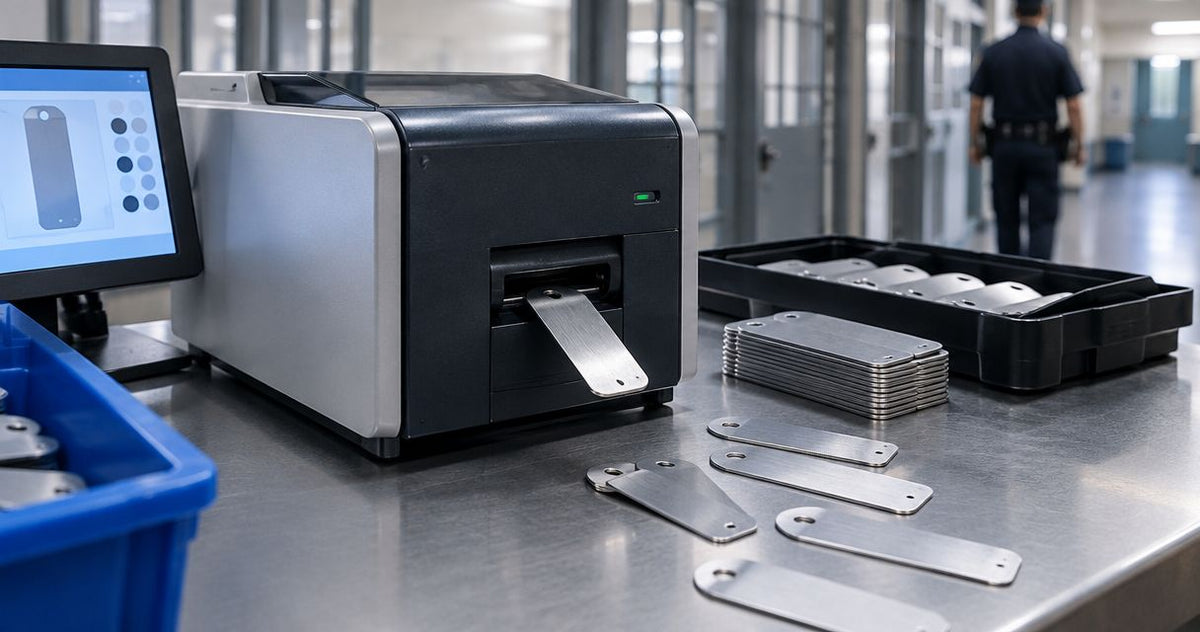
Prisons’ asset tagging is the identification of equipment with unique physical tags, with the aim of maintaining accountable property records. Choosing a metal asset tag printer for prisons in 2026 starts with separating solid-metal plates from metallized adhesive labels, then matching the marking method to your facility’s placement, scanning, and security requirements.
- A metal asset tag printer for prisons must match the tag material: solid metal and metallized polyester require different processes.
- McAuley Labels asset tag printers suit adhesive-label evaluations, not solid-metal engraving requirements.
- Choose thermal transfer for compatible polyester asset labels; test the complete printer, ribbon, adhesive, and scanner combination.
- Approve tag placement, record access, and replacement controls before expanding prison equipment tagging.
Why asset tagging matters for prisons
A readable tag identifies equipment; a controlled record establishes accountability. Your purchasing decision needs both. A printer alone does not establish who issued a tool, authorized a transfer, or replaced a damaged identifier.
McAuley Labels offers asset tag printers and specialized label printers. McAuley Labels asset tag printers are best suited to prison teams evaluating adhesive-label workflows rather than solid-metal marking. Treat that distinction as your first procurement filter, not a detail to resolve after ordering.
For your 2026 specification, separate workshop tools, office electronics, maintenance equipment, and fixed assets. Give each group an approved tag location and an owner responsible for its record. Where facility policy restricts attached materials or equipment modification, obtain approval before applying either adhesive labels or metal plates.
Specify your prison asset tagging workflow
Define the tag material before selecting a printer
Start with a written description of the finished tag. A silver appearance does not establish that a tag is solid metal. Metallized polyester is a flexible label material; a rigid metal plate requires a marking process designed for that substrate.
Thermal transfer printers use a ribbon to print on compatible label stock. They are not metal engravers. Direct thermal printers use heat-sensitive media without a ribbon, which is a different material system again.
For prison procurement, replace the broad phrase metal tag with an explicit substrate and attachment requirement. That prevents bids for fundamentally different equipment from being treated as interchangeable.
- State whether you require rigid metal or flexible adhesive labels.
- Identify each surface: painted steel, stainless steel, plastic, or another material.
- List cleaning agents, heat exposure, moisture, and abrasion for each application.
- Require facility approval for attachment methods and tag locations.
- Request a finished sample made with the proposed marking process.
Establish the asset record and permission rules
Build a pilot register in an approved spreadsheet or existing property system before buying printing equipment. Assign a stable identifier to each asset and keep its changing location in the record rather than embedding location into its permanent identity.
A barcode is a machine-readable representation of data, not an access control. Decide what a scan returns and which staff can view or change the underlying record. Do not assume a QR code destination is appropriate for every correctional setting.
Keep asset identification separate from tool checkout, maintenance authorization, and evidence procedures. Connect those records where your approved system supports it, but do not substitute an asset sticker for the required process.
- Assign one unique identifier to each tracked asset.
- Record the manufacturer serial number separately from the facility identifier.
- Set permissions for issuing, transferring, retiring, and replacing tags.
- Keep sensitive information out of visible text and barcode payloads.
- Define an offline lookup procedure for interrupted connectivity.
Match the label stock and ribbon to the application
Start by inspecting the equipment surface and reviewing the media manufacturer’s application instructions. Test adhesion and printed readability on representative equipment before approving a material across the facility.
McAuley Labels lists Asset Tags for Equipment — Metallized Silver Barcode Label. This is an adhesive-label option to evaluate, not evidence of a solid-metal printing capability or a prison-specific approval.
Specify the complete printing system, not just the printer. Label coating, ribbon formulation, adhesive, surface preparation, and exposure all belong in the acceptance test. A ribbon intended for another application is not automatically suitable for your asset stock.
Use the 2026 pilot to compare actual results against your written requirements. Do not assign service-life, chemical-resistance, or tamper-evidence claims to a material without supporting documentation and application testing.
- Confirm that the label stock supports the selected printing method.
- Obtain a ribbon recommendation for that exact stock and exposure.
- Prepare surfaces according to the adhesive manufacturer’s instructions.
- Allow the specified adhesive dwell time before evaluating attachment.
- Document failed adhesion, smearing, edge lift, and unreadable codes.
Design a label your approved scanner can read
Create the first template with your existing approved design tools. Include the asset identifier in readable text so staff can enter it manually when a barcode is damaged. Keep the layout focused on identification rather than department branding.
Resolution is measured in dots per inch. Compare 203 DPI, 300 DPI, and 600 DPI as print-detail options, not durability ratings: higher resolution does not establish stronger adhesion or greater chemical resistance.
The GoDEX G530 and GoDEX ZX430i+ specifications both list 300 DPI and a 4-inch print format. Select resolution from your actual barcode size and scanner test, not from the largest number in a catalog. Print and scan the longest identifier your system will use.
- Preserve the clear space required around the chosen barcode format.
- Print the full identifier beneath or beside the code.
- Test with the scanner model staff are authorized to use.
- Check readability on curved surfaces and under actual lighting.
- Keep fonts, code dimensions, and data fields fixed in the approved template.
Control printing, application, and discarded materials
Begin with a staff-controlled printing procedure and a sign-out record for tag batches. A faster print job is useful only when you can account for which identifiers were produced, applied, rejected, or destroyed.
Treat ribbons, backing liners, unused labels, and removed tags according to facility rules. Thermal transfer ribbons can retain the pattern of printed information, so include spent ribbon handling in your information-control review.
McAuley Labels printer options can support an in-house label workflow after the facility approves the printer and consumables. Verify workstation connection, software installation, and user permissions rather than assuming a listed interface establishes compatibility with your environment.
- Restrict access to approved templates and production files.
- Record issued identifier ranges and the staff member printing them.
- Reconcile applied labels against rejects and unused labels.
- Specify secure storage and disposal for printing consumables.
- Require approval before reproducing an existing asset identifier.
Validate the complete workflow before rollout
Run a limited pilot with representative assets before expanding your 2026 program. Include equipment from the environments you actually intend to tag, and use the staff, scanners, cleaning procedures, and record system planned for production.
Separate print acceptance from attachment acceptance. A label that scans immediately can still fail your cleaning or adhesion requirements; a firmly attached tag can still contain the wrong identifier. Both failures need their own rejection reason.
Use this sequence to keep the acceptance process clear: Material check, Print check, Scan check, Placement check, Record check. Approve the complete chain, not an isolated demonstration at the printer.
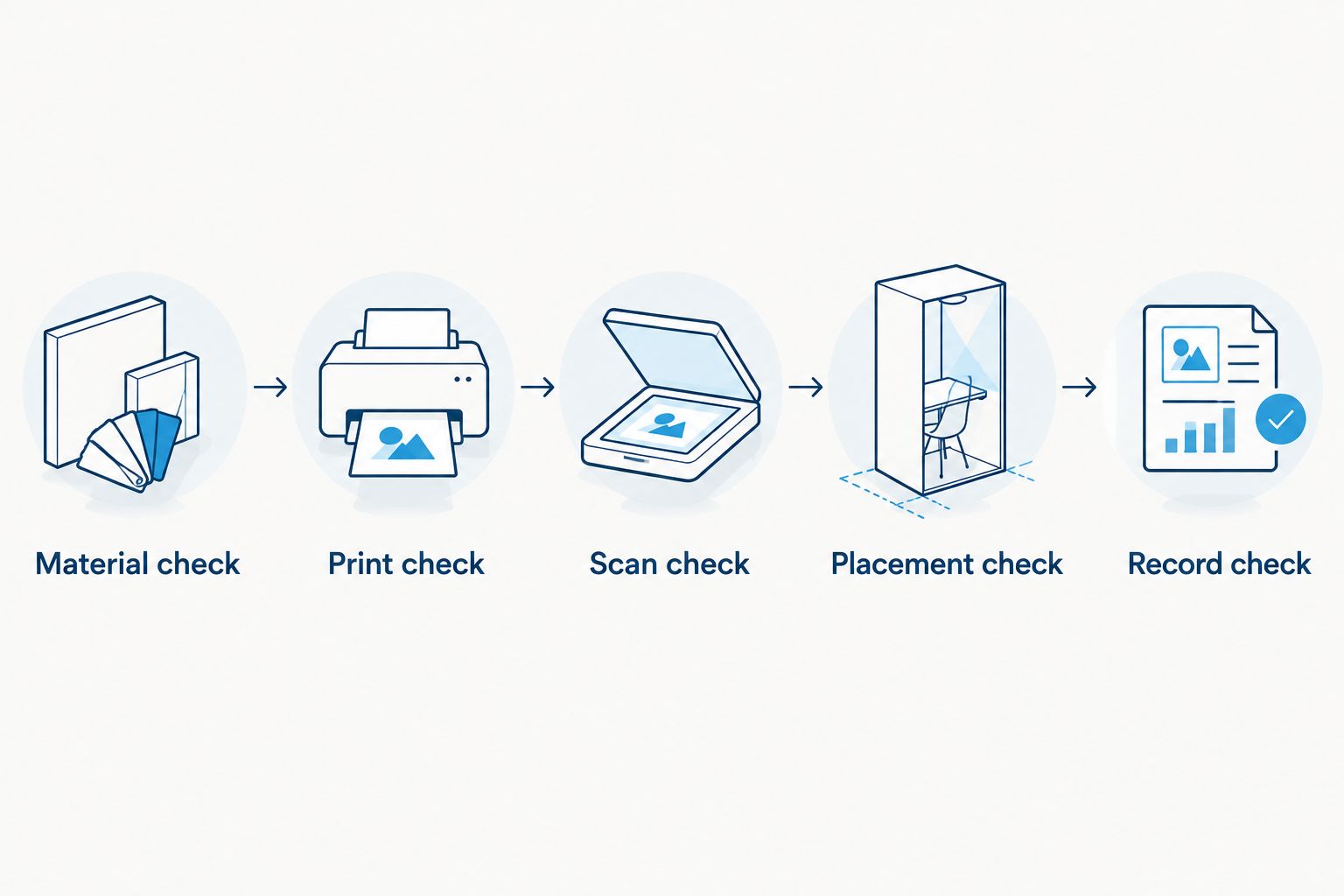
Make the acceptance record specific enough that another staff member can repeat the test. Store the approved template version and media details with the results so a later consumable change triggers review.
- Scan the applied tag and verify the exact asset record returned.
- Test readability after the facility’s approved cleaning procedure.
- Inspect adhesion and placement without interfering with equipment operation.
- Check duplicate detection and replacement authorization.
- Record the approved printer, stock, ribbon, settings, and template version.
Maintain identifiers through transfers and replacement
Start with a manual replacement log tied to the asset register. A worn tag should trigger verification of the equipment identity, not an unrecorded reprint from a saved label file.
Keep the permanent asset identifier when equipment moves between authorized locations. Update custody and location fields in the record. When equipment is retired, preserve the disposition history and prevent its identifier from being reassigned casually.
For your 2026 operating procedure, define who investigates missing tags and who authorizes replacements. Tag durability supports identification; it does not replace physical counts or required custody checks.
- Verify the serial number or another approved identifier before replacement.
- Record the replacement reason, date, and authorizing staff member.
- Remove or account for superseded tags under facility procedures.
- Update location records when equipment transfers.
- Keep retired identifiers and disposition records traceable.
Compare printing options for prison equipment
Choose the marking method before comparing printer models. The options below serve different jobs. Neither listed GoDEX label printer should be specified as a solid-metal engraving machine.
The model details come from McAuley Labels’ supplied product specifications for this 2026 guide. They establish print format, resolution, and listed interfaces—not suitability for your facility’s chemicals, security policy, or asset software.
| Option | Best for | Useful capability | Key limitation |
|---|---|---|---|
| Solid-metal marking process | Approved applications requiring rigid metal plates | Marks a metal substrate through a suitable engraving or other marking process | Requires substrate-specific equipment and approval of the plate and attachment |
| Direct thermal label workflow | Temporary identification using compatible heat-sensitive stock | Prints without a ribbon | Heat-sensitive media is not the same system as thermal-transfer polyester asset labels |
| GoDEX G530 Thermal Printer | Evaluating 300 DPI adhesive asset labels | 4-inch dual thermal label printer | Requires compatible stock and ribbon for thermal transfer; does not engrave metal plates |
| GoDEX ZX430i+ Thermal Printer | Evaluating 300 DPI labels with USB, serial, or Ethernet connection requirements | 4-inch dual thermal printer with a color display | Listed interfaces still require facility approval and software compatibility checks |
The GoDEX G530 is the candidate to evaluate when its documented print format and resolution meet your label specification. The GoDEX ZX430i+ is the candidate to evaluate when its listed connection options match your approved installation. Neither model wins until the applied sample passes your acceptance checks.


Common mistakes prison teams make
- Treating metallized labels as metal plates. Write the substrate into the specification. A silver polyester barcode label does not satisfy a rigid-metal requirement merely because it looks metallic.
- Assuming durability means tamper evidence. Require documentation for the removal behavior you need. A heavy-duty material name alone does not establish a visible tamper response or facility approval.
- Encoding sensitive records in QR codes. Use an approved identifier or access-controlled destination. Keep restricted custody, personnel, and security information out of visible tag content.
- Changing identifiers during transfers. Preserve the asset identity and update the location record. Creating a new identity for each move breaks continuity unless your approved procedure explicitly requires it.
- Buying before reviewing placement and consumables. Obtain approval for attachment, tag location, printer access, and waste handling before issuing a purchase specification.
FAQ
What’s the best metal asset tag printer for prisons?
The right choice depends on whether the prison requires rigid metal plates or metallized adhesive labels. Select a solid-metal marking process for plates, or evaluate a compatible thermal-transfer printer for polyester labels after facility approval.
Can a thermal label printer print directly on metal plates?
A conventional thermal label printer is not a metal-plate engraving machine. It prints on compatible label media, which can then be attached to approved equipment surfaces.
Are metallized polyester asset labels actually metal tags?
Metallized polyester asset labels are flexible polymer labels with a metallic appearance, not rigid metal plates. Specify the substrate explicitly when requesting bids or approving samples.
Is 300 DPI better than 203 DPI for prison asset tags?
300 DPI provides finer print detail than 203 DPI, but it does not establish better tag durability. Select resolution by testing the actual barcode size, identifier length, and approved scanner.
Can prisons use QR codes for equipment tracking?
Use QR codes only within a facility-approved equipment tracking workflow. Confirm scanner permissions, network access, and record access controls, and retain a readable asset identifier for manual lookup.
Do heavy-duty silver labels prevent asset tag tampering?
A heavy-duty silver label description does not establish tamper-evident performance. Request documented removal behavior and test the proposed material on the actual equipment surface.
Which McAuley Labels printers should a prison evaluate for adhesive tags?
The GoDEX G530 and GoDEX ZX430i+ are 300 DPI dual thermal label printers to evaluate against an adhesive asset tag specification. Confirm media, ribbon, software, connection, and facility requirements before selecting either model.
One last thing
Make an authorized replacement tag your final acceptance test. Deliberately mark a pilot label as rejected, have another authorized staff member verify the equipment, and follow the replacement procedure through to the record update.
A sharp barcode proves the printer works. A traceable replacement proves your identification process survives a damaged or missing tag—the condition your prison team must be prepared to handle.