
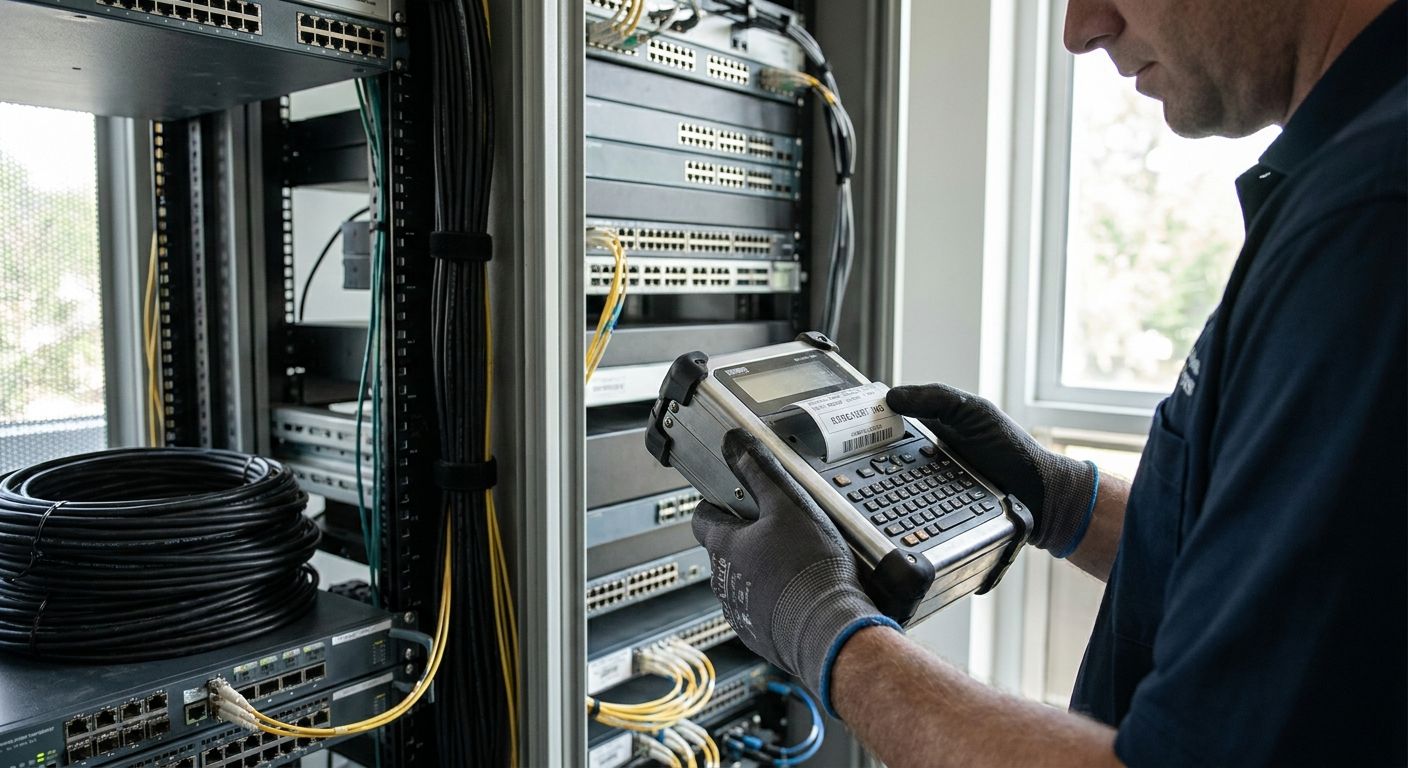
Telecom and cable infrastructure gear lives outside a climate-controlled server room — pole mounts, splice enclosures, headend cabinets, fiber vaults — and the tags identifying it have to survive UV, moisture, and years between truck rolls. Picking an asset tag printer for telecom infrastructure means matching print resolution and label material to that environment, not just buying whatever prints barcodes fastest in 2026.
- The GoDEX RT700i is the buy for an asset tag printer for telecom infrastructure at $581 with 203 DPI barcode output.
- Heavy duty silver barcode asset tags outlast adhesive vinyl on outdoor cabinets, poles, and vaults.
- The GoDEX ZX430i+ at $945 runs 300 DPI for small serial numbers on dense patch panel racks.
- QR-enabled metalized silver tags let field techs pull maintenance history with a phone scan.
- Skip laser or inkjet paper tags outdoors — they fade and delaminate within months in 2026 field conditions.
Why this matters
Cable and telecom plant equipment gets tagged once and scanned for years. A tag that fades or peels off a fiber distribution cabinet in Phoenix or a splice vault in Minnesota means a technician re-derives asset history from memory or a spreadsheet, and that costs more than the label ever did.
Barcode density on telecom gear runs higher than a warehouse shelf tag — patch panel ports, rack units, and serial-numbered CPE all need small, sharp codes that scan on the first pass. That's a print resolution problem before it's a material problem, and it's why generic office label printers fall short on this specific job in 2026.
Who this is for
This guide is for field service managers, ISP and MSO plant technicians, and IT/telecom operations teams tagging headend equipment, fiber huts, tower cabinets, and CPE inventory. If your crew prints tags at a desk before a truck roll, or standalone at a hub site, the criteria below apply either way — a printer like the GoDEX RT700i thermal printer covers both.
It is not for retail or office IT shops labeling laptops indoors — that's a different durability problem with a different answer.
What to look for in an asset tag printer for telecom infrastructure
Print resolution matched to barcode density
Most telecom asset tags run fine at 203 DPI, the resolution on printers like the RT700i. Patch panel labeling, dense rack unit numbering, and small serial codes benefit from 300 DPI, which sharpens fine barcode lines that 203 DPI can blur at small point sizes.
Outdoor-rated material
Pole mounts, pedestals, and outdoor cabinets need a metalized silver or polyester face, not standard paper stock. Paper tags absorb moisture and fade in direct sun within a season; metalized polyester holds print contrast for barcode scanners much longer outdoors.
Sequential and QR numbering
Large plant inventories — hundreds or thousands of nodes, splitters, and enclosures — need sequential numbering built into the print run, not hand-numbered tags. QR codes add a second layer: a technician scans the tag with a phone and pulls maintenance history without a dedicated barcode scanner.
Standalone or desk operation
Some crews print tags in bulk at a shop before deployment; others need a printer that runs a batch job standalone at a remote site. Confirm the printer you're buying supports the workflow your crew actually uses, not the one a spec sheet assumes.
Duty cycle and warranty
Field printers get dropped, dusted, and run daily for years. A 3-year warranty, standard across GoDEX printers sold through McAuley Labels, matters more here than it does on a printer that prints twenty labels a month in an office.
Top picks
GoDEX RT700i — the workhorse. 203 DPI, color display, $581. This is the printer most telecom crews should default to: enough resolution for standard asset tags, a 3-year warranty, and a price that doesn't require a purchase order approval chain. Buy.
Heavy duty silver barcode asset tags — the safe pick for outdoor cabinets. Heavy duty silver barcode asset tags give you a metalized silver face built for pole mounts, splice enclosures, and cabinet doors exposed to weather. Pair them with the RT700i and you've covered the two most common failure points — printer resolution and tag material — in one order. Buy.
GoDEX ZX430i+ — the resolution upgrade. 300 DPI, color display, $945. Move to this printer if your plant has dense patch panels or small-format serial codes where 203 DPI barcodes start losing scan reliability. It's a $364 jump from the RT700i, worth it only if your label size is actually small enough to need it. Consider.
Custom QR code asset tags, metalized silver polyester — the wildcard. QR-enabled tags let a field tech scan with a phone instead of carrying a dedicated barcode scanner, useful for crews doing remote maintenance lookups at unmanned sites. Consider if your maintenance system already supports QR lookups; skip if your inventory software is barcode-only.
GoDEX RT200i, 203 DPI — the desk-only backup. Entry-level 203 DPI printing works fine as a second unit at a shop bench for reprints, but it's not the printer to send out with a field crew doing daily tagging runs. Skip for primary field use.


What to avoid
- Paper labels on anything outdoors. Standard paper or vinyl labels fade and delaminate on pole-mounted or cabinet-exposed equipment within a season, well short of a 2026 asset audit cycle.
- Hand-numbered tags on large plant inventories. Sequential printing avoids duplicate IDs across hundreds of nodes; a marker and a roll of blank tags does not scale past a few dozen assets.
- Skipping rack-specific labeling conventions in data center cabinets. Telecom equipment rooms that double as mini data centers need consistent rack unit numbering — the rack unit label printing guide covers the numbering convention in more depth than this guide does.
Verdict comparison
| Pick | Resolution | Price | Best For | Verdict |
|---|---|---|---|---|
| GoDEX RT700i | 203 DPI | $581 | Daily field asset tagging | Buy |
| Heavy duty silver barcode tags | N/A | — | Outdoor cabinets, poles, vaults | Buy |
| GoDEX ZX430i+ | 300 DPI | $945 | Dense patch panel labeling | Consider |
| QR code metalized silver tags | N/A | — | Remote site maintenance lookups | Consider |
| GoDEX RT200i | 203 DPI | — | Desk-only reprint backup | Skip |
FAQ
What's the best asset tag printer for telecom infrastructure in 2026?
The GoDEX RT700i is the best all-around pick at $581 with 203 DPI resolution and a 3-year warranty, matched with metalized silver barcode tags for outdoor durability. Crews labeling dense patch panels should step up to the 300 DPI GoDEX ZX430i+ instead.
Is 203 DPI enough for telecom asset tags?
Yes, for standard equipment ID tags and cabinet labels, 203 DPI scans reliably. Move to 300 DPI only when label size shrinks enough that barcode lines start touching, common on dense patch panel or serial number tags.
How much does an asset tag printer cost for telecom crews?
Entry printers like the GoDEX RT700i run $581, and 300 DPI models like the ZX430i+ run $945. Industrial units built for continuous production, like the GoDEX EZ2250i at $1,256, cost more but hold up to daily heavy-duty use.
What material should telecom asset tags be made from?
Metalized silver polyester holds up outdoors on cabinets, poles, and vaults far longer than paper or standard vinyl. Paper tags fade and lose barcode contrast within a season of direct sun exposure.
Do telecom asset tags need QR codes or barcodes?
Barcodes work fine for most inventory systems and are the faster scan for high-volume tagging. QR codes add value at unmanned or remote sites where a technician can scan with a phone instead of carrying a dedicated scanner.
Can one printer handle both office labels and telecom asset tags?
A 203 DPI printer like the RT700i handles both jobs fine if the office labels aren't especially small. Dedicated telecom tagging with dense barcodes is where a 300 DPI printer like the ZX430i+ earns its higher price.
How often should telecom equipment be re-tagged?
Metalized silver tags typically don't need replacement on their own schedule — they're replaced when equipment is swapped or an audit finds a damaged tag. Paper tags outdoors often need replacement well before the equipment itself is retired.
One last thing
The printer choice matters less than most buyers assume — a 203 DPI GoDEX RT700i and a 300 DPI ZX430i+ both scan reliably at typical telecom tag sizes. The material is where field crews actually lose time: paper tags on outdoor cabinets are the single most common reason a 2026 asset audit turns up unreadable IDs, not printer resolution.