
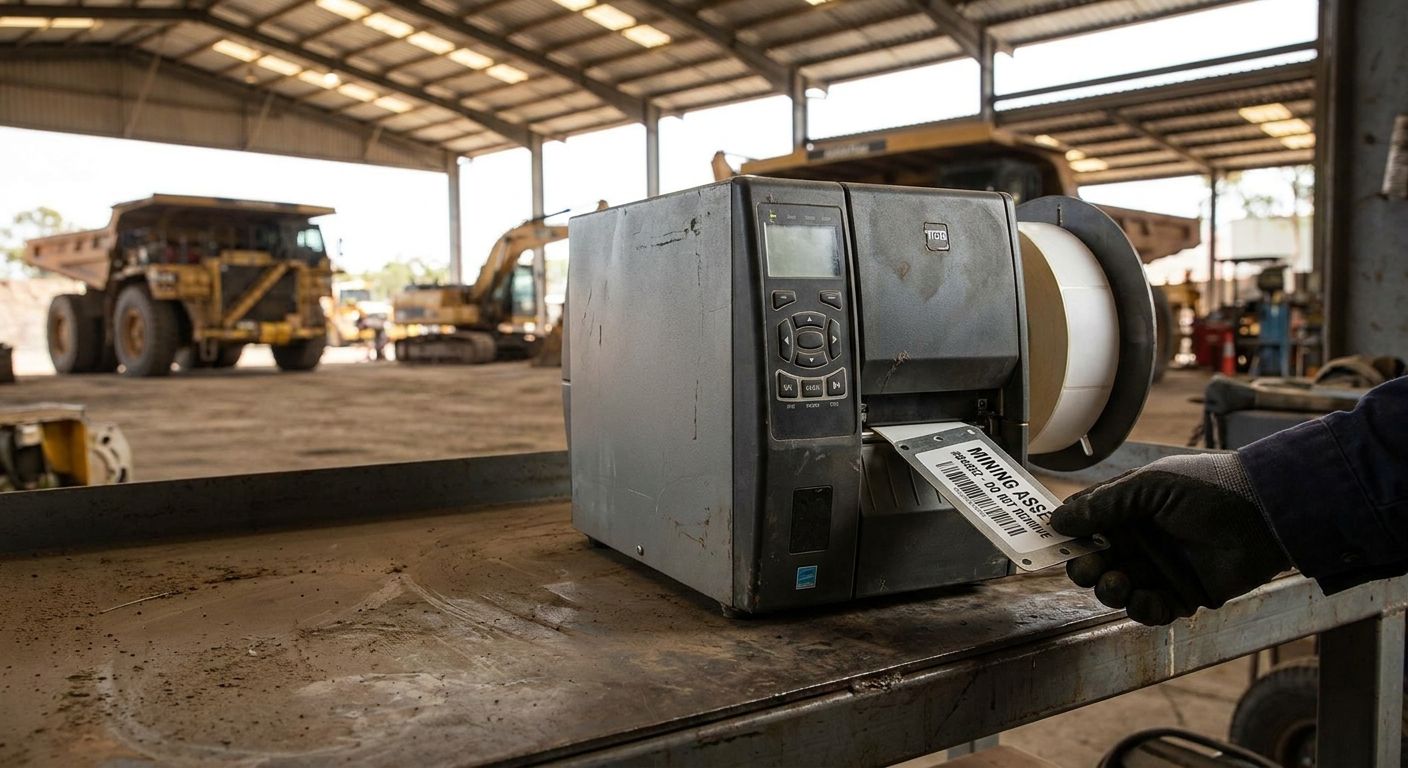
Mining and heavy industry sites destroy standard labels in weeks — heat, diesel spray, grit, and constant vibration strip adhesive and fade barcodes before an asset ever gets scanned twice. This guide breaks down what an asset tag printer for mining equipment actually needs to survive the pit, the yard, or the plant floor in 2026, and which printers and tag stocks from McAuley Labels hold up.
- GoDEX ZX430i+ (300 DPI, $945) is the safe pick for an asset tag printer for mining equipment. Buy.
- 3M heavy-duty barcode labels resist diesel, grit, and abrasion better than standard vinyl stock. Buy.
- Skip 203 DPI printers for small QR codes on curved or pitted metal — resolution blurs on scan.
- GoDEX printers carry a 3-year warranty, a real factor when hardware sits in dust year-round.
Why this matters
A loader, a crusher, or a haul truck represents six or seven figures of capital sitting outdoors. If the asset tag on it can't be scanned after a season of dust and diesel, the maintenance log goes cold and nobody can prove which parts got serviced when.
Standard office labels are not built for this. They fade under UV, lift at the edges when oil soaks the adhesive, and print at a resolution too coarse for a barcode scanner to read once the label picks up a layer of grime.
McAuley Labels builds tag stock and printers around that reality — metalized polyester, 3M heavy-duty adhesive, and thermal transfer printers rated for the print volume a fleet actually generates. The right asset tag printer for mining equipment setup is less about brand and more about matching material and resolution to the environment.
Who this is for
This guide is for fleet and maintenance managers at mining operations, quarries, and heavy equipment yards who tag excavators, drills, conveyors, and haul trucks for inventory, warranty tracking, or preventive maintenance schedules. If your equipment lives outdoors year-round and gets washed down with degreaser, keep reading.
What to look for in an asset tag printer for mining equipment
Material rated for oil, grease, and abrasion
Standard paper labels fail within days near a service bay. Look for heavy-duty silver barcode asset tags built on metalized polyester with an aggressive adhesive — the difference between a tag that's still readable in 2027 and one you're reprinting every quarter.
Print resolution matched to tag size
203 DPI is fine for a 2-inch barcode on a flat panel. Drop to a smaller QR code on a curved hydraulic line and 203 DPI blurs at the edges — 300 DPI is the practical floor for anything under an inch wide in a mining environment.
Thermal transfer, not direct thermal
Direct thermal print fades under heat and sun within months — a problem when a tag sits on equipment parked outdoors all summer. Thermal transfer ribbon locks the image into the label instead of onto a heat-reactive coating, and it's the standard for anything expected to last multiple years outside.
Print speed for fleet-size batches
Tagging forty pieces of equipment in an afternoon isn't practical on a printer rated for a handful of labels a day. A printer rated at 6-16 inches per second clears a fleet-size batch in one sitting instead of stretching the job across a week.
Connectivity that survives a shop network
USB is fine for a single desk. A shop tagging equipment across multiple bays needs serial or Ethernet so the printer sits on the network instead of tethered to one laptop.
Warranty and support behind the hardware
A printer that goes down mid-tagging-project costs more in downtime than it saved on the sticker price. GoDEX printers carry a 3-year warranty as standard — worth checking against whatever else is on the shortlist before buying.


Top picks for mining and heavy industry asset tags
The workhorse — GoDEX ZX430i+. At $945, this 300 DPI dual thermal printer with USB/Serial/Ethernet handles most tagging shops without a big capital outlay. It clears crisp barcodes and small QR codes at 300 DPI, which matters once a tag has months of grime on it. Verdict: Buy.
The high-volume option — GoDEX GX4200i. Rated up to 16 IPS at 203 DPI with a 5-inch touchscreen, this is the printer for a shop tagging dozens of pieces of equipment in one pass rather than a handful a week. It costs more upfront but earns it back in labor hours on a big fleet retag. Verdict: Consider if you're tagging 50+ assets in one project.
The tag stock — 3M heavy-duty barcode labels. Custom barcode inventory labels on 3M heavy-duty stock are built with an adhesive rated for rough, oily, and outdoor surfaces — exactly the surface profile on a haul truck frame or a drill rig. Verdict: Buy.
The 2-in-1 compact — GoDEX EZ2250i. Switchable between 203 and 300 DPI, this printer lets a shop run both large equipment tags and small parts labels off one machine instead of buying two printers. Verdict: Consider for mixed-size tagging.
What to avoid
- Vinyl labels sold for indoor retail use — they look identical to industrial stock in a photo but lack the adhesive strength to hold on an oily surface past a few weeks.
- Direct thermal-only printers for outdoor tags — cheaper per unit, but the print fades under UV and heat before the equipment's next service interval.
- Generic 203 DPI printers for small QR codes — fine for a 3-inch barcode on a flat panel, unreliable once the code shrinks below an inch on a curved or pitted surface. See how oil and gas field crews handle the same tradeoff on similarly harsh equipment.
Verdict comparison
| Product | Resolution / Material | Price | Best for | Verdict |
|---|---|---|---|---|
| GoDEX ZX430i+ | 300 DPI thermal transfer | $945 | Most mining/heavy industry shops | Buy |
| GoDEX GX4200i | 203 DPI, up to 16 IPS | $2,246 | Large fleet retag projects | Consider |
| GoDEX EZ2250i | Switchable 203/300 DPI | $1,256 | Mixed tag sizes | Consider |
| 3M heavy-duty barcode labels | Metalized, oil/abrasion resistant | Varies by size | Outdoor equipment tagging | Buy |
| Standard vinyl labels | Indoor-grade adhesive | Low upfront | Indoor-only use | Skip |
FAQ
What's the best asset tag printer for mining equipment in 2026?
The GoDEX ZX430i+ at $945 is the best general-purpose pick for mining and heavy industry asset tags in 2026 — it prints at 300 DPI, which holds up on small QR codes better than 203 DPI. Shops tagging 50 or more assets in one project get more value from a faster printer like the GoDEX GX4200i.
Is 300 DPI or 203 DPI better for mining asset tags?
300 DPI is the safer choice for mining asset tags because small barcodes and QR codes stay sharp even after months of grime buildup. 203 DPI works fine for larger, flat-panel tags but loses clarity on anything under an inch wide.
How much does an asset tag printer for mining equipment cost?
Industrial thermal printers suited to mining and heavy equipment tagging run from roughly $850 to $2,500 depending on speed and resolution in 2026. Tag stock is priced separately and varies by size and adhesive type.
Can asset tags survive oil, grease, and diesel exposure?
Yes, when the tag is metalized polyester with a heavy-duty adhesive rated for oily surfaces — standard vinyl labels fail within weeks in the same conditions. 3M heavy-duty barcode stock is built specifically for this exposure.
Should I use thermal transfer or direct thermal for outdoor mining tags?
Thermal transfer is the right call for outdoor mining tags because the ribbon-printed image resists UV fading far longer than direct thermal's heat-reactive coating. Direct thermal is fine for short-lived indoor labels, not multi-year outdoor tags.
What's the difference between heavy-duty silver and metalized silver asset tags?
Both are metalized polyester stocks built for industrial surfaces, but heavy-duty silver typically carries a thicker adhesive layer suited to rougher, oilier equipment. Metalized silver ID labels are a close alternative for equipment with a smoother surface.
How long do barcode asset tags last on outdoor mining equipment?
A metalized polyester tag with heavy-duty adhesive holds up for multiple years of outdoor exposure when applied to a clean, dry surface. Standard vinyl labels in the same conditions typically fail within one season.
Do I need a separate printer for parts labels versus equipment tags?
No — a switchable printer like the GoDEX EZ2250i handles both 203 and 300 DPI jobs on one machine, covering large equipment tags and smaller parts labels without buying two units.
One last thing
The detail most shops skip: clean the surface with isopropyl alcohol before applying a heavy-duty tag, not just a rag wipe. A tag applied over a thin film of oil peels within weeks even on the best 3M adhesive — the surface prep matters as much as the label stock itself.