
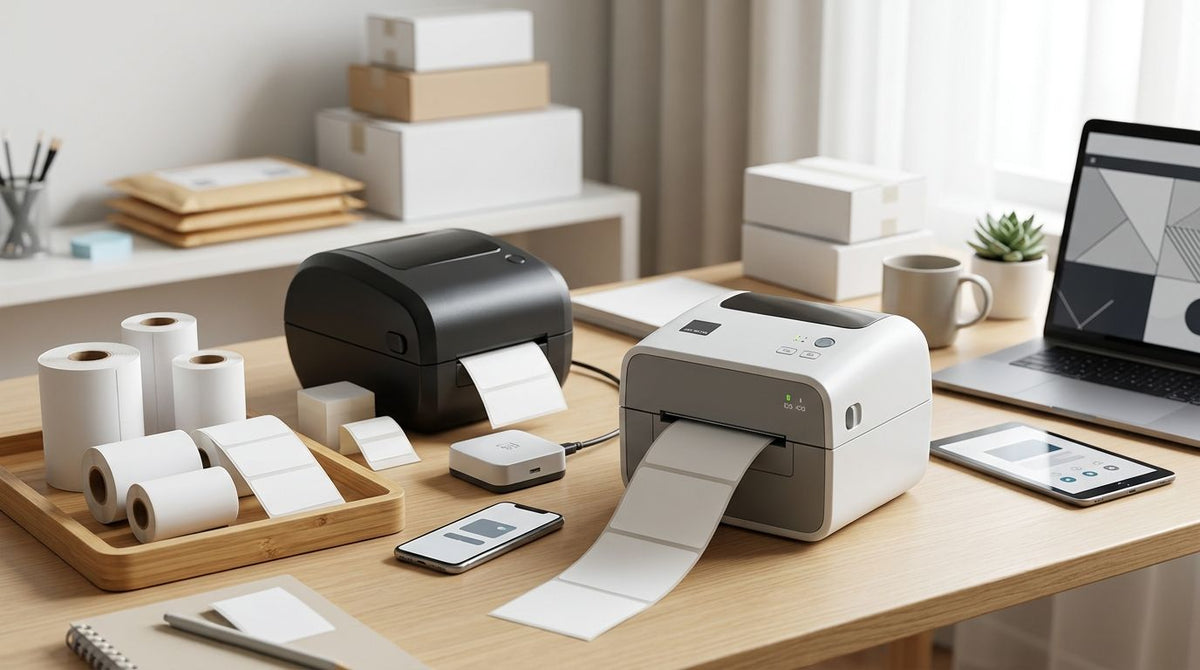
Avery’s sheet-label workflow is useful when you need printable labels for occasional office jobs, but it stops being the right benchmark when your work depends on barcode output, equipment tags, or service reminders. The best Avery label printer alternative in 2026 is McAuley Labels if you need a business-specific labeling workflow; choose a GoDEX RT700i+ for general thermal labels or a GoDEX ZX430i+ for finer barcode detail. First decide whether you need a different printer, different label stock, or both.
- McAuley Labels is the best Avery label printer alternative for business-specific barcode, asset-tag, and service-label workflows.
- Choose GoDEX RT700i+ for 203 DPI thermal labels; choose GoDEX ZX430i+ when 300 DPI detail matters.
- Keep an Avery sheet-label workflow for occasional jobs that already print correctly on your office printer.
- For windshield service reminders, compare a dedicated oil change sticker printer system instead of a general label printer.
Why this matters
A label printer is only one part of a labeling system. You also need stock that fits the application, a way to prepare the information, and a process that produces labels your staff can use. A printer change alone does not solve a label that rubs off equipment or a service reminder that does not fit its intended surface.
That distinction matters when you search for Avery label printer alternatives in 2026. You might be replacing an office-printer-and-sheet-label setup, or you might be comparing a specific Avery printer. Those are different decisions. Name the label and its working conditions before you compare hardware.
Avery alternatives at a glance
| Option | Best for | Standout feature | How it differs from an Avery sheet-label workflow |
|---|---|---|---|
| Avery sheet labels with an office printer | Occasional labels that already meet your needs | Uses an existing office-printing process | The benchmark: keep it if the finished label and process work |
| McAuley Labels | Business-specific printer and label selection | Options covering asset tags, lab tubes, and oil change stickers | Lets you select around the job rather than start with a sheet layout |
| GoDEX RT700i+ thermal printer | General business labels | 4-inch, 203 DPI dual-thermal printer with a color display | Prints from a dedicated thermal printer rather than an office printer |
| GoDEX ZX430i+ thermal printer | Smaller text and detailed barcode artwork | 4-inch, 300 DPI dual-thermal printer | Adds a higher-resolution thermal option |
| Oil change sticker printer system | Windshield service reminders | Standalone keyboard, ribbon, and 1,000 custom labels | Starts with the auto-service task rather than a general label format |
The table compares workflows, not interchangeable printer specifications. The exact Avery device, label material, and finished-label requirements are not specified here. Check those details before treating any thermal printer as a drop-in replacement.
1. McAuley Labels: best for a business-specific labeling workflow
McAuley Labels is the strongest starting point when the question is not simply how to print a label, but what to print it on and where it must work. Its stated printer categories include direct thermal printing, asset tagging, lab test-tube labeling, and oil change stickers. That range helps you narrow the job before choosing a machine.
Where McAuley Labels shines
- You can frame the purchase around a defined task, such as equipment identification or windshield reminders.
- The catalog includes both printer listings and label products, so stock is part of the selection decision.
- You can compare a general thermal printer with a dedicated service-sticker system rather than assuming they serve the same job.
Where McAuley Labels falls short
- It is not the simplest answer if your existing office printer produces occasional Avery sheet labels that meet your requirements.
- No single printer in the catalog is the default for every stock, surface, and workflow. You still have to check the media and output you need.
Best for: A business replacing a sheet-label process because the finished label or the printing task has become more specialized. Verdict: Buy for a defined business use case; hold if occasional sheet printing already works.
| Decision point | McAuley Labels | Avery sheet-label workflow |
|---|---|---|
| Starting question | What label and printer fit the job? | Will this sheet print the label I need? |
| Tasks represented here | Asset tags, lab tubes, and service stickers | Labels produced through an office-printing process |
| Hardware decision | Select a printer for the intended output | Keep the office printer if its output is sufficient |
| Main limitation | Requires a stock-and-printer choice | Depends on the existing process meeting the job's needs |
2. GoDEX RT700i+: best for general thermal label printing
The GoDEX RT700i+ is a 4-inch dual-thermal printer listed with 203 DPI resolution and a color display. It gives you a dedicated thermal workflow without selecting a printer solely for one service-sticker task. Confirm your intended stock and label layout before making it the replacement for an office-printer setup.
Where GoDEX RT700i+ shines
- Its listed dual-thermal design gives you direct-thermal and thermal-transfer printing options.
- The 4-inch format provides a clear specification to check against your planned label width.
- The color display gives operators an on-printer interface.
Where GoDEX RT700i+ falls short
- A 203 DPI printer is not the first choice when your layout calls for the finer output available from the 300 DPI ZX430i+.
- The printer does not decide which adhesive, surface, or label material your job requires.
- Moving away from sheet labels means checking how you will prepare and print your existing designs.
Best for: Businesses that need a dedicated 4-inch thermal printer and can confirm that 203 DPI meets their label design. Verdict: Buy when the format and resolution fit; otherwise compare the next option.
| Decision point | GoDEX RT700i+ | Avery sheet-label workflow |
|---|---|---|
| Print process | Dedicated dual-thermal printer | Office printer and label sheets |
| Listed resolution | 203 DPI | Depends on the office printer in use |
| Format check | Confirm the label fits a 4-inch printer | Confirm the layout fits the sheet |
| Stock choice | Match thermal stock to the job | Match printable sheets to the job |
3. GoDEX ZX430i+: best for finer thermal-label detail
The GoDEX ZX430i+ is a 4-inch dual-thermal printer listed at 300 DPI. Its product listing also names a color display and USB, serial, and Ethernet connections. The reason to choose it over the RT700i+ is a confirmed need for finer output, not an assumption that every barcode requires more resolution.
Where GoDEX ZX430i+ shines
- Its listed 300 DPI resolution gives you more print detail than the 203 DPI RT700i+.
- The stated connection options give you specific interfaces to check against your setup.
- Dual-thermal printing leaves the stock choice tied to the label's intended use.
Where GoDEX ZX430i+ falls short
- Higher resolution does not correct artwork that is too small, unsuitable stock, or a poor fit between adhesive and surface.
- If a 203 DPI test print meets your requirements, resolution alone does not justify changing the printer choice.
Best for: Businesses whose actual label design benefits from 300 DPI thermal output. Verdict: Buy after checking a representative label; hold if 203 DPI output is sufficient.
| Decision point | GoDEX ZX430i+ | Avery sheet-label workflow |
|---|---|---|
| Print process | Dedicated dual-thermal printer | Office printer and label sheets |
| Listed resolution | 300 DPI | Depends on the office printer in use |
| Stated connections | USB, serial, Ethernet | Depends on the office printer in use |
| Purchase test | Check detailed artwork on the intended stock | Check the finished sheet-printed label |
Resolution is only one part of the decision. A clean barcode on the wrong stock is still the wrong label, and the right stock will not repair an unreadable layout. Check print detail, label material, and application surface together.
If you have narrowed the choice to these thermal models, compare your real artwork at 203 DPI and 300 DPI on the stock you intend to use. Keep the test label for the people who will scan, read, or apply it; their task determines whether the extra detail matters.


4. Oil change sticker printer system: best for service reminders
The oil change sticker printer system is the task-specific choice in this list. Its listing names a standalone keyboard, ribbon, and 1,000 custom labels. If your staff needs to produce windshield service reminders, evaluate that complete workflow instead of comparing printer resolution in isolation.
Where the oil change sticker printer system shines
- The listed keyboard makes it a distinct option from a general printer selected around computer-based label design.
- The included labels and ribbon give you defined components to assess together.
Where the oil change sticker printer system falls short
- A system centered on windshield reminders is a poor default choice for unrelated inventory or specimen labels.
- You still need to check that the sticker format fits your service process.
Best for: Auto-service teams printing oil change reminders. Verdict: Buy for that specific workflow; skip it as a general-purpose replacement.
| Decision point | Oil change sticker printer system | Avery sheet-label workflow |
|---|---|---|
| Primary job | Oil change reminders | Whatever the chosen sheet layout supports |
| Listed input | Standalone keyboard | Depends on the office-printing setup |
| Listed supplies | Ribbon and 1,000 custom labels | Sheets selected separately for the job |
Why people switch from Avery
The sound reason to switch in 2026 is a change in the labeling requirement, not a general verdict against Avery. An occasional sheet-printed label and a tag attached to working equipment are different jobs. Write down where the label goes and what information it must carry before shopping for a replacement.
- The label needs a different material. Equipment identification calls for a stock decision; printer choice follows it.
- The print job has become specialized. A lab tube, barcode inventory label, and windshield reminder should not be treated as the same format.
- The operator needs a different process. A service counter using a standalone keyboard has a different task from someone preparing sheets at an office printer.
- The artwork needs a resolution check. Compare a real 203 DPI print with a real 300 DPI print rather than buying from the specification alone.
For a 2026 switch, use this order: define the application surface, select candidate stock, check the label dimensions, then test the printed text or code. Only after those checks should you settle on hardware. That sequence prevents a printer specification from standing in for a finished-label requirement.
When staying with Avery is the right call
Keep the Avery sheet-label process if your current printer produces readable labels, your chosen stock works where you apply it, and your staff can produce them without a workflow change. There is no operational reason to replace a process that already meets the job.
The comparison changes when the finished label fails a defined requirement. Identify that failure precisely: unreadable detail, unsuitable stock, an awkward print process, or a format that does not fit the application. Then compare the alternative that addresses it. Do not buy a dedicated thermal printer merely because it appears on a 2026 alternatives list.
FAQ
What is the best Avery label printer alternative in 2026?
McAuley Labels is the best starting point for business-specific barcode, asset-tag, lab-tube, and service-label workflows. If your existing sheet labels already meet the job, keep that process instead.
Is a GoDEX printer better than Avery sheet labels?
A GoDEX thermal printer is the better fit when your job calls for a dedicated thermal workflow and compatible stock. Avery sheet labels remain sensible for occasional office-printing tasks that already produce an acceptable finished label.
Should I choose 203 DPI or 300 DPI for labels?
Choose the resolution that produces readable text and codes from your actual artwork on the intended stock. The listed GoDEX RT700i+ prints at 203 DPI; the GoDEX ZX430i+ is listed at 300 DPI.
Can I print asset tags on any label printer?
Do not select an asset-tag printer without checking the tag stock and intended surface. A readable print is only part of the requirement for equipment identification.
Do I need a dedicated printer for oil change stickers?
A dedicated system fits a shop that wants a defined windshield-reminder workflow. The listed oil change sticker printer system includes a standalone keyboard, ribbon, and custom labels.
Are direct thermal and thermal transfer the same?
No. Direct thermal printing uses heat-sensitive stock, while thermal transfer printing uses a ribbon to transfer the image; match the method and stock to the job.
What should I check before replacing an Avery label setup?
Check the application surface, label stock, dimensions, artwork, and the way staff will print. Test the finished label before deciding that a different printer solves the problem.
One last thing
The most useful 2026 comparison sample is not a printer specification sheet. It is the label that comes out of the printer, applied where it will actually be used. If you cannot name a problem with that finished label or the process that produces it, hold the replacement purchase.