
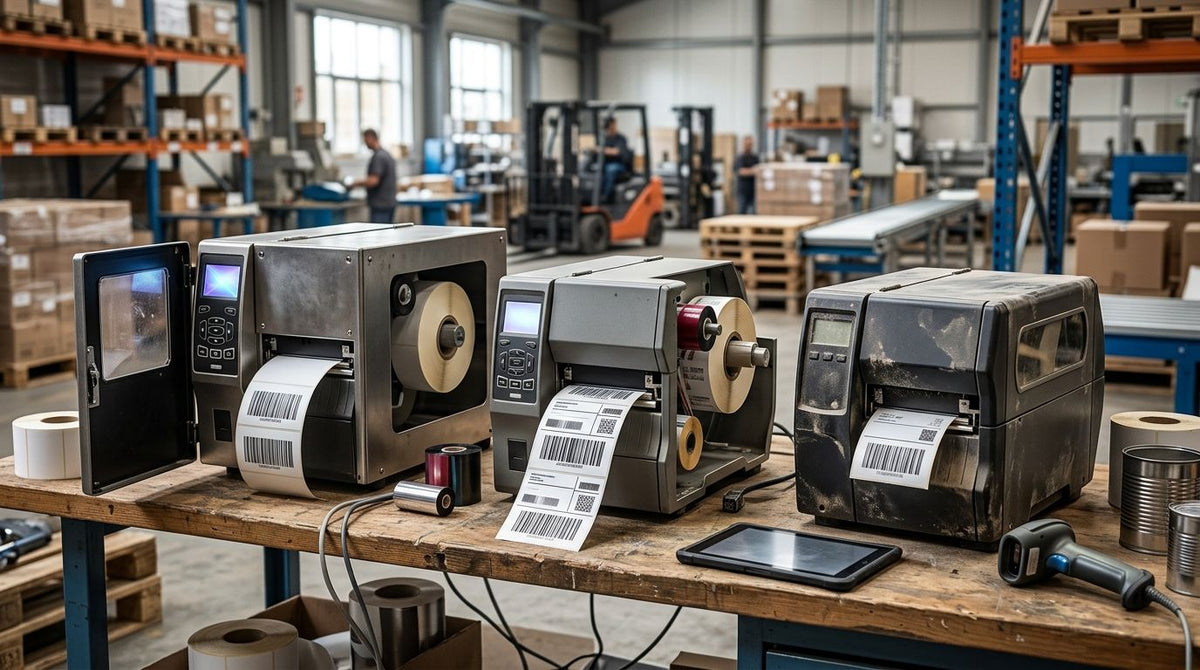
An industrial barcode label printer built for 2026 duty needs to survive dust, temperature swings, and multi-shift handling without a printhead replacement every quarter. Best overall: GoDEX GX4300i. Best for high-speed production lines: GoDEX GX4200i. Best for small-format precision labeling: GoDEX ZX430i+. Best for automated bottle and container lines: GoDEX AG1000F Bottle Applicator. Best for mixed-shift warehouse durability: GoDEX RT700i+.
- GoDEX GX4300i wins overall for industrial barcode label printer durability in 2026 with 300 DPI resolution and dual thermal support.
- GoDEX GX4200i prints up to 16 inches per second, the fastest throughput on this list for production-line barcode runs.
- GoDEX ZX430i+ delivers 300 DPI resolution for small, dense barcodes on asset tags and electronics.
- GoDEX AG1000F Bottle Applicator labels round bottles, jars, and tubes that flat-label printers can't handle.
- GoDEX RT700i+ runs 203 DPI dual thermal printing built for mixed-shift warehouse floors needing daily uptime.
Why this matters
A barcode printer on a shop floor or warehouse dock takes more abuse than a desktop printer ever will: dust, heat, constant handling, multi-shift duty cycles. An industrial barcode label printer built for that environment needs dual thermal support, a print speed that keeps pace with a moving line, and connectivity that plugs straight into a warehouse management system. A production line tracking setup that stalls on label output slows the whole operation, not just the labeling station.
Getting resolution and speed wrong in 2026 means reprints, misreads at the scanner, and downtime nobody budgeted for. McAuley Labels carries the full GoDEX industrial printer lineup used in this ranking, all backed by the same 3-year warranty.
What makes the best industrial barcode label printer
- Print resolution — 203 DPI for general barcodes, 300 DPI for small or dense codes.
- Dual thermal support — running direct thermal paper and thermal transfer ribbon on the same unit.
- Print speed — measured in inches per second (IPS); higher speed matters on continuous production lines.
- Connectivity — USB, Serial, and Ethernet as standard, not an add-on.
- Duty-cycle build — construction rated for continuous multi-shift operation, not desktop housings.
- Warranty coverage — a 3-year manufacturer warranty signals a printer built for sustained industrial use.
GoDEX industrial barcode label printers at a glance
| Printer | Best For | Standout Feature | Key Limitation |
|---|---|---|---|
| GoDEX GX4300i | Overall industrial durability | 300 DPI dual thermal, USB/Serial/Ethernet | Bigger footprint than desktop printers |
| GoDEX GX4200i | High-speed production lines | Up to 16 IPS, 5" touchscreen | 203 DPI ceiling limits very small barcodes |
| GoDEX ZX430i+ | Small-format precision labeling | 300 DPI resolution, color display | Slower throughput than the GX4200i on long runs |
| GoDEX AG1000F Bottle Applicator | Automated bottle and container lines | Built-in applicator for round surfaces | Not suited to flat, general-purpose label runs |
| GoDEX RT700i+ | Mixed-shift warehouse durability | 4" dual thermal with color display | 203 DPI only, no 300 DPI option |


1. GoDEX GX4300i: best industrial barcode label printer for overall durability
The GoDEX GX4300i is a 4-inch dual thermal printer built for continuous industrial duty, printing at 300 DPI with USB, Serial, and Ethernet connectivity standard. It runs both direct thermal paper and thermal transfer ribbon without a hardware swap, and GoDEX backs it with the same 3-year warranty as the rest of its industrial line.
GoDEX GX4300i pros:
- 300 DPI resolution handles small, dense barcodes without smearing
- Ethernet built in for direct network integration on a warehouse floor
- Dual thermal support covers both paper and ribbon jobs on one printer
- 3-year warranty matches the full GoDEX industrial line
GoDEX GX4300i cons:
- Larger footprint than desktop-class printers, needs dedicated bench space
- Overkill for operations printing under a few hundred labels a day
- Ethernet setup adds a configuration step compared to plug-and-play USB
Best for: facilities running continuous barcode label output where downtime is expensive. Verdict: Buy.
2. GoDEX GX4200i: best industrial barcode label printer for high-speed production lines
The GoDEX GX4200i is a 4-inch dual thermal printer rated up to 16 inches per second, the fastest speed in this lineup, with a 5-inch touchscreen for on-floor operator control. It prints at 203 DPI with USB/Serial/Ethernet standard and carries the same 3-year GoDEX warranty.
GoDEX GX4200i pros:
- Up to 16 IPS keeps pace with high-volume production lines
- 5" touchscreen simplifies template changes without a connected PC
- USB/Serial/Ethernet covers most warehouse management system integrations
- 3-year warranty standard
GoDEX GX4200i cons:
- 203 DPI ceiling struggles with very small or dense 2D barcodes
- Touchscreen adds cost over button-only industrial printers
- Speed advantage matters less below a few hundred labels per shift
Best for: production floors printing high volumes of standard-size barcode labels per shift. Verdict: Buy.
3. GoDEX RT700i+: best industrial barcode label printer for mixed-shift warehouse durability
The GoDEX RT700i+ is a 4-inch dual thermal printer with a color display, built for high-volume professional printing across multiple shifts. It runs at 203 DPI and includes the standard 3-year GoDEX warranty.
GoDEX RT700i+ pros:
- Color display simplifies status checks across shift changes
- Dual thermal support handles both paper and ribbon label stock
- 3-year warranty covers extended multi-shift duty cycles
GoDEX RT700i+ cons:
- 203 DPI only, no 300 DPI option on this model
- No touchscreen configuration, relies on physical buttons and connected software
- Best suited to standard label sizes, not fine-detail barcodes
Best for: warehouses running two or three shifts that need one printer to survive daily handling. Verdict: Buy.
4. GoDEX ZX430i+: best industrial barcode label printer for small-format precision labeling
The GoDEX ZX430i+ prints at 300 DPI with a color display and dual thermal support, built for label jobs where barcode density matters more than raw speed. USB, Serial, and Ethernet come standard, backed by a 3-year warranty.
GoDEX ZX430i+ pros:
- 300 DPI resolution renders small barcodes and fine text cleanly
- Color display improves usability for operators switching templates often
- Dual thermal support covers both direct thermal and ribbon-based labels
GoDEX ZX430i+ cons:
- Throughput runs slower than the 16 IPS GX4200i on long batch jobs
- 300 DPI print heads typically cost more to replace than 203 DPI heads
- Not the fastest choice for high-volume, low-detail label runs
Best for: asset tags, electronics labeling, and any barcode under half an inch that needs to stay scannable. Verdict: Buy.
5. GoDEX AG1000F Bottle Applicator: best industrial barcode label printer for automated container lines
The GoDEX AG1000F is a 203 DPI thermal transfer print engine built into a bottle applicator, designed to label round bottles, jars, and tubes automatically instead of printing flat sheet labels. It's a different category from the desktop and floor printers above — the print engine is one part of a labeling system built around cylindrical containers.
GoDEX AG1000F pros:
- Automates labeling for round containers that flat printers handle poorly
- 203 DPI thermal transfer printing holds up on curved, handled surfaces
- Removes manual label application from a bottling or packaging line
GoDEX AG1000F cons:
- No value if you're not labeling cylindrical containers
- Bigger mechanical footprint and setup than a standalone label printer
- Overkill for shops printing standard flat barcode labels
Best for: bottling, packaging, or lab operations applying labels to round containers at volume. Verdict: Buy if you label containers, Skip if you don't.
How we ranked
Ranking an industrial barcode label printer by durability in 2026 comes down to the criteria above: resolution, dual thermal support, print speed, connectivity, duty-cycle build, and warranty length. Every printer here carries a 3-year warranty and dual thermal support, so the real differentiator is resolution and speed matched to the job in front of it.
“The ribbon you load matters as much as the printer — thermal transfer ribbon determines how long a label survives handling and heat, the printer just applies it.”
Which industrial barcode label printer should you choose?
If you're not sure where to start, the GoDEX GX4300i is the default pick for 2026 — 300 DPI resolution, dual thermal support, and Ethernet connectivity cover most industrial labeling jobs without a compromise. Move to the GoDEX GX4200i only if your line needs more than 16 IPS of throughput. Pick the ZX430i+ when barcode density is the bottleneck, the RT700i+ when you need proven mixed-shift reliability at a lower resolution tier, and the AG1000F Bottle Applicator only if you're labeling round containers. McAuley Labels' industrial barcode label printer lineup covers all five without forcing a mismatched pick.
FAQ
What is the best industrial barcode label printer in 2026?
The GoDEX GX4300i is the best overall industrial barcode label printer in 2026, printing at 300 DPI with dual thermal support and a 3-year warranty. It's the default pick unless a specific use case, like high-speed lines or round-container labeling, points to a different model.
Is 203 DPI or 300 DPI better for industrial barcode labels?
203 DPI handles general-purpose barcodes fine, but 300 DPI is better for small or dense 2D codes under half an inch. The GoDEX GX4300i and ZX430i+ both print at 300 DPI for that reason.
What's the difference between direct thermal and thermal transfer printing?
Direct thermal printing uses heat-sensitive paper with no ribbon, while thermal transfer uses heat to melt wax or resin ribbon onto the label. Thermal transfer labels hold up better against heat, chemicals, and handling, which is why industrial floors favor it.
How fast should an industrial barcode label printer print?
The GoDEX GX4200i prints up to 16 inches per second, the fastest option in this lineup, built for continuous production-line output. Slower operations printing a few hundred labels a shift don't need that speed.
Do industrial barcode label printers need Ethernet?
Ethernet isn't mandatory, but it's standard on models like the GoDEX GX4300i, GX4200i, and ZX430i+ for direct integration into a warehouse management system. USB and Serial cover simpler, single-station setups.
How long is the warranty on GoDEX industrial printers?
GoDEX industrial printers, including the GX4300i, GX4200i, RT700i+, and ZX430i+, carry a standard 3-year manufacturer warranty. That coverage is consistent across the brand's industrial line.
Can one printer handle both flat labels and bottle labeling?
No. Flat-label printers like the GX4300i or RT700i+ print sheet and roll labels, while the GoDEX AG1000F Bottle Applicator is a separate system built specifically for round bottles, jars, and tubes.
What connectivity do industrial barcode printers need for a warehouse management system?
USB, Serial, and Ethernet cover most warehouse management system integrations in 2026. Models like the GoDEX GX4300i and GX4200i include all three as standard.
One last thing
The printer specs get most of the attention, but the ribbon loaded into it decides how long a label actually lasts on the floor. A 300 DPI printer running the wrong ribbon for a hot, oily environment will still produce labels that fade or peel within weeks. Match the ribbon to the environment first, then pick the printer from this list that fits the resolution and speed the job demands.