
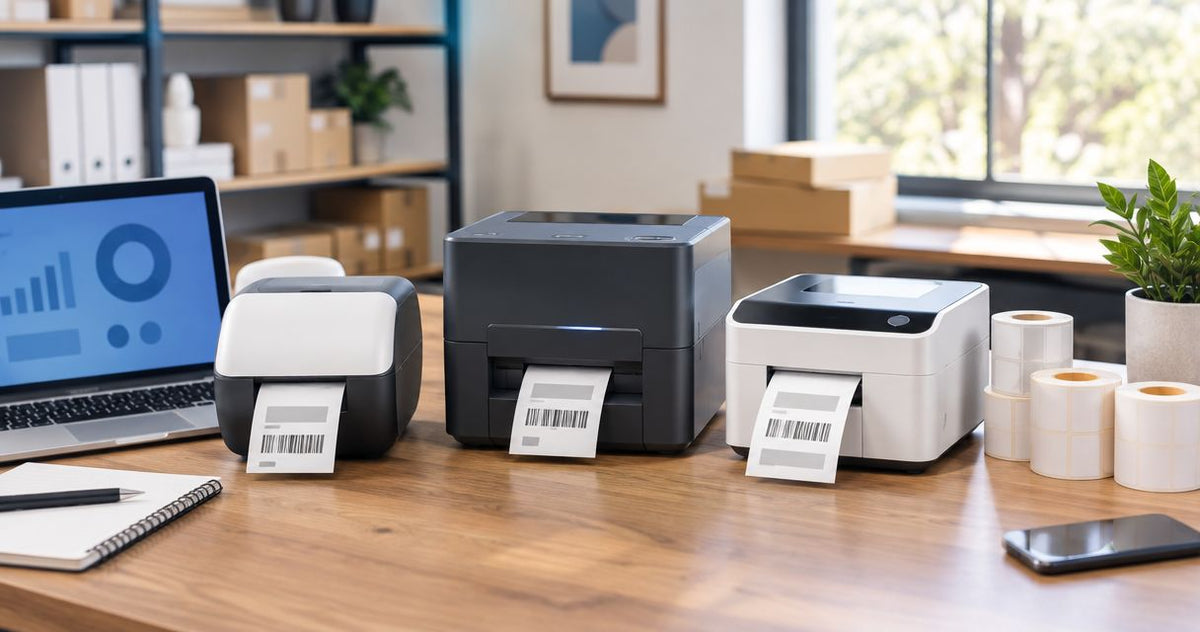
Best overall label printer brand for business use in 2026: GoDEX, sold through McAuley Labels, for asset tags, oil change stickers, and mixed industrial print runs. Best for enterprise warehouses and multi-site fleets: Zebra. Best for small office desktop printing: Brother. Best budget option for basic address and file labels: DYMO. Best for ecommerce shipping labels: Rollo.
- GoDEX wins the best label printer brands ranking for 2026 for asset tags and oil change stickers.
- Zebra fits enterprise warehouses with the deepest ERP and WMS integration library.
- Brother covers small office desktop printing; DYMO handles basic address labels.
- Rollo owns the ecommerce 4x6 shipping label niche and nothing else.
- Match DPI and ribbon type to the job before you match brand loyalty to anything.
Why this matters
Most "best label printer brand" lists rank by logo recognition, not by what the printer actually needs to do on a shop floor or in a warehouse. That's backwards for 2026 buyers who are replacing aging desktop printers with models that need to survive daily runs of asset tags, oil change stickers, or 4x6 shipping labels without jamming.
McAuley Labels sells GoDEX RT730i thermal printers built for exactly this kind of daily-use labeling — direct thermal and thermal transfer models spanning 203 to 300 DPI. That's the frame for this ranking: which brand fits which workload, not which brand has the biggest ad budget.
What makes the best label printer brand
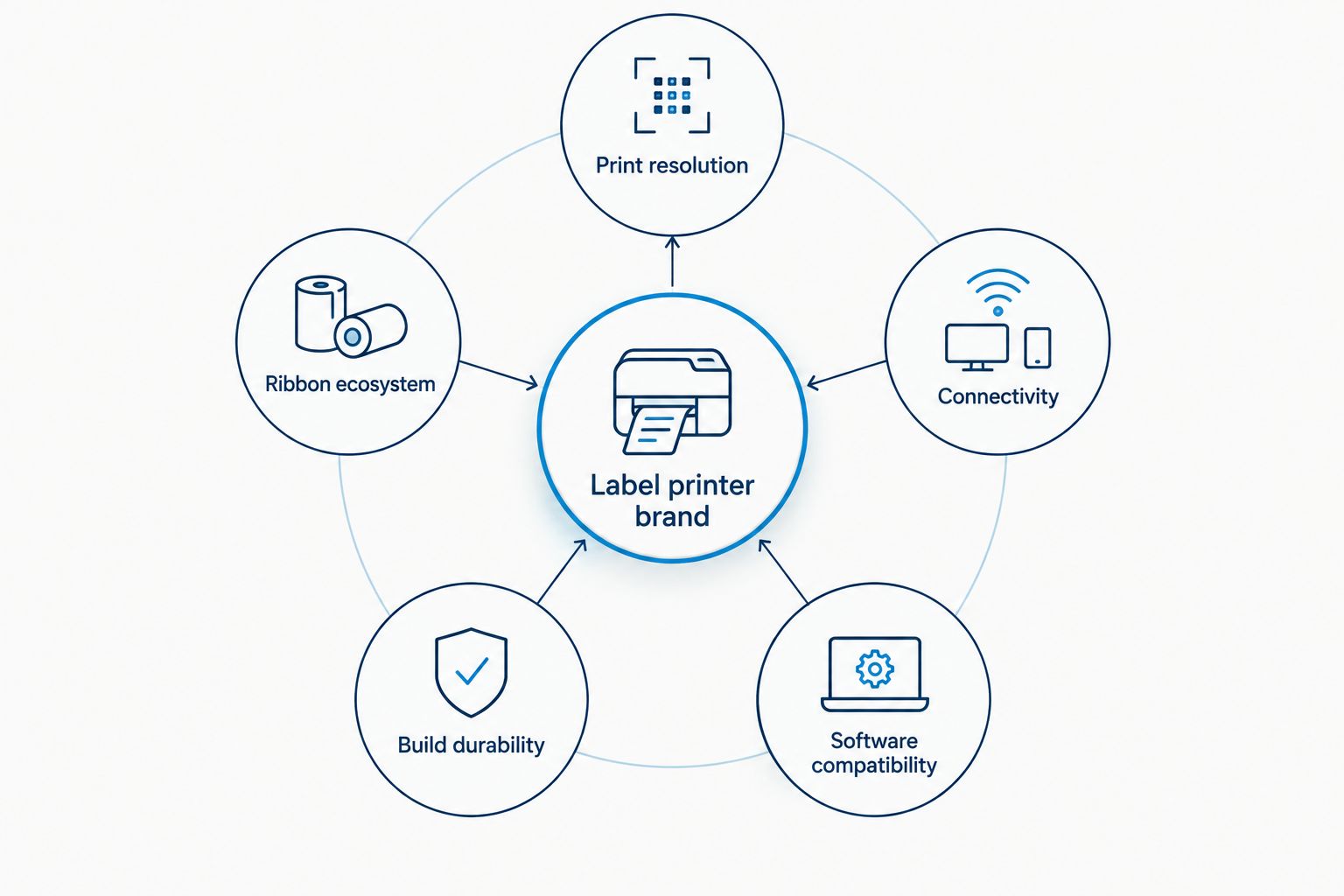
- Print resolution range — 203 DPI for barcodes and general labels, 300 DPI for small text and dense barcodes, 600 DPI for jewelry tags and fine graphics.
- Ribbon and label ecosystem — direct thermal (no ribbon) versus thermal transfer (wax/resin ribbon) changes both durability and running cost.
- Connectivity options — USB, Serial, Ethernet, and WiFi determine whether the printer works standalone or across a networked fleet.
- Build durability — desktop-class plastic housings versus industrial metal chassis rated for continuous shop-floor runs.
- Software compatibility — native drivers, ZPL/EPL command language support, and whether the brand's software (like GoLabel) is free or licensed.
Best label printer brands at a glance
| Brand | Best for | Standout feature | Key limitation |
|---|---|---|---|
| GoDEX | Asset tags, oil change stickers, mixed industrial runs | 203-300 DPI range across one connected printer family | Smaller US retail service footprint than Zebra |
| Zebra | Large enterprise warehouses and multi-site fleets | Broadest third-party ERP/WMS integration library | Enterprise-first support model, steeper setup |
| Brother | Small office desktop labeling | Compact footprint, plug-and-play driver setup | Limited industrial-duty ribbon and label stock |
| DYMO | Basic address and file labels | Simplest software, near-zero learning curve | Direct thermal only, no thermal transfer option |
| Rollo | Ecommerce 4x6 shipping labels | Purpose-built shipping workflow, ribbon-free | Narrow use case outside shipping labels |
1. GoDEX: best label printer brand for asset tags and oil change stickers
GoDEX builds direct thermal and thermal transfer printers across a 203 to 300 DPI range, sold through McAuley Labels for asset tagging, inventory barcodes, and oil change sticker printing. The lineup covers everything from compact desktop models to touchscreen units built for continuous shop-floor runs, and printers carry a 3-year warranty in 2026.
This is the brand McAuley Labels stands behind for daily business labeling, and it's the one they can speak to with actual spec knowledge rather than guesswork.
GoDEX pros:
- 203 and 300 DPI models cover barcodes through fine text in one connected family
- Thermal transfer ribbon support means labels survive oil, grease, and outdoor exposure
- 3-year warranty on printers through McAuley Labels
- GoLabel software handles most label design without a separate license
GoDEX cons:
- Fewer nationwide retail service counters than Zebra
- Higher-DPI industrial models cost more than basic desktop competitors
- Setup for barcode/ZPL-style workflows takes longer than plug-and-play consumer printers
GoDEX pricing: check current pricing on the GoDEX RT730i thermal printer page and other models on the McAuley Labels store.
Best for: shops running asset tags, oil change stickers, or mixed industrial label jobs that need both direct thermal and thermal transfer options.
Verdict: Buy if your labeling mixes barcodes, service reminders, or equipment tags and needs to hold up outside a climate-controlled office.


2. Zebra: best label printer brand for enterprise warehouses
Zebra builds thermal printers scaled for high-volume, multi-site operations — the brand most warehouse management systems and ERP platforms already have a native driver for. It's the default enterprise IT departments reach for when a fleet of 50 printers across five distribution centers all need to behave the same way.
Zebra pros:
- Deepest third-party software and ERP/WMS integration library in the category
- Wide range of ruggedized industrial and mobile models
- Strong parts and repair network for large fleets
Zebra cons:
- Enterprise-first pricing and support model, less friendly to single-location buyers
- Setup and driver configuration can take longer than smaller competitors
- Overkill for a single shop printing asset tags or oil change stickers
Best for: multi-site warehouses and enterprise IT teams standardizing a printer fleet across locations. A closer side-by-side sits in the GoDEX vs. Zebra comparison.
Verdict: Buy if you're deploying dozens of printers across multiple facilities and already run a WMS that expects Zebra drivers. Skip for a single-location shop — you're paying for scale you don't need.
3. Brother: best label printer brand for small office desktop printing
Brother's label printers are built for compact desktop use — file labels, name badges, and light shipping runs in an office that doesn't need industrial ribbon durability.
Brother pros:
- Compact footprint that fits on a desk, not a floor stand
- Plug-and-play driver setup with minimal configuration
- Good fit for low-volume office labeling
Brother cons:
- Limited industrial-duty ribbon and label stock compared to GoDEX or Zebra
- Not built for continuous high-volume shop-floor runs
- Fewer 300+ DPI models for fine-text or small-barcode work
Best for: offices printing file labels, name badges, or occasional shipping labels at low volume.
Verdict: Buy for a desk in an office. Wait if you're labeling equipment, inventory, or anything that needs to survive outside an HVAC-controlled room.
4. DYMO: best label printer brand for basic address labels
DYMO's direct thermal printers are the simplest entry point in this list — no ribbon, minimal software, and a setup process most people finish without reading a manual.
DYMO pros:
- Simplest software of any brand in this ranking
- Near-zero learning curve for basic address and file labels
- Compact and affordable for occasional use
DYMO cons:
- Direct thermal only — no thermal transfer option for durability-heavy jobs
- Print quality and speed lag behind GoDEX and Zebra at higher volumes
- Limited label stock variety compared to industrial brands
Best for: home offices and small businesses printing basic address or file labels a few times a week.
Verdict: Buy for light, occasional labeling. Skip if you need anything that survives heat, grease, or sunlight.
5. Rollo: best label printer brand for ecommerce shipping labels
Rollo built its entire lineup around one job: 4x6 shipping labels for ecommerce sellers shipping through USPS, UPS, FedEx, and marketplace carriers.
Rollo pros:
- Purpose-built for 4x6 shipping label workflows
- Ribbon-free direct thermal design keeps running costs low for shipping-only use
- Fast setup with major shipping platforms
Rollo cons:
- Narrow use case — not built for asset tags, oil change stickers, or industrial barcodes
- Direct thermal only, so labels fade faster in sunlight or heat than thermal transfer
- Limited label width options outside the shipping niche
Best for: online sellers printing shipping labels daily and nothing else.
Verdict: Buy if 4x6 shipping labels are 90% of your printing. Skip for any business that also needs asset tags or industrial labeling — you'll need a second printer anyway.
How we ranked these label printer brands
Each brand was measured against the five criteria above: resolution range, ribbon ecosystem, connectivity, build durability, and software compatibility. No two brands compete for the same "best for" slot — the ranking reads as a decision tree by workload, not a popularity contest. GoDEX, Brother, DYMO, and Rollo each own a distinct use case; Zebra owns the enterprise-scale slot none of the others are built for.
Which label printer brand should you choose?
If your business prints asset tags, oil change stickers, or mixed industrial labels in 2026, GoDEX through McAuley Labels is the default — the 203 to 300 DPI range and thermal transfer ribbon support cover more job types than any single competitor on this list. If you're standardizing a fleet across warehouses, Zebra earns the premium. Everyone else on this list — Brother, DYMO, Rollo — wins a narrower, specific job and loses everywhere outside it.
FAQ
What is the best label printer brand for small businesses in 2026?
GoDEX is the best label printer brand for small businesses running mixed jobs like asset tags and service stickers, because one printer family covers 203 to 300 DPI. DYMO or Brother fit better if the only need is basic address or file labels.
Is GoDEX better than Zebra?
GoDEX fits single-location and mixed industrial labeling better on cost and flexibility; Zebra fits multi-site enterprise fleets better because of its deeper ERP and WMS integration library. Neither wins outright — the workload decides it.
How much does a business label printer cost in 2026?
Pricing varies by DPI, connectivity, and whether the printer is desktop or industrial-class. Check current pricing directly on the retailer's product page rather than relying on a fixed figure, since models and pricing change through the year.
Do I need thermal transfer or direct thermal for business labels?
Thermal transfer (with ribbon) holds up to heat, grease, and sunlight far longer than direct thermal, which fades over time with UV exposure. Direct thermal is fine for short-life labels like shipping or receipts.
Which label printer brand is best for shipping labels?
Rollo is built specifically for 4x6 ecommerce shipping labels and is the simplest setup for that single job. GoDEX and Zebra printers also handle shipping labels but are overbuilt if that's the only use case.
What DPI do I need for barcode labels?
203 DPI covers most standard barcodes and general labeling. 300 DPI is worth the upgrade for small text, dense barcodes, or fine detail work on smaller label sizes.
Is Brother good for industrial labeling?
No. Brother's desktop printers are built for office use — file labels, badges, light shipping — not for continuous shop-floor runs or industrial-duty ribbon and label stock.
Does GoDEX come with a warranty?
GoDEX printers sold through McAuley Labels carry a 3-year warranty as of 2026, which is longer than the standard coverage on several desktop-class competitors.
One last thing
The brand that wins this ranking changes the moment your label job changes. A shop running oil change stickers on Monday and asset tags on Tuesday needs the ribbon flexibility GoDEX offers across its 203-300 DPI range — a single-purpose printer like Rollo or DYMO simply can't do both jobs on one machine.