
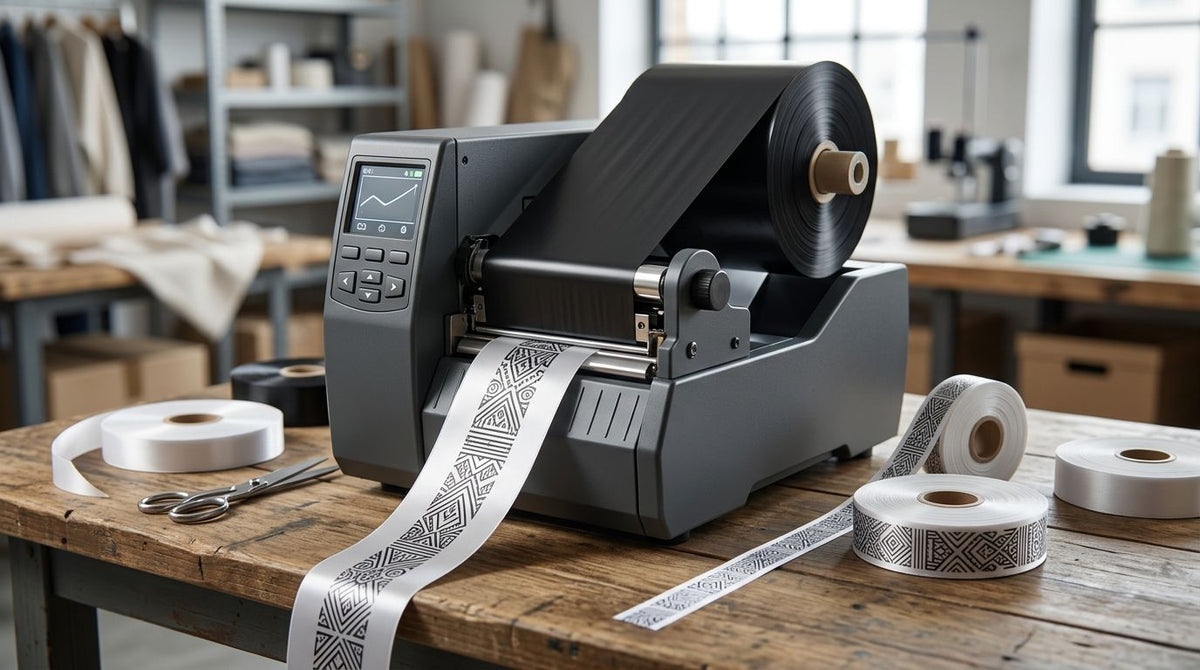
A ribbon printer (thermal transfer printer) is the right call whenever a label needs to survive heat, sunlight, chemicals, or abrasion longer than a direct thermal print can hold up. Best overall ribbon printer for 2026: the GoDEX GX4300i. Best for high-speed production runs: the GoDEX GX4200i. Best compact ribbon printer for low-volume shops: the GoDEX G530.
- GoDEX GX4300i is the best overall ribbon printer in 2026 for asset tags and barcode labels at 300 DPI.
- GoDEX GX4200i prints up to 16 IPS, the fastest ribbon printer here for warehouse production lines.
- GoDEX RT863i+ hits 600 DPI, built for micro-text labels most 203 or 300 DPI printers can't render.
- GoDEX G530 is the most compact ribbon printer for shops printing under a few hundred labels a day.
- All six ribbon printers here run thermal transfer ribbon for labels that resist heat, chemicals, and abrasion.
Why this matters
A ribbon printer melts wax, resin, or wax-resin ribbon onto label stock instead of burning an image directly into heat-sensitive paper the way a direct thermal printer does. That difference matters for asset tags, equipment IDs, and outdoor labels: direct thermal prints fade within months under sun or friction, and thermal transfer prints don't. If a label has to survive a warehouse floor, an engine bay, or a chemical wash-down for a year or longer, it needs ribbon behind it — see the thermal transfer ribbon stock built for that exact job.
McAuley Labels carries six distinct ribbon printer models spanning 203, 300, and 600 DPI. Picking the wrong one wastes ribbon, mismatches print speed to your volume, or under-resolves a barcode small enough that a scanner won't read it. This guide ranks all six by the job each one is actually built for, not just the DPI on a spec sheet.
What makes the best ribbon printer
- Resolution matched to label size — 203 DPI is fine for 2-inch shipping labels; 600 DPI is needed for labels under half an inch with small text or dense 2D barcodes.
- Print speed (IPS) for your volume — a line printing thousands of labels a day needs a higher-IPS engine; a counter printing one label per visit doesn't.
- Print width — 4-inch heads cover most asset tags and shipping labels; 6-inch heads handle large equipment tags or oversized shelf labels.
- Ribbon compatibility — wax, wax-resin, or full resin ribbon, matched to the label material (paper, polyester, or metalized).
- Interface options — USB, serial, and Ethernet for standalone desktop use or networked printing across stations.
- Duty cycle and warranty — every ribbon printer in this list carries a 3-year warranty, a real signal on a machine expected to run daily.
Ribbon printers compared: at a glance
| Ribbon Printer | Best For | Standout Feature | Key Limitation |
|---|---|---|---|
| GoDEX GX4300i | General barcode and asset labeling | 300 DPI dual thermal, Ethernet-ready | No touchscreen for on-printer edits |
| GoDEX GX4200i | High-speed production lines | Up to 16 IPS print speed | 203 DPI ceiling limits tiny barcodes |
| GoDEX RT700i+ | Entry-level thermal transfer | Color display simplifies setup | Not built for high-volume daily runs |
| GoDEX RT863i+ | Micro-text and small-component labels | 600 DPI resolution | Slower throughput than 203/300 DPI models |
| GoDEX EZ6350i | Wide-format labels and large tags | 6-inch print width | Larger footprint needs more desk space |
| GoDEX G530 | Compact desktop use, low volume | Smallest 2-in-1 footprint in the lineup | Not built for high-volume daily runs |
1. GoDEX GX4300i: best ribbon printer for general barcode and asset labeling
The GoDEX GX4300i is a 4-inch dual thermal printer running at 300 DPI, built to switch between direct thermal and ribbon-fed thermal transfer without swapping hardware. It connects over USB, serial, and Ethernet, so it drops into a single desktop or a networked print station without extra setup. At 300 DPI it renders standard barcodes, asset tag QR codes, and text-heavy labels clearly without paying for resolution most jobs don't need.
GoDEX GX4300i pros:
- 300 DPI covers barcodes, QR codes, and most compliance labels without upgrading to 600 DPI
- Dual thermal design runs ribbon or direct thermal stock on the same machine
- Ethernet port supports networked printing across multiple stations
- 3-year warranty backs the machine for continuous desktop use
GoDEX GX4300i cons:
- No color touchscreen — configuration runs through GoLabel software, not the printer itself
- 300 DPI isn't enough for labels under half an inch with dense 2D codes
Best for: shops printing barcode, asset tag, and shipping labels that need one ribbon printer to handle most jobs. Verdict: Buy.
2. GoDEX GX4200i: best ribbon printer for high-speed production lines
The GoDEX GX4200i prints at 203 DPI but pushes up to 16 IPS, the fastest speed in this lineup, paired with a 5-inch touchscreen for on-the-floor label edits without a connected computer. That combination targets warehouses and production lines running high label volumes rather than occasional print jobs.
GoDEX GX4200i pros:
- 16 IPS handles high-volume runs without a print queue backing up
- 5-inch touchscreen lets floor staff adjust labels without a PC
- USB, serial, and Ethernet cover standalone or networked setups
- 3-year warranty
GoDEX GX4200i cons:
- 203 DPI resolution caps out on small text and dense barcodes
- Touchscreen and larger frame add bulk versus simpler desktop units
Best for: warehouses and production lines printing high volumes of shipping or inventory labels daily. Verdict: Buy.
3. GoDEX RT700i+: best entry-level ribbon printer
The GoDEX RT700i+ thermal printer is a 4-inch, 203 DPI dual thermal printer with a color display, positioned as the on-ramp into ribbon printing for a business that hasn't run thermal transfer before. The display walks through setup without requiring a GoLabel session on day one.
GoDEX RT700i+ pros:
- Color display simplifies day-to-day setup and label switching
- 203 DPI handles most asset tag and shipping label work
- Dual thermal flexibility for ribbon or direct thermal stock
- 3-year warranty matches the rest of the lineup
GoDEX RT700i+ cons:
- 203 DPI won't resolve labels under half an inch
- Not built for the print speeds a production line needs
Best for: a business printing its first batches of ribbon-based labels without prior thermal transfer experience. Verdict: Buy.
4. GoDEX RT863i+: best ribbon printer for micro-text and small-component labels
The GoDEX RT863i+ is a 2-in-1 dual thermal printer running at 600 DPI — double the resolution of the 300 DPI models in this list. That resolution matters on labels under half an inch, dense 2D barcodes, and small-component tags where a 203 or 300 DPI head blurs fine detail.
GoDEX RT863i+ pros:
- 600 DPI resolves micro-text and small 2D codes other models here can't
- Dual thermal covers ribbon and direct thermal stock on one machine
- 3-year warranty
GoDEX RT863i+ cons:
- Higher resolution slows print speed compared to 203 DPI models
- Overkill, and wasted ribbon, for standard 4x6 shipping labels
Best for: lab samples, small-component tags, and labels needing fine detail a lower-DPI printer can't hold. Verdict: Buy.
5. GoDEX EZ6350i: best ribbon printer for wide-format labels
The GoDEX EZ6350i is a 6-inch, 300 DPI industrial 2-in-1 printer — the only model in this lineup built for labels wider than 4 inches. That width covers large equipment tags, multi-column shelf labels, and oversized asset tags a 4-inch printer can't print in one pass.
GoDEX EZ6350i pros:
- 6-inch print width handles oversized labels without stitching two prints together
- 300 DPI holds barcode clarity at that width
- Industrial-duty build for daily runs
- 3-year warranty
GoDEX EZ6350i cons:
- Larger footprint needs more desk or floor space
- Overkill for a shop only printing standard 4-inch labels
Best for: facilities and manufacturers printing large equipment tags or wide shelf labels. Verdict: Buy.
6. GoDEX G530: best compact ribbon printer for low-volume shops
The GoDEX G530 thermal printer is a 4-inch, 300 DPI 2-in-1 printer with the smallest footprint in this lineup, sized for a service counter or a low-volume back office rather than a production floor.
GoDEX G530 pros:
- Compact footprint fits a small counter or desk
- 300 DPI still covers standard barcode and asset tag work
- Dual thermal flexibility
- 3-year warranty
GoDEX G530 cons:
- Not built for the volumes the GX4200i or EZ6350i handle daily
- No touchscreen for standalone editing
Best for: a low-volume shop or service counter printing occasional ribbon labels, not a full production run. Verdict: Buy for low-volume use; Skip if you're printing more than a few hundred labels a day.


How we ranked these ribbon printers
Every model above got weighed against the six criteria listed earlier: resolution matched to label size, print speed for volume, print width, ribbon compatibility, connectivity, and warranty. No model wins across all six — a 600 DPI printer trades speed for resolution, a 6-inch printer trades desk space for width. The ranking places each ribbon printer against the one criterion it wins on, not a single overall score.
Which ribbon printer should you choose?
If you're printing standard barcode, shipping, or asset tag labels and want one machine that handles most jobs, buy the GoDEX GX4300i. If your volume is high enough that print speed becomes the bottleneck, buy the GoDEX GX4200i for its 16 IPS engine. If you're printing labels under half an inch with dense 2D codes, buy the GoDEX RT863i+ for the 600 DPI resolution. Everyone else falls somewhere on that line between width, speed, and desk space — match the printer to the label, not the other way around.
FAQ
What is the best ribbon printer in 2026?
The GoDEX GX4300i is the best overall ribbon printer in 2026 for general barcode, asset tag, and shipping label work at 300 DPI. Shops with higher volume or finer resolution needs should look at the GX4200i or RT863i+ instead.
Is a ribbon printer the same as a thermal transfer printer?
Yes, a ribbon printer and a thermal transfer printer are the same device. Both terms describe a printer that melts wax, resin, or wax-resin ribbon onto label stock instead of using heat-sensitive direct thermal paper.
What's the difference between a ribbon printer and a direct thermal printer?
A ribbon printer uses a ribbon to print an image that resists fading from heat, sunlight, and abrasion. A direct thermal printer burns the image directly into treated paper, which fades faster and can't handle chemical or outdoor exposure as well.
What DPI do I need for a ribbon printer?
203 DPI covers standard shipping and asset tag labels. 300 DPI is the safer default for most barcode work in 2026, and 600 DPI is only necessary for labels under half an inch with small text or dense 2D codes.
Can I use direct thermal labels in a thermal transfer printer?
Yes, dual thermal ribbon printers like the GoDEX GX4300i and G530 print on both ribbon-fed thermal transfer stock and direct thermal stock without changing hardware.
How much does it cost to run a ribbon printer?
Running cost depends on ribbon type, label material, and print volume, since ribbon adds a per-label cost that direct thermal printing doesn't have. Check current ribbon and label stock pricing for exact per-label costs on your setup.
Is 600 DPI worth it for a ribbon printer?
600 DPI is worth it only if you're printing labels under half an inch, dense 2D barcodes, or small-component tags where 203 or 300 DPI blurs detail. For standard 4x6 shipping labels, 300 DPI is sufficient and prints faster.
Which GoDEX ribbon printer is fastest?
The GoDEX GX4200i is the fastest ribbon printer in this lineup, printing up to 16 IPS at 203 DPI, built for high-volume warehouse and production-line runs.
One last thing
Every ribbon printer in this list runs on the same GoLabel software, so switching models later doesn't mean relearning a new interface — label templates built on a GoDEX G530 open the same way on a GX4200i or an EZ6350i. That matters more than it sounds: a shop that starts on an entry-level ribbon printer in 2026 and outgrows it in a year keeps every template it already built.