
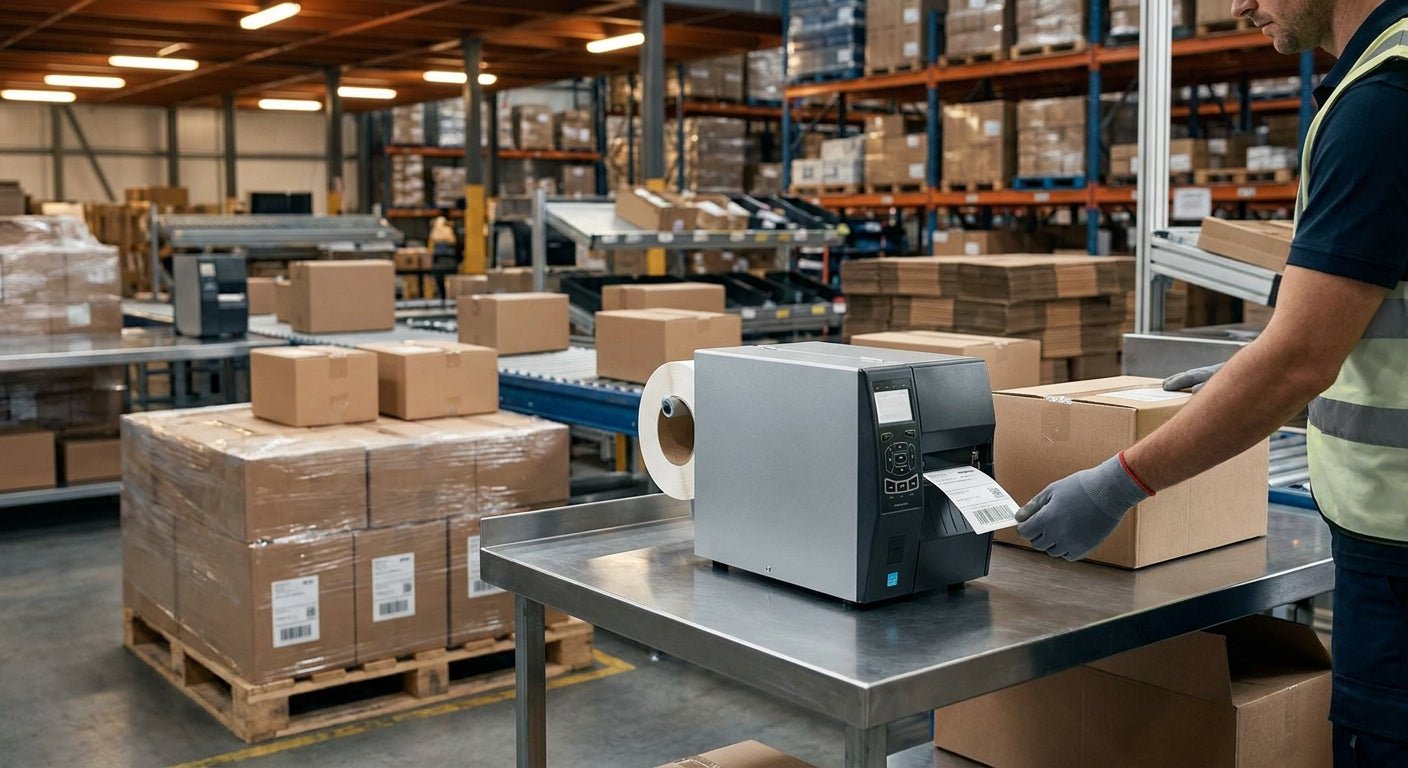
Fulfillment centers print thousands of labels a day, and the wrong printer turns a single SKU mismatch into a chargeback from Amazon or a carrier. This guide ranks the printers that hold up under 3PL volume in 2026, based on print resolution, interface options, and duty cycle documented by each manufacturer.
TL;DR: For most 3PL fulfillment operations, the GoDEX GX4200i (203 DPI) is the Buy — it's built for high-volume barcode and shipping label runs with industrial-grade duty cycles. If your labels carry small text or dense 2D codes on compliance documents, the GoDEX RT863i (600 DPI) is the upgrade pick. Desktop operations shipping under a few hundred parcels a day can Hold with a lower-cost 203 DPI unit instead of overbuying. The best label printer for 3PL fulfillment in 2026 is chosen by volume and label complexity, not by brand name alone.
Why this matters
A 3PL runs labels around the clock across picking, packing, and shipping stations. Downtime on a shipping label printer stops outbound freight, and a blurry barcode gets rejected at a carrier scan point before the truck even leaves the dock. The math is blunt: a $400 desktop printer rated for 50 labels a day will not survive three shifts of continuous 4x6 shipping label output.
Most 3PL contracts also carry compliance requirements — GS1-128 barcodes, retailer-specific labeling (Amazon FBA, Walmart, Target), and carrier-mandated formats. Printer resolution and durability decide whether those labels scan clean on the first pass or get kicked back, which is the single biggest hidden cost in fulfillment labeling.
How we ranked
Rankings below weigh four factors documented on manufacturer spec sheets as of 2026: print resolution (203, 300, or 600 DPI), interface options (USB, Ethernet, serial for warehouse management system integration), rated duty cycle, and whether the unit supports thermal transfer ribbon for label media outside of direct thermal paper. Direct thermal printers are cheaper up front but the printed image fades under heat and sunlight over months, which matters for outbound labels that sit on a dock or in a delivery van. Thermal transfer models solve that with ribbon-printed labels that hold up for years, which matters more for asset tags and compliance labels than for one-way shipping labels.
Price is not weighted directly — request current pricing through the McAuley Labels custom quote form since volume and media choice change the number.
The ranked list
1. GoDEX GX4200i (203 DPI) — the workhorse
The GX4200i is built for continuous industrial print runs, not desktop bursts. It runs 203 DPI resolution, which is standard for 4x6 shipping labels and GS1 barcodes at fulfillment scale, and supports both USB and Ethernet for direct integration into a warehouse management system. For a 3PL running multiple packing stations, this is the printer to standardize on across the floor in 2026. Verdict: Buy.
2. GoDEX RT863i (600 DPI) — the precision pick
At 600 DPI, the GoDEX RT863i resolves fine text and dense 2D barcodes that a 203 DPI printer will render fuzzy at small sizes. This matters for 3PLs handling pharmaceutical, electronics, or compliance-heavy client SKUs where a scan failure means a returned pallet. It costs more per unit than the standard-resolution line, but for one client vertical needing sub-millimeter barcode accuracy, it earns its place. Verdict: Buy for compliance-driven SKUs, Hold if your labels are standard shipping-only.
3. GoDEX RT700i — the color-display upgrade
The RT700i adds a 4-color display and onboard controls that let floor staff switch label templates without a tethered PC — useful in a multi-client 3PL where label formats change by account. It runs comparable resolution to the standard line but the interface saves time on stations handling more than one client's SKUs per shift. Verdict: Consider for multi-account fulfillment floors, Skip for single-client warehouses running one template.
4. GoDEX G500 — the budget desktop option
The G500 is a smaller desktop unit suited to a satellite pack station or a low-volume returns desk rather than a primary shipping line. It won't match the duty cycle of the GX4200i under three-shift use, but for a station printing a few hundred labels a day it avoids overbuying. Verdict: Buy for secondary stations, Skip as a primary printer on a high-volume line.
5. GoDEX RT230i (300 DPI) — the middle ground
Sitting between 203 and 600 DPI, the RT230i prints sharper barcodes than the standard line without the cost premium of 600 DPI hardware. It's a reasonable fit for a 3PL that needs slightly finer resolution for mixed-SKU labeling but doesn't need full 600 DPI precision. Verdict: Consider.
6. GoDEX GE330 — the thermal transfer option
The GE330 supports thermal transfer ribbon, which holds up better than direct thermal for labels exposed to heat, sunlight, or long dwell time before scanning — a factor for 3PLs storing labeled inventory outdoors or in unclimate-controlled yards. It's not the printer for pure outbound shipping labels, which print once and travel fast, but it earns a spot for asset tagging and long-hold inventory labeling inside the same facility. Verdict: Consider for mixed asset-tag and shipping operations, Skip if your only use case is outbound parcel labels.
Comparison table
| Printer | Resolution | Best for | Interface | Verdict |
|---|---|---|---|---|
| GoDEX GX4200i | 203 DPI | High-volume shipping labels | USB, Ethernet | Buy |
| GoDEX RT863i | 600 DPI | Compliance-heavy barcodes | USB, Ethernet, Serial | Buy |
| GoDEX RT700i | 203 DPI | Multi-client label switching | USB, Ethernet, color display | Consider |
| GoDEX G500 | 203 DPI | Secondary/low-volume stations | USB | Buy (secondary use) |
| GoDEX RT230i | 300 DPI | Mixed-SKU labeling | USB, Ethernet | Consider |
| GoDEX GE330 | 203 DPI | Thermal transfer/asset labels | USB, Ethernet | Consider |
Where to buy
- Buy for the floor, not the desk. Match the printer to shift count. A single-shift pack station and a 24-hour cross-dock need different duty cycle ratings, even if the label format is identical.
- Confirm ribbon compatibility before ordering media in bulk. Thermal transfer printers need matched ribbon width and resin type; direct thermal printers need none, which simplifies procurement but shortens label lifespan.
- Request a volume quote rather than pricing off a single unit. A custom quote accounts for fleet-wide printer counts and label stock in one order, which is how most 3PLs actually buy in 2026.
FAQ
What's the best label printer for 3PL fulfillment in 2026? The GoDEX GX4200i at 203 DPI is the standard pick for high-volume shipping label runs, with the RT863i at 600 DPI as the upgrade for compliance-heavy barcodes.
Is 203 DPI enough for shipping labels? Yes — 203 DPI is the industry standard resolution for 4x6 shipping labels and GS1-128 barcodes, and it's what most carrier scan systems are calibrated against.
When do I need 600 DPI instead of 203 DPI? 600 DPI matters when labels carry small text, dense 2D barcodes, or compliance markings that need to scan clean at reduced size — common in pharmaceutical and electronics fulfillment.
Direct thermal or thermal transfer for a 3PL? Direct thermal works for one-way shipping labels that print and ship within days; thermal transfer holds up longer under heat and light, which matters for labels with longer dwell time in the warehouse.
How many printers does a fulfillment floor actually need? That depends on pack stations and shift count, not headcount alone — a three-shift facility with four pack stations typically needs printer coverage per station plus at least one spare unit for downtime.
Can one printer handle both shipping labels and asset tags? A thermal transfer unit like the GE330 can run both, but most 3PLs separate the two workflows since shipping labels print at higher volume and lower durability requirements than asset tags.
Does printer interface matter for warehouse management system integration? Yes — Ethernet and serial interfaces let a printer connect directly into a WMS network, which matters more as pack stations scale past a handful of units.
What's the biggest mistake 3PLs make buying label printers? Buying a desktop-rated printer for a three-shift line — the duty cycle mismatch causes premature failure well before the unit's expected lifespan.
One last thing
The printer spec sheet everyone skips is duty cycle, not resolution. A 203 DPI printer rated for continuous industrial use will outlast a 600 DPI desktop unit running the same daily volume, because the print head and drive mechanism are built for the load, not the pixel count. Match the rating to the shift count before matching it to the barcode.