
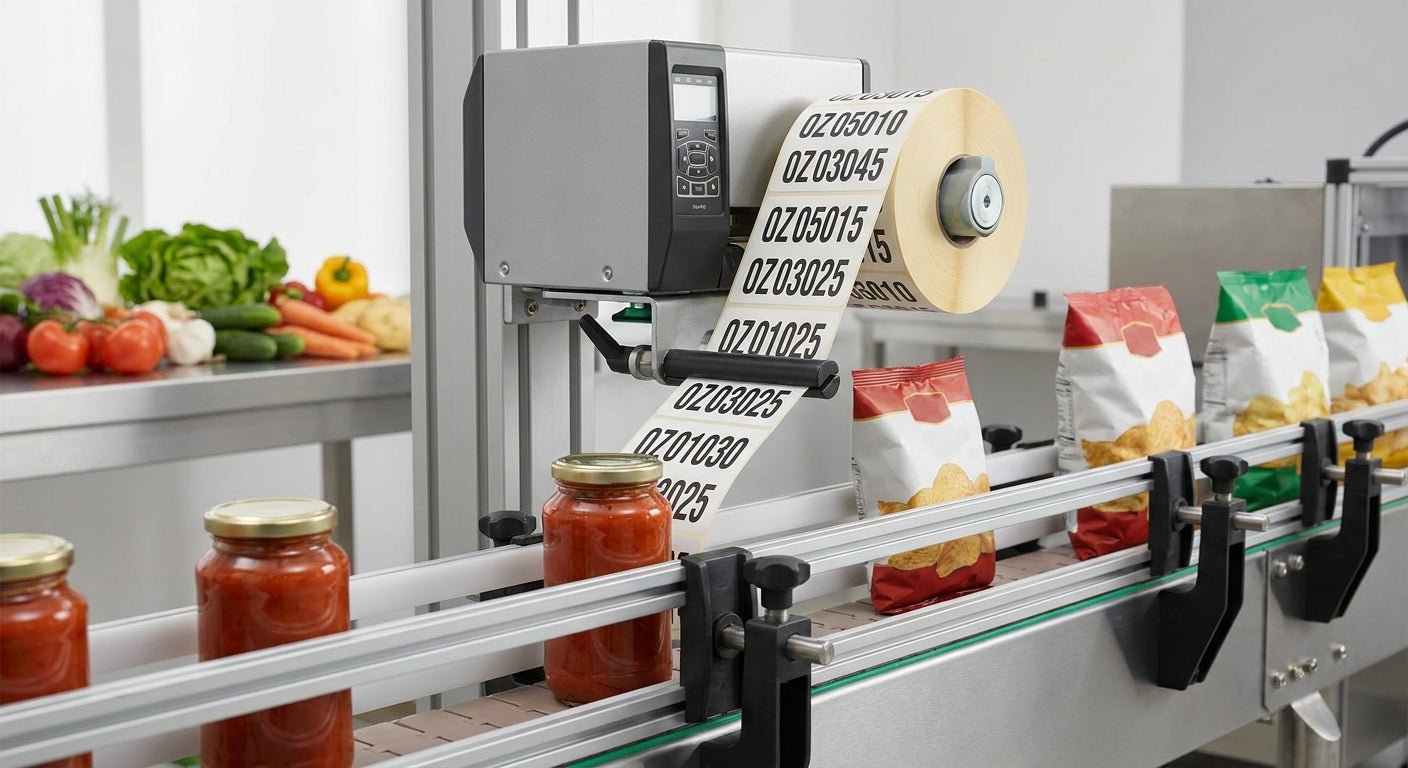
Batch codes on food packaging identify the production lot, the run date, and sometimes the expiration window on every unit that leaves your facility — get the printing wrong and a recall becomes unmanageable.
TL;DR: Printing batch codes on food labels in 2026 means picking a thermal transfer printer over direct thermal for anything that touches refrigeration or freezer storage, setting up variable data fields in label software so codes increment automatically, and using a ribbon rated for the label stock you're running. The GoDEX GE330 thermal transfer printer at 203 DPI handles standard batch and lot numbering for most small-to-mid food producers — Buy if you're printing more than a few hundred labels a week. Direct thermal alone is a Skip for anything cold-stored or shelf-stable past 60 days.
Why this matters
A batch code that fades, smears, or scans wrong isn't a cosmetic problem — it's a compliance problem. FDA traceability rules and most retailer requirements expect a legible lot code tied to production date, and if your label can't survive the trip from packaging line to shelf to refrigerator, you can't trace anything when something goes wrong. Direct thermal labels react to heat and light over time, which means a code printed clean in January can be unreadable by March if the product sits near a warehouse window or under fluorescent lighting for months. Thermal transfer solves that because the image comes from a ribbon fused into the label surface, not from heat-sensitive coating that keeps degrading after the print job is done.
What you'll need
- A thermal transfer label printer — 203 DPI is enough for most alphanumeric batch codes; 300 DPI if you're packing small barcodes into a tight label footprint
- A compatible ribbon matched to your label material — thermal transfer ribbon rated for the label stock, not a generic cartridge
- Label stock rated for your storage condition — semi-gloss for ambient shelf products, freezer-grade adhesive for cold chain
- Label design software with variable data fields — GoLabel software supports incrementing counters and date stamping out of the box
- A defined batch code format before you touch the printer — plant code, production date, shift number, sequence
- 15-20 minutes for initial setup and calibration, less on repeat runs once the template is saved
The steps
1. Lock in your batch code format first
Decide the structure before you open any software — most food producers use a format like plant-date-shift-sequence (e.g., 03-260214-A-0042 for plant 03, date, shift A, unit 42). Getting this wrong after you've printed 500 labels means a reprint and wasted stock. Write the format down and treat it as fixed until you have a reason to change it.
Common mistake: teams pick a date format like MM/DD/YY that reads fine internally but breaks GS1 or retailer barcode requirements, which typically expect YYMMDD. Check the GS1 barcode formatting guide before you finalize the layout if your labels feed into a retail scanning system.
2. Choose thermal transfer over direct thermal for anything cold-stored
If the product goes into a refrigerator, freezer, or sits on shelf past 60 days, thermal transfer is the only reliable option — direct thermal labels lose contrast in cold, damp environments and under UV exposure. A 203 DPI thermal transfer printer running the right ribbon-to-label pairing will hold a legible code for the full shelf life of most packaged foods.
3. Set up the variable data field for auto-incrementing
Open your label template in GoLabel and create a serialized field tied to your sequence number, plus a linked date field pulled from the system clock. This is what turns a static label into a batch-code label — once it's set, the printer advances the sequence automatically on every print job without you re-typing numbers. Common mistake: leaving the increment set to manual instead of auto, which forces an operator to update the number by hand and guarantees duplicate codes on a busy line.
4. Build the label layout around legibility, not just fit
Batch codes get scanned by inspectors, retailers, and sometimes consumers — font size matters more than squeezing extra graphics onto the label. Keep the human-readable code at a minimum of 8-point font and leave a clear quiet zone around any barcode if one is included. A code that technically fits but can't be read without a magnifier fails the point of printing it.
5. Calibrate the printer before the first production run
Run a calibration pass with the actual label stock loaded, not a generic test sheet — sensor gaps and label thickness vary between semi-gloss, freezer-grade, and paper stock, and a printer calibrated for one won't track another correctly. Print five test labels and check the barcode with a scanner, not just by eye, before committing to a full batch.
6. Print a short verification run before the full batch
Print 10-20 labels at production speed and check for print darkness consistency, ribbon wrinkle, and code accuracy against your batch log. This step catches problems while they cost you 20 labels instead of 2,000. Common mistake: skipping verification because it printed fine yesterday — ribbon tension and label roll tension shift between rolls.
7. Log the batch code against your production record immediately
The moment the print run starts, the batch code needs to hit your production log — plant, date, line, shift, and quantity. A batch code with no corresponding paper or digital trail is useless during a recall, no matter how clean it prints. This is a documentation step, not a printer step, but it's the entire reason batch codes exist.
8. Store and reconcile ribbon and label inventory by lot
Keep ribbon lots and label stock lots tracked against the batch codes they printed — if a ribbon lot turns out defective, you need to know which production runs used it. This closes the loop between your label printing process and your actual food safety traceability system.
Troubleshooting
- Code smears or scratches off after packaging: you're likely running direct thermal on a product that needs thermal transfer, or the ribbon-to-label pairing is mismatched — check ribbon coating type against label material.
- Barcode won't scan but looks fine to the eye: print darkness is set too low, or the quiet zone around the barcode got crowded by other label elements — increase darkness setting in 5-10 percent increments and retest.
- Sequence number repeats or skips: the auto-increment field was reset manually mid-run or the printer lost power during a job — always verify the last printed number before resuming.
- Date field shows the wrong day: the printer's internal clock drifted or wasn't synced after a firmware update — reset the system date before a production run, not after labels are already printed.
- Ribbon wrinkles during printing: print speed is too high for the label material or ribbon tension needs adjustment — slow the print speed by one increment and check again.
- Code fades within weeks in cold storage: confirms you're on direct thermal when the product needed thermal transfer — swap printer and ribbon before reprinting the run.
Tools and resources
- GoDEX GE330 thermal transfer printer — 203 DPI, handles standard batch code and barcode combinations for most packaged food lines
- Thermal transfer ribbon — match the ribbon coating to your label stock before your first production run
- GoLabel software — variable data fields, auto-incrementing sequences, and date stamping in one interface
- GS1 barcode formatting guide — required if your batch codes feed into retailer scanning systems
What to do next
Once batch codes are dialed in, the next question is usually label material and layout for the rest of your packaging run — jar labels, pouch labels, and bottle labels each have different adhesive and print requirements beyond the batch code itself.
FAQ
What's the best printer for batch codes on food labels? A thermal transfer printer at 203 DPI, like the GoDEX GE330, is the standard choice for 2026 because it holds legible codes through refrigeration, freezer storage, and shelf life past 60 days — direct thermal only works for short shelf-life, ambient-stored products.
Is direct thermal or thermal transfer better for batch codes? Thermal transfer wins for anything cold-stored or shelf-stable long-term because the print is fused into the label rather than heat-reactive, so it doesn't fade under refrigeration, light, or time — direct thermal is fine only for short-shelf-life ambient products.
How much does it cost to print batch codes in-house? Costs come down to the printer, ribbon, and label stock rather than a per-label service fee — a thermal transfer printer plus matched ribbon handles thousands of labels per roll, which is why most food producers move batch coding in-house once volume passes a few hundred units a week.
Do batch codes need to include a barcode? Not always, but retailers and distribution partners increasingly expect a scannable code alongside the human-readable batch number — check the GS1 formatting guide before finalizing your label layout if you sell through retail channels.
Can I print batch codes without special software? Basic printer utilities can print static text, but auto-incrementing sequence numbers and linked date fields require label design software like GoLabel — without it, someone has to manually update the batch number on every print job, which invites errors.
How often should batch code format change? Only when your production structure changes — new plant, new shift pattern, new product line — not on a schedule. A stable format that stays consistent across 2026 and beyond makes historical traceability far easier than a format that shifts every quarter.
What's the minimum font size for a legible batch code? 8-point is the practical floor for a human-readable batch code on packaging — smaller than that and inspectors or quality teams need magnification to read it during an audit.
Does ribbon type affect batch code durability? Yes — wax ribbons are the cheapest option but scratch off easily, while wax-resin and resin ribbons hold up to moisture, refrigeration, and handling far better, which matters directly for batch code legibility over a product's shelf life.
One last thing
Most food producers don't lose batch code legibility from a bad printer — they lose it from mismatching ribbon coating to label material, which is a five-minute fix once you know to check it before the first production run of 2026.