
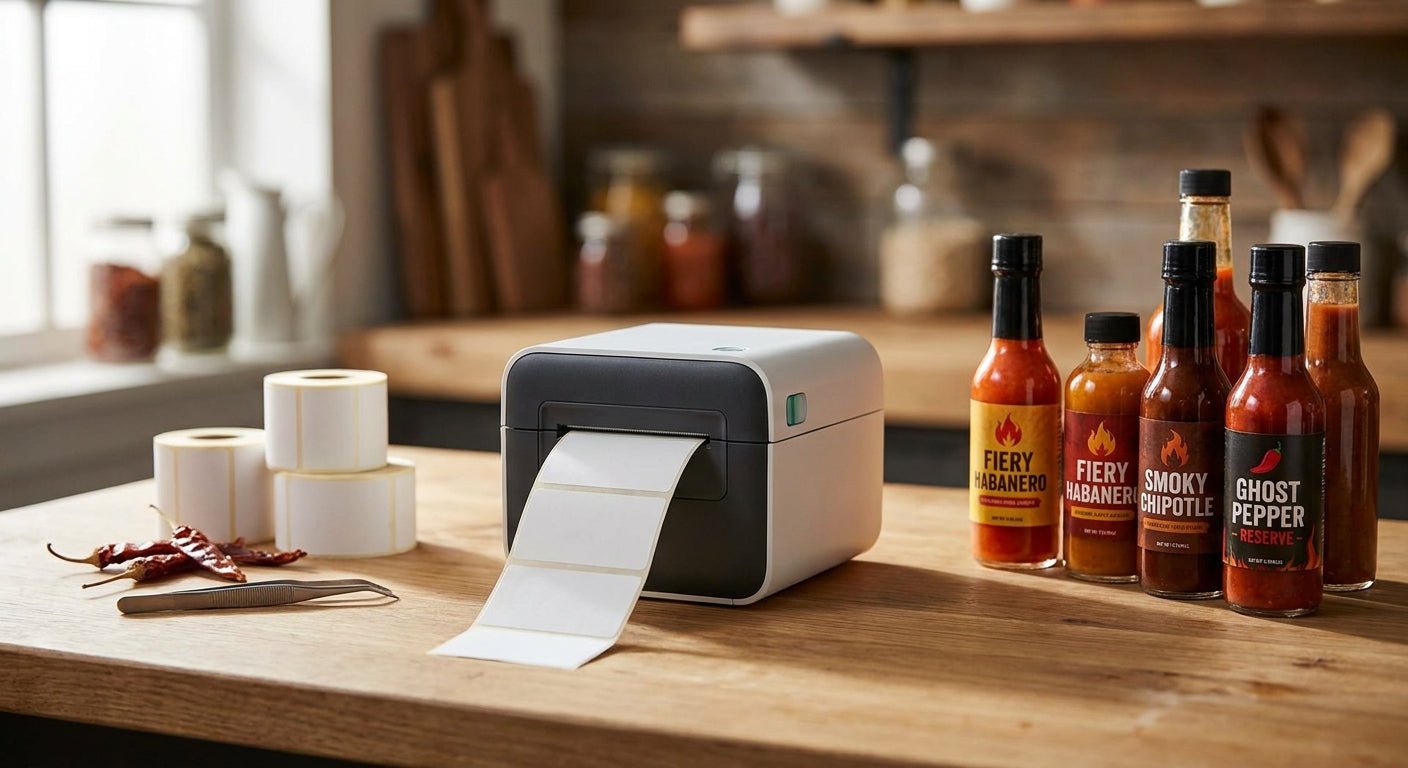
Hot sauce labels have to survive vinegar splashes, condensation on the fridge shelf, and repeated handling at farmers markets — and the printer you pick decides whether that label still looks sharp on bottle 500 or starts smearing by bottle 50.
TL;DR
The GoDEX RT863i (600 DPI) is the best label printer for hot sauce bottles in 2026 if your labels carry small ingredient text or a detailed logo — Buy. The GoDEX GE330 thermal transfer printer (203 DPI) is the better call if you're running high-volume batches and need labels that resist oil, moisture, and fridge condensation without smearing — Buy. Budget-conscious makers doing under 500 bottles a month can start with a 203 DPI direct thermal model and upgrade later — Consider. Anyone printing on a home inkjet or laser printer for bottle labels should stop — those labels fail within weeks around heat and moisture — Skip.
Why this matters
Hot sauce is one of the least forgiving label environments in food packaging. Bottles get wiped down, refrigerated, handled with wet fingers, and shipped in humid trucks. A label printed at low resolution on the wrong material starts peeling at the corners or fading at the batch code within a month — and that's the number a retailer or a returning customer actually notices.
Search demand for label printer for hot sauce bottles sits around 270 searches a month with a difficulty score of 21, which means the competition is thinner than most food-and-beverage label queries — but the buyers searching it are specific: small-batch producers who need print resolution and material durability, not another generic "best printer 2026" roundup.
How this list was ranked
Each printer below is compared on three factors that matter specifically for hot sauce bottle labels: print resolution (DPI), whether it supports thermal transfer for oil and moisture resistance, and how well it handles small batch runs versus continuous production. Specs are pulled from GoDEX manufacturer listings current as of 2026. No lifestyle scoring, no "ease of use" fluff — just resolution, durability method, and throughput.
The ranked list
1. GoDEX RT863i — the detail pick
This is the sharpest printer on the list at 600 DPI, which matters if your hot sauce label carries small nutritional text, a Scoville rating, or a fine-line illustrated logo. At 203 or 300 DPI, tiny text on a 2x3 inch bottle label can blur at the edges; 600 DPI keeps it crisp.
It runs thermal transfer ribbon, so ink is fused into the label rather than sitting on top — that's the difference between a label that survives a dish towel wipe-down and one that smears the first time it gets wet. Verdict: Buy if label detail and shelf presentation are the priority.
2. GoDEX GE330 — the workhorse pick
The GoDEX GE330 prints at 203 DPI and runs thermal transfer, which is the material combination that holds up best against oil residue, vinegar splashes, and fridge condensation over months of shelf life. It's built for repetitive runs rather than one-off jobs.
If you're bottling weekly and need consistent output without babysitting the printer between batches, this is the safe pick. 203 DPI is plenty sharp for standard bottle label text and barcodes — it's not the resolution you'd pick for fine illustration work, but for a working sauce label it holds up. Verdict: Buy for producers running 500+ bottles a month.
3. GoDEX RT230i — the balanced pick
Sitting at 300 DPI, the RT230i splits the difference between the RT863i's fine detail and the GE330's production speed. It handles moderate detail — logos, ingredient panels, small QR codes for a website link — without the premium cost of 600 DPI hardware.
For a hot sauce brand somewhere between weekend market stand and full retail distribution, 300 DPI covers most label designs without over-buying resolution you won't use. Verdict: Consider if you're scaling but not yet at high volume.
4. GoDEX RT200i — the entry pick
At 203 DPI, the RT200i is a straightforward direct-thermal-capable unit for makers just starting to print in-house instead of ordering pre-printed rolls from a label vendor. It won't deliver fine detail, but for a clean text-and-logo bottle label it's functional.
The tradeoff: direct thermal labels (no ribbon) fade faster under heat and UV exposure than thermal transfer, so if bottles sit in a sunny farmers market tent for hours, expect shorter label life. Verdict: Consider for low-volume starters, Skip if bottles get direct sun exposure regularly.
5. GoDEX GE300 — the wildcard
The GE300 prints at 203 DPI and works well for producers who need a no-frills desktop unit for short runs — small test batches, seasonal flavors, or private-label orders for a single account. It's not built for continuous high-volume printing, but for irregular batch schedules it's adequate.
If your production schedule is unpredictable — a few dozen bottles one month, a few hundred the next — this is a reasonable stopgap before committing to a higher-throughput machine. Verdict: Consider for irregular, low-volume runs.
Comparison table
| Printer | Resolution | Print method | Best for |
|---|---|---|---|
| GoDEX RT863i | 600 DPI | Thermal transfer | Fine detail, illustrated logos |
| GoDEX GE330 | 203 DPI | Thermal transfer | High-volume, oil/moisture resistance |
| GoDEX RT230i | 300 DPI | Thermal transfer | Growing brands, moderate detail |
| GoDEX RT200i | 203 DPI | Direct thermal | Entry-level, indoor storage |
| GoDEX GE300 | 203 DPI | Direct thermal | Irregular, low-volume batches |
Where to buy
- Buy the printer and matching label stock together — a 600 DPI printer paired with the wrong ribbon or facestock won't hold up against vinegar or oil the way the spec sheet suggests.
- For thermal transfer setups, pair the printer with polyester label stock rather than paper — polyester resists moisture and oil far better on a hot sauce bottle that gets refrigerated and wiped down repeatedly.
- Get a custom quote before committing to a print run size — bottle count, label dimensions, and finish (matte vs semi-gloss) all change what setup makes sense, and pricing shifts with volume in 2026 the same way it did in prior years.
FAQ
What's the best label printer for hot sauce bottles in 2026? The GoDEX RT863i at 600 DPI is the top pick for detailed labels, while the GoDEX GE330 thermal transfer printer is the better choice for high-volume runs that need oil and moisture resistance.
Is thermal transfer better than direct thermal for hot sauce labels? Yes, for most hot sauce applications — thermal transfer uses a ribbon that fuses ink into the label, resisting fridge condensation and oil contact far longer than direct thermal, which fades under heat and light over weeks.
Do I need 600 DPI for a hot sauce label? Only if your label includes small text, a Scoville scale graphic, or a fine-line illustration — standard text-and-logo labels print cleanly at 203 or 300 DPI.
Can I use a regular inkjet printer for hot sauce bottle labels? No — inkjet ink is not designed to resist moisture, oil, or refrigeration condensation, and labels will smear or peel within weeks of regular handling.
How much does a thermal label printer for hot sauce bottles cost? Pricing varies by resolution and print method — check current listings for exact figures, since 600 DPI thermal transfer units cost more upfront than 203 DPI direct thermal models but reduce label reprints over time.
What label material holds up best on a hot sauce bottle? Polyester label stock paired with thermal transfer printing resists oil, moisture, and temperature swings better than paper labels, which is why most bottled sauce producers avoid paper for anything beyond a short test run.
Do I need a barcode on my hot sauce label? If you're selling through retail or Amazon FBA, yes — most retailers require a scannable barcode, and any of the printers above at 203 DPI or higher can print one cleanly.
How many bottles can one printer handle per month? Throughput depends more on print method than DPI — thermal transfer units like the GoDEX GE330 are built for continuous runs, while direct thermal desktop units like the GE300 suit smaller, irregular batches.
One last thing
The detail that trips up most first-time hot sauce producers isn't the printer — it's the ribbon-to-label mismatch. A wax ribbon on a polyester label smears under oil contact within days; a resin or wax-resin ribbon on the same polyester stock holds up for months. Match the ribbon chemistry to the label material before you print a single bottle, not after a batch comes back damaged.