
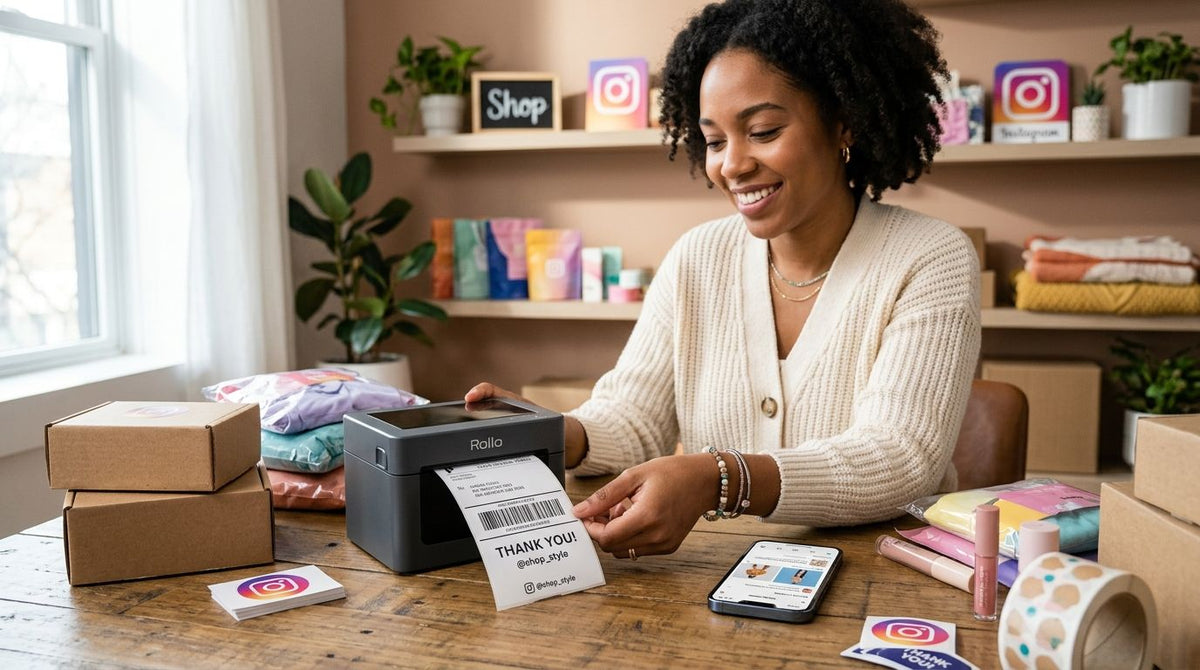
Instagram Shop sellers print three kinds of labels off the same small desk: outbound shipping labels, branded product stickers, and sometimes QR-linked packaging inserts — and a printer built for only one of those jobs slows down every packing session. This guide ranks five GoDEX thermal printers by the specific job each one solves for social commerce sellers running Instagram Shop in 2026.
- GoDEX RT700i+ is the best label printer for Instagram Shop sellers who ship and brand labels daily.
- GoDEX ZX430i+ wins on 300 DPI resolution for logos that need to read clearly at 1 inch.
- GoDEX RT200i is the budget entry point for sellers running under 20 orders a day.
- GoDEX GE330 uses thermal transfer ribbon for labels that ride in hot vans or damp storage.
- GoDEX RT730i scales best once daily order volume outgrows a single desktop printer.
Why this matters
An Instagram Shop order isn't just a shipping label. It's a shipping label plus a product sticker with your logo, and sometimes a QR code linking to a care card or reorder page. Print all three off a printer built for one job — a basic 203 DPI shipping unit, say — and the logo comes out soft while the barcode prints fine.
The GoDEX RT700i+ sits in the middle of that trade-off: a 4-inch dual thermal print head, 203 DPI resolution, a color touchscreen for reprints without opening a laptop, and USB, serial, and Ethernet connectivity. That combination is why it opens this list.
McAuley Labels sells the full GoDEX lineup, and every model here carries the same 3-year warranty. The differences that matter for Instagram Shop selling in 2026 come down to resolution, ribbon versus no-ribbon printing, and how much daily volume the printer is built to absorb.
What makes the best label printer for Instagram Shop sellers
- Resolution matched to label content — 203 DPI is fine for barcodes and text; fine logo lines or small serif type need 300 DPI.
- Direct thermal vs. thermal transfer — direct thermal skips the ribbon but fades faster in heat; thermal transfer holds up in vans and damp storage.
- Standalone printing — a color touchscreen lets you reprint or reorder a label without a laptop open at the packing table.
- Connectivity for your setup — USB alone is fine at a desk; Ethernet matters once the printer sits on a shared network in a garage or small warehouse.
- Headroom for order volume — a printer sized for 15 orders a day chokes at 80; buying ahead of volume saves a second purchase later.
- Warranty coverage — every GoDEX printer in this lineup carries a 3-year warranty, so that variable is constant across the ranking.
At a glance
| Printer | Best for | Standout feature | Key limitation |
|---|---|---|---|
| GoDEX RT700i+ | Instagram Shop sellers overall | Color touchscreen for standalone reprints | 203 DPI won't sharpen fine logo detail |
| GoDEX ZX430i+ | Branded labels with fine logo detail | 300 DPI dual thermal print head | Slower print speed on dense graphics |
| GoDEX RT200i | Sellers just starting out | 203 DPI at the lowest entry point in this lineup | No color display, no standalone queue |
| GoDEX GE330 | Labels that need to survive shipping abuse | Thermal transfer ribbon resists heat and moisture | Ribbon is an extra consumable to restock |
| GoDEX RT730i | Scaling past desktop volume | Built for continuous daily print runs | More printer than low-volume sellers need |
1. GoDEX RT700i+: best label printer for Instagram Shop sellers overall
The GoDEX RT700i+ is a 4-inch dual thermal printer running 203 DPI resolution with a color touchscreen display and USB, serial, and Ethernet connectivity. That spread covers a desk setup and a shared-network packing station without swapping printers.
GoDEX RT700i+ pros:
- Color display lets you queue a reprint mid-pack without opening a laptop
- USB, serial, and Ethernet cover both desk and small-warehouse setups
- 4-inch width handles standard shipping labels and larger product stickers on one machine
GoDEX RT700i+ cons:
- 203 DPI is fine for barcodes and text, not for fine photographic logo detail
- No thermal transfer ribbon compartment for sellers who need extreme label durability
Best for: Instagram Shop sellers printing shipping labels and product stickers off the same machine daily.
Verdict: Buy.
2. GoDEX ZX430i+: best label printer for high-resolution logo detail
The GoDEX ZX430i+ is also a 4-inch dual thermal printer with a color display and the same USB/Serial/Ethernet connectivity as the RT700i+, but it runs at 300 DPI instead of 203. That resolution jump matters the moment your product label carries thin serif type, a detailed logo mark, or small-print ingredient text.
GoDEX ZX430i+ pros:
- 300 DPI holds fine text and thin logo lines that 203 DPI prints as a blur
- Same color-display interface as the RT700i+, so training a second person is quick
- Same connectivity options, making it an easy add-on next to an existing RT700i+
GoDEX ZX430i+ cons:
- Higher resolution slows print speed on dense, ink-heavy graphics
- Unnecessary if your labels are just a SKU and barcode
Best for: Instagram Shop sellers whose packaging leans on a detailed logo mark or small-print text.
Verdict: Buy if logo sharpness sells the unboxing; Skip if your labels are barcode-only.
3. GoDEX RT200i: best budget label printer for sellers just starting out
The GoDEX RT200i runs the same 203 DPI resolution as the RT700i+ without the color touchscreen or standalone reprint queue. For a seller testing whether Instagram Shop turns into a real volume channel, that's the right amount of printer.
GoDEX RT200i pros:
- Lowest entry point in this lineup for a seller not yet committed to a full packing station
- 203 DPI is sharp enough for shipping labels and simple product stickers
- Straightforward setup for someone printing a handful of orders a day
GoDEX RT200i cons:
- No color display, so reprints and reorders route through a computer
- Less headroom once daily order count climbs past a few dozen
Best for: sellers validating Instagram Shop before investing in a full labeling setup.
Verdict: Buy if you're under roughly 20 orders a day; Wait and step up to the RT700i+ once volume grows.
4. GoDEX GE330: best label printer for labels that need to survive shipping abuse
The GoDEX GE330 is a 4-inch thermal transfer printer running 203 DPI. Thermal transfer means it uses a ribbon instead of printing directly onto heat-sensitive stock, and that ribbon is what keeps the print from fading when a package sits in a hot delivery van or a damp storage unit.
GoDEX GE330 pros:
- Thermal transfer ribbon resists heat, humidity, and abrasion that fade direct thermal prints
- Good match for labels that travel through regions with heat or humidity swings
GoDEX GE330 cons:
- Ribbon is a consumable you have to keep in stock, unlike direct thermal printing
- Same 203 DPI ceiling as the RT700i+ and RT200i, so no resolution advantage
Best for: Instagram Shop sellers shipping through hot climates or storing inventory somewhere humid.
Verdict: Buy if durability against heat and moisture is the priority; Skip if you print and ship same-day.
5. GoDEX RT730i: best label printer for scaling past desktop volume
The GoDEX RT730i is built for continuous daily print runs rather than occasional batches. Once an Instagram Shop seller is printing labels every day instead of a few times a week, a printer designed to run without overheating during a long packing session earns its place.
GoDEX RT730i pros:
- Handles continuous print runs during a full packing marathon without slowing down
- Frees up the RT700i+ or ZX430i+ to run product labels while this one handles shipping
GoDEX RT730i cons:
- More printer than a seller under a few dozen daily orders actually needs
- Best value shows up once you're printing daily, not weekly
Best for: Instagram Shop sellers who've outgrown a single all-purpose desktop printer.
Verdict: Buy once you're at daily order volume; Hold otherwise.


How we ranked
Every model here shares the same 3-year GoDEX warranty, so the ranking comes down to the four criteria above: resolution against label content, direct thermal versus thermal transfer, standalone printing via touchscreen, and how much daily order volume the printer is sized for. The RT700i+ ranks first because it balances all four for a typical Instagram Shop mix of shipping labels and product stickers; the other four models each win one dimension the RT700i+ doesn't optimize for.
“If your product label needs visible logo detail at 1 inch, 203 DPI won't hold the line — that's a 300 DPI job.”
Which label printer should you choose?
For most Instagram Shop sellers in 2026 running a mix of shipping labels and branded product stickers, the GoDEX RT700i+ is the label printer to buy first. Step up to the GoDEX ZX430i+ the moment your logo or small-print text starts looking soft at 203 DPI. Start with the GoDEX RT200i if you're still validating whether Instagram Shop becomes a real volume channel, and add the GoDEX GE330 or RT730i once climate durability or daily volume respectively becomes the bottleneck.
FAQ
What's the best label printer for Instagram Shop sellers in 2026?
The GoDEX RT700i+ is the best overall choice for Instagram Shop sellers in 2026, combining 203 DPI resolution, a color touchscreen, and USB/Serial/Ethernet connectivity for both shipping labels and product stickers. Sellers needing sharper logo detail should look at the 300 DPI GoDEX ZX430i+ instead.
Is 300 DPI worth it for Instagram Shop product labels?
300 DPI is worth it only if your label carries fine logo lines, thin serif type, or small-print text under half an inch. Standard barcodes and bold text print cleanly at 203 DPI, which is what the GoDEX RT700i+ and RT200i use.
Do I need a thermal transfer printer for Instagram Shop shipping labels?
Only if your packages travel through heat or humidity that would fade a direct thermal print. The GoDEX GE330 uses thermal transfer ribbon specifically to resist that kind of fading; most sellers shipping through standard carrier networks are fine with a direct thermal printer.
Can one printer handle both shipping labels and product stickers?
Yes — the GoDEX RT700i+ and ZX430i+ are both 4-inch dual thermal printers built to run shipping labels and product stickers off the same unit. The choice between them comes down to whether 203 DPI or 300 DPI resolution matches your label content.
What's the difference between direct thermal and thermal transfer printing?
Direct thermal prints onto heat-sensitive label stock with no ribbon, while thermal transfer uses a ribbon to transfer ink onto the label. Direct thermal is simpler and cheaper to run day to day; thermal transfer, like the GoDEX GE330, holds up better against heat, moisture, and abrasion.
When should an Instagram Shop seller upgrade from the GoDEX RT200i?
Upgrade once daily order volume climbs past roughly 20 orders a day or once you need standalone reprints without a laptop open. At that point the color-display GoDEX RT700i+ removes the bottleneck the RT200i's setup creates.
Do GoDEX printers work for Instagram Shop orders synced through Shopify?
Yes, GoDEX printers connect via USB, serial, or Ethernet and print through standard label design software, which covers orders synced from Shopify into Instagram Shop. The specific setup steps vary by printer model and label software version.
How long does a GoDEX label printer last for daily Instagram Shop use?
Every GoDEX printer in this lineup, including the RT700i+, ZX430i+, RT200i, GE330, and RT730i, carries a 3-year warranty. Daily print volume and print head cleaning habits affect real-world lifespan beyond that coverage window.
One last thing
Most Instagram Shop sellers over-buy resolution. 203 DPI covers barcodes and standard text labels cleanly — save the jump to 300 DPI for logos with thin serif type or line art under half an inch, and put the difference toward a printer with headroom for the order volume you'll actually hit by the end of 2026.