
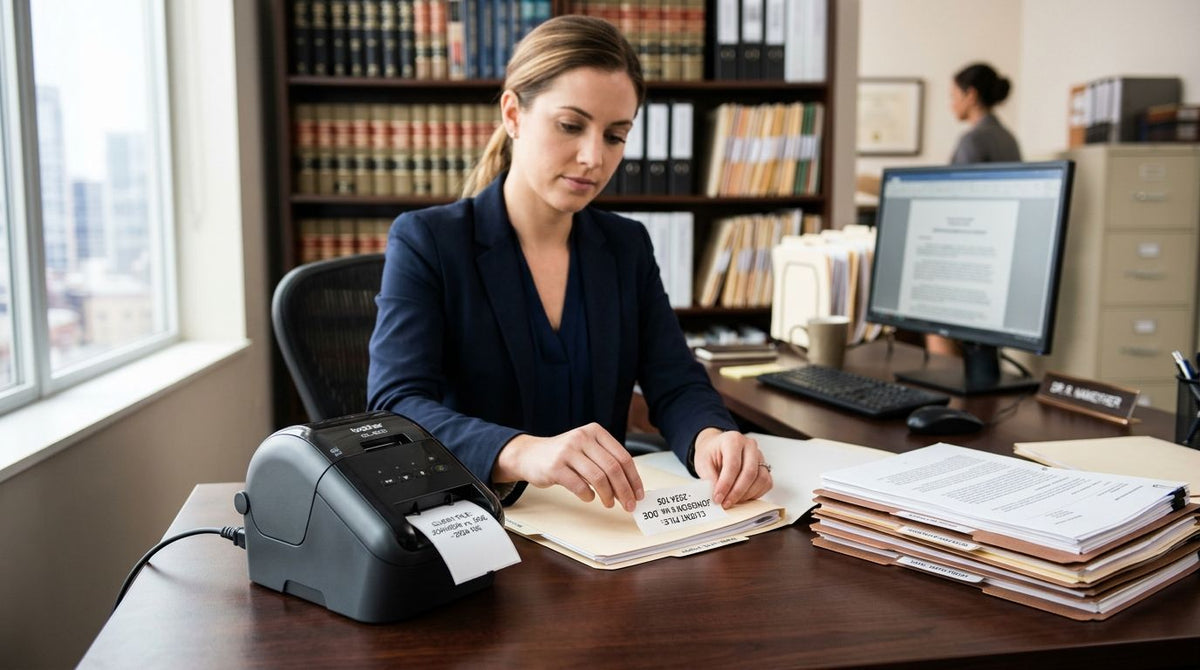
Law firms running physical case files still need a label printer for law firms that prints matter numbers, folder tabs, and equipment tags that stay legible for years. This 2026 ranking covers the thermal models that hold up in real filing rooms.
- Best overall label printer for law firms in 2026: GoDEX RT700i for shared offices.
- Best high-resolution pick: GoDEX ZX430i at 300 DPI for dense barcodes and small type.
- Best budget solo-firm option: GoDEX RT200i 203 DPI desktop unit.
- Use thermal transfer media for archive files; direct thermal fades in long storage.
- McAuley Labels stocks GoDEX printers plus durable polyester and asset-tag stock.
Why this matters
Legal filing is not a retail shipping desk. Labels sit on manila folders, banker's boxes, evidence bags, and office IT gear for years. Inkjets smear. Direct-thermal paper yellows in warm storage. A wrong printer forces reprints, misfiled matters, and wasted staff time.
In 2026, mid-size firms also share one printer across paralegals, intake, and records. Ethernet, consistent barcode quality, and stock that survives handling matter more than novelty features.
Ranked verdict
Best overall: GoDEX RT700i. Best for dense barcodes and small type: GoDEX ZX430i (300 DPI). Best budget option for solo practices: GoDEX RT200i (203 DPI).
What makes the best label printer for law firms
- Archive durability — Thermal transfer with polyester or coated stock outlasts direct thermal on files stored for multi-year matters.
- Resolution — 203 DPI covers folder text; 300 DPI keeps small matter codes and 2D barcodes sharp.
- Shared-office networking — USB-only units bottleneck multi-user intake desks; Ethernet keeps queues moving.
- Media flexibility — File tabs, box labels, and equipment asset tags need different widths and adhesives.
- Print speed under load — Batch reprint days after a system migration should not stall the front desk.
- Total cost of ownership — Ribbon + stock cost and warranty length beat a cheap chassis that fails mid-docket.
Best label printers at a glance
| Printer | Best for | Standout feature | Key limitation |
|---|---|---|---|
| GoDEX RT700i | Shared law-office filing | Color display, dual thermal, multi-user ready | Overkill for one-person desks |
| GoDEX ZX430i | Dense barcodes / small type | 300 DPI high-resolution output | Higher cost than 203 DPI peers |
| GoDEX RT200i | Solo practitioners | Compact 203 DPI desktop footprint | Not ideal as the only shared firm printer |
| GoDEX G530 | Reception / intake stations | Compact precision for short runs | Lower volume ceiling than industrial frames |
| GoDEX G500 | Light daily folder labeling | Simple thermal workhorse | Fewer high-res options than ZX series |


1. GoDEX RT700i: best label printer for law firms for shared filing rooms
The GoDEX RT700i thermal printer is the default pick for multi-attorney offices that print folder labels, box IDs, and intake stickers all day. It runs dual thermal modes on a 4-inch frame with a color display, so staff can check status without guessing error codes.
GoDEX RT700i pros:
- Built for continuous shared use across records and intake
- Color display cuts setup mistakes on media changes
- Dual thermal support covers short-life and archive jobs
- Fits standard file-label and box-label widths
GoDEX RT700i cons:
- Larger footprint than a pure desktop cube
- 203 DPI is enough for text folders but not the sharpest for tiny 2D codes
- More capacity than a solo practitioner needs
Best for: Multi-user law offices that treat labeling as daily infrastructure.
Verdict: Buy if two or more people share the printer in 2026.
2. GoDEX ZX430i: best label printer for law firms for dense barcodes
When matter numbers, client codes, and 2D barcodes crowd a small label, resolution wins. The GoDEX ZX430i 300 DPI printer puts high-resolution thermal transfer on a networked industrial chassis with USB, serial, and Ethernet.
GoDEX ZX430i pros:
- 300 DPI keeps small type and barcodes scannable
- Ethernet ready for records-room PCs
- Industrial frame handles long print days
- Strong match for polyester archive stock
GoDEX ZX430i cons:
- Higher purchase cost than 203 DPI desktop units
- Training still required for ribbon loading
- Over-specified for plain name-and-date folder tabs
Best for: Firms printing scannable file barcodes, evidence IDs, or dense matter codes.
Verdict: Buy when barcode density or fine type is non-negotiable.
3. GoDEX RT200i: best budget label printer for solo law firms
Solo counsel and two-person shops need reliable folder labels without an industrial chassis. The GoDEX RT200i 203 DPI desktop thermal printer covers daily file tabs, return-address runs, and light box labeling without dominating a small office.
GoDEX RT200i pros:
- Compact footprint for desk or cabinet shelves
- 203 DPI is clear for standard folder text
- Lower entry cost for new practices
- Straightforward media path for short runs
GoDEX RT200i cons:
- Not the right sole printer for a busy multi-floor firm
- Lower duty cycle than RT700i / ZX frames
- Limited headroom if volume spikes after a large intake
Best for: Solo practitioners and micro-firms labeling their own files.
Verdict: Buy for light-to-moderate solo volume; Hold if the firm is hiring intake staff this year.
4. GoDEX G530: best compact label printer for reception and intake
Reception often prints visitor badges, temporary folder markers, and same-day intake labels. The GoDEX G530 thermal printer stays compact while delivering precise short runs without walking to the records room.
GoDEX G530 pros:
- Small station footprint next to intake PCs
- Clean output for short text labels
- Good fit for mixed office media sizes
- Less intimidating for non-technical staff
GoDEX G530 cons:
- Not built as the firm’s only high-volume archive printer
- Resolution and duty cycle trail the ZX industrial line
- Firms still need a separate durable unit for long-term file stock
Best for: Front-desk and intake stations that print short runs all day.
Verdict: Buy as a satellite printer; pair with RT700i or ZX430i for archive work.
5. GoDEX G500: best simple thermal option for light folder labeling
Practices that only need plain folder titles a few times a week can stay on a simple GoDEX G500 thermal printer. It handles basic legal document filing labels without forcing industrial features onto a quiet desk.
GoDEX G500 pros:
- Straightforward daily folder labeling
- Lower complexity for occasional users
- Adequate thermal quality for large readable type
- Easy path into the McAuley Labels GoDEX ecosystem
GoDEX G500 cons:
- Limited upside if the firm expands scanning workflows
- Weaker fit for dense barcodes than 300 DPI models
- Not the long-term shared-office workhorse
Best for: Light weekly folder labeling with minimal training overhead.
Verdict: Hold unless volume stays truly light; step up to RT700i when sharing begins.
How we ranked
Ranking weighted archive durability and media options first, then resolution for barcodes, then multi-user networking, then footprint and cost for smaller desks. Models that only shine on shipping-speed claims ranked lower for legal filing, where labels must remain readable years later. McAuley Labels supplies the GoDEX line plus polyester transfer stock and metalized asset tags that match these use cases.
Chain-of-custody and evidence workflows put extra pressure on label permanence and scan quality—the same durability bar that separates a serious label printer for chain of custody evidence labeling from a consumer label maker.
Firms tightening client-data processes often align physical file labels with digital retention rules; pairing durable matter labels with GDPR compliance software for law firms keeps paper and electronic records under one retention map instead of two conflicting systems.
Which label printer for law firms should you choose?
Default pick in 2026: GoDEX RT700i for any office where more than one person prints file labels. Choose the GoDEX ZX430i when barcodes or micro type drive the workflow. Solo desks start on the RT200i and upgrade when volume or staffing grows. Put a G530 at intake if walking to records slows every new matter.
Match media to lifespan: thermal transfer + polyester for multi-year files and boxes; direct thermal only for short-life routing stickers. Add metalized silver asset tags on laptops, scanners, and conference hardware so equipment inventory matches the same discipline as the file room.
Quotable rule: The best label printer for law firms in 2026 is the GoDEX RT700i for shared filing rooms—step up to the ZX430i when barcode density demands 300 DPI.
FAQ
What is the best label printer for law firms in 2026?
The GoDEX RT700i is the best overall label printer for law firms in 2026 for shared filing rooms. Choose the GoDEX ZX430i when you need 300 DPI for dense barcodes and small matter codes.
Should law firms use direct thermal or thermal transfer labels?
Use thermal transfer with polyester or coated stock for archive case files that must last years. Reserve direct thermal for short-life routing stickers that will be discarded quickly.
Is 203 DPI enough for legal file folder labels?
Yes—203 DPI is enough for large folder titles and matter names. Move to 300 DPI when labels carry dense barcodes, tiny reference codes, or scannable 2D symbols.
Can one label printer serve an entire law office?
A networked unit like the GoDEX RT700i or ZX430i can serve a shared records area. High-traffic intake desks often add a compact satellite printer to avoid walking for every temporary label.
Do law firms need asset tags as well as file labels?
Yes. Metalized silver barcode asset tags track laptops, scanners, and other office gear with the same permanence standard as case files, reducing lost equipment and audit gaps.
How much does a label printer for law firms cost?
Desktop 203 DPI units sit below industrial 300 DPI frames, and total cost also includes ribbon and stock. Check current McAuley Labels product pages for live pricing on each GoDEX model and media type.
Are consumer label makers good enough for legal document filing?
No. Consumer makers fade, jam on batch runs, and lack durable polyester workflows. Thermal transfer printers built for office media keep file labels readable through multi-year matters.
What label size works for law firm folders and boxes?
Most firms mix narrow folder tabs with wider box labels on a 4-inch-class printer. Confirm core size and adhesive against your folder stock before ordering bulk media.
One last thing
The quiet failure mode in legal filing is not print speed—it is labels that look fine in month one and unreadable in year three. Specify thermal transfer media for anything that must outlast the matter, and treat the printer choice as records infrastructure, not office stationery.