
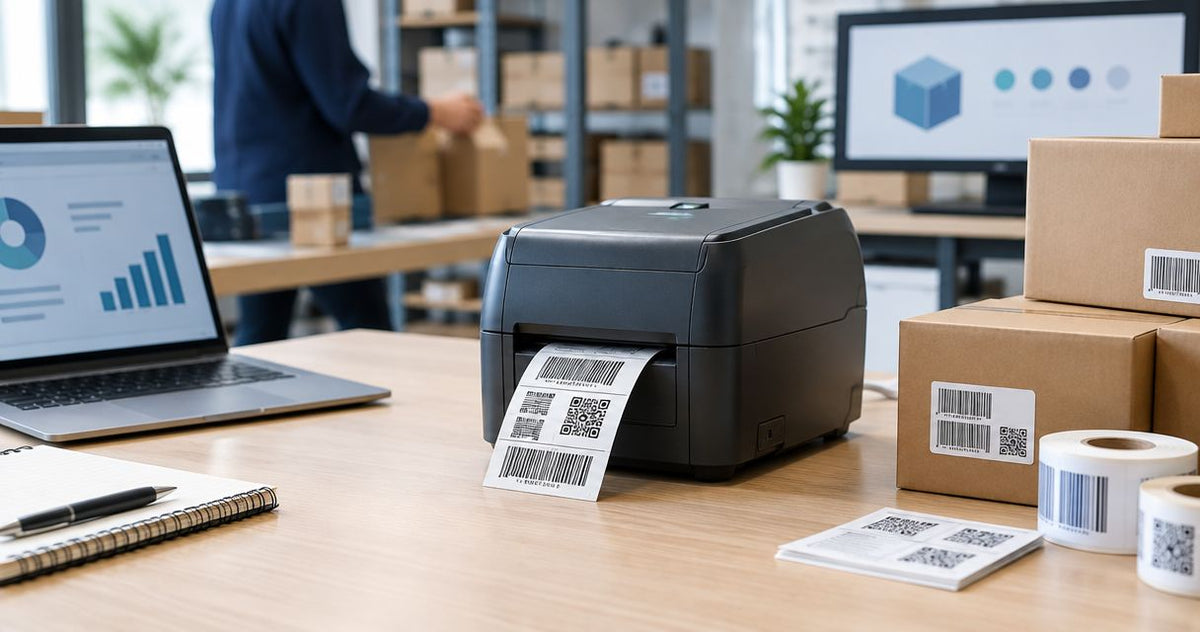
Best overall for GS1 barcode compliance in 2026: GoDEX ZX430i+. Best for high-volume industrial GS1-128 case labeling: GoDEX GX4300i. Best budget entry point for lower-volume runs: GoDEX RT700i+. GS1 compliance comes down to print resolution and barcode grade, not brand loyalty — match the printer to the barcode module you're actually printing, and the rest sorts itself out.
- GoDEX ZX430i+ at 300 DPI is the best label printer for GS1 barcode compliance in 2026 for mixed label sizes.
- GoDEX GX4300i handles high-volume GS1-128 case labeling with 300 DPI and Ethernet connectivity.
- GoDEX RT700i+ at 203 DPI works for GS1 compliance on labels 2 inches or larger, not small DataMatrix codes.
- GS1-128 barcodes near the 0.010-inch X-dimension floor need 300 DPI or higher to hold verification grade.
- GoDEX DT2X skips ribbon entirely for low-volume direct thermal GS1 labels but trades off long-term print permanence.
Why this matters
Retailers, 3PLs and distribution centers scanning GS1-128 or GS1 DataMatrix codes at receiving reject or charge back shipments that fall below a Grade C (1.5) score under ISO/IEC 15416 — the standard most trading-partner routing guides reference for barcode verification. A label printer for GS1 barcode compliance has to hold that grade at full production speed, not just on a test label pulled fresh off the machine in a demo.
Module size, not sticker size, decides whether a barcode clears that bar in 2026. A full GTIN-14 case code printed at 203 DPI passes fine. A GS1 DataMatrix squeezed onto a 1-inch label at 203 DPI often does not. The GoDEX ZX430i+ 300 DPI printer sits at the resolution floor most small-module GS1 codes actually need this year, which is why it tops this list.
What makes the best label printer for GS1 barcode compliance
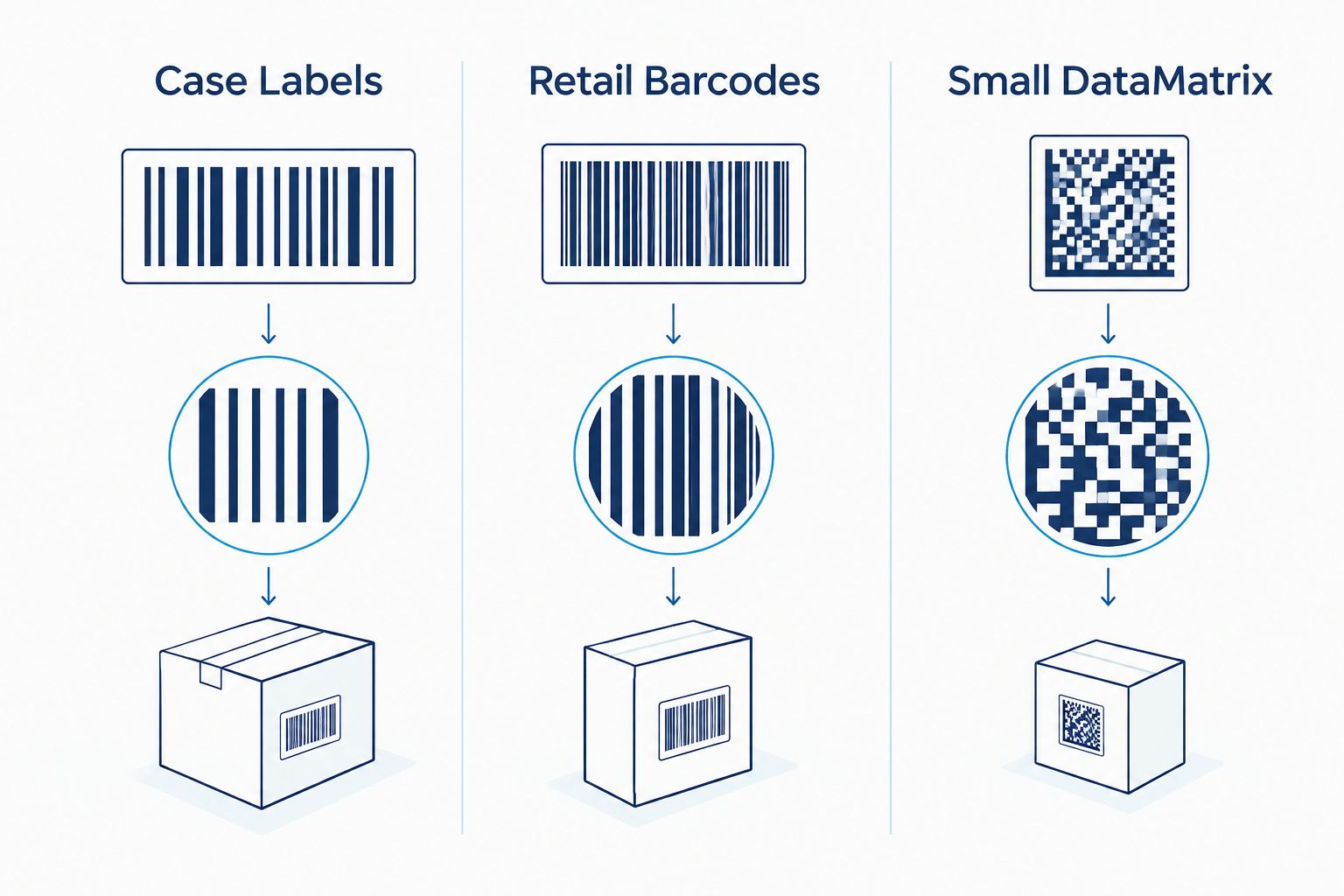
- Resolution matched to module size — 203 DPI covers GTIN-14 case codes at 2 inches or larger; GS1-128 and DataMatrix codes under an inch need 300 DPI or higher to stay inside GS1's X-dimension range.
- Verified print consistency at rated speed — a printer that only holds Grade C at half its rated inches-per-second is a sample maker, not a production printer.
- Dual thermal support — direct thermal for short-life case labels, thermal transfer ribbon for labels that need to survive months on a pallet or shelf.
- Print width matched to label format — most GS1 case and carton labels run 4 inches wide; narrower stock needs a printer built for that footprint.
- Connectivity for ERP and label design software — USB, Serial and Ethernet all matter once GS1 labeling moves off a single desktop and onto a shared print queue.
- A print head rated for daily volume — GS1 compliance labeling is rarely a one-off job; resolution has to hold after months of runs, not just out of the box.
GS1 barcode label printers at a glance
| Printer | Best For | DPI | Standout Feature | Key Limitation |
|---|---|---|---|---|
| GoDEX ZX430i+ | Mixed label sizes, GS1-128 and DataMatrix | 300 DPI | Dual thermal + color display | Slower throughput than 203 DPI models |
| GoDEX GX4300i | High-volume industrial GS1-128 case labeling | 300 DPI | Industrial chassis, Ethernet-ready | Larger footprint, built for volume runs |
| GoDEX RT700i+ | Lower-volume GS1 compliance on large-format labels | 203 DPI | Color display, dual thermal | Not reliable for small DataMatrix codes |
| GoDEX GE330 | Standard 4-inch GS1 case labels | 203 DPI | Thermal transfer durability | No dual thermal, ribbon is a recurring consumable |
| GoDEX DT2X | Low-volume, short-life GS1 tracking labels | Not rated at 300 DPI | No ribbon needed | Direct thermal print fades over time |
1. GoDEX ZX430i+: best label printer for GS1 barcode compliance on mixed label sizes
The GoDEX ZX430i+ is a 4-inch dual thermal printer running at 300 DPI with a color display and USB, Serial and Ethernet connectivity. It prints both direct thermal and thermal transfer labels from the same machine, so a facility running case labels alongside small GS1 DataMatrix codes doesn't need two printers on the floor.
GoDEX ZX430i+ pros:
- 300 DPI resolution holds GS1-128 and DataMatrix codes down near the 0.010-inch X-dimension floor
- Dual thermal support covers short-life and long-life label stock without swapping hardware
- Color display simplifies switching between label templates on a shared production line
GoDEX ZX430i+ cons:
- 300 DPI print speed runs slower than a comparable 203 DPI printer at the same rated speed
- Overkill if every label you print is large-format, case-level GTIN-14
GoDEX ZX430i+ verdict: Buy — if any of your GS1 labels are small-format DataMatrix or run under an inch, 300 DPI is the resolution floor, not a nice-to-have.
2. GoDEX GX4300i: best label printer for high-volume industrial GS1-128 case labeling
The GoDEX GX4300i is a 4-inch industrial dual thermal printer at 300 DPI with USB, Serial and Ethernet ports, built for continuous production runs rather than desktop use.
GoDEX GX4300i pros:
- Industrial-grade chassis holds up under multi-shift GS1 case labeling
- 300 DPI plus Ethernet drops directly into a warehouse print queue
- Dual thermal support handles both short-run and long-life case labels
GoDEX GX4300i cons:
- Larger footprint than a desktop printer, needs dedicated bench or cart space
- Built for volume — a poor fit if you're printing a handful of GS1 labels a day
GoDEX GX4300i verdict: Buy — for a facility printing GS1-128 case labels by the hundreds per shift, not the dozen.
3. GoDEX RT700i+: best label printer for GS1 compliance on a budget
The GoDEX RT700i+ is a 4-inch dual thermal printer at 203 DPI with a color display, sized for lower-volume GS1 labeling where the barcode module is large enough that 203 DPI clears verification grade on its own.
GoDEX RT700i+ pros:
- Positioned at the accessible end of GoDEX's 4-inch dual thermal lineup
- Color display speeds up switching between label templates
- Dual thermal support handles mixed label stock
GoDEX RT700i+ cons:
- 203 DPI won't reliably hold Grade C on small GS1 DataMatrix codes under an inch
- Not built for multi-shift industrial volume
GoDEX RT700i+ verdict: Buy for GTIN-14 case labels and larger-format tags; Skip if any part of the run includes small DataMatrix codes. Check the GoDEX RT700i+ 203 DPI printer specs against your actual label sizes before ordering.
4. GoDEX GE330: best label printer for standard 4-inch GS1 case labels
The GoDEX GE330 is a 4-inch, 203 DPI thermal transfer printer built for standard case and carton labeling on a single production line.
GoDEX GE330 pros:
- Thermal transfer ribbon support for labels that need to survive handling and storage
- 4-inch print width matches most GS1 case label formats
- Straightforward setup for single-line operations
GoDEX GE330 cons:
- 203 DPI caps out below what small GS1 DataMatrix codes need
- No dual thermal option, so ribbon becomes a recurring consumable cost
GoDEX GE330 verdict: Hold — solid for straightforward case labeling, but confirm your barcode module size clears Grade C at 203 DPI before committing a production line to it.
5. GoDEX DT2X: best label printer for low-volume direct thermal GS1 labels
The GoDEX DT2X is a direct thermal printer, meaning it prints without ribbon — useful for facilities running lower GS1 label volumes where managing ribbon inventory isn't worth the overhead.
GoDEX DT2X pros:
- No ribbon to stock or swap
- Fewer moving parts to maintain
- Compact footprint for tight production spaces
GoDEX DT2X cons:
- Direct thermal prints fade under heat and sunlight over time, a real problem for GS1 labels that need to stay scannable through a supply chain
- Not rated at 300 DPI, so small-module barcodes carry more verification risk
GoDEX DT2X verdict: Wait — fine for internal GS1 tracking labels with a short shelf life, risky for labels that need to scan clean at the far end of a shipping route.


How we ranked
The ranking runs on resolution matched to barcode module size, dual thermal flexibility, connectivity for production environments, and print head durability under daily volume — not on brand name. A printer that scores well on three of four but fails resolution for your smallest GS1 code doesn't make the cut for that use case, even if it's the cheaper-feeling option on paper.
Which label printer for GS1 barcode compliance should you choose?
If you only take one recommendation from this page: buy the GoDEX ZX430i+. At 300 DPI it covers both today's GS1-128 case labels and tomorrow's small-format DataMatrix codes without forcing a second purchase in 2026. Drop to the GoDEX RT700i+ only if every label you print is large-format and you've confirmed it clears Grade C on your actual barcode stock — not a guess based on the spec sheet alone.
FAQ
What is GS1 barcode compliance for label printers?
GS1 barcode compliance means the printed barcode — usually GS1-128 or GS1 DataMatrix — scans at a verification grade acceptable to your trading partners, typically Grade C (1.5) or better under ISO/IEC 15416. The printer's job is to hold that grade at production speed, not just on a single test print.
What DPI do you need for GS1-128 barcode compliance?
203 DPI works for GTIN-14 case codes printed 2 inches or larger. Smaller GS1-128 or DataMatrix codes, especially those near the 0.010-inch X-dimension floor in GS1's General Specifications, need 300 DPI or higher to hold verification grade in 2026.
Is 203 DPI enough for GS1 compliant labels?
It's enough for large-format case and carton labels but not for small GS1 DataMatrix codes under an inch. Check your smallest barcode's module size before committing a production line to a 203 DPI printer.
What's the difference between GS1-128 and GS1 DataMatrix?
GS1-128 is a linear barcode commonly used on cases and cartons; GS1 DataMatrix is a 2D code that packs the same GS1 data into a smaller footprint, which is why it usually demands higher print resolution.
Should you use thermal transfer or direct thermal for GS1 labels?
Thermal transfer holds up better over months of handling and storage because the ribbon-printed image resists fading. Direct thermal is fine for short-life, internal GS1 tracking labels but fades under heat and sunlight over time.
How do you know if a barcode meets GS1 compliance?
Run the printed label through a barcode verifier scored to ISO/IEC 15416. Most retailer routing guides require Grade C (1.5) or better; GS1 itself certifies the barcode symbol, not the printer that produced it.
Can GoDEX printers print GS1 compliant barcodes?
Yes, provided the resolution matches your barcode module size. A 300 DPI GoDEX model like the ZX430i+ or GX4300i covers small GS1 DataMatrix codes; 203 DPI models cover larger case-level GS1-128 codes.
What happens if a GS1 barcode fails verification at receiving?
Retailers and 3PLs typically reject or charge back the shipment for relabeling, which costs more in labor and delay than buying the right resolution printer up front.
One last thing
GS1 doesn't certify printers — it certifies the printed barcode symbol through ISO/IEC 15416 verification. Buying the right DPI in 2026 is necessary but not sufficient: run every new label stock and ribbon combination through a verifier before it ships in volume, because the same printer can pass on one label stock and fail on another.