
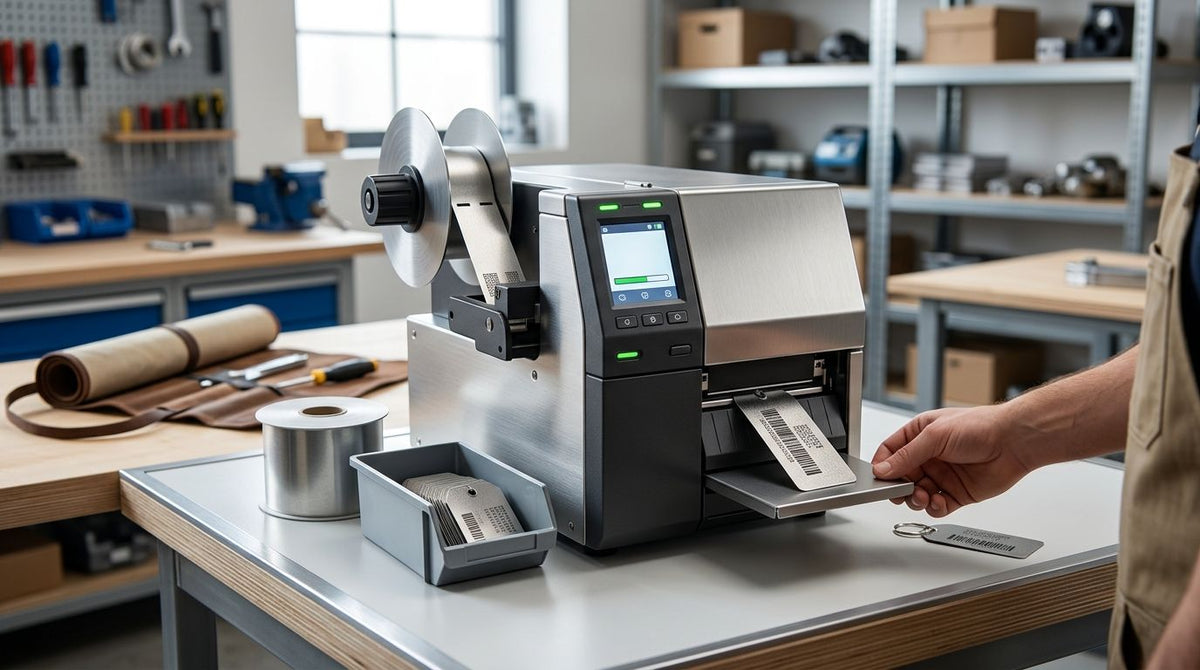
Metal asset tag printers don't print on solid metal — they print onto metalized polyester or heavy-duty silver label stock using thermal transfer technology, and picking the wrong resolution or ribbon combination is the fastest way to end up with barcodes that scan today and fail in six months. Best overall metal asset tag printer for 2026: GoDEX ZX430i+. Best for high-volume industrial tagging: GoDEX GX4300i. Best for micro-barcodes on small tags: GoDEX ZX1600i+. Best budget pick: GoDEX G530. Best for fast basic barcode runs: GoDEX RT700i+.
- GoDEX ZX430i+ is the best overall metal asset tag printer in 2026 for facilities running standard barcode and QR asset tags.
- 600 DPI models like the GoDEX ZX1600i+ are the only reliable choice for barcodes under 1 inch.
- Thermal transfer with resin ribbon is required for metalized asset tags — direct thermal alone won't hold up outdoors.
- Every GoDEX printer in this lineup ships with a 3-year warranty, which levels the playing field on reliability.
- GoDEX G530 is the budget pick for small IT or facilities teams tagging under a few hundred assets a month.
Why this matters
A metal asset tag printer is a bigger purchase decision than a shipping label printer because the output has to survive years outdoors, on machinery, or in a warehouse rack — not just get scanned once at checkout. Get the resolution wrong and small 2D barcodes blur into unreadable smudges. Get the ribbon wrong and metalized polyester tags fade or peel off equipment within months.
In 2026, most facilities buying a metal asset tag printer are replacing a printer that either can't hit the resolution their tag size needs or can't keep pace with their tagging volume. McAuley Labels sells the metalized silver and heavy-duty polyester tag stock these printers run on, which is why the picks below are matched to real tag sizes and durability requirements, not generic office printing specs.
What makes the best metal asset tag printer
- Print resolution matched to tag size — 203 DPI for large linear barcodes, 300 DPI for most standard tags, 600 DPI for anything under an inch or dense 2D codes
- Thermal transfer compatibility — metalized and heavy-duty polyester stock needs resin ribbon, not direct thermal printing
- Duty cycle and print speed — matters for facilities tagging hundreds or thousands of assets a month, not for a one-time inventory push
- Interface options — USB, serial, and Ethernet all matter for network deployment across multiple stations
- Warranty terms — a 3-year warranty is now the baseline across the GoDEX lineup, so don't settle for less
- Footprint — desktop models fit an IT closet; industrial chassis models are built for a production floor
At a glance
| Printer | Best for | Standout feature | Key limitation |
|---|---|---|---|
| GoDEX ZX430i+ | Standard facility tagging | 300 DPI with color display for onsite calibration | Not the fastest print speed in the lineup |
| GoDEX GX4300i | High-volume industrial tagging | Industrial chassis rated for continuous runs | Bulkier footprint than desktop models |
| GoDEX ZX1600i+ | Micro-barcodes on small tags | 600 DPI, the highest resolution in this guide | Overkill and slower on large-format tags |
| GoDEX G530 | Budget-conscious small teams | Lowest entry cost with 300 DPI and 3-year warranty | Smaller ribbon capacity, more frequent changes |
| GoDEX RT700i+ | Fast basic barcode-only runs | 203 DPI throughput for simple linear barcodes | Too coarse for small QR codes or fine text |
1. GoDEX ZX430i+: best metal asset tag printer for standard facility tagging
The GoDEX ZX430i+ thermal printer runs 300 DPI dual thermal printing with a color display and USB, serial, and Ethernet connections out of the box. That resolution handles the overwhelming majority of metal asset tags — barcodes, QR codes, and readable serial numbers on tags from half an inch to several inches wide.
GoDEX ZX430i+ pros:
- 300 DPI resolution balances sharpness and print speed for most tag sizes
- Color display simplifies calibration and ribbon alignment on the shop floor
- Ethernet connectivity supports networked deployment across multiple stations
- 3-year warranty matches every other GoDEX model in this guide
GoDEX ZX430i+ cons:
- Slower print speed than industrial-chassis models built for continuous runs
- Requires resin ribbon for metalized stock, an added consumable cost
Best for: facilities tagging a mix of equipment types at moderate volume. Verdict: Buy.
2. GoDEX GX4300i: best for high-volume industrial tagging
The GoDEX GX4300i is an industrial dual thermal printer built at 300 DPI for facilities running continuous asset-tagging jobs rather than occasional batches. The heavier chassis and touchscreen interface are designed for warehouse and manufacturing floor use, not a desk in an IT closet.
GoDEX GX4300i pros:
- Industrial build rated for higher duty cycles than desktop models
- Touchscreen interface speeds up job changes on the production floor
- 3-year warranty standard across the GoDEX line
GoDEX GX4300i cons:
- Larger footprint than desktop-class printers
- More printer than most small offices or single-site facilities need
Best for: distribution centers and manufacturers tagging thousands of assets a year. Verdict: Buy for high volume, skip for a small office.
3. GoDEX ZX1600i+: best for micro-barcodes on small metal tags
At 600 DPI, the GoDEX ZX1600i+ is the highest-resolution printer in this lineup, and it's the right call when asset tags shrink below an inch or carry dense 2D barcodes that need every pixel of clarity to stay scannable.
GoDEX ZX1600i+ pros:
- 600 DPI resolution keeps small barcodes and QR codes crisp
- Precision industrial build suited to demanding print runs
- 3-year warranty included
GoDEX ZX1600i+ cons:
- Higher-resolution printheads cost more to replace over time
- Unnecessary expense if your tags run larger than 2 inches
Best for: IT and lab teams tagging small equipment with dense barcodes. Verdict: Buy for small tags, wait if your format is large.
4. GoDEX G530: best budget metal asset tag printer
The GoDEX G530 thermal printer is a compact 2-in-1 dual thermal printer at 300 DPI, priced as the entry point in the GoDEX lineup while still carrying the same 3-year warranty as the industrial models above it.
GoDEX G530 pros:
- Lowest-cost entry into 300 DPI thermal transfer printing
- Compact footprint fits a desk or small office
- Same 3-year warranty as higher-tier GoDEX printers
GoDEX G530 cons:
- Smaller ribbon capacity means more frequent changes on long runs
- Print speed trails the industrial-class models
Best for: small IT or facilities teams tagging under a few hundred assets a month. Verdict: Buy.
5. GoDEX RT700i+: best for fast, basic barcode tagging
The GoDEX RT700i+ 4-inch color display printer runs at 203 DPI, which is coarser than the other picks here but fine for straightforward linear barcodes on brushed metal surfaces where speed matters more than fine detail.
GoDEX RT700i+ pros:
- Fast throughput for simple 1D barcode jobs
- Color display for easy setup and monitoring
- 3-year warranty included
GoDEX RT700i+ cons:
- 203 DPI is too coarse for small QR codes or fine serial-number text
- Not the right choice if tags combine a barcode with readable text
Best for: operations running high volumes of simple linear-barcode tags. Verdict: Buy for basic barcodes, skip for small QR codes.


How we ranked
Each printer is scored against the six criteria above: resolution, thermal transfer compatibility, duty cycle, interface options, warranty, and footprint. No pick wins every category — the ZX430i+ tops the list because it balances resolution and speed for the widest range of facilities, not because it dominates on paper specs alone. The ZX1600i+ wins the resolution category outright but loses on speed and cost for anyone tagging large-format equipment.
All five printers pair with metalized asset tag stock, including heavy-duty silver barcode asset tags, which is the label material most facilities run through these printers in 2026. Matching the printer to the tag stock — not just picking a printer in isolation — is what determines whether a barcode survives two years outdoors or fades in two months. For a deeper look at durability tradeoffs across tag materials, the heavy-duty asset tags for warehouse equipment guide breaks down which stock holds up in which environment.
Which metal asset tag printer should you choose?
If you're not sure where to start, the GoDEX ZX430i+ is the default pick for 2026 — 300 DPI covers most tag sizes, the color display makes calibration painless, and the 3-year warranty removes most of the downside risk. Move up to the GoDEX ZX1600i+ only if your tags are genuinely small or dense with 2D codes. Move down to the GoDEX G530 only if budget is the deciding factor and your monthly tagging volume is low. High-volume industrial operations should skip straight to the GoDEX GX4300i.
FAQ
What's the best metal asset tag printer in 2026?
The GoDEX ZX430i+ is the best overall pick for 2026 — 300 DPI resolution, a color display for onsite calibration, and a 3-year warranty cover the majority of facility tagging needs.
Is 300 DPI or 600 DPI better for metal asset tags?
300 DPI handles most standard asset tags from half an inch to several inches wide. 600 DPI is only necessary for tags under an inch or dense 2D barcodes where every pixel of clarity matters.
Do metal asset tag printers actually print on metal?
No — they print onto metalized polyester or heavy-duty silver label stock using thermal transfer technology, not directly onto raw metal surfaces. The tag material is what gives it a metal-like, durable finish.
What ribbon do I need for metalized asset tags?
Metalized and heavy-duty polyester asset tags require resin thermal transfer ribbon, not direct thermal printing. Direct thermal alone won't produce a durable, fade-resistant image on this stock.
Can one printer handle both asset tags and other label types?
Yes — the GoDEX printers ranked here switch between metalized asset tag stock, barcode inventory labels, and other thermal transfer label types by changing ribbon and label rolls, not hardware.
Is GoDEX or Zebra better for metal asset tags?
Both brands make thermal transfer printers capable of running metalized asset tag stock at comparable resolutions. The right choice depends on existing fleet compatibility and support relationships more than raw print quality.
How often do I need to replace ribbon in a metal asset tag printer?
Ribbon replacement frequency depends on print volume and ribbon length rather than the printer model itself — higher-volume industrial runs go through ribbon faster than occasional batch tagging.
One last thing
The detail most buyers miss in 2026: resolution and ribbon choice matter more to tag longevity than the printer's brand or price point. A 300 DPI printer running resin ribbon on heavy-duty metalized stock will outlast a 600 DPI printer running the wrong ribbon type — the printhead resolution is only half the durability equation.