
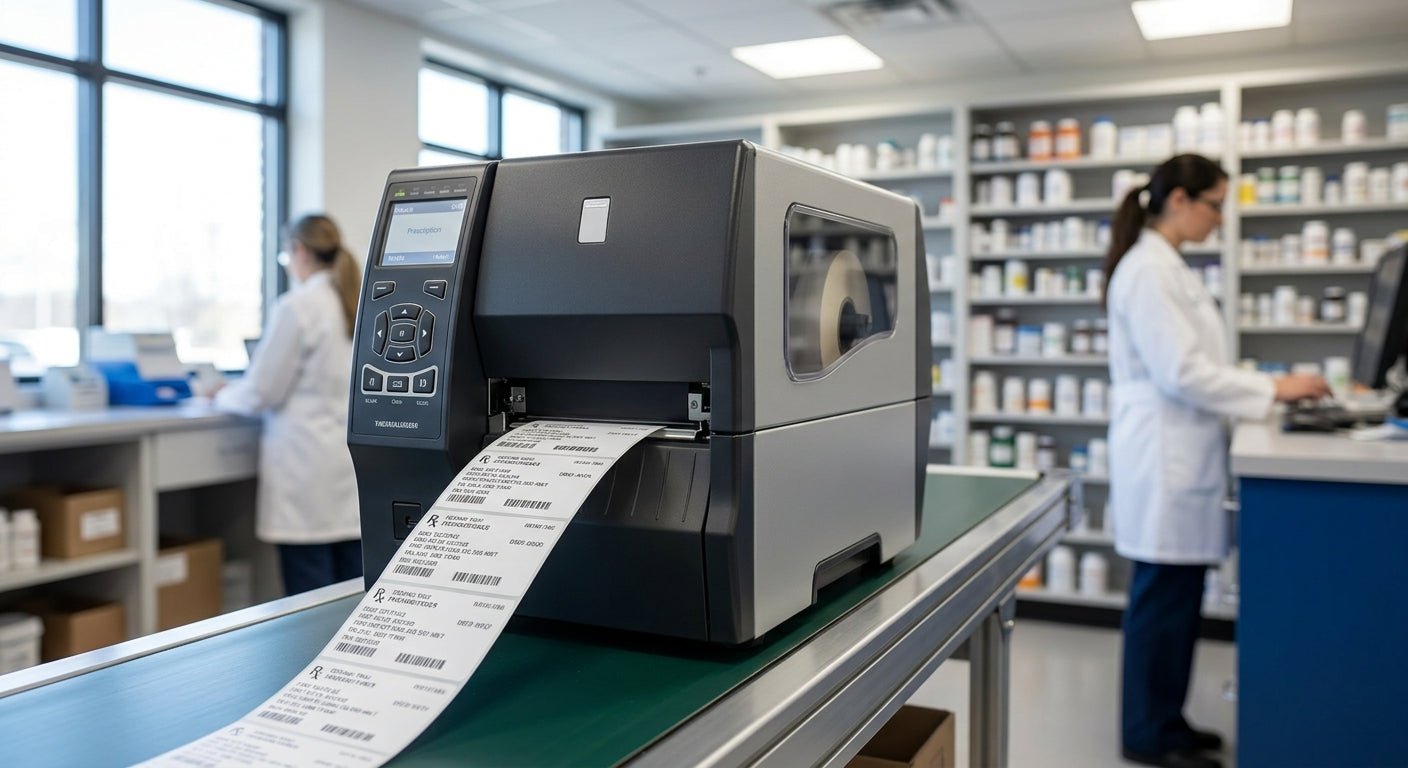
Mail-order pharmacies print prescription labels by the thousands every week, and a printer built for retail receipts or shipping labels will jam, smear, or choke on small-format barcodes long before the fulfillment line slows down. This guide ranks the thermal printers that hold up under continuous pharmacy labeling in 2026, with resolution, price, and a clear verdict on each.
- GoDEX ZX430i+ at 300 DPI is the best prescription label printer for mail-order pharmacies running barcode verification. Buy.
- GoDEX RT700i+ at $581 covers standard-volume Rx labels at 203 DPI. Buy for lower-density label runs.
- 300 DPI beats 203 DPI for small NDC barcodes and sig-code text on 2-inch prescription labels.
- Skip the base GoDEX RT200 for pharmacy use in 2026 — no color display and limited connectivity for dispensing software.
- GoDEX GE330 thermal transfer is the pick for refrigerated or high-handling labels that need to resist smearing.
Why this matters
A prescription label carries the NDC code, sig code, lot number, and a scannable barcode packed into roughly 2 square inches. At 203 DPI, small barcode elements can blur enough to fail a verification scan; at 300 DPI, the same code prints sharp enough for a handheld scanner to read on the first pass. That single spec difference is why a 300 DPI thermal printer sits at the top of this list instead of a cheaper 203 DPI model.
Mail-order volume adds a second requirement: uptime. A printer that jams every few hundred labels turns into a bottleneck fast when a pharmacy is filling hundreds of scripts a shift. Interface options matter too — pharmacy dispensing software typically needs USB, serial, or Ethernet connections, not just Bluetooth, to integrate cleanly with the label queue.
A deeper look at thermal label printer for pharmacy use covers the compliance angle in more detail if barcode verification standards are new to your operation.
How we ranked
Each printer on this list is scored on four factors: print resolution (203 DPI vs. 300 DPI), connectivity for dispensing software integration, price relative to features, and consumable compatibility with standard thermal transfer ribbon and label stock. GoDEX printers across this lineup carry a 3-year manufacturer warranty, which matters for a machine that runs daily without a break. Printers that lack a color display or modern interface options get marked down for pharmacy use even if the base print engine is capable, because operator error at the label station is expensive in a regulated dispensing environment.
The ranked list
1. GoDEX ZX430i+ — the resolution pick
The GoDEX ZX430i+ prints at 300 DPI with a color display and USB/Serial/Ethernet connectivity, priced at $945 in 2026. That resolution is the detail that matters most for prescription labels: small NDC barcodes and dense sig-code text hold their shape instead of smearing into an unreadable block. For a mail-order pharmacy running barcode verification at the fill station, this is the printer that avoids rescans and short-staffed bottlenecks. Verdict: Buy.
2. GoDEX RT700i+ — the volume workhorse
At $581, the GoDEX RT700i+ runs at 203 DPI with a color display and the same USB/Serial/Ethernet connectivity as the ZX430i+. It costs $364 less than the 300 DPI model, which makes it the right call for pharmacies printing standard-size labels without dense 2D barcodes. Where the ZX430i+ is the resolution play, the RT700i+ thermal printer is the value play for high-volume, lower-density label runs. Verdict: Buy for standard-volume Rx labels.
3. GoDEX GE330 — the thermal transfer specialist
The GE330 is a 4-inch, 203 DPI thermal transfer printer, meaning it runs with ribbon instead of relying on heat-sensitive direct thermal stock. That matters for labels headed into refrigerated storage or handled repeatedly during multi-step dispensing — direct thermal labels can fade under cold storage or friction over weeks, while thermal transfer print holds. It's not the top resolution pick, but for cold-chain or long-hold prescriptions, durability outranks DPI. Verdict: Consider for cold-chain and refrigerated labels.
4. GoDEX RT200i — the budget entry point
The RT200i runs at 203 DPI in a compact desktop footprint, positioned as an entry-level option in the GoDEX lineup. It's a reasonable backup or second-station printer for a mail-order pharmacy that already has a primary 300 DPI unit handling the bulk of verification-critical labels. As a sole printer for a high-volume operation, it's underpowered. Verdict: Consider as a backup station, not a primary printer.
5. GoDEX RT200 — the stripped-down basic
The non-i version of the RT200 drops the color display and trims connectivity compared to its RT200i sibling. For a pharmacy that needs to validate printer settings against dispensing software on the fly, losing the display makes troubleshooting slower during a shift. It prints fine, but the missing interface makes it the wrong fit for a regulated, high-throughput environment. Verdict: Skip for pharmacy use.
6. GoDEX RT730i — the general-purpose contender
The RT730i sits in the middle of the GoDEX catalog as a general-purpose label printer, useful for pharmacies that also print non-Rx labels like shipping or inventory tags alongside prescriptions. It's not built or marketed specifically for the small-format, high-resolution demands of pharmacy labeling, so it works better as a secondary unit than a dedicated fill-station printer. Verdict: Hold for secondary label runs; verify specs before making it your primary printer.
Comparison table
| Printer | Resolution | Price | Best for | Verdict |
|---|---|---|---|---|
| GoDEX ZX430i+ | 300 DPI | $945 | Verification-scanned Rx labels | Buy |
| GoDEX RT700i+ | 203 DPI | $581 | High-volume standard labels | Buy |
| GoDEX GE330 | 203 DPI, thermal transfer | — | Cold-chain/refrigerated labels | Consider |
| GoDEX RT200i | 203 DPI | — | Backup station | Consider |
| GoDEX RT200 | 203 DPI | — | Non-critical, low-integration runs | Skip |
| GoDEX RT730i | Not DPI-specific | — | Secondary label runs | Hold |


Where to buy
- Buy the printer and its ribbon or label stock from the same source so DPI, ribbon width, and label dimensions are matched before the first print run — mismatched stock is the most common cause of blurry barcodes on a new printer.
- Verify the printer's resolution against your smallest label size before ordering. A 203 DPI unit that looked fine on a sample label can fail once you shrink the barcode to fit a 2-inch prescription bottle label.
- Order a backup unit if your pharmacy runs one printer per fill station. A single point of failure on the labeling line stops dispensing entirely until a replacement arrives.
FAQ
What's the best prescription label printer for mail-order pharmacies in 2026?
The GoDEX ZX430i+ is the best prescription label printer for mail-order pharmacies in 2026 because its 300 DPI resolution keeps small NDC barcodes and sig-code text scannable. It costs $945 and includes a color display with USB, serial, and Ethernet connectivity.
Is 300 DPI or 203 DPI better for prescription labels?
300 DPI is better for prescription labels because it renders small barcode elements and dense text more sharply than 203 DPI. A 203 DPI printer still works for larger labels without tight barcode density, which is why models like the GoDEX RT700i+ remain a valid lower-cost option.
Can thermal transfer printers be used for prescription labels?
Yes, thermal transfer printers like the GoDEX GE330 work well for prescription labels that need extra durability, such as those going into refrigerated storage. Thermal transfer print resists fading and smearing better than direct thermal over weeks of handling.
How much does a prescription label printer cost in 2026?
Prescription label printers in the GoDEX lineup range from around $581 for a 203 DPI model like the RT700i+ to $945 for a 300 DPI model like the ZX430i+. Higher-resolution printers cost more but reduce barcode rescan rates.
Do mail-order pharmacies need barcode-verification-capable printers?
Mail-order pharmacies running barcode scan verification at the fill station need a printer that produces clean, high-resolution barcodes, which points toward 300 DPI models. A blurry barcode from a low-resolution printer forces manual overrides that slow down dispensing.
What's the difference between direct thermal and thermal transfer for pharmacy labels?
Direct thermal labels print using heat directly on treated paper and can fade with cold storage or friction over time. Thermal transfer labels use a ribbon to print, holding up better under refrigeration or repeated handling, which is why the GoDEX GE330 suits cold-chain prescriptions.
Is a color display necessary on a pharmacy label printer?
A color display isn't strictly necessary, but it speeds up troubleshooting during a busy shift by showing settings and errors clearly. Both the GoDEX RT700i+ and ZX430i+ include one, while the base RT200 does not.
One last thing
The resolution jump from 203 DPI to 300 DPI costs $364 more upfront on the GoDEX lineup, but it's the single spec that determines whether a scanner reads a barcode on the first pass or forces a manual override. For a mail-order pharmacy printing hundreds of labels a shift in 2026, that difference adds up faster than the price gap suggests.