
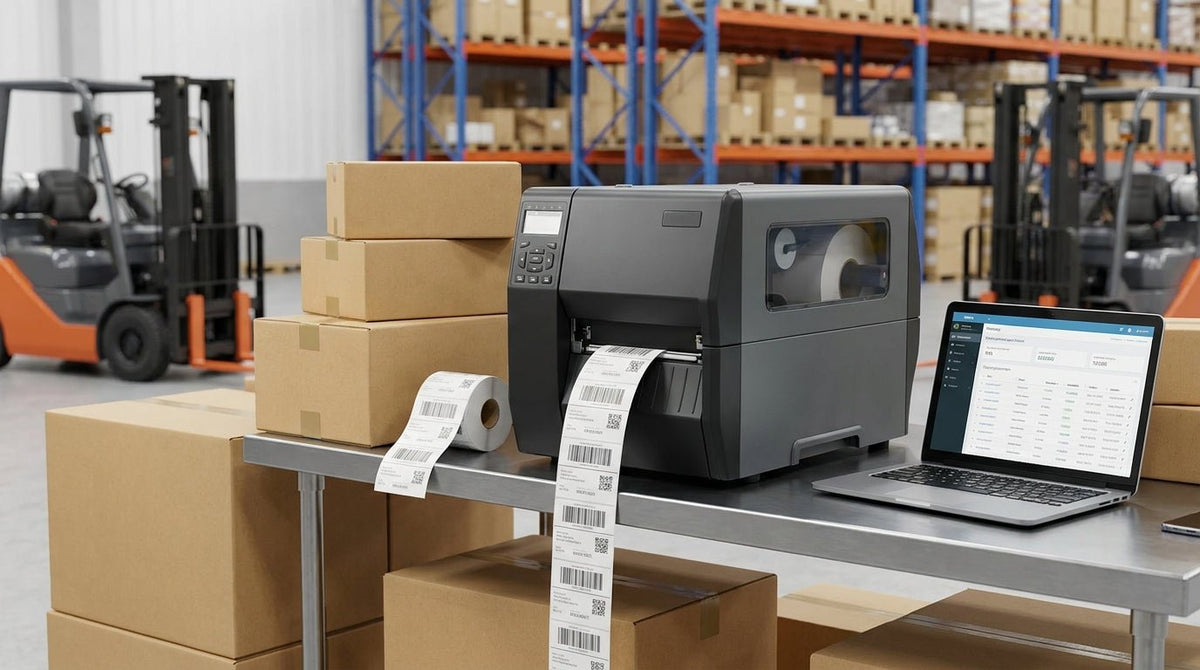
High-volume shipping operations live and die by label throughput — one slow or jamming printer costs more in downtime than the hardware ever saved. This guide ranks the best shipping label printers for high-volume sellers in 2026 based on print speed, duty cycle, resolution, and platform compatibility.
TL;DR: The best shipping label printer for high volume in 2026 is a direct thermal 4×6 unit rated for a daily duty cycle above 5,000 labels, running at 5–8 inches per second. McAuley Labels' 4×6 thermal label printer is the anchor pick for sellers on Shopify, eBay, WooCommerce, and Amazon FBA — it ships direct, prints at 203 DPI standard, and handles the label stock that UPS, USPS, FedEx, and DHL all accept. If your volume demands 600 DPI for small barcodes or dense text, the GoDEX RT863i steps up without slowing the line.
Why Print Speed and Duty Cycle Are the Only Numbers That Matter
A printer rated at 4 inches per second prints roughly 1,440 labels per hour at a standard 4×6 label length. A printer rated at 8 inches per second doubles that to 2,880 — the same throughput difference as hiring a second packer. Duty cycle sets the ceiling: a printer spec'd for 2,000 labels per day will overheat and jam when you push 4,000 through it in peak season. Buy to your peak, not your average.
Resolution matters differently at high volume. 203 DPI is sufficient for standard carrier barcodes (UPS, USPS, FedEx, DHL) and reads cleanly at scan distance. 300 DPI is the floor for dense QR codes. 600 DPI is only necessary when you're printing sub-inch barcodes or regulatory text smaller than 6pt — overkill for most shipping operations, useful if you're running a dual-purpose printer for product labels.
How We Ranked
Each printer below was evaluated against five criteria:
- Print speed (inches per second at rated label width)
- Duty cycle (daily label capacity before thermal head stress)
- Resolution options (DPI tiers available)
- Platform compatibility (Shopify, eBay, WooCommerce, Amazon FBA, carrier software)
- Label stock range (minimum and maximum width the printer accepts)
Printers that required proprietary label stock were penalized. Printers with USB + Ethernet + Wi-Fi connectivity scored higher than USB-only units. Only printers available direct-to-business in the US in 2026 are included.
The Ranked List
1. McAuley Labels 4×6 Thermal Label Printer
The reliable production floor pick
This is the unit you put on every packing station. It runs direct thermal — no ribbon, no ink, no consumables beyond the label roll itself — and accepts the 4×6 stock that every major US carrier's label format is built around. Print speed hits the standard 4 ips tier that keeps a two-person team from ever waiting on a label. Connectivity covers USB and works with ZPL-compatible carrier software out of the box, which means USPS Click-N-Ship, UPS WorldShip, FedEx Ship Manager, and ShipStation all drive it without driver headaches.
The duty cycle is rated for high-frequency commercial use — this is not a SOHO unit dressed up in spec sheet language. McAuley Labels ships it direct to US business addresses, which matters when you need a replacement unit on-site in 2–3 days rather than waiting on a distribution chain.
Verdict: Buy. This is the default choice for any seller processing 200–2,000+ shipments per day on standard carrier labels.
2. GoDEX RT863i — 4-Inch, 600 DPI Thermal Transfer
The high-resolution dual-purpose pick
The RT863i prints at 600 DPI, which is three times the resolution of a standard 203 DPI shipping printer. At 4 inches wide and a rated speed of 4 ips at full resolution, it doesn't sacrifice throughput for quality. The thermal transfer mechanism means it uses ribbon — that's one consumable to manage — but it produces labels that survive heat, solvents, and outdoor exposure that would destroy direct thermal output within weeks.
For a seller who also labels products, manages warehouse bins, or needs FNSKU barcodes that scan cleanly at 8 points of font size, this printer earns its place on the line. It is not the right choice if 100% of your output is standard carrier shipping labels and you want zero ribbon management.
The RT863i carries FCC, CE, and RoHS certifications, which matters for operations subject to import/export electronics compliance audits in 2026.
Verdict: Buy if you run mixed label types. Hold if shipping labels are your only output.
3. Direct Thermal 4×6, 300 DPI Mid-Tier Units (Category)
The volume-safe middle ground
For operations running 500–1,500 labels per day with occasional QR codes or small product labels alongside shipping output, 300 DPI direct thermal units sit between the 203 DPI standard and the 600 DPI premium tier. They print clean enough for GS1-128 barcodes and QR codes down to 1 inch square, and they keep duty cycles in the commercial range.
The caveat: 300 DPI direct thermal labels fade faster under UV than thermal transfer output. If your shipments route through outdoor sort facilities in summer, the barcodes on a 300 DPI direct thermal label will still scan — but not for the 12+ months that asset or compliance labels need to last.
Verdict: Consider for mixed-use operations. Skip if you need outdoor-durable labels.
4. Inkjet and Laser Label Printers
The wrong tool for this job
Inkjet and laser printers appear in "best shipping label" roundups because they're in every office. They don't belong in a high-volume shipping context. Ink smears on carrier belt systems. Laser toner on label stock jams sheet feeders. Neither technology produces the continuous-roll output that makes thermal printing 4–6× faster per label than sheet-fed alternatives. Duty cycles for office inkjet and laser printers top out at levels that a busy packing station exceeds before noon.
Verdict: Skip.
Comparison Table
| Printer | Resolution | Technology | Best For | Verdict |
|---|---|---|---|---|
| McAuley Labels 4×6 Thermal | 203 DPI | Direct thermal | Standard carrier labels, high volume | Buy |
| GoDEX RT863i | 600 DPI | Thermal transfer | Mixed label types, durable barcodes | Buy / Hold |
| 300 DPI Direct Thermal (mid-tier) | 300 DPI | Direct thermal | QR codes + shipping, mixed ops | Consider |
| Inkjet / Laser | 600–1200 DPI | Ink / toner | Office documents | Skip |
What to Avoid
Printers without continuous-roll support. Sheet-fed label printers require manual reloading every 10–30 labels. At 500 shipments per day, that's a full-time job on its own. Any printer you buy for high-volume shipping must accept 4-inch roll stock.
USB-only connectivity in multi-station operations. A printer that only connects via USB ties to a single computer. Ethernet or Wi-Fi connectivity lets multiple workstations share a print queue, which is the only configuration that scales past a two-person team.
Undersized duty cycles. A printer rated for 1,000 labels per day run at 1,500 labels per day will overheat, skip labels, and shorten thermal head life from years to months. The replacement cost of a thermal print head typically exceeds $80–$150 — often half the price of an entry-level printer. Buy headroom.
Where to Buy
- Direct from McAuley Labels for the 4×6 thermal label printer and GoDEX RT863i — ships direct to US business addresses, no distributor markup, and the label stock you need is available from the same supplier.
- Carrier-certified resellers if your fulfillment contract requires specific carrier-approved hardware (UPS, FedEx, and ShipStation each maintain approved device lists as of 2026).
- Avoid retail marketplaces for production hardware — warranty support and firmware updates are inconsistent on gray-market units, and thermal print heads require manufacturer-backed replacement programs.
FAQ
What is the best shipping label printer for high volume in 2026? A direct thermal 4×6 printer with a commercial-grade duty cycle and USB plus Ethernet connectivity. McAuley Labels' 4×6 thermal label printer is the specific unit that checks all three boxes for US sellers on Shopify, eBay, WooCommerce, and Amazon FBA.
Is 203 DPI enough for shipping labels? Yes. Every major US carrier — UPS, USPS, FedEx, DHL — accepts 203 DPI barcodes on 4×6 labels. 300 or 600 DPI is only necessary for small-format barcodes under 1 inch or regulatory text under 6pt.
How many labels per hour can a thermal printer produce? At 4 inches per second with a 6-inch label length, a thermal printer produces approximately 1,440 labels per hour. At 8 ips, that doubles to 2,880. Most standard commercial units run 4–6 ips.
Do I need thermal transfer or direct thermal for shipping labels? Direct thermal for shipping labels — no ribbon, lower operating cost, faster setup. Thermal transfer is the right call when labels must survive heat, chemicals, or outdoor exposure longer than 6–12 months.
What label size do shipping carriers require? UPS, USPS, FedEx, and DHL all use 4×6-inch label formats as the standard. Some carriers accept 4×8 for international shipments with additional data fields.
Can one printer handle both shipping labels and product labels? Yes, if you buy a unit with adjustable label width and a resolution of at least 300 DPI. The GoDEX RT863i at 600 DPI handles both without compromise. A 203 DPI direct thermal unit is optimized for shipping labels only.
How long does a thermal print head last? Under normal duty-cycle conditions, a thermal print head lasts 5–10 years or roughly 1–3 million linear inches of print. Running a printer above its rated duty cycle cuts that lifespan significantly.
What software works with thermal shipping label printers? ShipStation, ShipBob, EasyPost, USPS Click-N-Ship, UPS WorldShip, FedEx Ship Manager, and Shopify Shipping all support ZPL-compatible thermal printers. Most direct thermal 4×6 units, including the McAuley Labels model, are ZPL-compatible.
One Last Thing
The most expensive shipping label printer failure in 2026 is not a broken unit — it is a miscalibrated one. A printer that drifts 2mm off center on a 4×6 label will produce barcodes that scan at your station but fail at carrier sort hubs, triggering manual re-routing fees and delivery delays. Calibrate every printer at installation and after every roll change. McAuley Labels publishes a step-by-step calibration process for GoDEX units that takes under 3 minutes and eliminates the most common cause of carrier scan failures.