
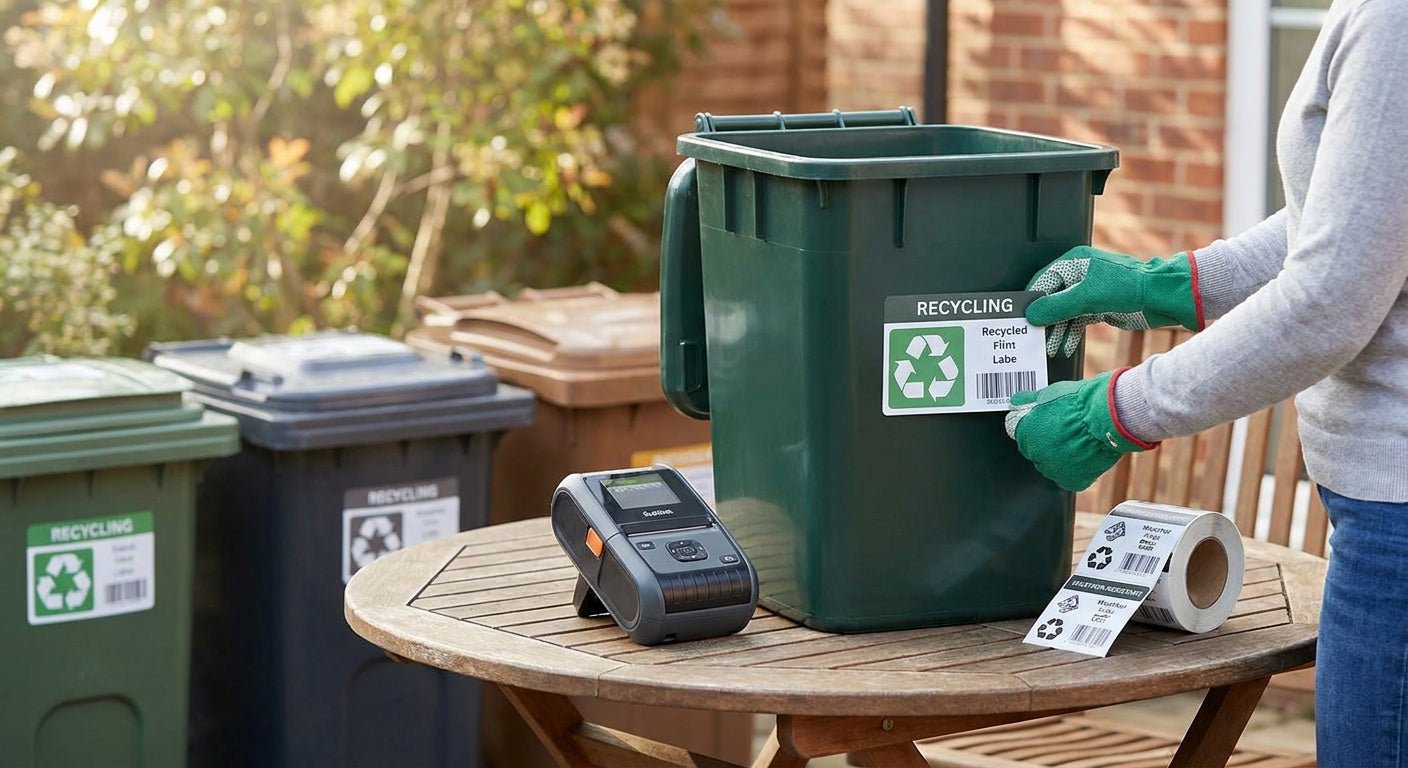
Outdoor bins take a beating from UV, rain, and temperature swings that indoor labels were never built to survive. Getting weather resistant labels for outdoor bins right comes down to three choices: material, adhesive, and print method — get any one wrong and you're reprinting labels every 90 days.
TL;DR: Printing weather resistant labels for outdoor bins in 2026 means pairing polyester or vinyl stock with thermal transfer ribbon, not direct thermal paper, which fades in UV within weeks. Thermal transfer printer labels in white polyester paired with a resin ribbon is the Buy combination for bins left outside year-round. Direct thermal paper labels are a Skip for any bin that sees direct sun or standing water.
Why this matters
A mislabeled bin costs more than a reprint. In warehouses, yards, and municipal recycling programs, bin labels carry sort instructions, hazard codes, or asset numbers that crews rely on daily. When a label fades or peels after one winter, the bin becomes anonymous — and someone has to walk over, check the contents, and relabel it by hand.
Direct thermal labels — the kind that print without ribbon — rely on a heat-sensitive coating that darkens with sunlight exposure, not just the printhead. Leave one on an outdoor bin through a Texas summer or a Michigan winter and you'll see edge lifting and text fade within 60 to 90 days. Thermal transfer printing, which melts a wax-resin ribbon onto the label face, doesn't have that problem because the image sits as a stable resin layer instead of a heat-reactive chemical coating.
What you'll need
- A thermal transfer printer (203 DPI is enough for bin labels; 300 DPI if you're printing small barcodes)
- Polyester label stock rated for outdoor use, not standard paper
- A wax-resin or full-resin thermal transfer ribbon matched to the label material
- Design software or label design software like GoLabel for layout and barcode generation
- A flat, clean bin surface for application — plastic or painted metal both work
- Isopropyl alcohol wipes to prep the surface before applying labels
The steps
1. Choose polyester over paper
Paper labels absorb moisture at the edges and curl within days outdoors. Polyester is dimensionally stable and doesn't wick water the way paper fibers do, which is why it's the standard stock for anything left outside past a season.
White polyester with a semi-gloss finish handles UV exposure better than uncoated paper stock, and it holds print contrast for 2-3 years outdoors versus a few months for paper. Common mistake: ordering gloss-laminate paper stock because it looks similar in a catalog photo — check the material spec, not just the finish, before you order.
2. Match the ribbon to the label
A wax ribbon works on paper but smears on polyester under moisture. Full-resin or wax-resin ribbons bond chemically to polyester and vinyl surfaces, which is what gives the print its scratch and rain resistance.
Running the wrong ribbon-to-stock pairing is the single most common reason labels fail early — the print looks fine on day one, then smudges the first time it rains. Expected outcome: with a matched wax-resin ribbon on polyester, print should resist a wet-finger rub test immediately after printing.
3. Set the printer for thermal transfer, not direct thermal
Most thermal transfer printers, including the GoDEX line, run in either mode from the same hardware. Check the printer menu or driver settings to confirm thermal transfer mode is selected — running direct thermal settings with polyester stock in the tray produces blank or scorched labels because polyester doesn't have the heat-reactive coating paper direct-thermal stock does.
The GoDEX GE330 thermal transfer printer at 203 DPI handles this switch in the driver panel — confirm the ribbon sensor is reading correctly before your first print run in 2026, since a misread ribbon sensor is the top cause of blank labels on a first setup.
4. Calibrate print darkness for outdoor contrast
Outdoor labels need higher print darkness than indoor labels because sun glare washes out low-contrast text. Start at a mid-range darkness setting and increase in small increments until barcode scans are clean and text reads at arm's length in direct light.
Too much darkness burns through the ribbon and can scorch polyester edges; too little leaves faint print that fades faster under UV. Common mistake: copying darkness settings from an indoor label template — outdoor stock almost always needs a step or two higher.
5. Apply to a clean, dry, room-temperature surface
Wipe the bin surface with isopropyl alcohol and let it dry fully before applying. Adhesive bonds poorly to cold surfaces below 50°F and to any surface with dust, oil, or condensation.
Press from center outward to eliminate air bubbles, which trap moisture and create lift points where peeling starts. Expected outcome: a properly applied label resists edge lifting for at least 12 months outdoors even through freeze-thaw cycles.
6. Order in batches sized to your bin count, not per-label
One-off printing wastes ribbon and stock because setup and calibration take longer than the print run itself. Batch labels by bin type or route so you're printing 50-200 at a time instead of reprinting singles every week.
For bulk runs beyond your printer's ribbon capacity or for pre-printed stock, a custom quote covers larger orders without the per-label setup overhead.
Troubleshooting
- Label edges lift within weeks: surface wasn't dry or clean before application — reapply after an alcohol wipe and full dry time.
- Print smears when wet: wrong ribbon type for the stock — switch to full-resin ribbon matched to polyester.
- Barcode won't scan after a few months: print darkness was too low at the outset — recalibrate and reprint at a higher setting.
- Text faded but adhesive still holds: direct thermal stock was used instead of thermal transfer — this is a material problem, not an application problem, and requires a stock change.
- Label won't feed through the printer: ribbon sensor misread or ribbon installed backward — check ribbon orientation against the printer's loading diagram.
- Print looks fine indoors but disappears outdoors within days: UV exposure on unrated stock — confirm the label material spec explicitly states UV or outdoor rating before ordering again.
Tools and resources
- Thermal transfer ribbon matched to polyester and vinyl stock
- Thermal transfer printer labels in polyester white for outdoor bin runs
- GoLabel software for darkness calibration and barcode layout
- A guide to printing waterproof labels for outdoor use covers material selection in more depth for adjacent outdoor applications
FAQ
What's the best label material for outdoor bins? White semi-gloss polyester with a wax-resin or full-resin ribbon is the standard for outdoor bins in 2026 — it resists UV fade and moisture better than paper stock at a comparable per-label cost.
Is thermal transfer better than direct thermal for outdoor labels? Yes, for anything left outside past a few weeks. Direct thermal print fades from UV exposure alone, independent of handling, while thermal transfer print is chemically bonded and holds contrast for 2-3 years outdoors.
How long do weather resistant bin labels actually last outdoors? Properly matched polyester stock and resin ribbon typically holds legible print and adhesion for 12 to 36 months outdoors, depending on sun exposure and climate.
Can I print outdoor bin labels on a standard office printer? No — standard laser or inkjet printers use toner or ink that isn't rated for outdoor adhesive stock and will smear or fade within days of rain exposure.
Do I need a special printer for polyester labels? You need a thermal transfer printer, not a direct thermal-only model. Most GoDEX thermal transfer printers switch between modes, so check the driver setting rather than buying separate hardware.
What DPI resolution do I need for bin labels? 203 DPI is sufficient for most bin labels with basic text and standard barcodes; move to 300 DPI only if you're printing small QR codes or dense barcode data.
How much does it cost to print weather resistant bin labels? Costs depend on stock, ribbon, and order volume — a custom quote is the fastest way to get a per-label price for your specific bin count and material choice.
Why do my outdoor labels peel at the corners first? Corner lift is almost always an application problem — either the surface wasn't fully dry or the label wasn't pressed firmly enough during application, letting moisture wick under the edge.
One last thing
The overlooked variable in outdoor bin labeling isn't the label at all — it's the ribbon-to-stock match. Most reprint complaints in 2026 trace back to a wax ribbon running on polyester stock that needed full resin, not a bad label batch. Confirm the ribbon type before you troubleshoot anything else.