
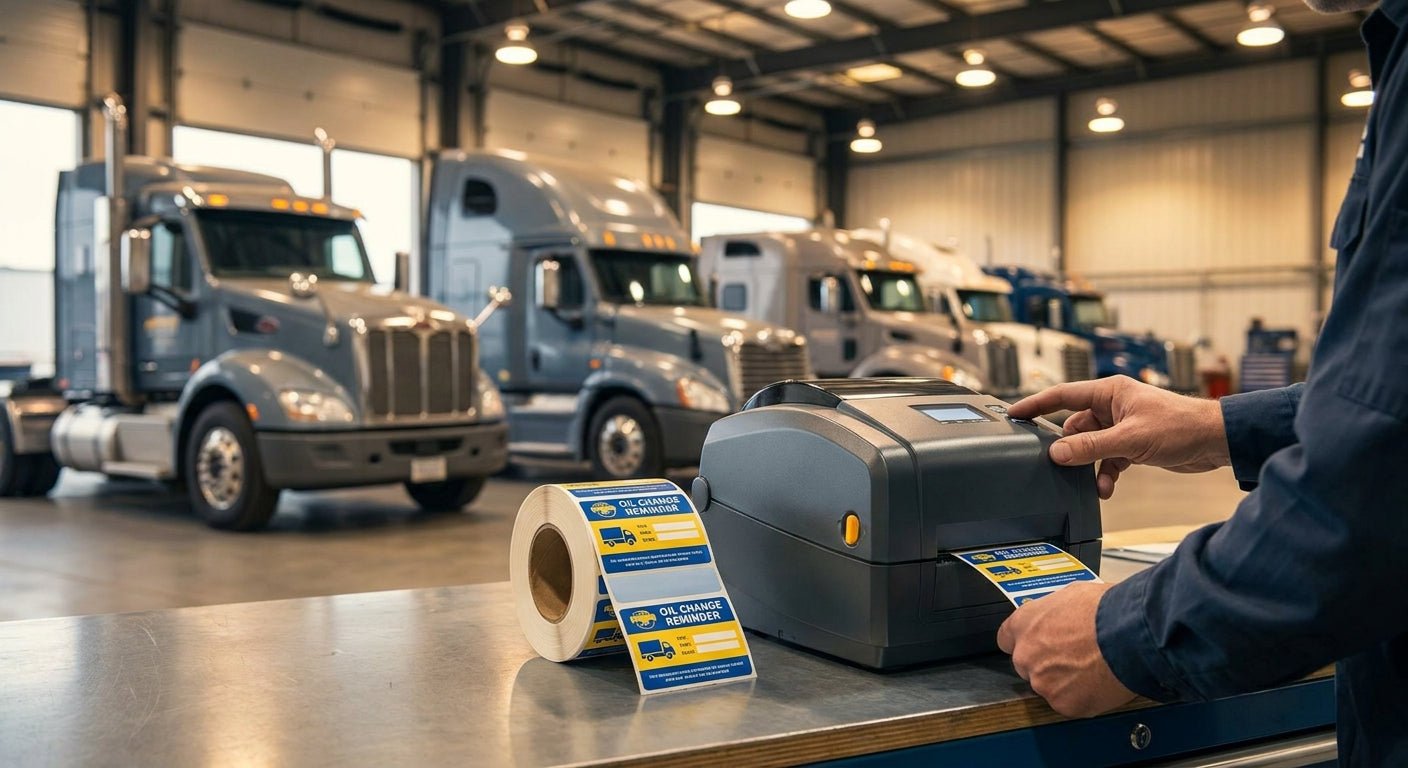
Printing oil change stickers in-house for a truck fleet cuts per-sticker cost and gets a windshield reminder into a driver's hands before the truck leaves the bay — no waiting on a supplier's turnaround. This guide covers the equipment, the settings, and the exact steps to get consistent stickers running for 5 trucks or 500.
TL;DR
Printing oil change stickers for fleet trucks in-house means a direct thermal printer (203 or 300 DPI), a static-cling or adhesive stock rated for windshields, and a label design template with your DOT number, mileage field, and next-service date. The GoDEX RT230i at 300 DPI is the Buy for fleets that also print barcode or QR labels on the same machine — sharp enough for small text, fast enough for batch runs. Skip laser-printed labels; they smear in direct sun and fail inspections. Expect a working setup in under an hour once stock and printer are on the bench.
Why this matters
A missed oil change on a single truck in a 20-unit fleet can mean an unplanned engine teardown running into five figures. Windshield stickers are the cheapest maintenance-tracking tool a fleet manager has, and they only work if the mileage and date are legible after three months of highway grime and UV exposure.
Outsourced stickers cost more per unit and take days to arrive. A fleet running an oil change sticker printer system prints on demand, matches the sticker to the actual service date instead of a batch printed weeks earlier, and lets you swap in a QR code or a shop phone number without reordering from a vendor. For a 30-truck operation doing oil changes every 5,000-8,000 miles, that's 60-plus stickers a year running through one small printer.
What you'll need
- A direct thermal label printer, 203 or 300 DPI (no ribbon needed for standard stock)
- Static-cling or adhesive-backed windshield sticker stock, sized to your service interval fields
- Label design software (GoLabel or similar, usually bundled with the printer)
- Your fleet's DOT number, shop name or logo file, and mileage/date field format
- A USB or Ethernet connection from the printer to a shop PC or tablet
- 15-20 minutes to calibrate before the first production run
If you're ordering pre-printed stock instead of building templates from scratch, oil change stickers with custom logo come with the layout done — you just add mileage and date at print time.
The steps
1. Choose direct thermal over thermal transfer for this job
Direct thermal printers skip the ribbon and print straight onto heat-sensitive stock, which is exactly what oil change stickers use. Thermal transfer ribbons are for barcode labels that need years of outdoor durability — overkill and extra cost for a sticker that gets replaced every service interval. A 203 DPI GoDEX RT200i handles the job for straight text and numbers; step up to 300 DPI if your logo has fine detail or small QR codes. Common mistake: buying a thermal transfer printer for this and never using the ribbon feed.
2. Pick static-cling for windshield glass, adhesive for painted surfaces
Static-cling stock sits on the inside of the windshield and comes off clean without adhesive residue when a truck gets sold or reassigned. Adhesive stock bonds and stays put through car washes and pressure sprays, which matters for trucks that get washed at a bay daily. Fleet managers running high-turnover leased trucks lean static-cling; owned fleets that keep trucks 8-10 years often prefer adhesive for permanence. Mistake to avoid: adhesive stock on a leased truck leaves a residue mark the leasing company will bill you for.
3. Build the label template with the fields your techs actually fill in
Set up four fields minimum: current mileage, service date, next-service mileage, and shop contact info. Add a DOT number field if your fleet runs interstate. Keep font size at 10pt or larger for the mileage numbers — that's what a driver reads from the seat, not the fine print. A common failure here is cramming a full logo, address, and warranty text onto a 2x3 sticker until the mileage numbers shrink to unreadable.
4. Calibrate the printer before the first batch
Run the printer's auto-calibration routine with your actual stock loaded, not generic label media — gap sensors read static-cling and adhesive stock differently. Print 3-5 test stickers and check registration against the stock's die-cut lines. Misalignment here is the single most common complaint with new thermal printer setups, and it's almost always a skipped calibration step, not a defective unit.
5. Batch print by truck, not by date
Queue a print run organized by vehicle ID or truck number rather than printing loose stickers and hand-writing which truck gets which. For a 40-truck fleet doing quarterly service, that's a batch of 40 stickers printed once per quarter in under 10 minutes on a 300 DPI printer running at 4 inches per second. Mistake: printing generic blank stickers and hand-writing mileage in the bay — illegible after a week of glare and vibration.
6. Add a QR code if you're tracking service history digitally
A QR code linking to a service-log entry lets any tech scan the windshield sticker and pull full maintenance history instead of relying on the printed mileage alone. This matters most for fleets with multiple service locations where the truck doesn't always return to the same bay. Skip this step if your fleet runs a single shop and paper logs — it adds complexity without a clear payoff at that scale.
7. Standardize the reorder point for stock
Track how many stickers you burn per month and reorder stock at 20% remaining, not zero — a stockout means trucks leave the bay with no reminder at all, which defeats the entire system. A 50-truck fleet on 6,000-mile intervals typically burns 250-400 stickers a year depending on route mileage.
Troubleshooting
- Sticker fades within weeks: Direct thermal print is heat-sensitive and degrades faster under direct summer sun. Switch to a UV-resistant static-cling stock rated for windshield use, or reduce print darkness setting slightly to extend life.
- Print head leaves faint or streaky text: Clean the print head with an isopropyl swab every 500-1,000 prints. Dust and adhesive residue build up faster on high-volume runs.
- Labels jam feeding through the printer: Check gap sensor calibration again — static-cling stock without adhesive backing sometimes needs a manual gap-sensor offset versus standard adhesive labels.
- Mileage numbers too small to read from the driver's seat: Rebuild the template with mileage fields at 12-14pt minimum and drop non-essential text like tagline or slogan copy.
- Sticker peels off within a month: You likely used static-cling stock on a surface that needed adhesive, or vice versa — confirm stock type matches mounting surface before the next order.
- Printer won't recognize custom label size: Re-run calibration with the exact stock dimensions entered manually rather than relying on auto-detect, which sometimes defaults to a standard 4x6 size.
Tools and resources
- GoDEX RT230i thermal printer, 300 DPI — the mid-tier pick for fleets printing both oil stickers and barcode labels on one machine
- GoLabel or equivalent label design software, typically bundled with the printer
- Static-cling or adhesive windshield stock sized to your template
- A shop PC or tablet with USB or Ethernet access to the printer
Fleets scaling past a handful of trucks run into the same operational question that any growing carrier faces: what to standardize first as unit count climbs. The same logic behind growing a multi-truck fleet applies to maintenance tracking — standardize the sticker template and reorder cadence before adding trucks, not after, or the system falls apart at 15 units instead of holding at 50.
For a deeper look at how windshield stickers hold up across different fleet types, windshield oil change stickers for fleet vehicles breaks down stock choice by climate and truck type in more detail than fits here.
What to do next
If you're still sourcing stock rather than printing, price out a bulk order through a custom quote before committing to a printer purchase — for fleets under 15 trucks, outsourced stock sometimes beats the cost of owning a machine, and 2026 pricing on both routes is worth comparing before you decide.
FAQ
What's the best printer for oil change stickers on a fleet of trucks? A direct thermal printer at 203 or 300 DPI covers most fleet needs — 300 DPI if the label includes small QR codes or fine logo detail, 203 DPI if it's straight text and numbers.
Is static-cling or adhesive better for fleet windshield stickers? Static-cling suits leased or high-turnover fleets since it removes clean; adhesive suits owned trucks kept long-term since it holds through frequent washing.
How much does it cost to print oil change stickers in-house? Cost comes down to stock price per sticker plus printer amortization — a 300 DPI direct thermal printer pays for itself against outsourced sticker orders once volume passes a few hundred units a year.
Do I need thermal transfer or direct thermal for windshield stickers? Direct thermal. Thermal transfer with ribbon is built for years-long outdoor durability that a rotating service sticker doesn't need.
Can I add a QR code to a fleet oil change sticker? Yes — link it to a service-log entry so any tech at any location can scan and pull history instead of relying on the printed mileage alone.
How often should fleet oil change stickers be reordered? Reorder stock at 20% remaining rather than waiting for a stockout, which leaves trucks leaving the bay with no reminder at all.
What causes fleet oil change stickers to fade quickly? Direct summer sun degrades heat-sensitive print faster than shaded parking. UV-resistant stock and a slightly lower print darkness setting both extend legibility.
Do oil change stickers need a DOT number for interstate fleets? Most interstate carriers include it as a template field, since it doubles as a quick compliance reference during roadside inspections.
One last thing
The fleets that get the most out of in-house sticker printing aren't the biggest ones — they're the ones that standardize the template once and never touch it again. A 12-truck operation running one fixed layout with a reorder trigger at 20% stock beats a 200-truck fleet improvising a new template every quarter. Fix the template first, scale the truck count second.