
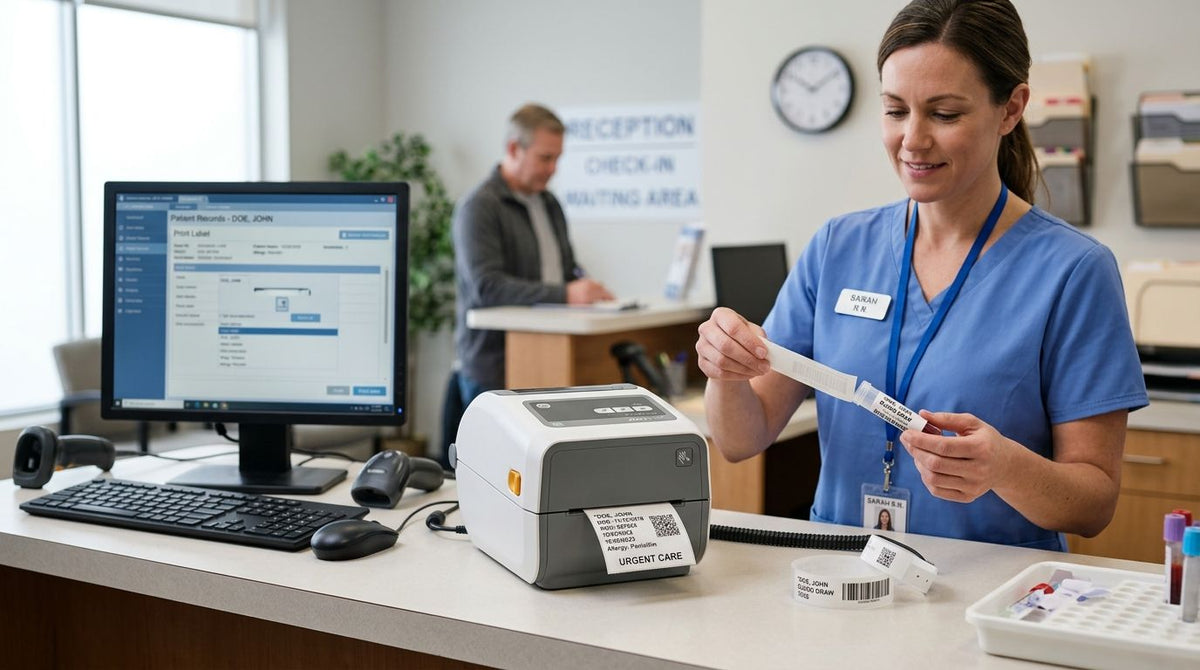
Urgent care clinics need a medical label printer that keeps up with patient wristbands, specimen tubes, chart labels, medication labels, and equipment tags without slowing a walk-in queue that turns over every 10-15 minutes. Unlike a single-doctor office, an urgent care site runs multiple exam rooms and a lab bench at once, so the printer has to survive shift-long duty cycles, not occasional single-page jobs.
- A 300 DPI thermal transfer printer like the GoDEX ZX430i+ is the right call for small specimen barcodes; 203 DPI is fine for wristbands and chart labels.
- Direct thermal fades under alcohol wipes and heat; thermal transfer holds up on anything handled repeatedly.
- A medical label printer for urgent care clinics should sit on the network, not on one front-desk PC.
- McAuley Labels covers both resolutions and both print methods, so you match the printer to the label.
Why this matters for urgent care clinics
An urgent care clinic prints more label types per shift than a single-specialty office: patient ID wristbands at intake, specimen tube labels at the lab bench, chart and folder labels at checkout, and asset tags on shared equipment like nebulizers and vital-sign monitors. Each has a different durability requirement.
A wristband gets worn for hours. A specimen label gets handled with gloved hands and sometimes wiped with alcohol. An equipment tag has to survive years of cleaning cycles. One machine with one label stock cannot serve all three well.
The wrong resolution or wrong thermal type creates real operational cost. A blurred barcode on a specimen tube means a manual lookup at the lab, and a faded wristband means a re-print mid-visit. McAuley Labels builds its GoDEX catalog around that exact split between resolution and thermal method, which is why clinics in 2026 usually end up with two printers rather than one.
Map every label point in your clinic
Walk the patient path from check-in to discharge and list every place a label gets printed. Most urgent care sites land on four to six distinct label types once they count equipment tagging.
- Patient ID wristbands at intake
- Specimen tube and vial labels at the lab bench
- Chart, folder, and prescription labels at checkout
- Equipment and asset tags on monitors, nebulizers, and carts
- Triage or routing tags if the clinic runs a paper workflow
Choose resolution based on your smallest barcode
Resolution is the biggest source of blurry scans in a clinic. 203 DPI is fine for wristbands and chart labels where the barcode module width is generous, but small specimen labels with dense 1D or 2D codes need more dots per inch to stay scannable after handling.
- Use 203 DPI for wristbands and general chart labels
- Move to 300 DPI for specimen tubes and any label under an inch wide
- Print a test label at your smallest planned barcode size before ordering a full roll
- Confirm the lab's scanner reads it at arm's length, not just up close
- Re-test after any label size change, not just at install
Match thermal type to how the label gets handled
Direct thermal and thermal transfer are not interchangeable once a label gets touched repeatedly. Direct thermal prints onto heat-sensitive stock with no ribbon — cheaper per label, but it fades under heat, sunlight, or alcohol contact. Thermal transfer bonds a wax or resin ribbon to the label surface and survives gloved handling and wipe-downs.
- Use direct thermal for short-lived labels like same-day routing tags
- Use thermal transfer for specimen tubes that get wiped or stored
- Use thermal transfer for equipment asset tags that need to last years
- Keep a spare ribbon roll at each station — a 2.25" x 243' roll covers a full shift on most desktop units
Standardize label stock across stations
Three different label sizes across three exam rooms creates reorder chaos and mismatched printer settings. Pick one wristband size, one specimen label size, and one asset tag size, then lock every station to those SKUs.
- Lock one width and length per label type clinic-wide
- Order direct thermal labels in bulk for short-lived tags
- Reserve thermal transfer stock for specimen and equipment labels only
- Mark each printer with its assigned stock type to prevent mix-ups
Network the printer to your intake workflow
A single desktop printer on one front-desk PC becomes a bottleneck the moment a second exam room needs a wristband. Ethernet or Wi-Fi lets any station send a job without walking to one machine.
- Use Ethernet where the clinic already has wired ports
- Use Wi-Fi at lab benches and exam rooms with no wall jack
- Set a naming convention (Intake-1, Lab-1) so staff pick the right queue
- Confirm your EHR or intake software can target a printer by name
Tag clinic equipment separately from patient labels
Nebulizers, monitors, and infusion pumps move between rooms constantly, and an unlabeled unit is a real loss. Asset tags need different material than patient labels — metalized silver or 3M heavy-duty stock holds up on plastic and metal housings through repeated disinfectant wipe-downs.
- Use metalized silver barcode asset tags on shared equipment
- Number tags sequentially so a missing unit shows up in an audit
- Keep asset labels on a separate print queue from patient labels
- Re-tag on a set schedule, not only after a loss


Compare the options for urgent care use
| Option | Best for | Key limitation |
|---|---|---|
| GoDEX ZX430i+ (300 DPI thermal transfer) | Specimen tube barcodes needing sharp 1D/2D codes | Requires ribbon stock, so consumables are a two-item order |
| GoDEX RT700i+ (203 DPI, 4-inch) | Wristbands and general chart labels at intake | 203 DPI blurs at very small barcode module widths |
| GoDEX DT200iL (2-inch linerless direct thermal) | High-volume short-life routing tags, no ribbon | Direct thermal output fades with heat and alcohol contact |
| Consumer desktop label maker | Single-station, very low volume | Not built for continuous multi-room clinic throughput |
Verdict: the GoDEX ZX430i+ is the safest default for any urgent care clinic printing specimen barcodes in 2026 — the extra resolution eliminates the re-scan problem that 203 DPI machines create on labels under an inch wide.
“If the smallest label in your clinic is under an inch wide, buy 300 DPI and stop debating it.”
Common mistakes urgent care clinics make
- Printing specimen labels on direct thermal stock that fades after an alcohol wipe, forcing a re-label at the lab
- Running the whole clinic off one front-desk printer instead of networking a second unit to the lab bench
- Mixing wristband and asset tag stock in the same printer, causing wrong-size jams mid-shift
- Skipping printhead cleaning for months, which shows up as streaky, unscannable wristbands
- Ordering ribbon that doesn't match the printer's core size, wasting the roll at setup
FAQ
What's the best medical label printer for urgent care clinics in 2026?
A 300 DPI thermal transfer printer like the GoDEX ZX430i+ is the best fit for specimen barcodes, while a 203 DPI unit like the GoDEX RT700i+ handles wristbands and chart labels. Most clinics run both rather than forcing one printer to cover every label type.
Is direct thermal better than thermal transfer for a clinic?
Thermal transfer is better for labels handled repeatedly, like specimen tubes and equipment tags, because it resists fading from alcohol and heat. Direct thermal is fine for short-lived labels where cost per label matters more than longevity.
What resolution do specimen tube labels need?
300 DPI is the safer choice for specimen tube labels because the printable area is often under an inch wide. 203 DPI can work but raises the chance of a scan failure at the lab bench.
Can one printer handle wristbands, specimens, and equipment tags?
One printer can switch between label types, but it forces constant stock changes and resolution compromises. Multi-room clinics normally run two printers, one for wristbands and chart labels and one for specimen barcodes.
How often should a clinic clean its label printer?
Wipe the printhead on a schedule tied to roll changes, since residue buildup is the most common cause of streaky labels. A clinic printing across multiple shifts should clean weekly at minimum.
Do equipment asset tags need different material than patient labels?
Yes. Equipment tags use metalized silver or 3M heavy-duty stock built for repeated disinfectant wipe-downs, while patient labels use standard thermal stock rated for short wear time.
What happens if you use the wrong ribbon core size?
A mismatched core either won't seat in the printer or feeds unevenly, producing print gaps and wasting the roll. Match ribbon width and core size to the printer model before ordering in bulk.
Should the printer be networked or USB-connected?
Network the printer once you have more than two exam rooms, so any station can send a job without walking to one PC. USB is acceptable only for a single-station setup.
One last thing
The most overlooked failure in urgent care labeling isn't the printer — it's the ribbon-to-label match. A 2.25" x 243' wax/resin ribbon run against incompatible stock smears in a way that looks exactly like printhead failure, and clinics replace working hardware chasing it. Confirm ribbon width, core size, and stock compatibility before troubleshooting anything else in 2026.