
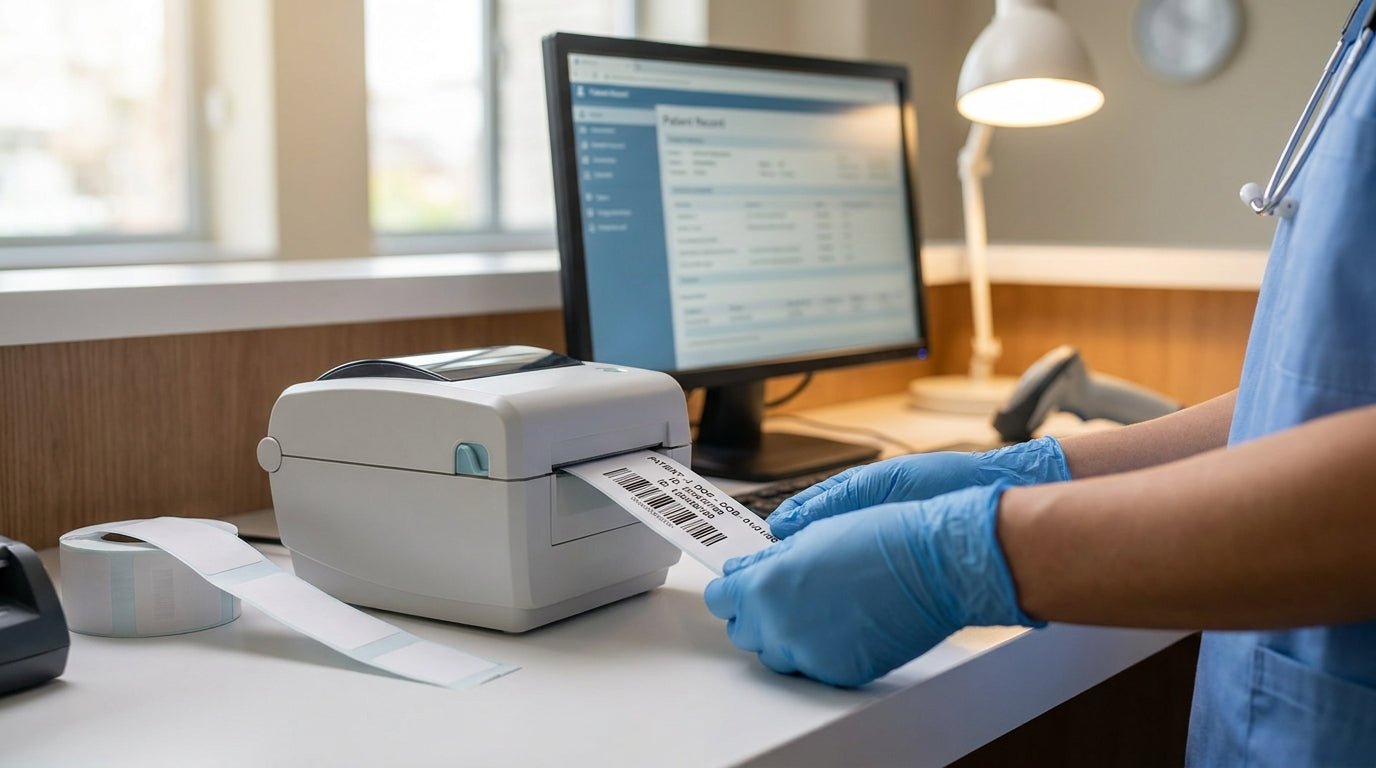
Printing wristband labels for patient identification in a clinic means matching a compact direct thermal printer to durable band stock and pulling patient data cleanly from your EHR or scheduling system, so every band scans on the first pass at check-in and again at discharge.
- GoDEX DT2x prints wristband labels for patient identification at 203 DPI with no ribbon required — Buy for clinics under 200 patients a day.
- Direct thermal wristband stock beats thermal transfer for clinics because there's no ribbon to jam or reorder in 2026.
- Test-scan every printed batch before applying bands — a 203 DPI printer with a dirty print head produces barcodes that fail 1-in-10 scans.
- Calibrate the wristband sensor after every stock change or the printer starts skipping bands mid-run.
Why this matters
A misprinted or unscannable wristband is a patient-safety event, not a paper cut. Front desks that batch-print bands from a shared McAuley Labels printer at intake cut mismatched-ID errors because the barcode gets generated straight from the same record the nurse pulls up at the bedside, not retyped by hand.
Clinics running low patient volume — under 150-200 visits a day — don't need an industrial print engine. They need a small-footprint direct thermal printer that sits on a counter, takes 30 seconds to reload, and doesn't require ribbon inventory. That's a different buying decision than a warehouse asset-tag printer, and it changes which stock and which printer make sense for 2026.
What you'll need
- A direct thermal wristband printer sized for a front desk or nurse station, not a full industrial floor unit
- Direct thermal wristband stock in the width your clinic standardizes on (adult, pediatric, infant)
- A barcode or QR template tied to patient ID fields (MRN, name, DOB, allergy flag)
- A USB or network connection from the printer to your EHR or scheduling workstation
- A handheld barcode scanner at the point of care to verify legibility before use
- 10-15 minutes to calibrate stock the first time you swap rolls
The steps
1. Pick direct thermal stock, not thermal transfer
Wristbands for patient ID print faster and cheaper on direct thermal stock because there's no ribbon to load, track, or run out of mid-shift. Thermal transfer wristbands exist and hold up longer against extreme heat, but a clinic wristband only needs to survive a few days on a wrist, not months in a warehouse. If your team is deciding between the two printing methods for the first time, the trade-offs are laid out in this direct thermal vs. thermal transfer comparison — for wristbands specifically, direct thermal wins on cost and simplicity. Verdict: direct thermal for clinic wristbands, thermal transfer only if bands need to survive weeks, not days.
2. Choose a printer sized for the counter, not the warehouse
A 203 DPI desktop printer resolves small barcode and QR fields cleanly at wristband widths, and it doesn't need the footprint of a warehouse label printer. The GoDEX RT200i 203 DPI thermal printer is one option worth comparing against a dedicated wristband unit if your clinic also prints general labels on the same machine. If wristbands are the only job, a compact model built specifically for wristband width is the simpler buy — fewer settings to get wrong, one job, one printer.
3. Load stock and calibrate the sensor
Every stock swap needs a calibration pass — the printer's gap sensor has to relearn where one wristband ends and the next begins. Skipping this step is the number one cause of skipped or blank prints in the first ten bands after a reload. Run 3-5 test prints after calibration and check that the perforation lines up with the tear point every time, not just the first one.
4. Build the barcode template with patient ID fields
The template needs the fields your clinic actually checks at the point of care: name, MRN or account number, date of birth, and a barcode or QR code encoding the same MRN your EHR uses to pull the chart. Keep human-readable text directly under the barcode — a nurse scanning in low light still needs to read the name and DOB by eye as a backup.
5. Print a test batch and scan-check it
Print 10 bands before your first real patient run and scan every single one with the same handheld scanner used at the bedside. A print head with even light debris buildup will pass 8 or 9 out of 10 and silently fail the rest — that failure rate is invisible until a nurse can't scan a real patient's band during a med pass.


6. Apply the band and confirm closure and legibility
Check that the closure locks and can't be re-opened and re-closed without tearing — that's the tamper-evidence feature that matters in a clinic setting. Hold the printed side against light for a second to confirm the barcode isn't smeared from handling before the print fully set.
7. Set a reorder point before you run out mid-shift
A clinic printing 40-60 bands a day burns through a roll faster than most front desks expect in the first month. Set a reorder trigger at 20% stock remaining, not zero, so a delayed shipment never turns into a hand-written wristband at the counter.
Troubleshooting
- Barcode won't scan after the band is on the wrist. Curvature and moisture from hand sanitizer distort a barcode printed too small — increase the barcode module width in the template rather than shrinking the print area further.
- Bands feed crooked or tear at the perforation. Recalibrate the gap sensor; a stock swap without recalibration is the most common cause.
- Print fades within 24 hours. Direct thermal print darkness settings are too low for your stock — raise the darkness/heat setting two notches and reprint a test batch.
- Closure won't lock. This is a stock defect, not a printer issue — check the roll for a bad batch before troubleshooting the printer.
- Text is blurry at small point sizes. A 203 DPI printer has a resolution floor; text under 6pt on a wristband will blur regardless of settings — bump the font size instead.
- Printer prints blank labels intermittently. Usually a driver-buffer mismatch after a Windows update — reinstall the printer driver and resend the print job.
If calibration keeps drifting across shifts, the fix usually isn't the stock — it's a printer that's never been recalibrated from factory defaults. This calibration walkthrough covers the sensor reset most desktop thermal printers need after the first few hundred prints.
Tools and resources
- A 203 DPI direct thermal printer sized for wristband width
- Direct thermal wristband stock matched to your standard band widths
- GoDEX GoLabel or equivalent label-design software for the barcode template
- A handheld barcode scanner at the point of care for verification
- A written reorder trigger so stock never hits zero mid-shift
What to do next
If your clinic is still deciding between a dedicated wristband printer and a shared multi-purpose desktop unit, work through how to choose a label printer for a medical office before you buy — the right call depends on whether wristbands are the only labeling job in the building or one of several.
FAQ
What's the best printer for wristband labels for patient identification in 2026?
A compact 203 DPI direct thermal printer, like the GoDEX DT2x, is the standard choice for clinic patient ID wristbands in 2026. It skips ribbon entirely and handles standard wristband widths without the footprint of a warehouse-grade printer.
Is direct thermal or thermal transfer better for patient wristbands?
Direct thermal is better for patient wristbands because bands only need to stay legible for a few days, not months. Thermal transfer costs more per band and adds a ribbon to manage for no real durability benefit at this use case.
How much does a wristband printer for a clinic cost?
A compact direct thermal wristband printer runs in the low hundreds of dollars, well under industrial barcode printers built for warehouse floors. Stock and any software licensing are separate line items.
Can a wristband printer also print general clinic labels?
A 203 DPI direct thermal printer built for general label widths, such as the GoDEX RT200i, can handle both wristbands and other clinic labels if the width matches. A dedicated wristband unit is simpler if wristbands are the only job.
Why do printed wristband barcodes fail to scan?
Failed scans are usually caused by a barcode printed too small, a print head needing cleaning, or moisture and curvature on the wrist distorting the code. Widening the barcode module and cleaning the print head resolve most cases.
How often should a wristband printer be calibrated?
Calibrate every time you load a new roll of stock, and recheck monthly even on continuous runs. Skipped calibration is the leading cause of blank or skipped prints in clinics.
Do patient ID wristbands need a QR code or a barcode?
Either works as long as your scanning hardware and EHR integration support the format; barcodes remain the more common standard in clinical settings as of 2026. QR codes hold more data per band if you need to encode more than an MRN.
How many wristbands does a small clinic go through per month?
A clinic printing 40-60 bands a day burns through a standard roll faster than most front desks plan for in the first month, which is why setting a reorder trigger at 20% remaining stock matters.
One last thing
The printer isn't usually where clinics lose time on wristband labels for patient identification — the barcode template is. A template with the module width set too tight for wristband curvature will scan fine flat on the counter and fail 15-20% of the time once it's actually wrapped around a wrist. Test-scan on a curved surface, not a flat desk, before the first real patient batch of 2026 goes out.